📘 Studio manuals • Free online PDFs
Studio logo

Studio-oppaat ja käyttöoppaat

Studio encompasses a diverse range of professional equipment, including advanced Dante audio interfaces, DMX LED lighting panels, and modular studio furnishings.

Vinkki: parhaan osuman varmistamiseksi lisää Studio-tarraan painettu koko mallinumero.

About Studio manuals on Manuals.plus

Studio is a versatile brand category representing a wide array of professional and consumer equipment. The product lineup features high-quality audio and media networking tools from manufacturers like Studio Technologies, which produces industry-leading Dante audio interfaces, intercom engines, and line outputs.

In addition to professional audio equipment, the Studio brand covers high-performance LED lighting panels equipped with advanced DMX controls, multi-platform wireless headsets, and modular wall unit systems tailored for functional workspace organization. Whether outfitting a broadcast facility, designing a creative workspace, or setting up a recording environment, you can find the essential installation and operating instructions here.

Studio-oppaat

Uusimmat käyttöohjeet manuals+ tälle tuotemerkille kuratoitu.

Studio PANEL300TW LED-paneelin käyttöopas

1. kesäkuuta 2024
Studio PANEL300TW LED Panel Product Information The PANEL300TW is a studio LED panel designed to provide powerful and versatile lighting for various applications. It comes with safety features and precautions…

Studio 5421 Dante Intercom Audio Engine -käyttöopas

28. toukokuuta 2024
Studio 5421 Dante Intercom Audio Enginen tekniset tiedot Malli: 5421 Sarjanumerot: M5421-00151 ja uudemmat Päälaiteohjelmisto: 2.00 ja uudemmat FPGA Laiteohjelmisto: 2.01 ja uudemmat Äänikanavat: 16 kanavaa Tuetut Sample…

Studio 543D IFB Interface -käyttöopas

20. maaliskuuta 2024
Studio 543D IFB -liitäntä Tuotetiedot Tekniset tiedot: Malli: 543D IFB -liitäntä Tukee Danten audio-over-Ethernet-tekniikkaa Sample Rate: 48 kHz Bit Depth: 16, 24, or 32 Four 5-segment LED audio meters…

Studio 374A Intercom Beltpack -käyttöopas

26. joulukuuta 2023
Studio 374A Intercom Beltpack Product Information Specifications Serial Numbers: M374A-04001 to 04500 Application Firmware: 2.1 and later Power Requirement: Power-over-Ethernet (PoE) Operating Parameters: Configurable using the STcontroller software application Audio…

STUDIO Laminaattilattiat Käyttöopas

12. tammikuuta 2023
STUDIO Laminate Floors Care and Maintenance Quick-Step Studio laminate floors, like other fine furnishings in your home, require proper care to keep them looking their best. When you follow our…

Studio RPU:n käyttöopas

käyttöopas
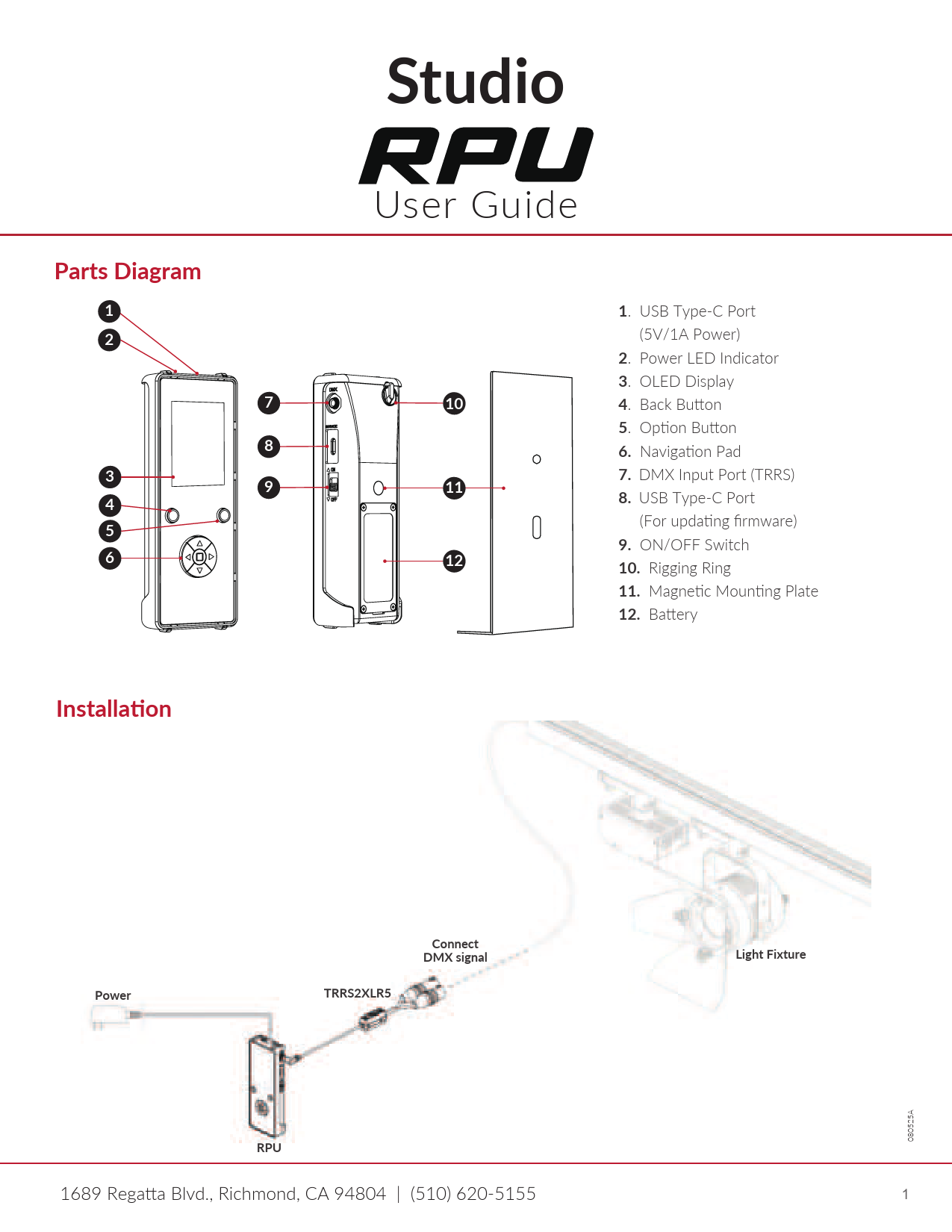
Studio RPU:n käyttöopas, joka kattaa asennuksen, painiketoiminnot, DMX-ohjauksen (manuaalinen tila ja kohtaustila), laiteohjelmistopäivitykset, DMX-testauksen, valaisimien testauksen, RPU:n asetukset ja vianmäärityksen.

Studio manuals from online retailers

Mont Blanc to Everest Instruction Manual

B0000CJD1J • January 13, 2026
Instruction manual for the book Mont Blanc to Everest by Gaston REBUFFAT, covering its content, author, specifications, and care guidelines.

Aasia: 2 käyttöohjetta

0670137960 • 27. heinäkuuta 2025
Käyttöohje Martin H:n kirjaan 'Asia: 2'urlimann, Studion julkaisema. Tämä opas kattaa yliview, käyttö, huolto, vianmääritys ja kovakantisen painoksen tekniset tiedot.

Studio support FAQ

Yleisiä kysymyksiä tämän tuotemerkin käyttöoppaista, rekisteröinnistä ja tuesta.

  • Where can I find the DMX configuration for my Studio LED panel?

    The DMX channel modes and addressing instructions are detailed in the specific LED panel's user manual under the DMX control menu map.

  • How do I assign Dante channels on my Studio audio interface?

    Dante-compliant Studio devices use the Dante Controller software application to route audio signals, configure sample rates, and assign Dante flows.

  • Do Studio modular wall units require assembly?

    Many Studio modular wall units come pre-assembled and only require securing the keyhole mounts to wall screws according to the manual's installation guide.

  • How can I update the firmware on my Studio Dante equipment?

    Firmware updates for Studio Dante interfaces (like ones using the UltimoX integrated circuit) can be applied via your local network's Ethernet connection using the designated update utility.