FUTURE-käyttöoppaat ja -oppaat
FUTURE offers a wide variety of innovative technical products, ranging from smart glasses and wireless adapters to interactive robotic toys and development boards.
Tietoja FUTURE-oppaista Manuals.plus
About FUTURE Products
FUTURE provides an extensive lineup of technology and electronic products designed for both consumer entertainment and advanced hardware development. Their consumer range includes innovative wearables like the G3 Smart Glasses featuring AI object recognition, wireless display adapters for seamless screen casting, and interactive RC toys such as the FUTURE gravity-sensing Robot Dog.
For developers and engineers, the FUTURE category also encompasses hardware solutions like the µEZGUI expansion boards from Future Designs, Inc. (FDI). These boards offer highly adaptable tools for rapid prototyping, featuring high-speed microSD slots, serial communication capabilities, and versatile GPIO expansion out of the box.
TULEVAISUUDEN käyttöoppaat
Uusimmat käyttöohjeet manuals+ tälle tuotemerkille kuratoitu.
FDI RX62N-35QT uEZGUI-EXP-DK -laajennuskortin käyttöohje
FDI UEZGUI-4088-43WQH 4.3 tuuman resistiivinen kosketusnäyttö, käyttöopas
FDI UEZGUI-1788-70WVT 7.0 tuuman resistiivinen kosketusnäyttö LCD GUI Käyttöopas
FDI UEZGUI-1788-43WQR Future Designsin käyttöohje
FDI ELI43-CP pitkäikäinen Plug and Play sulautettujen näyttöjen käyttöopas
FDI ELI70-IRHW 7.0 tuuman High Bright LCD-moduulien käyttöopas
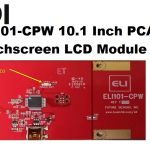
FDI ELI101-CPW 10.1 tuuman PCAP-kosketusnäytön LCD-moduulin käyttöopas
FDI ELI121-CRW 12.1 tuuman resistiivisen kosketusnäytön moduulin käyttöopas
FDI ELI43-CR 4.3 tuuman resistiivisen kosketusnäytön LCD-moduulin käyttöopas
Wireless Display Adapter User Manual - Future
FUTURE Elektroninen Tikkataulu SFX Q-40C: Käyttöopas ja Peliopas
TULEVAISUUDEN video-oppaat
Katso tämän merkin asennus-, määritys- ja vianmääritysvideoita.
FUTURE support FAQ
Yleisiä kysymyksiä tämän tuotemerkin käyttöoppaista, rekisteröinnistä ja tuesta.
-
How do I factory reset the Future G3 Smart Glasses?
Long press the A1 button for 10 seconds. All files stored in the glasses will be cleared and the unit will reset to its factory defaults.
-
How do I connect my iPhone to the Future Wireless Display Adapter using my home Wi-Fi?
First, connect to 'Anycas-xxxx' in your phone's WLAN settings. Next, open your browser and navigate to 192.168.68.1 to select your home Wi-Fi network. Finally, open your phone's screen mirroring setting and connect to the Anycas device.
-
How do I use the spray feature on the FUTURE Robot Dog?
Add water to the designated port on the toy. Once filled, activate the spray function via the remote control to create a visually engaging mist while the robot dog moves.
-
What microcontrollers are compatible with the Future uEZGUI-EXP-BRKOUT expansion board?
The expansion board is compatible with uEZGUIs based on NXP LPC1788, NXP LPC4088, NXP LPC2478, and Renesas RX62N microcontrollers.