Johdanto
Welcome to the user manual for your Rapoo EV310M Wireless Vertical Mouse. This ergonomic mouse is designed for comfort and efficiency, featuring multi-mode wireless connectivity and adjustable DPI settings. Please read this manual carefully to ensure proper setup and optimal performance.
Pakkauksen sisältö
- Rapoo EV310M Wireless Vertical Mouse
- USB-vastaanotin (tallennettu hiiren sisään)
- AA-paristo (esiasennettu tai mukana)
- Pika-aloitusopas (tämä asiakirja)
Tuote loppuview
Familiarize yourself with the components of your Rapoo EV310M mouse.
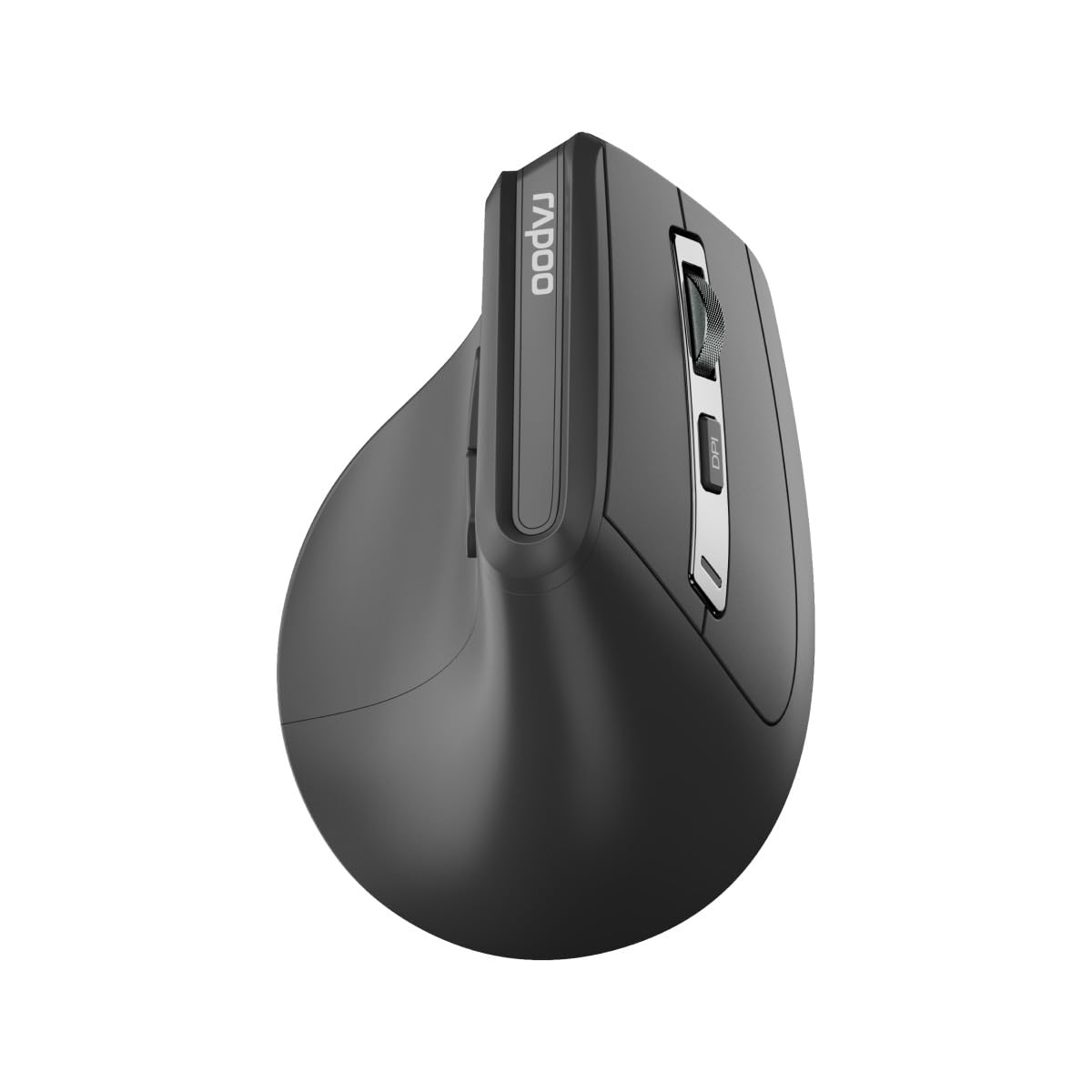
Kuva: Yläosa view of the Rapoo EV310M Wireless Vertical Mouse, highlighting the scroll wheel and DPI button.
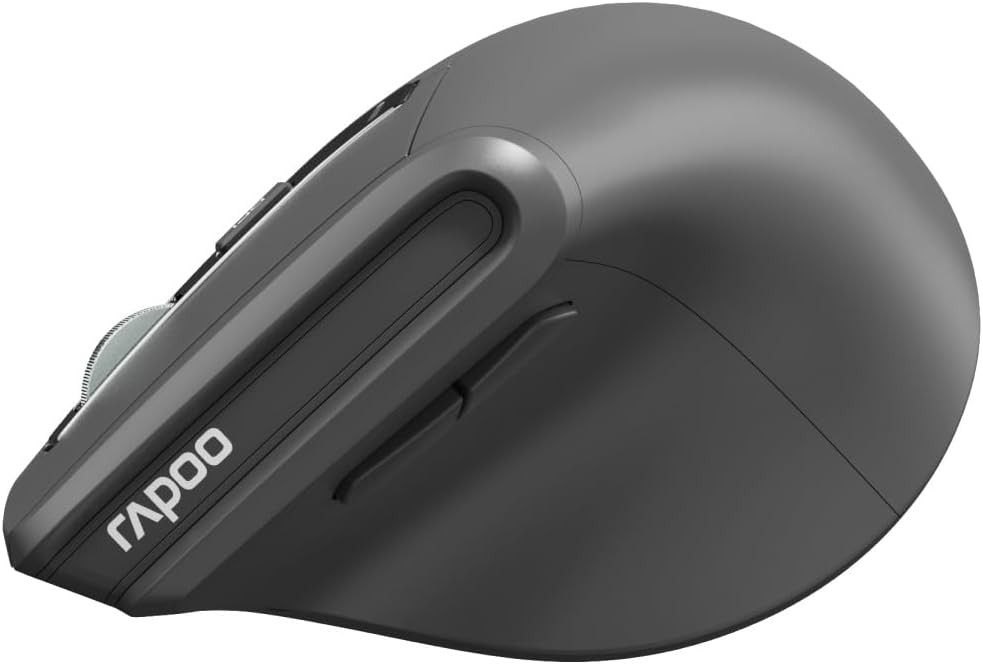
Kuva: Sivu view of the Rapoo EV310M Wireless Vertical Mouse, showing the forward and backward navigation buttons.
Painikkeiden toiminnot
- Vasen napsautuspainike: Normaali vasemman painikkeen napsautustoiminto.
- Hiiren oikeanpuoleinen painike: Normaali hiiren kakkospainikkeen toiminto.
- Vierityspyörä: Vieritä ylös/alas, napsauta keskipainikkeella.
- DPI-painike: Säätää kohdistimen herkkyyttä (DPI).
- Eteenpäin-painike: Navigoi eteenpäin kohdassa web selaimet tai file tutkimusmatkailijoita.
- Taaksepäin-painike: Navigoi taaksepäin web selaimet tai file tutkimusmatkailijoita.
- Mode Switch Button/Indicator: Vaihtaa 2.4 GHz:n ja Bluetooth-tilojen välillä.
Asennus
1. Akun asennus
- Paikanna paristolokero hiiren alapuolelta.
- Avaa paristolokeron kansi.
- Aseta yksi AA-paristo paikalleen varmistaen oikean napaisuuden (+/-).
- Sulje paristolokeron kansi.
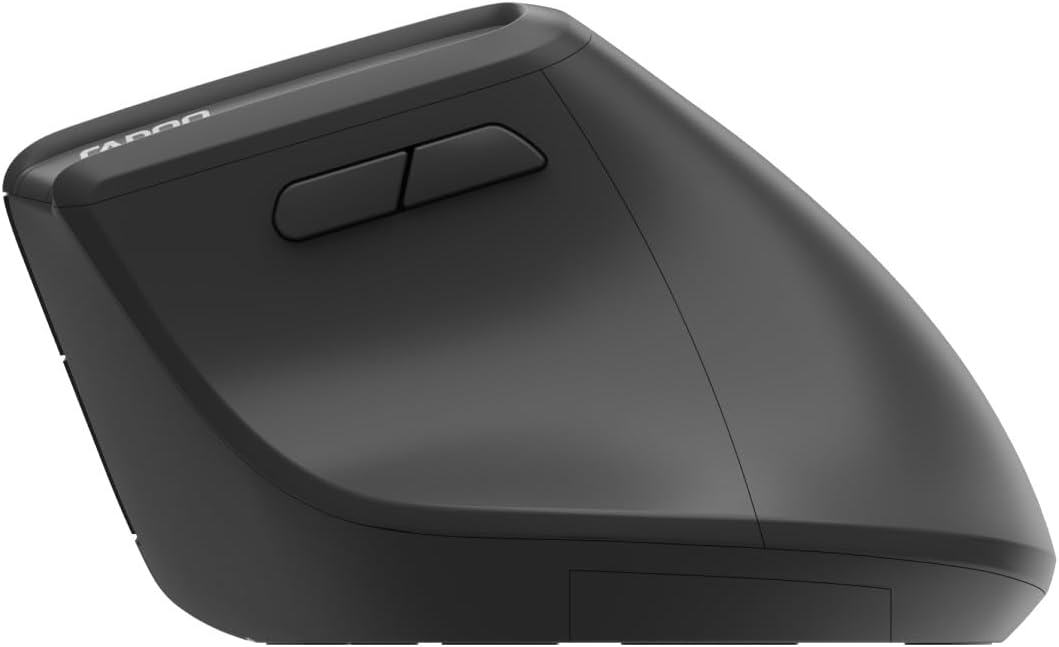
Image: Underside of the mouse, illustrating the battery compartment and the storage slot for the USB receiver.
2. Hiiren kytkeminen
The Rapoo EV310M supports multi-mode wireless connection: 2.4 GHz via USB receiver and Bluetooth 3.0/5.0.
2.1. 2.4 GHz:n langaton yhteys
- Remove the USB receiver from its storage slot on the bottom of the mouse.
- Liitä USB-vastaanotin tietokoneesi vapaaseen USB-porttiin.
- Käynnistä hiiri virtakytkimellä (yleensä pohjassa).
- The mouse should connect automatically. If not, press the mode switch button until the 2.4GHz indicator lights up.
2.2. Bluetooth-yhteys
- Käynnistä hiiri.
- Press the mode switch button to select a Bluetooth channel (e.g., Bluetooth 1 or Bluetooth 2). The indicator light for the selected Bluetooth channel will start blinking slowly.
- Press and hold the mode switch button for 3 seconds until the indicator light blinks rapidly. This indicates the mouse is in pairing mode.
- Avaa tietokoneellasi tai laitteellasi Bluetooth-asetukset ja hae uusia laitteita.
- Select "RAPOO EV310M" from the list of available devices to pair.
- Kun pariliitos on muodostettu, merkkivalo lakkaa vilkkumasta ja palaa tasaisesti muutaman sekunnin ennen sammumista.
Käyttöohjeet
1. DPI-säätö
The DPI (Dots Per Inch) button allows you to adjust the cursor speed and sensitivity.
- Paina DPI-painike located on the top of the mouse to cycle through available DPI settings (e.g., 800, 1200, 1600, 2400 DPI).
- Each press will change the sensitivity, allowing you to find your preferred cursor speed.
2. Vaihtaminen yhdistettyjen laitteiden välillä
The EV310M mouse can be paired with up to three devices (one 2.4GHz and two Bluetooth devices).
- To switch between connected devices, simply press the tilakytkinpainike hiirellä.
- The indicator light will briefly show which channel (2.4G, BT1, BT2) is active.
Huolto
Puhdistus
Puhdista hiiri pehmeällä, kuivalla liinalla. Pinttyneeseen likaan, hankaa kevyesti.ampKostuta liina vedellä tai miedolla puhdistusliuoksella. Vältä voimakkaiden kemikaalien tai hankaavien materiaalien käyttöä.
Akun vaihto
When the mouse performance degrades or the indicator light signals low battery, replace the AA battery following the installation steps in the Setup section.
Vianetsintä
Hiiri ei vastaa
- Tarkista akku: Varmista, että akku on asennettu oikein ja siinä on riittävästi virtaa. Vaihda akku tarvittaessa.
- Virtakytkin: Verify the mouse is turned on.
- USB-vastaanotin: For 2.4GHz mode, ensure the USB receiver is securely plugged into a working USB port. Try a different port.
- Bluetooth-yhteys: For Bluetooth mode, ensure Bluetooth is enabled on your device and the mouse is correctly paired. Re-pair if needed.
- Etäisyys: Ensure the mouse is within the effective operating range of your computer (typically 10 meters).
Kohdistimen liike on epäsäännöllistä
- Pinta: Käytä hiirtä puhtaalla, heijastamattomalla pinnalla. Hiirimaton käyttöä suositellaan.
- DPI -asetus: Adjust the DPI setting to a lower value if the cursor is too fast or jumpy.
- Anturin puhtaus: Check the optical sensor on the bottom of the mouse for any obstructions or dirt. Clean gently with a soft cloth.
Tekniset tiedot
| Ominaisuus | Yksityiskohta |
|---|---|
| Merkki | RAPOO |
| Mallinumero | EV310M |
| Yhteystekniikka | Bluetooth (3.0, 5.0), 2.4 GHz Wireless |
| DPI-herkkyys | Säädettävä 800–2400 DPI |
| Painikkeiden lukumäärä | 6 |
| Käsien suuntautuminen | Oikeakätinen |
| Virtalähde | Paristokäyttöinen (1 x AA) |
| Akun kesto | Jopa 9 kuukautta |
| Käyttöjärjestelmän yhteensopivuus | PC, Linux, Mac |
| Tuotteen paino | 100 grammaa |
| Väri | Musta |
Takuu ja tuki
For warranty information or technical support, please refer to the official RAPOO websivustolta tai ota yhteyttä paikalliseen jälleenmyyjään. Säilytä ostokuitti takuuvaatimuksia varten.


