Johdanto
This manual provides comprehensive instructions for the safe and effective use of your Jadfezy 1080P Action Camera. Please read this manual thoroughly before operating the device and retain it for future reference.
Tärkeimmät ominaisuudet:
- Ultra HD 1080P Video Recording: Capture videos at 1080P / 30fps and 12MP photos.
- 2 tuuman LCD-näyttö: View recorded moments in real-time.
- Monikäyttöisyys: Supports time-lapse video, loop recording, dash cam mode, timed photo, burst photo, self-timer, and long-exposed photo modes.
- Kaksi ladattavaa paristoa: Equipped with 2x900mAh batteries, each providing over 2 hours of recording.
- 30M/98FT Waterproof: IP68 certified waterproof case for underwater activities.
- Extensive Accessories Kit: Includes mounts for helmets, bicycles, and other uses.
Mitä laatikossa on
Your Jadfezy Action Camera package includes the following items:
- 1080p toimintakamera
- Vedenpitävä kotelo
- 2 x 900 mAh ladattavaa akkua
- Akkulaturi
- USB-latauskaapeli
- Helmet Mounting Kit
- Bicycle Mounting Kit
- Various Mounts and Adapters
- Puhdistusliina
- Käyttöopas (pikaopas)

Image: Contents of the Jadfezy Action Camera package, including the camera, waterproof case, batteries, and various mounts.
Asennus
1. Akun asennus ja lataus
- Avaa kameran pohjassa olevan akkulokeron kansi.
- Insert a fully charged 900mAh Lithium-Ion battery, ensuring correct polarity.
- Sulje paristolokero kunnolla.
- To charge, use the provided USB cable and battery charger. Each battery provides over 2 hours of recording time.

Image: Two rechargeable 900mAh batteries for the action camera.
2. Memory Card Installation (Micro SD)
A Micro SD card (not included with all models) is required for storing photos and videos. Insert the Micro SD card into the designated slot until it clicks into place. Ensure the card is formatted before first use via the camera settings.
3. Vesitiiviin kotelon kiinnittäminen
For underwater use or protection against dust and impact, place the camera inside the waterproof case. Ensure the case is properly sealed before use. The case is rated for depths up to 30 meters (98 feet).
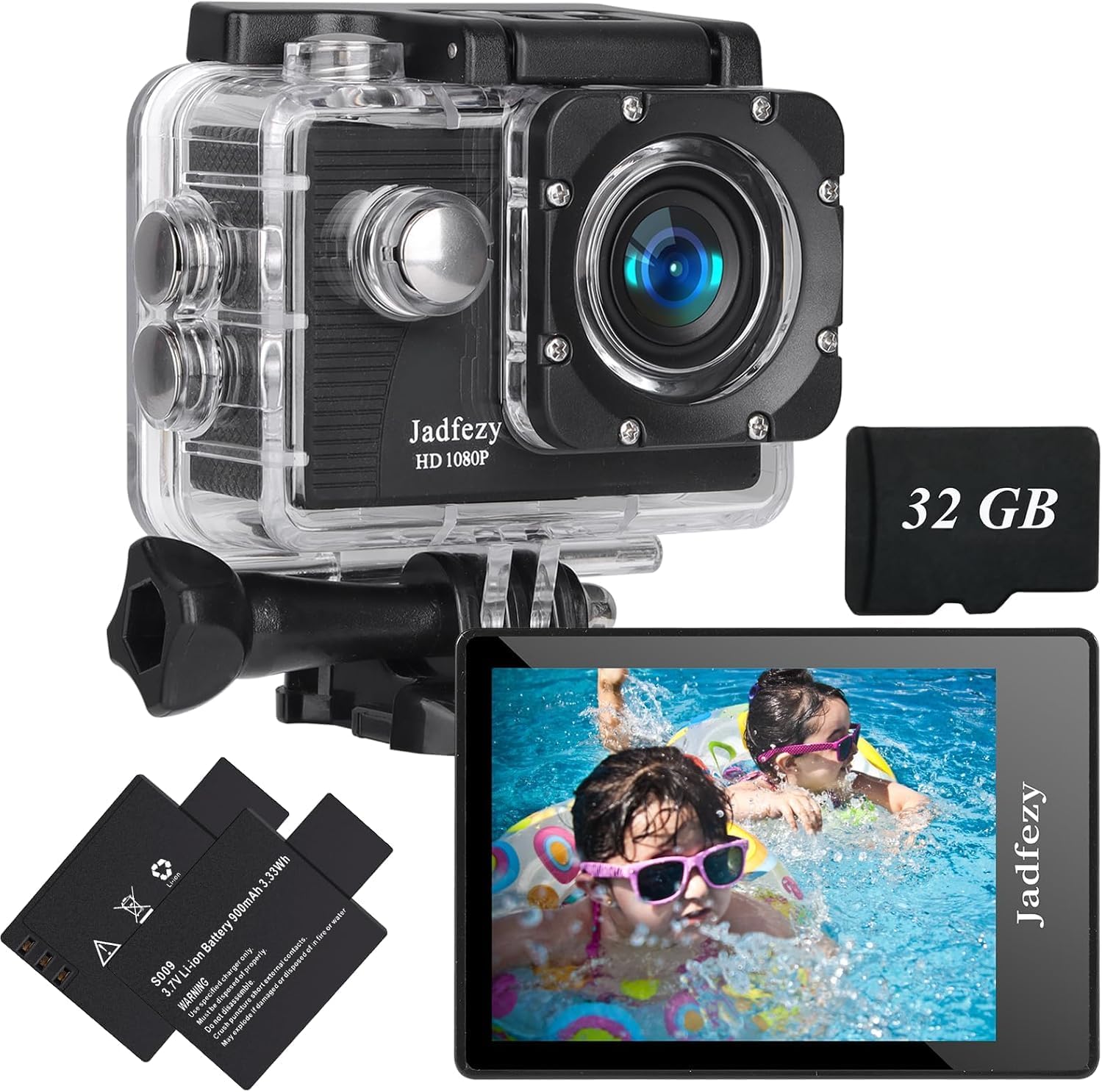
Image: The Jadfezy Action Camera enclosed within its transparent waterproof housing, ready for use.
Käyttöohjeet
1. Virta päälle/pois
Käynnistä tai sammuta kamera painamalla virta-/tilapainiketta (yleensä edessä tai päällä) muutaman sekunnin ajan.
2. Tilanvaihto
Press the Power/Mode button repeatedly to cycle through different modes (Video, Photo, Playback, Settings).
3. Recording Videos / Taking Photos
In Video mode, press the OK/Shutter button to start recording. Press again to stop. In Photo mode, press the OK/Shutter button to take a picture.
4. Wi-Fi-yhteys ja sovellusten käyttö
To enable Wi-Fi, power on the camera and press the Up/Wi-Fi button. The Wi-Fi icon will appear on the screen. Download the "Fun DV" app from your device's app store (scan the QR code in the quick start guide for direct link). Connect your phone/tablet to the camera's Wi-Fi network (usually named "Fun DV_XXXX"). The temporary password will be displayed on the camera screen. Once connected, you can control the camera, view elää huijaritage ja siirto files sovelluksen kautta.
Video: Demonstrates how to connect the Jadfezy Action Camera to a mobile device via Wi-Fi and use the companion app for remote control and file siirtää.
Video: Lyhyt esittelyview showing the camera's Wi-Fi connectivity and app interface for remote operation.
5. Advanced Modes
Explore various shooting modes like time-lapse video, loop recording (for dash cam use), burst photos, and self-timer photos through the camera's settings menu.

Image: Visual representation of various shooting modes including self-timer, dash cam, time-lapse, and burst photo.
Huolto
- Puhdistus: Use the provided cleaning cloth to gently wipe the camera lens and screen. Do not use harsh chemicals.
- Varastointi: Säilytä kameraa viileässä, kuivassa paikassa, poissa suorasta auringonvalosta ja äärimmäisistä lämpötiloista.
- Akun hoito: Poista paristot, jos kameraa ei käytetä pitkään aikaan.
- Vedenpitävä kotelo: After each use in water, rinse the waterproof case with fresh water and allow it to air dry. Check the rubber seal for any damage regularly.
Vianetsintä
- Kamera ei käynnisty: Varmista, että akku on ladattu täyteen ja asetettu oikein.
- Muistikorttivirhe: Reformat the Micro SD card via the camera settings. If the issue persists, try a different, compatible Micro SD card.
- Wi-Fi-yhteysongelmat: Ensure Wi-Fi is enabled on the camera and your mobile device. Verify the correct network name and password. Restart both devices if necessary.
- Huono video-/valokuvanlaatu: Check the selected resolution settings. Ensure the lens is clean and free from smudges.
- Lyhyt akunkesto: Ensure batteries are fully charged. Consider carrying spare charged batteries for extended use.
Tekniset tiedot
| Merkki | Jadfezy |
| Mallinumero | J-03series |
| Videon resoluutio | 1080p / 30fps (Max) |
| Valokuvan resoluutio | 12 MP |
| Näytön koko | 2 tuuman LCD |
| Vedenpitävä syvyys | 30m / 98ft (with waterproof case) |
| Akun kapasiteetti | 2x 900mAh Lithium Ion |
| Flash-muistin tyyppi | Micro SD |
| Yhteystekniikka | HDMI, USB, Wi-Fi |
| Tuotteen paino | 12.3 unssia |
Takuu ja tuki
For warranty information and customer support, please refer to the detailed user manual provided in the package or contact Jadfezy customer service. Keep your purchase receipt as proof of purchase for warranty claims.


