1. Johdanto
The BLUETTI Elite 10 Mini Portable Power Station is a compact and versatile power solution designed for various applications, including camping, travel, and emergency backup. Featuring a 128Wh LiFePO4 battery and a 200W AC outlet, it provides reliable power for small electronic devices. Its lightweight and airline-friendly design makes it an ideal companion for on-the-go power needs.

Figure 1: BLUETTI Elite 10 Mini Portable Power Station, showcasing its compact design and front panel.
2. Turvallisuusohjeet
Please read and understand all safety instructions before operating the BLUETTI Elite 10. Failure to follow these instructions may result in electric shock, fire, or serious injury.
- Älä pura, korjaa tai muokkaa yksikköä.
- Pidä laite poissa tulesta, vedestä ja äärimmäisistä lämpötiloista.
- Vältä laitteen pudottamista tai voimakkaiden iskujen kohteeksi altistamista.
- Käytä vain hyväksyttyjä lisävarusteita ja latauskaapeleita.
- Varmista asianmukainen ilmanvaihto käytön ja latauksen aikana.
- Pidä poissa lasten ulottuvilta.
3. Tuotteen ominaisuudet
- Monipuolinen teho: Equipped with a 200W AC outlet, 100W USB-C fast charging, and multiple DC ports to power various devices.
- Kompakti ja kannettava: Weighs approximately 4.0 lbs (1.8 kg) with an ergonomic handle, making it easy to carry.
- Airline-Friendly Capacity: 128Wh battery capacity falls within the 100–160Wh range, allowing it to be carried on most major airlines with prior approval (limit 2 per passenger).
- UPS (Uninterruptible Power Supply): Features a built-in 10ms UPS and 350W bypass output for seamless power during outages.
- Useita latausvaihtoehtoja: Supports 150W AC charging (full in 70 mins), 100W solar charging, and 100W car charging.
- Smart App Control: Connect via Bluetooth to customize charging modes, adjust lighting, and monitor power status in real time.
- Integroitu LED-valaistus: Offers 3 lighting modes (warm/cool light, SOS) for up to 50 hours of illumination.
4. Aloittaminen ja asennus
4.1. Laatikon avaaminen ja pakkauksen sisältö
Kun avaat pakkauksen, varmista, että kaikki osat ovat mukana:
- BLUETTI Elite 10 Mini Power Station
- Vaihtovirtalaturi
- Auton latauskaapeli
- Käyttöopas

Figure 2: Contents of the BLUETTI Elite 10 package.
4.2. Alkulataus
Before first use, fully charge the BLUETTI Elite 10. Connect the AC charging cable to the AC input port on the unit and then to a wall outlet. The display will indicate charging status. A full charge via AC takes approximately 70 minutes.
5. Tuote ohiview
5.1. Etupaneeli
Etupaneelissa on päänäyttö, ohjauspainikkeet ja erilaisia lähtöportteja:
- Tasavirtalähtö (12 V / 5 A): Yhteensopiville tasavirtalaitteille.
- Näyttö: Shows input/output wattage, akkuprosenttage ja jäljellä oleva suoritusaika.
- DC-painike: Activates DC output ports.
- Virtapainike: Kytkee laitteen päälle/pois päältä.
- AC-painike: Activates the AC output outlet.
- USB-C 100W Output: Yhteensopivien USB-C-laitteiden nopeaan lataamiseen.
- USB-A 15W Outputs (x2): Standard USB-A ports for charging.
- USB-C 15W Output: Additional USB-C port.
Figure 3: Front panel layout of the BLUETTI Elite 10.
5.2. Sivu- ja takapaneelit
The side and rear panels house additional input/output ports and the LED light:
- DC/PV Input (12-28V/8A, 100W Max): For solar or car charging.
- AC Output (120V/200W): Standard wall outlet for AC-powered devices.
- AC-tulo: For charging the unit via wall outlet.
- LED-valo: Multi-mode light for illumination.

Figure 4: Rear panel showing AC output and LED light.
5.3. Mitat ja paino
The Elite 10 is designed for portability:
- Mitat: Noin 19.8 cm P x 14.5 cm L x 11 cm K
- Paino: Noin 4.0 lbs (1.8 kg)

Figure 5: Visual representation of the Elite 10's compact size.
6. Käyttöohjeet
6.1. Virta päälle / pois
Käynnistä tai sammuta laite painamalla etupaneelin päävirtapainiketta ja pitämällä sitä painettuna. Näyttö syttyy aktivoinnin yhteydessä.
6.2. Verkkovirtalähteiden käyttö
To use the AC outlet, press the 'AC' button on the front panel. The AC icon on the display will light up. Plug your AC-powered device into the AC output port on the rear panel. Ensure your device's power consumption does not exceed 200W.
6.3. Tasavirtalähtöjen käyttö
To use the DC output ports (USB-C, USB-A, 12V/5A), press the 'DC' button on the front panel. The DC icon on the display will light up. Connect your devices to the appropriate USB or 12V DC output ports.
6.4. Charging the Elite 10
The Elite 10 supports three charging methods:
- AC-lataus: Connect the AC charging cable to the AC input port and a wall outlet. Max 150W, full charge in approximately 70 minutes.
- Aurinkoenergian lataus: Connect a compatible solar panel (e.g., BLUETTI PV60L/PV60F/PV100) to the DC/PV input port. Max 100W.
- Auton lataus: Connect the car charging cable to the DC/PV input port and your vehicle's cigarette lighter socket. Max 100W.

Figure 6: Various charging methods for the Elite 10.
6.5. Keskeytymättömän virtalähteen (UPS) toiminta
When the Elite 10 is connected to an AC wall outlet and has devices plugged into its AC output, it can function as a UPS. In case of a power outage, the unit will automatically switch to battery power within 10 milliseconds, providing continuous power to connected devices up to 350W bypass output.
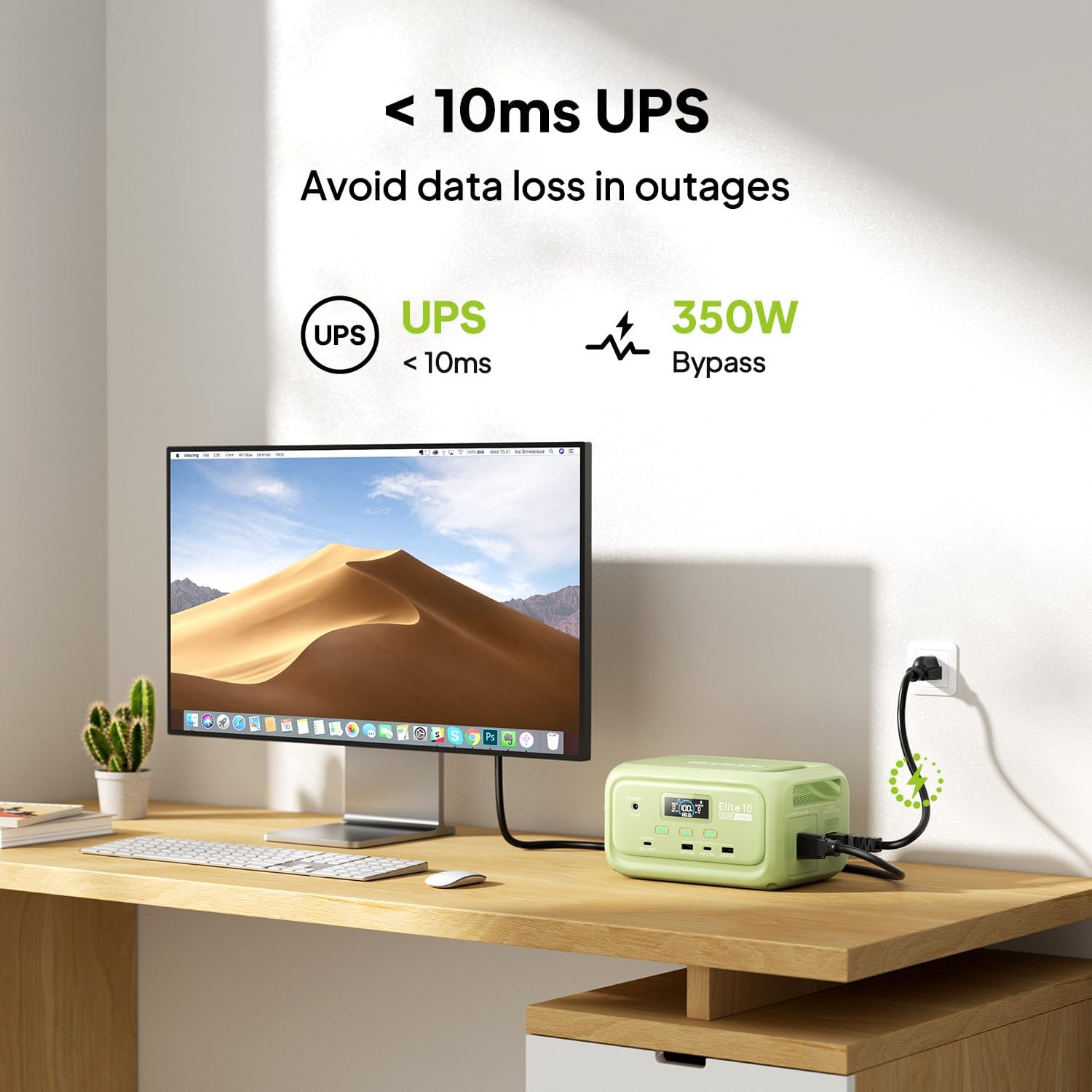
Figure 7: Illustration of the Elite 10's UPS capability.
6.6. LED-valaistus
The LED light on the rear panel offers three modes: warm light, cool light, and SOS. Press the dedicated light button to cycle through modes or turn it off. The light can provide up to 50 hours of illumination.
6.7. Älysovellusohjaus
Download the BLUETTI app and connect to your Elite 10 via Bluetooth. The app allows you to monitor power status, customize charging modes, and adjust lighting settings remotely.

Figure 8: Managing the Elite 10 via the BLUETTI mobile application.
7. Huolto ja varastointi
- Puhdistus: Puhdista laite kuivalla, pehmeällä liinalla. Älä käytä hankaavia puhdistusaineita tai liuottimia.
- Lämpötila: Store and operate the unit within the recommended temperature range (typically 0°C to 40°C or 32°F to 104°F).
- Pitkäaikaissäilytys: If storing for extended periods, charge the unit to 50-80% every 3-6 months to prolong battery life. Store in a cool, dry place.
8. Vianmääritys
If you encounter issues with your BLUETTI Elite 10, refer to the following common solutions:
- Yksikkö ei käynnisty: Varmista, että akku on ladattu. Jos ei, kytke laite pistorasiaan latausta varten.
- Ei lähtöä porteista: Verify that the respective DC or AC output buttons are pressed and their indicators are lit. Check if the device connected requires more power than the unit can provide.
- Hidas lataus: Ensure you are using the original BLUETTI charging cables. Check the power source for adequate output.
- Ylikuormitussuojaus: Jos laite sammuu, se voi johtua ylikuormituksesta. Irrota joitakin laitteita ja käynnistä laite uudelleen.
For persistent issues, contact BLUETTI customer support.
9. Tekniset tiedot
| Ominaisuus | Yksityiskohta |
|---|---|
| Malli | Elite 10 |
| Akun kapasiteetti | 128 Wh LiFePO4 |
| AC-lähtö | 120V/200W (Pure Sine Wave) |
| USB-C-lähtö | 1 x 100 W, 1 x 15 W |
| USB-A-lähtö | 2x15W |
| DC-lähtö | 12V/5A |
| DC/PV-tulo | 12-28V/8A, 100W Max |
| AC-latausaika | Approx. 70 minutes (150W Max) |
| UPS-toiminto | 10ms switchover, 350W bypass |
| Mitat (P x L x K) | 7.8" x 5.7" x 4.3" (19.8 cm x 14.5 cm x 11 cm) |
| Paino | 4.0 lbs (1.8 kg) |
10. Takuu ja tuki
The BLUETTI Elite 10 Mini Portable Power Station comes with a standard manufacturer's warranty. Please refer to the warranty card included in your package or visit the official BLUETTI websivustolta tarkemmat takuuehdot.
For technical support, troubleshooting assistance, or any product-related inquiries, please contact BLUETTI customer service through their official channels.


