Johdanto
Thank you for choosing the AJAZZ AJ139PRO Dual-Mode Gaming Mouse. This manual provides essential information for setting up, operating, and maintaining your new gaming mouse. Please read it carefully to ensure optimal performance and longevity of your device.

Image: The AJAZZ AJ139PRO Dual-Mode Gaming Mouse in black, showcasing its ergonomic design and key features like dual-mode connectivity, lightweight build, PAW3395 sensor, 26000 DPI, and 300mAh battery.
Pakkauksen sisältö
- AJAZZ AJ139PRO Dual-Mode Gaming Mouse
- USB-C-USB-A-kaapeli
- 2.4 GHz: n USB-vastaanotin
- Käyttöopas
Asennus
1. Hiiren lataaminen
Connect the provided USB-C cable to the mouse and the USB-A end to your computer or a USB power adapter. The mouse features a 300mAh battery, offering up to 40 hours of continuous use on a full charge.
2. Yhteysasetukset
2.1. 2.4 GHz:n langaton tila
- Locate the 2.4GHz USB receiver, typically stored in a compartment on the underside of the mouse.
- Kytke USB-vastaanotin tietokoneen vapaana olevaan USB-A-porttiin.
- Käynnistä hiiri sen pohjassa olevalla kytkimellä. Valitse '2.4G'-tila.
- Tietokoneesi pitäisi automaattisesti tunnistaa ja asentaa tarvittavat ajurit.
2.2. Langallinen USB-C-tila
- Liitä mukana toimitettu USB-C-kaapeli hiireen ja USB-A-pää tietokoneeseen.
- Hiiri siirtyy automaattisesti langalliseen tilaan ja alkaa latautua.
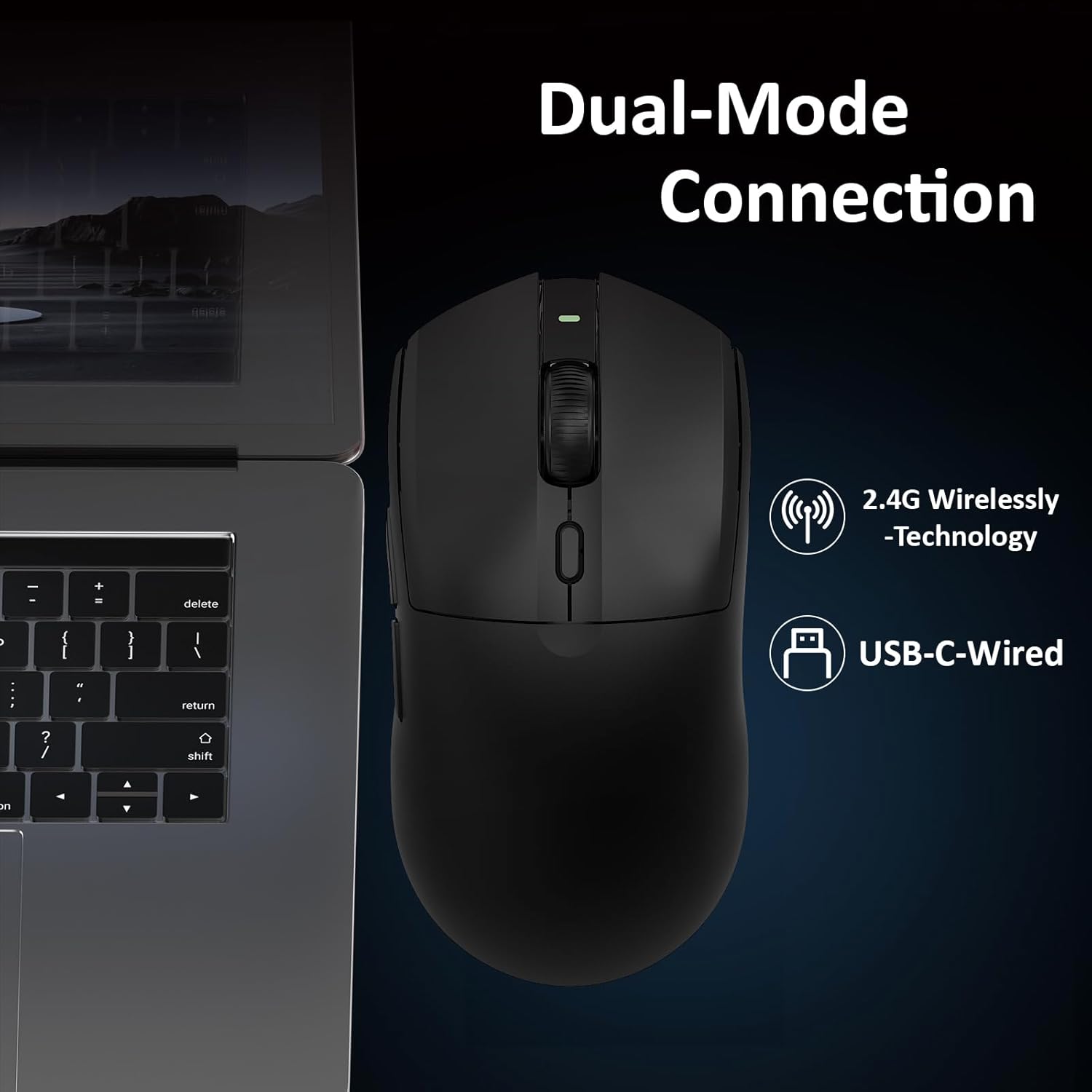
Image: A close-up of the AJAZZ AJ139PRO mouse connected to a laptop, illustrating both 2.4G wireless and USB-C wired connection options.
Käyttöohjeet
1. DPI-säätö
The mouse features a dedicated DPI button, usually located near the scroll wheel. Press this button to cycle through preset DPI levels. For fine-tuning and custom DPI settings (200 to 26,000 DPI in 100-increment steps), use the official driver software.
2. Ohjelmoitavat painikkeet
The AJ139PRO includes multiple programmable buttons (left-click, right-click, middle-click/scroll wheel, two side buttons, and DPI loop). These can be customized using the driver software to assign macros, keyboard functions, or other commands for enhanced gaming and productivity.
3. Äänestysprosentti
The mouse operates at a 1000Hz polling rate, ensuring rapid response times and smooth cursor movement. This setting can typically be adjusted via the driver software if needed.
4. Akun tilan ilmaisin
The mouse may feature an LED indicator that changes color or blinks to show the current battery level. Refer to the driver software for precise battery percentage.

Image: Details on the mouse's 300mAh battery, providing approximately 40 hours of continuous use, and its 1000Hz refresh rate for responsive performance.
Ominaisuudet
- Professional Gaming Sensor: Equipped with the Pixart PAW3395 optical sensor, offering up to 26,000 DPI, 650 IPS tracking speed, and 50G acceleration for precise and responsive control.
- Kaksoistidatayhteys: Seamlessly switch between 2.4GHz wireless for freedom of movement and a wired USB-C connection for stable, lag-free performance and charging.
- Erittäin kevyt muotoilu: Weighing just 59 grams, the mouse is engineered for comfort during extended use and rapid, effortless movements.
- Durable Microswitches: Features ASUS microswitches rated for over 80 million clicks, providing crisp feedback and long-lasting reliability.
- Pitkäkestoinen akku: A 300mAh high-capacity battery delivers up to 40 hours of continuous use, suitable for both work and gaming sessions.
- Ergonominen mukavuus: Designed with an ergonomic shape to fit hand lengths from 17 to 19 cm, ensuring a comfortable and secure grip.

Kuva: Yksityiskohtainen view of the PAW3395 sensor, highlighting its esports-grade optical tracking performance with 26000 DPI, 650 IPS, and 50G acceleration.
Tekniset tiedot
| Tuotteen mitat | 5 x 2.5 x 0.1 tuumaa |
| Tuotteen paino | 4 unssia (59 g) |
| Tuotteen mallinumero | AJ139 PRO |
| Merkki | AJAZZ |
| Yhteystekniikka | USB, 2.4GHz Wireless |
| Liiketunnistustekniikka | Optinen (PAW3395-anturi) |
| Max DPI | 26,000 |
| Äänestysprosentti | 1000 Hz |
| Akun kapasiteetti | 300 mAh |
| Akun kesto | Jopa 40 tuntia |
Huolto
- Puhdistus: Puhdista hiiren pinta pehmeällä, kuivalla liinalla. Optisen anturin puhdistamiseen käytä kevyesti kostutettua vanupuikkoa.ampisopropyylialkoholilla.
- Akun hoito: Vältä akun usein toistuvaa tyhjentymistä kokonaan. Lataa hiiri säännöllisesti akun kunnon ylläpitämiseksi.
- Varastointi: Säilytä hiirtä viileässä, kuivassa paikassa, poissa suorasta auringonvalosta ja äärimmäisistä lämpötiloista.
Vianetsintä
- Hiiri ei vastaa: Ensure the mouse is charged and powered on. Check the USB receiver connection or try wired mode.
- Viive tai katkos: Ensure the USB receiver is not obstructed and is close to the mouse. Avoid interference from other wireless devices. Update mouse drivers.
- DPI ei muutu: Ensure the DPI button is functioning. Check the driver software for custom profiles that might override settings.
- Latausongelmat: Try a different USB port or cable. Ensure the cable is securely connected to both the mouse and the power source.
Takuu ja tuki
The AJAZZ AJ139PRO Gaming Mouse comes with a standard manufacturer's warranty. For detailed warranty information, technical support, or service inquiries, please refer to the official AJAZZ websivustolta tai ota yhteyttä jälleenmyyjään. Säilytä ostokuitti takuuvaatimuksia varten.
Visuaalinen opas
Tuote loppuview

Image: The AJAZZ AJ139PRO mouse from a side angle, emphasizing its 59g ultra-lightweight design for easy targeting and tracking.

Image: Technical drawing showing the dimensions of the AJAZZ AJ139PRO mouse: 125mm length, 63.3mm width, and 38mm height.
Viralliset tuotevideot
AJAZZ AJ139 V2 MC -pelihiiri
Video: This video demonstrates the features and performance of the AJAZZ AJ139 V2 MC Gaming Mouse, highlighting its design and functionality.
Extra-long battery life, precise clicks
Video: Lyhyt videoesitysasing the extended battery life and precise clicking capabilities of the AJAZZ gaming mouse.
Newly upgraded gaming mouse, ultra-fast clicking
Video: This video highlights the ultra-fast clicking response of the newly upgraded AJAZZ gaming mouse.
The ultimate choice for gaming mice
Video: A promotional video presenting the AJAZZ mouse as a top choice for gamers, emphasizing its features and benefits.
500mAh battery, extended battery life
Video: This video focuses on the mouse's 500mAh battery (note: product specs state 300mAh, this video may be for a similar model or contain a slight discrepancy) and its extended battery life.
Original Phase Sensor, Precision. Super cool!!!
Video: A video highlighting the precision and advanced technology of the mouse's original phase sensor.