1. Johdanto
Thank you for choosing the DIERYA DK68-C 60% Gaming HE Keyboard. This compact, high-performance keyboard is designed for competitive gaming, featuring magnetic switches, rapid trigger functionality, adjustable actuation, and vibrant RGB backlighting. This manual provides essential information for setup, operation, maintenance, and troubleshooting to ensure optimal performance.

Image 1.1: The DIERYA DK68-C 60% Gaming HE Keyboard, showcasinsen kompaktin rakenteen ja RGB-valaistuksen ansiosta.
2. Pakkauksen sisältö
Varmista, että pakkauksessasi on kaikki tarvittavat osat:
- DIERYA DK68-C Keyboard x 1
- Punottu USB-C-kaapeli x 1
- Avaimenperän vedin x 1
- Käyttöohje x 1
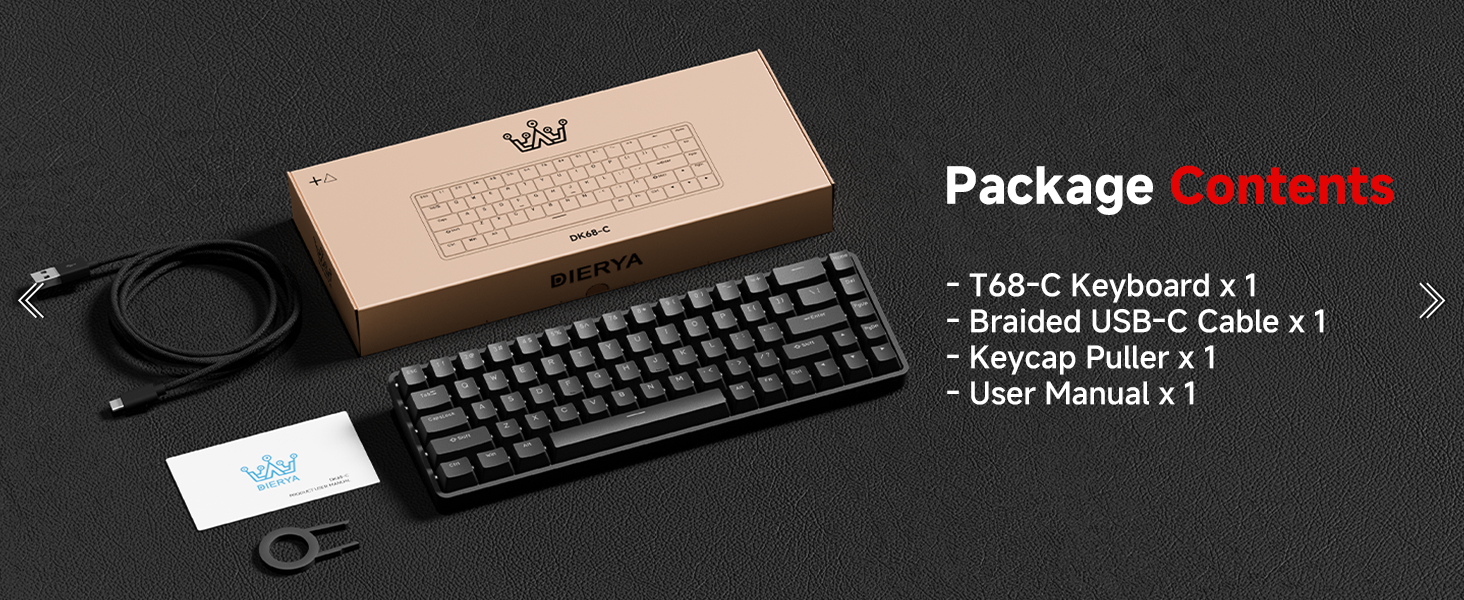
Image 2.1: Illustration of the DIERYA DK68-C keyboard and its included accessories: USB-C cable, keycap puller, and user manual.
3. Asennus
The DIERYA DK68-C keyboard is designed for plug-and-play functionality with Windows operating systems.
- Yhdistä näppäimistö: Insert the USB-C end of the provided braided cable into the port on the back of the keyboard.
- Yhdistä tietokoneeseen: Plug the USB-A end of the cable into an available USB port on your Windows PC.
- Ohjaimen asennus: The keyboard will be automatically recognized by your Windows system, and necessary drivers will install without user intervention.
- Alkuperäinen testi: Avaa tekstieditori tai selain ja testaa kirjoittamista varmistaaksesi, että kaikki näppäimet toimivat oikein.
Huomautus: This keyboard is optimized for Windows systems. While it may function with other operating systems, full feature compatibility is not guaranteed. Console compatibility depends on specific game support for keyboard input.
4. Käyttöohjeet
4.1 Tärkeimmät ominaisuudet
- Magneettiset kytkimet: Equipped with magnetic switches for adjustable actuation and rapid trigger response.
- Nopea laukaisu: Allows keys to register input and reset based on movement distance, enabling faster repeated presses.
- Säädettävä käyttö: Customize the actuation point from 0.1mm to 4.0mm for each key, tailoring sensitivity to your preference.
- 8000 Hz:n kyselytaajuus: Provides ultra-low latency (under 0.3ms) for highly responsive input during intense gaming.
- RGB-taustavalo: Features 16.8 million color RGB lighting with various customizable effects.
- Kompakti 68-näppäimen asettelu: A space-saving design that retains essential keys, including arrow keys, and provides additional functions via the Fn key.
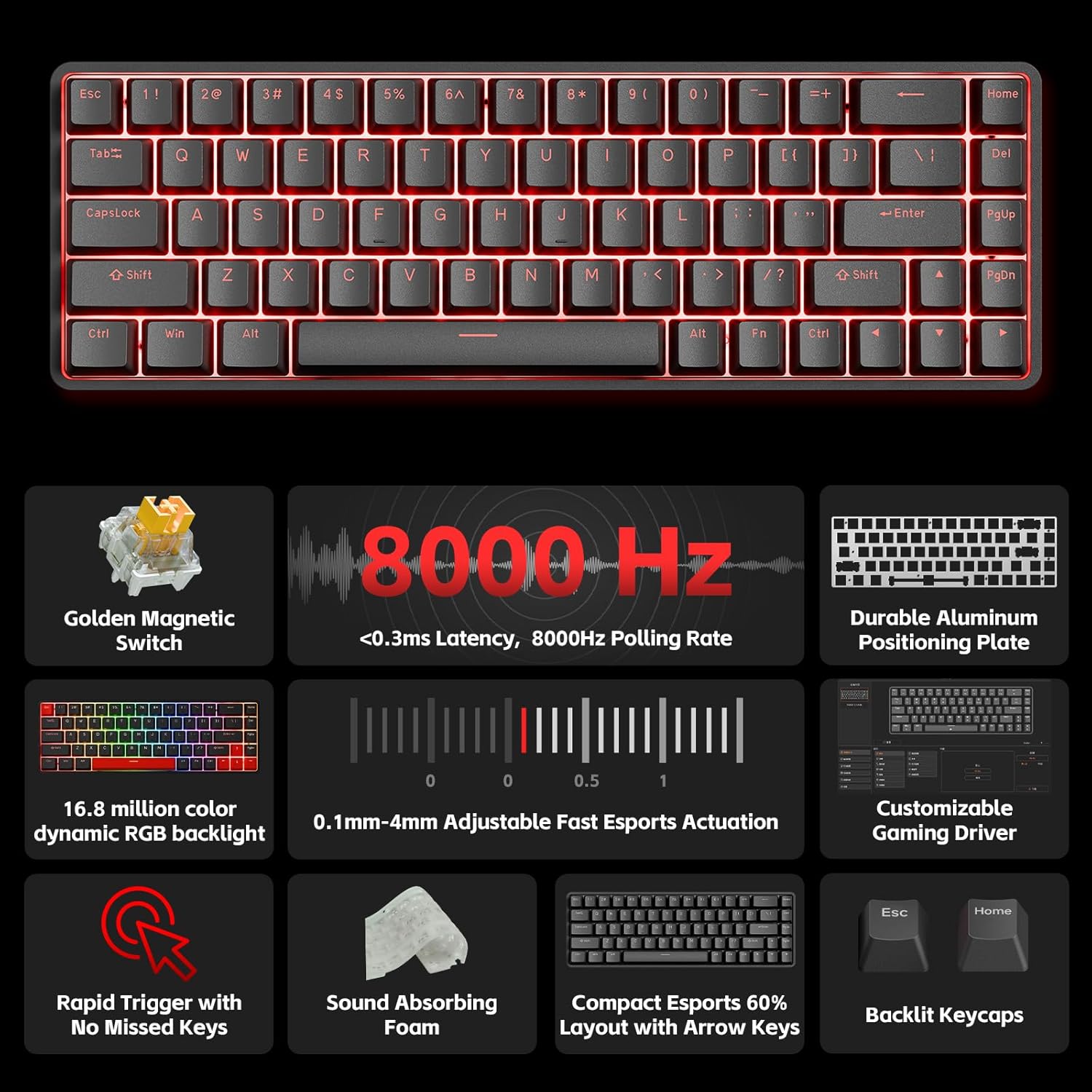
Kuva 4.1: Yliview of the DIERYA DK68-C's key features, including magnetic switches, 8000Hz polling rate, RGB backlight, and customizable driver.
4.2 Adjustable Actuation and Rapid Trigger
The magnetic switches allow for precise control over key sensitivity.
- Käyttöalue: The actuation point can be set between 0.1mm and 4.0mm. A lower value means a more sensitive key press.
- Nopea laukaisu: This feature dynamically adjusts the reset point of a key, allowing for quicker successive presses. For example, a key can reset as soon as it begins to move upwards, rather than requiring a full release.
These settings are typically configured using the dedicated software or web-based customization tool provided by DIERYA.

Image 4.2: Visual representation of the 0.1mm to 4.0mm adjustable actuation range for the magnetic switches.
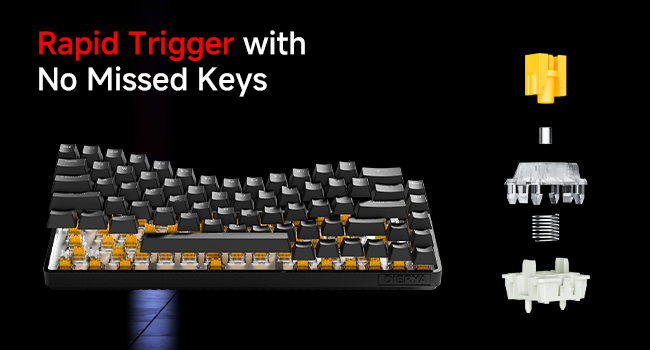
Image 4.3: Diagram illustrating the components of a magnetic switch and the concept of rapid trigger for precise input.
4.3 RGB-taustavalo
The keyboard features dynamic RGB backlighting with 16.8 million colors. Lighting effects and colors can be customized through the web-based customization tool. This allows for personalized visual effects and macros without requiring software installation.
4.4 Toimintonäppäinyhdistelmät (Fn)
Due to its compact 68-key layout, some functions are accessed by holding the Fn key in combination with other keys. Refer to the keyboard's keycap legends or the web-based customization tool for specific combinations, which typically include:
- Multimediaohjaimet: Play/Pause, Volume Up/Down, Mute.
- Toimintonäppäimet (F1–F12): Accessed via Fn + number row keys.
- Lighting Adjustments: Changing RGB modes, brightness, speed.
- Nuolinäppäimillä: Dedicated arrow keys are present, but additional navigation functions might be available via Fn.
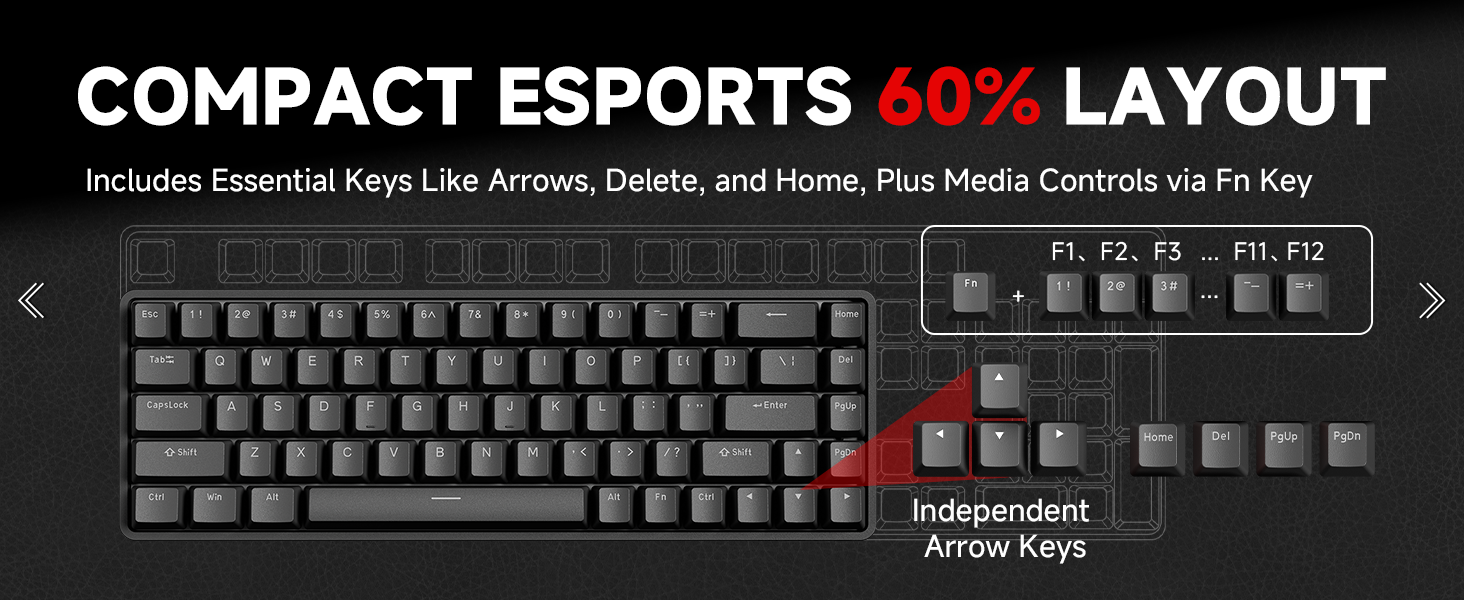
Image 4.4: Diagram illustrating the compact 60% layout and how F-keys and other functions are accessed using the Fn key.
4.5 Mukautusohjelmisto
The DIERYA DK68-C supports a web-based customization tool for advanced settings. This tool allows you to:
- Adjust actuation points for individual keys.
- Configure Rapid Trigger settings.
- Muokkaa näppäimiä ja luo makroja.
- Personalize RGB lighting effects and colors.
Access the official DIERYA website for the link to the customization tool.
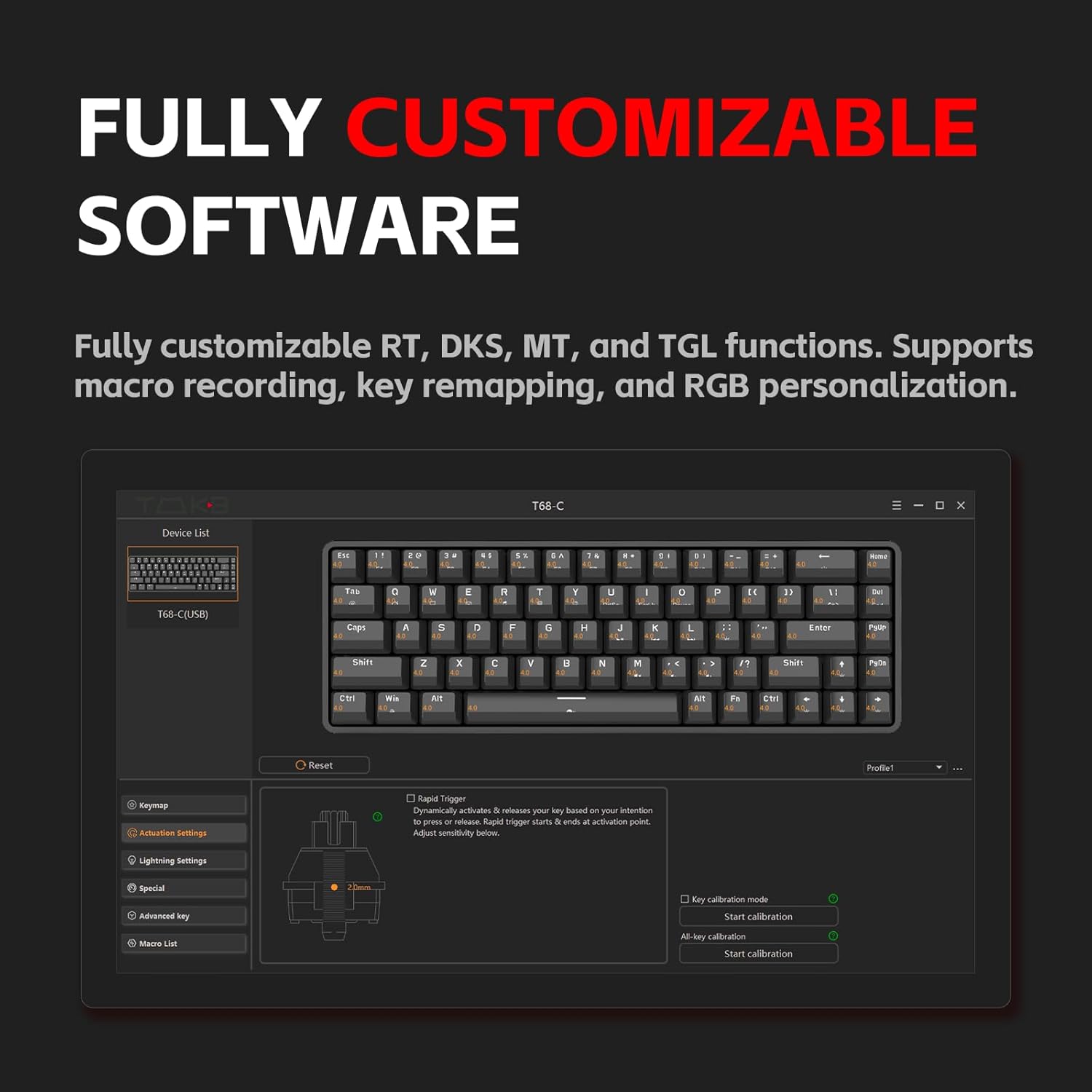
Image 4.5: Screenshot of the customization software interface, showing options for key remapping, lighting settings, and advanced key functions.
5. Huolto
5.1 Näppäimistön puhdistaminen
Säännöllinen puhdistus auttaa ylläpitämään näppäimistön suorituskykyä ja ulkonäköä.
- Katkaise yhteys: Irrota aina näppäimistö tietokoneesta ennen puhdistamista.
- Pölynpoisto: Poista pöly ja roskat näppäinhattujen välistä paineilmalla.
- Näppäinkansien puhdistus: Use the provided keycap puller to carefully remove keycaps. Clean them with a soft cloth lightly dampened with water or a mild cleaning solution. Ensure keycaps are completely dry before reattaching.
- Pintojen puhdistus: Wipe the keyboard surface with a soft, lint-free cloth. Avoid harsh chemicals or abrasive materials.
5.2 Kytkimen hoito
The magnetic switches are designed for durability. Avoid spilling liquids on the keyboard, as this can damage the switches and internal components. If a switch feels inconsistent, ensure no debris is lodged within it.
6. Vianmääritys
If you encounter issues with your DIERYA DK68-C keyboard, refer to the following common solutions:
| Ongelma | Mahdollinen ratkaisu |
|---|---|
| Näppäimistö ei vastaa |
|
| Avaimet eivät rekisteröidy tai niitä kirjoitetaan kahteen kertaan |
|
| RGB-valaistus ei toimi tai on virheellinen |
|
| Fn-näppäinyhdistelmät eivät toimi |
|
7. Tekniset tiedot
| Ominaisuus | Yksityiskohta |
|---|---|
| Malli | DK68-C |
| Näppäimistön tyyppi | 60% Gaming HE Keyboard |
| Kytkimen tyyppi | Magneettiset kytkimet |
| Käyttöalue | 0.1mm - 4.0mm (Adjustable) |
| Äänestysprosentti | 8000 Hz |
| Latenssi | <0.3 ms |
| Taustavalo | RGB (16.8 miljoonaa väriä) |
| Yhteydet | Langallinen USB-C |
| Yhteensopivat laitteet | PC (Windows) |
| Mitat | 12.99 x 5.28 x 1.97 tuumaa |
| Tuotteen paino | 1.59 kiloa |
8. Takuu ja tuki
DIERYA products are manufactured to high-quality standards. This product is covered by a manufacturer's warranty against defects in materials and workmanship. The specific warranty period and terms may vary by region and retailer. Please retain your proof of purchase for warranty claims.
For technical support, warranty inquiries, or further assistance, please visit the official DIERYA websivustolla tai ota yhteyttä heidän asiakaspalveluunsa. Yhteystiedot löytyvät yleensä tuotepakkauksesta tai viralliselta websivusto.
Verkkoresurssit:
- DIERYA Virallinen Websivusto: Visit the DIERYA Store
- Web-based Customization Tool: Refer to the official website for access.


