1. Johdanto
This manual provides instructions for the AULA F75 Pro Mechanical Keyboard and AULA SC680 Wireless Mouse combo. Please read this manual thoroughly before use to ensure proper operation and to maximize the product's lifespan.
2. Tuote ohiview
2.1 AULA F75 Pro Mechanical Keyboard
The AULA F75 Pro is a mechanical keyboard featuring a 75% layout with a knob, multiple connection modes, hot-swappable switches, and RGB backlighting. It is designed for versatility and user customization.

Image: AULA F75 Pro Mechanical Keyboard, showcasing its 75% layout and volume knob.

Kuva: Yliview of AULA F75 Pro keyboard features including BT5.0/2.4G/Wired connectivity, advanced structure, pre-lubed linear switches, RGB backlighting, 4000mAh battery, side-engraved PBT keycaps, hot-swappable design, and 75% layout with knob.
2.2 AULA SC680 Wireless Mouse
The AULA SC680 is a high-performance wireless gaming mouse with tri-mode connectivity, a PAW3395 sensor, and adjustable DPI settings. It is designed for precision and responsiveness.

Kuva: Yläosa view of the AULA SC680 Wireless Mouse, highlighting its ergonomic design.

Kuva: Yliview of AULA SC680 mouse features including custom macro support, up to 26000 DPI, 58g lightweight design, 8KHz polling rate, tri-mode connection, and PixArt PAW3395 sensor.
3. Asennus ja yhteys
3.1 Keyboard Connection (AULA F75 Pro)
The AULA F75 Pro keyboard supports three connection modes: Bluetooth 5.0, 2.4GHz wireless, and USB wired.

Image: Diagram illustrating the three connection modes (Bluetooth 5.0, 2.4GHz, USB-C Wired) for the AULA F75 Pro keyboard, compatible with various devices like Switch, Xbox, PlayStation, PC, Laptop, Tablet, and Phone.
- 2.4 GHz:n langaton yhteys:
- Paikanna 2.4 GHz:n USB-vastaanotin.
- Liitä vastaanotin tietokoneen vapaaseen USB-porttiin.
- Ensure the keyboard's mode switch is set to 2.4GHz. The keyboard should connect automatically.
- Bluetooth 5.0 -yhteys:
- Aseta näppäimistön tilakytkin Bluetooth-asentoon.
- On your device (PC, laptop, tablet, phone), enable Bluetooth and search for new devices.
- Select "AULA F75 Pro" from the list of available devices to pair. The keyboard can connect to up to three Bluetooth devices, switchable via shortcut keys.
- USB langallinen liitäntä:
- Connect the provided USB-C cable to the keyboard and the other end to your computer's USB port.
- Näppäimistö toimii langallisena laitteena ja latautuu samanaikaisesti.
3.2 Mouse Connection (AULA SC680)
The AULA SC680 mouse also supports three connection modes: USB-C wired, 2.4GHz wireless, and Bluetooth 5.2.
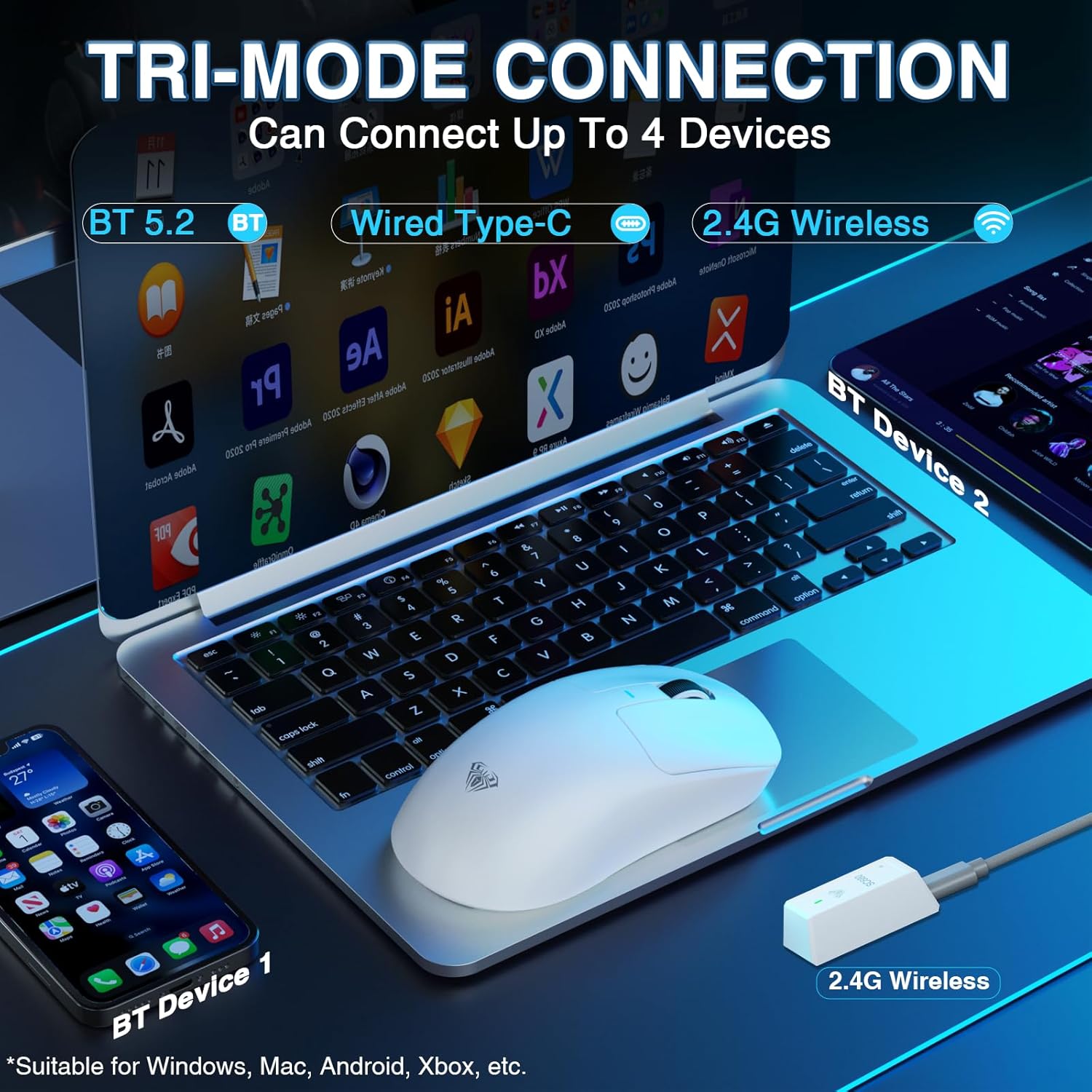
Image: Diagram illustrating the tri-mode connection for the AULA SC680 mouse, showing Bluetooth 5.2, Wired Type-C, and 2.4G Wireless options, compatible with Windows, Mac, Android, and Xbox.
- 2.4 GHz:n langaton yhteys:
- Plug the 2.4GHz USB receiver (usually found with the keyboard's receiver or stored in the mouse) into your computer's USB port.
- Ensure the mouse's mode switch is set to 2.4GHz.
- Bluetooth 5.2 -yhteys:
- Set the mouse's mode switch to Bluetooth.
- Ota Bluetooth käyttöön laitteellasi ja hae uusia laitteita.
- Select "AULA SC680" to pair. The mouse can connect to up to two Bluetooth devices.
- USB-C-langallinen yhteys:
- Connect the USB-C cable to the mouse and your computer.
- The mouse will operate in wired mode and charge.
4. Käyttöohjeet
4.1 Keyboard Functions (AULA F75 Pro)
- Tilan vaihto: Use the dedicated switch or shortcut keys to toggle between 2.4GHz, Bluetooth, and Wired modes.
- Bluetooth-laitteen vaihto: If connected to multiple Bluetooth devices, use specific key combinations (refer to the quick start guide or keyboard markings) to switch between them.
- Äänenvoimakkuuden säädin: The rotary knob typically controls system volume. Pressing it may mute/unmute.
- RGB-taustavalo: Use Fn key combinations to change lighting effects, brightness, and speed.
- Vaihdettavat kytkimet: The keyboard supports 3-pin or 5-pin mechanical switches. To replace switches:
- Power off the keyboard or disconnect it.
- Use the provided switch puller tool to carefully remove the keycap.
- Irrota kytkin varovasti piirilevystä kytkimen ulosvetimellä.
- Kohdista uuden kytkimen tapit piirilevyn reikiin ja paina sitä lujasti, kunnes se napsahtaa paikalleen.
- Kiinnitä näppäinhattu takaisin.
- Akun tila: The keyboard features a 4000mAh battery. Indicators (usually an LED) will show charging status and low battery warnings. Charge via the USB-C port.
4.2 Mouse Functions (AULA SC680)
- DPI-säätö: Use the dedicated DPI button (if present) or software to cycle through DPI settings (up to 26000 DPI).
- Äänestysprosentti: The mouse supports an 8000Hz polling rate for responsive tracking. This setting may be adjustable via software.
- Mukautetut makrot: Programmable buttons and macros can be configured using the official AULA software (downloadable from the AULA websivusto).
- Akun tila: The mouse has an internal rechargeable battery. An indicator light will show charging status and low battery. Charge via the USB-C port.
5. Huolto
- Puhdistus: Use a soft, dry cloth to clean the surfaces of the keyboard and mouse. For deeper cleaning, use compressed air to remove dust and debris from between keycaps. Avoid liquid cleaners directly on components.
- Varastointi: Säilytä laitteita viileässä, kuivassa paikassa, poissa suorasta auringonvalosta ja äärimmäisistä lämpötiloista.
- Akun hoito: For optimal battery life, avoid fully discharging the devices frequently. Charge them regularly.
6. Vianmääritys
| Ongelma | Ratkaisu |
|---|---|
| Keyboard/Mouse not connecting wirelessly. |
|
| Viive tai epäsäännöllinen yhteys. |
|
| Keys not responding / Mouse not tracking. |
|
| RGB-valaistus ei toimi. |
|
7. Tekniset tiedot
7.1 AULA F75 Pro Mechanical Keyboard
- Yhteystilat: Bluetooth 5.0, 2.4 GHz langaton, USB-C-johdollinen
- Akku: 4000mAh ladattava
- Layout: 75% with Rotary Knob
- Kytkimet: Hot-swappable (3-pin/5-pin compatible), LEOBOG Star Vector Switches (pre-lubricated)
- Näppäimet: Side-engraved PBT
- Rakenne: Advanced structure with extended integrated silicone pad, PCB single key slotting, five layers of sound-damploppumateriaali.
- Yhteensopivuus: PC, Laptops, Tablets, Mobile Phones, PS, XBOX

Kuva: Räjähtänyt view of the AULA F75 Pro keyboard's advanced internal structure, detailing components like the metal volume knob, two-color injection molded PBT keycaps, upper cover, rotary encoder, LEOBOG Reaper Switches, slotted PC positioning board, sound-absorbing cotton, IXPE shaft bottom pad, PET voice actor pad, single key slotted PCBA board, PO base cotton, silicone base mat, and bottom shell.
7.2 AULA SC680 Wireless Mouse
- Yhteystilat: Bluetooth 5.2, 2.4 GHz langaton, USB-C-johdollinen
- Anturi: PAW3395 Lippulaiva-anturi
- DPI: 400-26000 (programmable)
- IPS nopeus: 650
- Kiihtyvyys: 50G
- Äänestysprosentti: 8000 Hz
- Paino: 58g (noin)
- Yhteensopivuus: Windows 7/8/10, Vista, XP, Mac, Windows 2000, Linux

Kuva: Lähikuva view of the PAW3395 flagship sensor in the AULA SC680 mouse, detailing its specifications: DPI Adjustment (400-26000), IPS (650), and Accelerated Speed (50G).
8. Takuu ja tuki
AULA products are designed for reliability and performance. For warranty information, technical support, or to download the latest drivers and software, please visit the official AULA websivustolta tai ota yhteyttä paikalliseen jälleenmyyjään.
Official AULA Store: AULA Amazon Store