1. Johdanto
The Motorola Edge 5G (2024) XT2405-1 is a high-performance smartphone designed for seamless connectivity and advanced mobile experiences. This manual provides essential information to help you set up, operate, and maintain your device.
- Enjoy rapid downloads, smooth streaming, and real-time gaming on Metro’s 5G network.
- Massive storage for photos, videos, apps, and more—no need to worry about running out of space.
- Capture pro-level shots and video with optical image stabilization and AI enhancements.
- Experience vibrant color and fluid visuals with a high refresh rate screen.
- Long-lasting battery paired with fast charging keeps you powered throughout your day.
2. Asennus
2.1 Pakkauksen sisältö
Your Motorola Edge 5G (2024) package includes the following items:
- Motorola Edge 5G (2024) Phone
- USB-kaapeli
- SIM-poistotyökalu
2.2 SIM-kortin asettaminen
- Etsi SIM-kortin alusta puhelimesi sivusta.
- Aseta SIM-kortin poistotyökalu pieneen reikään alustan vieressä ja paina varovasti, kunnes alusta ponnahtaa ulos.
- Aseta Nano-SIM-kortti korttipaikkaan kultaiset koskettimet alaspäin.
- Työnnä pidike varovasti takaisin puhelimeen, kunnes se napsahtaa paikalleen.
2.3 Käynnistäminen ja alkuasetukset
- Pidä puhelimen sivussa olevaa virtapainiketta painettuna, kunnes Motorola-logo tulee näkyviin.
- Valitse kieli, muodosta yhteys Wi-Fi-verkkoon ja kirjaudu sisään Google-tililläsi noudattamalla näytön ohjeita.
- Complete the setup process by customizing your device settings.
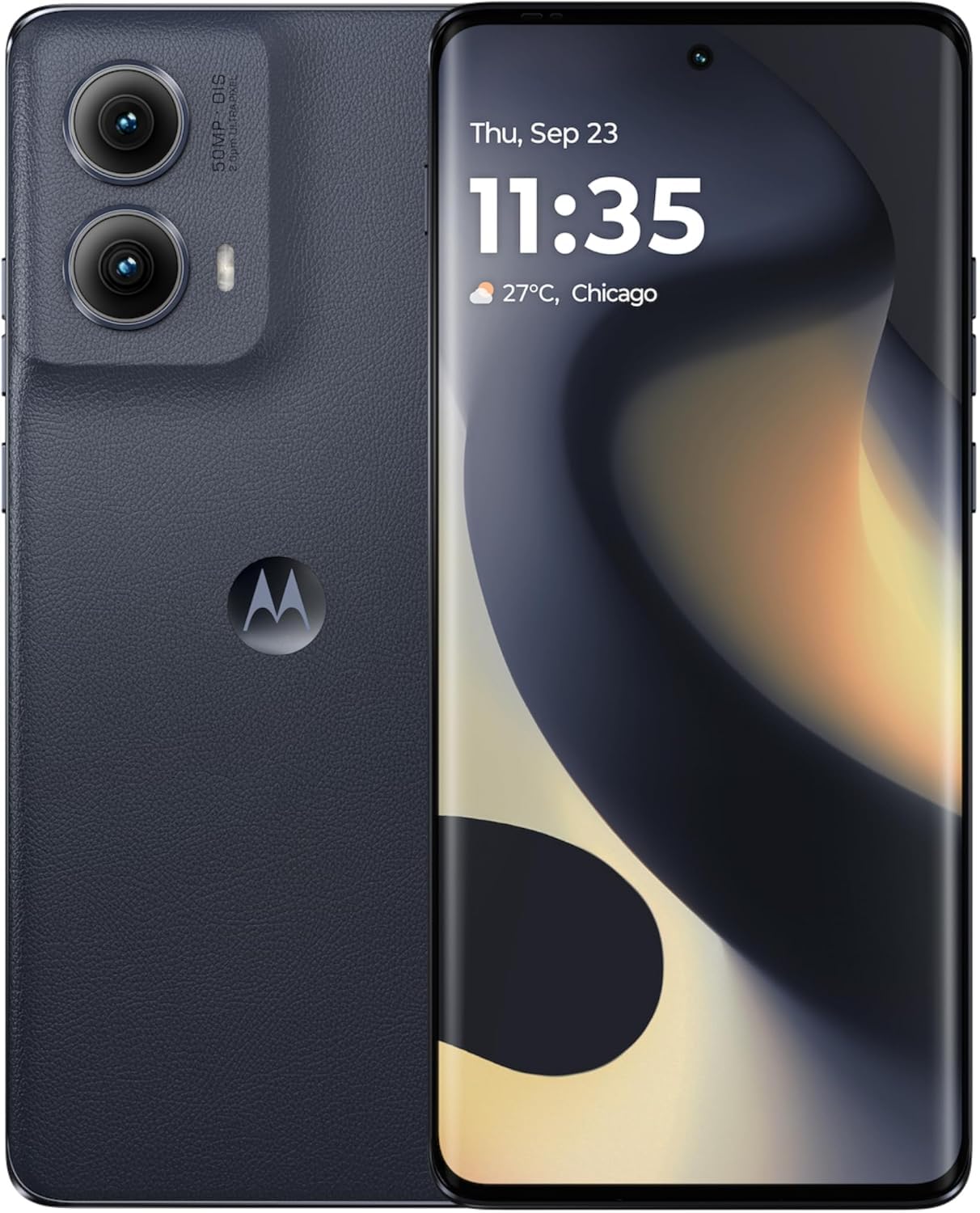
Figure 1: Motorola Edge 5G (2024) XT2405-1 smartphone.
3. Laitteen käyttö
3.1 Näyttö ja navigointi
The Motorola Edge 5G (2024) features a 6.6-inch OLED display with a 120Hz refresh rate, providing smooth visuals and vibrant colors. Navigate your device using intuitive touch gestures and the Android 14 operating system.
3.2 Kameran ominaisuudet
Ota upeita valokuvia ja videoita edistyneellä kamerajärjestelmällä:
- 50 megapikselin pääkamera: Equipped with Optical Image Stabilization (OIS) and AI enhancements for crisp, detailed shots.
- Etukamera: High-resolution front camera for clear selfies and video calls.
- AI-ominaisuudet: Utilize artificial intelligence for scene detection, optimal settings, and enhanced photo quality.
3.3 Suorituskyky ja liitettävyys
Experience seamless multitasking and fast data speeds:
- Prosessori: Powered by a Mediatek Dimensity 900 CPU for efficient performance.
- RAM: 8GB of RAM ensures smooth app switching and responsiveness.
- Varastointi: 256 Gt sisäistä tallennustilaa tarjoaa ample tilaa sinulle files.
- 5G-yhteys: Enjoy ultra-fast 5G speeds for streaming, gaming, and downloads.
3.4 Quick Button and Gestures
The device includes a customizable Quick Button and supports various gestures for quick access to features and applications. Refer to the device settings for gesture customization options.
Video 1: Motorola Edge 5G UW OverviewTämä video tarjoaa yleiskuvanview of the Motorola Edge 5G UW model's features and design.
4. Lataus ja akku
The Motorola Edge 5G (2024) is equipped with a 4400 mAh battery designed for long-lasting use. It supports fast charging to quickly power up your device.
4.1 Laitteen lataaminen
- Connect the USB-C cable to the charging port on your phone.
- Connect the other end of the USB-C cable to a compatible power adapter (sold separately) and plug it into a power outlet.
- For optimal fast charging, use a Motorola-approved fast charger.
5. Huolto
To ensure the longevity and optimal performance of your Motorola Edge 5G (2024), follow these maintenance guidelines:
- Keep your device clean using a soft, dry cloth. Avoid abrasive materials or harsh chemicals.
- Suojaa puhelimesi äärimmäisiltä lämpötiloilta, suoralta auringonvalolta ja kosteudelta.
- Varmuuskopioi tietosi säännöllisesti estääksesi niiden katoamisen.
- Install software updates to ensure your device has the latest features and security patches.
6. Vianmääritys
If you encounter issues with your Motorola Edge 5G (2024), try the following common troubleshooting steps:
- Laite ei vastaa: Pakota uudelleenkäynnistys painamalla virtapainiketta noin 10–15 sekuntia.
- Sovellus kaatuu: Sulje sovellus ja avaa se uudelleen. Jos ongelma jatkuu, tyhjennä sovelluksen välimuisti tai asenna se uudelleen.
- Yhteysongelmat: Toggle Wi-Fi or mobile data off and on. Restart your phone or reset network settings if necessary.
- Akku tyhjenee nopeasti: Check battery usage in settings to identify power-hungry apps. Reduce screen brightness and disable unnecessary features.
- Ohjelmistopäivitykset: Ensure your device is running the latest software version. Go to Settings > System > System updates.
For more complex issues, refer to Motorola's official support websivustolla tai ota yhteyttä asiakaspalveluun.
7. Tekniset tiedot
| Ominaisuus | Yksityiskohta |
|---|---|
| Mallin nimi | Motorola Edge 5G (2024) |
| Tuotteen mallinumero | XT2405-1 |
| Merkki | Motorola |
| Käyttöjärjestelmä | Android 14 |
| Näytön koko | 6.6 tuumaa |
| Resoluutio | 1920 x 1080 |
| Päivitystaajuus | 120 Hz |
| CPU malli | Mediatek Dimensity 900 |
| Prosessorin nopeus | 2.4 GHz |
| Asennetun RAM-muistin koko | 8 Gt |
| Muistin tallennuskapasiteetti | 256 Gt (sisäinen) |
| Akun teholuokitus | 4400 mAh |
| Yhteysteknologiat | 5G, LTE, GSM |
| Väri | Musta |
| Audio Jack | Ei kuulokeliitäntää |
8. Takuu ja tuki
Your Motorola Edge 5G (2024) is covered by a limited warranty. Please refer to the warranty card included in your product packaging or visit the official Motorola support websivustolta tarkemmat takuuehdot.
For technical support, product registration, or to find service centers, please visit the Motorola support webverkkosivustolla tai ota yhteyttä heidän asiakaspalvelunumeroonsa. Säilytä ostokuitti takuuvaatimuksia varten.


