Johdanto
This manual provides detailed instructions for the setup, operation, maintenance, and troubleshooting of your realme GT 7T Smartphone. Please read this guide thoroughly to ensure proper use and to maximize the device's capabilities.
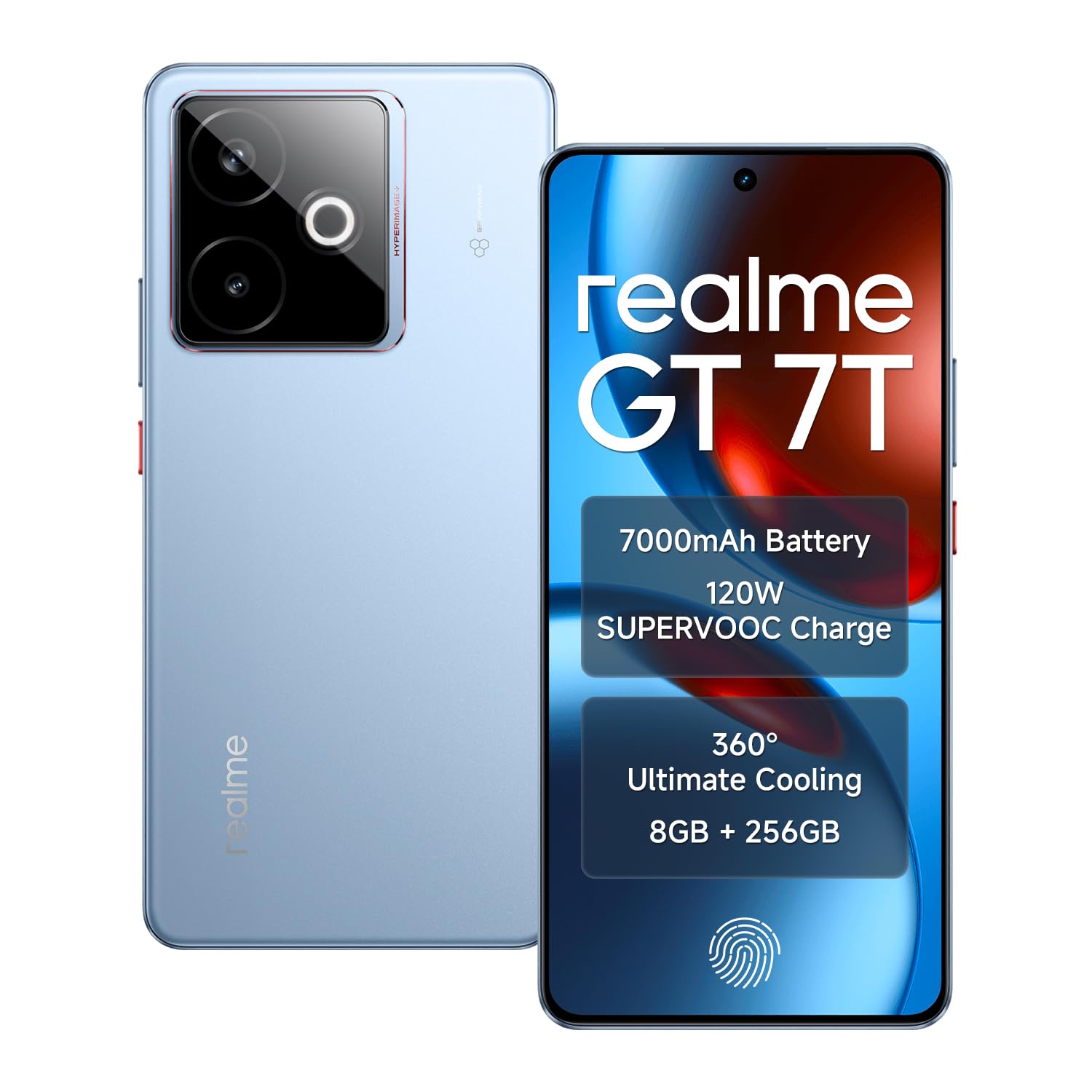
Image: The realme GT 7T Smartphone, showcasing sen muotoilu ja väri.
The realme GT 7T features a 6.8-inch 120Hz display, MediaTek Dimensity 8400-MAX processor, 7000mAh battery with 120W UltraDART charging, a 50MP AI Triple Camera system, and IP69 durability. It operates on Android 15.
Mitä laatikossa on
Varmista, että pakkauksessa on kaikki tarvittavat osat:
- realme GT 7T Smartphone
- USB-datakaapeli
- Charger (120W UltraDART)
- Pika-aloitusopas
Asennus
1. Aseta SIM-kortti
- Paikanna SIM-kortin alusta laitteen sivusta.
- Avaa SIM-kortin alusta mukana toimitetulla poistotyökalulla.
- Place your Nano-SIM cards (supports Dual 5G SIM) into the tray with the gold contacts facing down.
- Aseta lokero varovasti takaisin puhelimeen.
2. Alkulataus
Before first use, it is recommended to fully charge your realme GT 7T.
- Connect the USB data cable to the phone's charging port and the 120W UltraDART charger.
- Liitä laturi pistorasiaan.
- The device supports 120W fast charging, allowing for rapid power-up.
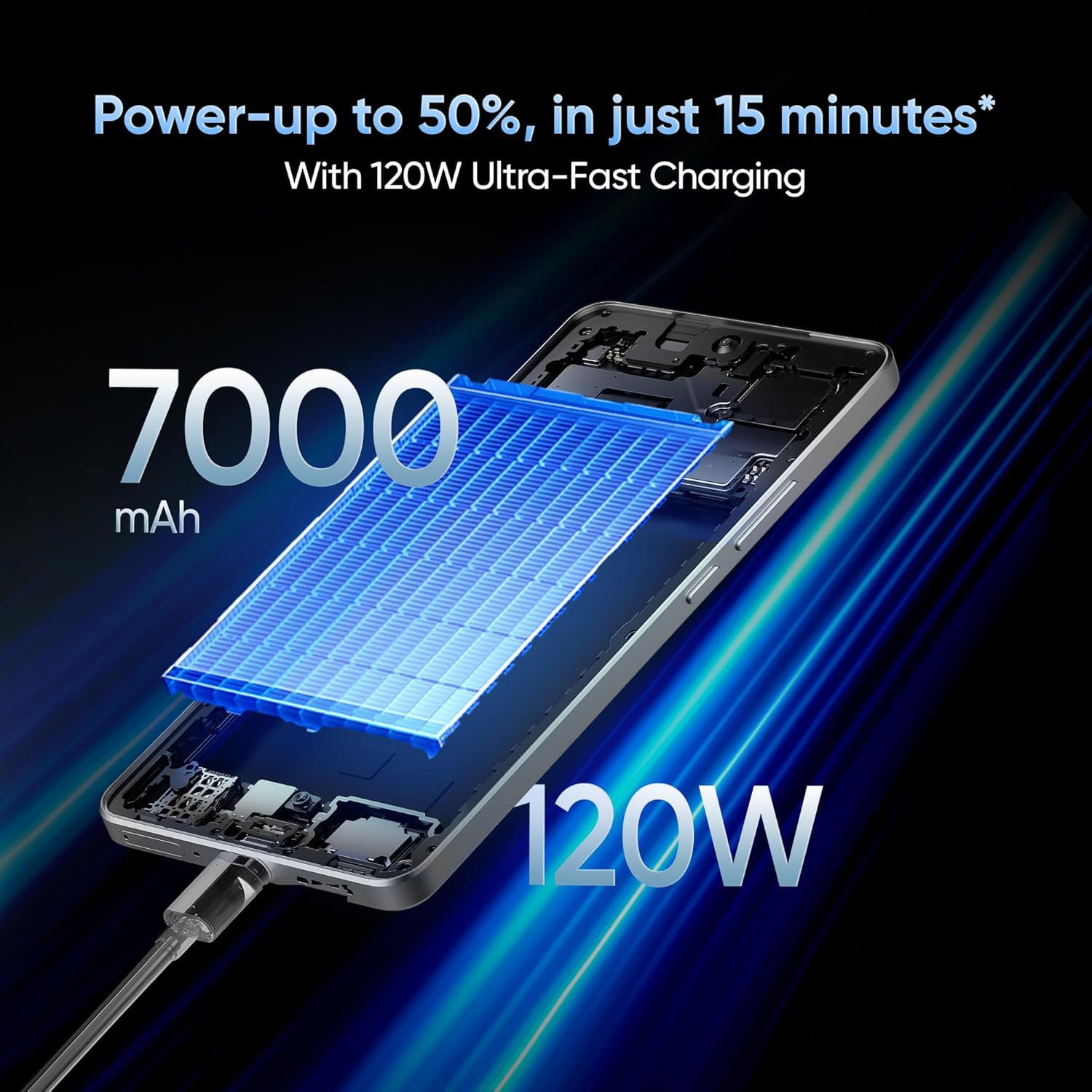
Image: The realme GT 7T connected to its 120W Ultra-Fast Charger, illustrating the rapid charging capability.
3. Virran kytkeminen ja alkuasetukset
- Pidä virtapainiketta painettuna, kunnes Realme-logo tulee näkyviin.
- Suorita alkuasetukset loppuun noudattamalla näytön ohjeita, mukaan lukien kielen valinta, Wi-Fi-yhteys, Google-tilille kirjautuminen ja suojausasetukset.
Käyttöohjeet
Näyttö ja navigointi
The realme GT 7T features a 6.8-inch display with a 120Hz refresh rate for smooth visuals and a 2160Hz high-frequency PWM dimming to reduce eye strain.
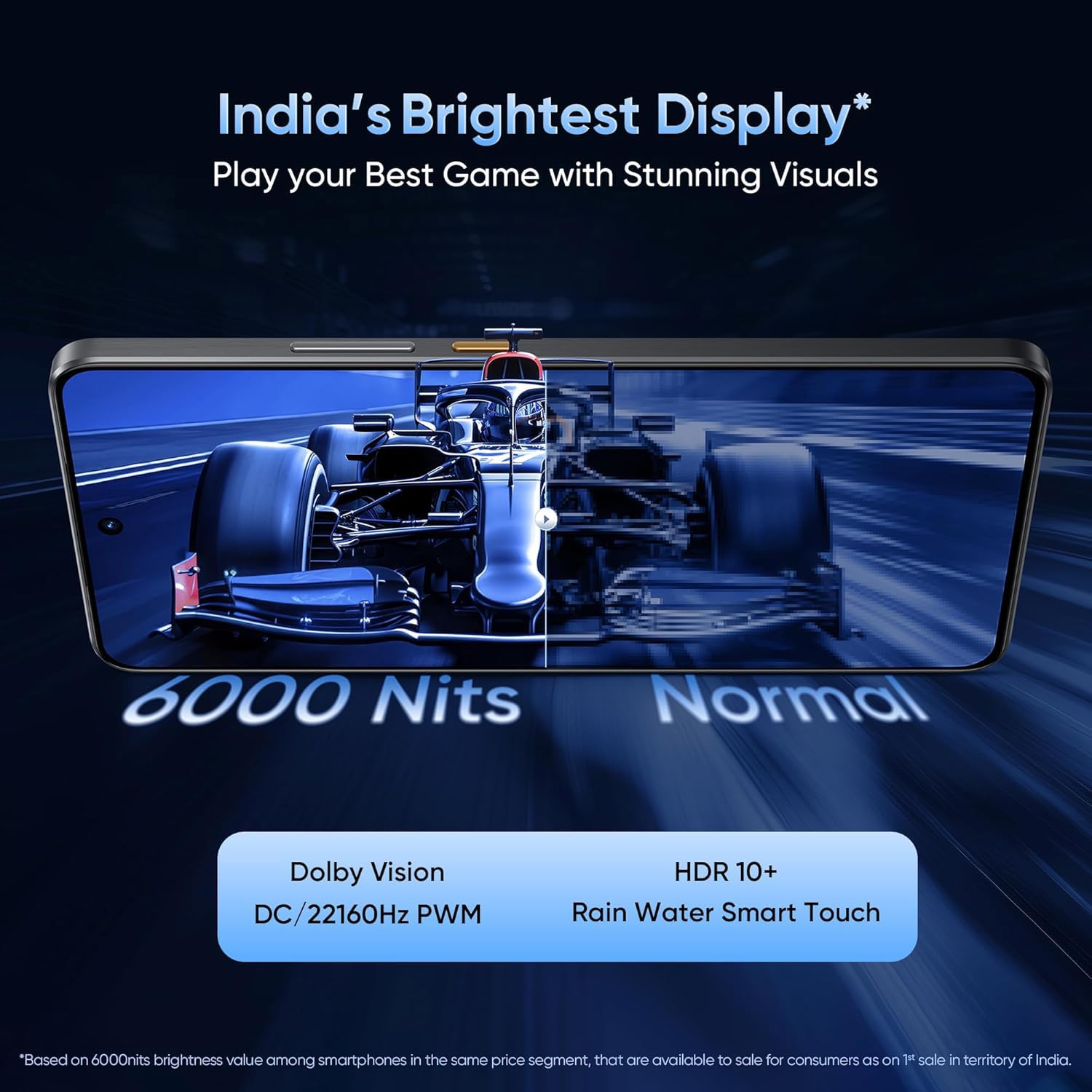
Image: The realme GT 7T's 6.8-inch display showcasing its vibrant colors and smooth 120Hz refresh rate.
Suorituskyky
Powered by the MediaTek Dimensity 8400-MAX 4nm chipset and 8GB RAM, the device offers high performance for multitasking and demanding applications.

Kuva: Yksityiskohtainen view of the MediaTek Dimensity 8400-MAX Flagship Chipset, highlighting its advanced architecture.
Kameran käyttö
The AI Camera system includes a 50MP OIS main camera. Utilize features like AI Landscape Mode for enhanced scenery, AI Swift Capture for fast-moving subjects, and AI Reflection Elimination for clear shots through glass or water.
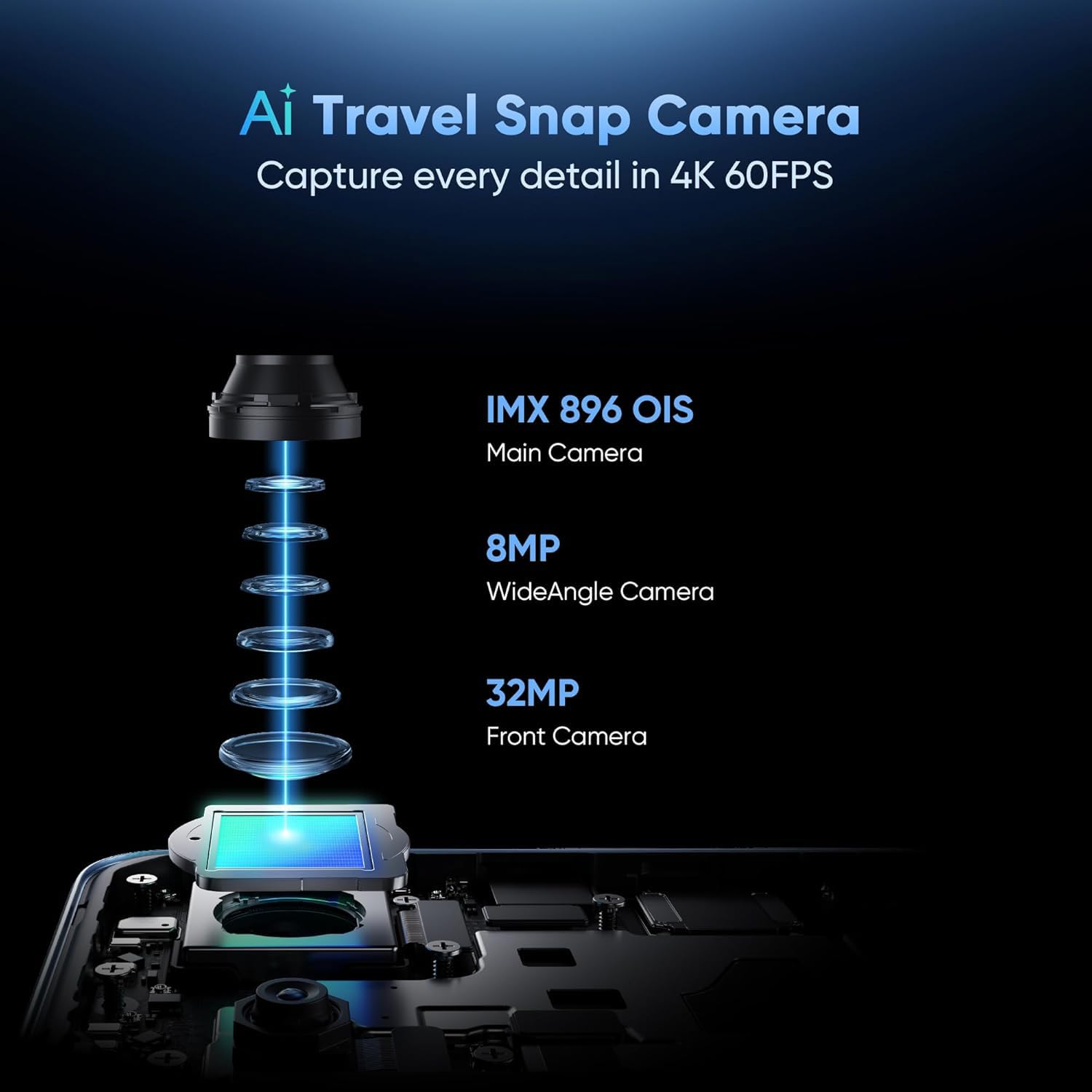
Kuva: Räjähtänyt view of the AI Travel Snap Camera system, detailing its IMX 896 OIS Main Camera, Wide Angle Camera, and Front Camera.
Yhteydet
The device supports various connectivity options including Bluetooth, NFC, USB, Wi-Fi, and Dual 5G SIM for high-speed internet access.
Huolto
Laitteen puhdistaminen
- Pyyhi näyttö ja runko pehmeällä, nukkaamattomalla liinalla.
- Vältä kovien kemikaalien tai hankaavien materiaalien käyttöä.
- The device has an IP69 rating for dust and water resistance, but avoid intentional submersion.

Image: The realme GT 7T highlighting its IP69 rating and ArmorShell™ Glass for enhanced durability.
Ohjelmistopäivitykset
Regularly check for and install software updates to ensure optimal performance, security, and access to new features. Updates are typically found in the device's Settings menu under "System" or "About Phone."
Jäähdytysjärjestelmä
The IceSense graphene cooling system helps dissipate heat. Ensure the device's vents (if any) are not obstructed during heavy use.

Image: Two realme GT 7T phones illustrating the Graphene Cover IceSense Design for 360° Ultimate Cooling.
Vianetsintä
Yleisiä ongelmia ja ratkaisuja
- Laite ei käynnisty: Varmista, että akku on ladattu. Paina virtapainiketta vähintään 10 sekuntia.
- Näyttö ei reagoi: Restart the device. If the issue persists, perform a force restart (refer to Quick Start Guide for specific key combinations).
- Akku tyhjenee nopeasti: Close background applications, reduce screen brightness, disable unnecessary connectivity features (Bluetooth, GPS, Wi-Fi) when not in use. Check battery usage in Settings to identify power-hungry apps.
- Ylikuumeneminen käytön aikana: Avoid using the device in direct sunlight or poorly ventilated areas. Close demanding applications. The IceSense cooling system is designed to manage heat, but prolonged heavy use can still generate warmth.
- Verkkoyhteysongelmat: Check if Airplane Mode is off. Restart the device. Verify SIM card insertion. Contact your network provider if problems persist.
Monimutkaisempien ongelmien ratkaisemiseksi harkitse tehdasasetusten palauttamista (Huomautus: Tämä poistaa kaikki laitteesi tiedot. Varmuuskopioi tärkeät tiedot ennen jatkamista.) or contact realme customer support.
Tekniset tiedot
| Ominaisuus | Yksityiskohta |
|---|---|
| Mallinumero | realme GT 7T |
| Käyttöjärjestelmä | Android 15 |
| Prosessori | MediaTek Dimensity 8400-MAX 4nm |
| RAM | 8 Gt |
| Näyttö | 6.8-inch, 120Hz Refresh Rate, 2160Hz PWM Dimming, 2560 x 1080 Resolution |
| Pääkamera | 50MP OIS AI Camera |
| Akun kapasiteetti | 7000 mAh |
| Lataus | 120W UltraDART Fast Charging |
| Yhteydet | Bluetooth, NFC, USB, Wi-Fi, Dual 5G SIM |
| Kestävyys | IP69 Water and Dust Resistance, ArmorShell™ Glass |
| Mitat | 16.24 x 7.6 x 0.82 cm |
| Paino | 202 g |
Takuu ja tuki
Takuutiedot
Your realme GT 7T Smartphone comes with a standard manufacturer's warranty. Please refer to the warranty card included in your product packaging for specific terms, conditions, and duration. Keep your proof of purchase for warranty claims.
Asiakastuki
Jos tarvitset lisäapua, teknistä tukea tai palvelukyselyitä, käy Realmen virallisella tukisivustolla. websivustolta tai ota yhteyttä heidän asiakaspalvelunumeroonsa.
Virallinen valtakunta Websivusto: Realme-tuki (Esimamplinkki, todellinen linkki voi vaihdella alueittain)