1. Johdanto
Thank you for choosing the HTC N15 Wireless Clip-On Earbuds. These open-ear earphones are designed to provide audio while allowing you to remain aware of your surroundings. This manual provides detailed instructions for setup, operation, and maintenance to ensure optimal performance and longevity of your device.

Image 1.1: HTC N15 Wireless Clip-On Earbuds and Charging Case.
2. Pakkauksen sisältö
Tarkista pakkauksen sisältö purkamisen jälkeen. Jos jokin puuttuu tai on vaurioitunut, ota yhteyttä asiakaspalveluun.
- 1 Pair HTC N15 Clip-On Earbuds
- 1 Latauskotelo
- 1 USB-C-latauskaapeli
- 1 Käyttöopas (tämä asiakirja)
Video 2.1: Unboxing the HTC N15 Wireless Clip-On Earbuds, showing the earbuds, charging case, and USB-C cable.
3. Tuote ohiview
3.1 Earbud Features
- Avokorvasuunnittelu: Allows awareness of surroundings.
- Clip-On Fit: Secure and comfortable for various activities.
- Kosketusohjaus: Intuitive control for audio and calls.
- Sisäänrakennettu mikrofoni: Selkeän viestinnän vuoksi.
- Kevyt: Kukin korvanappi painaa noin 4.7 g.
- 13 mm:n elementti: Parannetun äänenlaadun saavuttamiseksi.
3.2 Latauskotelon ominaisuudet
- USB-C-latausportti: Kätevää latausta varten.
- Pariston ilmaisin: LEDs show charging status and battery level.

Kuva 3.1: ohiview of HTC N15 earbuds and charging case, highlighting battery life and Type-C charging port.
4. Asennus
4.1 Kuulokkeiden ja kotelon lataaminen
Lataa nappikuulokkeet ja latauskotelo täyteen ennen ensimmäistä käyttökertaa.
- Aseta kuulokkeet latauskoteloon.
- Liitä USB-C-latauskaapeli kotelon latausporttiin ja virtalähteeseen.
- The LED indicators on the case will illuminate to show charging status. A full charge for the case takes approximately 1.5 hours.
- The earbuds provide up to 8 hours of playback on a single charge, and the charging case extends total playtime to 22 hours.

Image 4.1: Visual representation of charging times and battery life for the HTC N15 earbuds and case.
4.2 Pariliitos laitteen kanssa
The HTC N15 earbuds use Bluetooth 6.0 for fast and stable connections.
- Varmista, että nappikuulokkeet on ladattu ja että ne ovat latauskotelon sisällä.
- Avaa latauskotelo. Kuulokkeet siirtyvät automaattisesti pariliitostilaan, minkä merkkinä vilkkuvat LED-valot.
- Siirry laitteellasi (älypuhelin, tabletti, kannettava tietokone) Bluetooth-asetuksiin ja ota Bluetooth käyttöön.
- Etsi käytettävissä olevat laitteet ja valitse luettelosta "HTC NE15".
- Kun yhteys on muodostettu, kuulokkeiden LED-valot lakkaavat vilkkumasta ja kuulet vahvistusäänen.
Kuulokkeet muodostavat automaattisesti yhteyden viimeksi pariliitettyyn laitteeseen, kun ne poistetaan kotelosta, jos Bluetooth on käytössä laitteessa.

Image 4.2: The HTC N15 earbuds offer flexible connectivity with various devices including notebooks, TVs, desktops, watches, phones, and iPads.
5. Käyttöohjeet
Varmista optimaalisen äänen ja mukavuuden saavuttamiseksi, että nappikuulokkeet on asetettu oikein.
- Tunnista vasen (L) ja oikea (R) nappikuuloke.
- Confirm the direction of the earbud, ensuring the clip is oriented to hook over the top of your ear.
- Gently clip the earbud onto the thinnest part of your ear, sliding it down until it feels secure.
- Adjust the earbud tip to align with your ear canal for the best sound experience and comfort.

Image 5.1: Step-by-step guide on how to properly wear the HTC N15 Clip-On Earbuds for a secure and comfortable fit.

Image 5.2: Illustration of the ergonomic open-ear clip design and wearing tips for optimal sound alignment.
6. Käyttöohjeet
The HTC N15 earbuds feature smart touch controls for easy management of audio and calls.

Image 6.1: Diagram illustrating the touch control functions for the HTC N15 earbuds.
6.1 Musiikin hallinta
- Toista/tauko: Kaksoisnapsauta jompaakumpaa korvanappia.
- Seuraava kappale: Triple-click the Right (R) earbud.
- Edellinen kappale: Triple-click the Left (L) earbud.
- Ääni kovemmalle: Click the Right (R) earbud.
- Äänenvoimakkuutta pienemmälle: Click the Left (L) earbud.
6.2 Puhelunhallinta
- Puhelun vastaaminen/lopetus: Napsauta jompaakumpaa korvanappia.
- Hylkää puhelu: Paina ja pidä painettuna jompaakumpaa kuuloketta 2 sekunnin ajan.
6.3 Voice Assistant & Game Mode
- Aktivoi Voice Assistant: Pidä vasenta (L) korvanappia paikallaan 2 sekuntia.
- Pelitila: Hold the Right (R) earbud for 2 seconds to activate low-latency mode.

Image 6.2: The HTC N15 earbuds feature a low-latency Game Mode, reducing audio delay to 40ms for an improved gaming experience.
7. Huolto
7.1 Puhdistus
- Puhdista nappikuulokkeet ja latauskotelo säännöllisesti pehmeällä, kuivalla ja nukkaamattomalla liinalla.
- Älä käytä hankaavia puhdistusaineita, alkoholia tai kemiallisia liuottimia.
- Varmista, että sekä nappikuulokkeiden että kotelon latauskoskettimet ovat puhtaat ja kuivat.
7.2 Varastointi
- Säilytä kuulokkeita latauskotelossaan, kun et käytä niitä, jotta ne suojaavat ja pitävät ne ladattuna.
- Vältä säilyttämistä äärimmäisissä lämpötiloissa tai korkeassa kosteudessa.
7.3 Veden- ja pölynkestävyys
The HTC N15 earbuds are rated IP45 for water and dust resistance. This means they are protected against dust ingress and low-pressure water jets from any direction. They are suitable for workouts and light rain but should not be submerged in water.
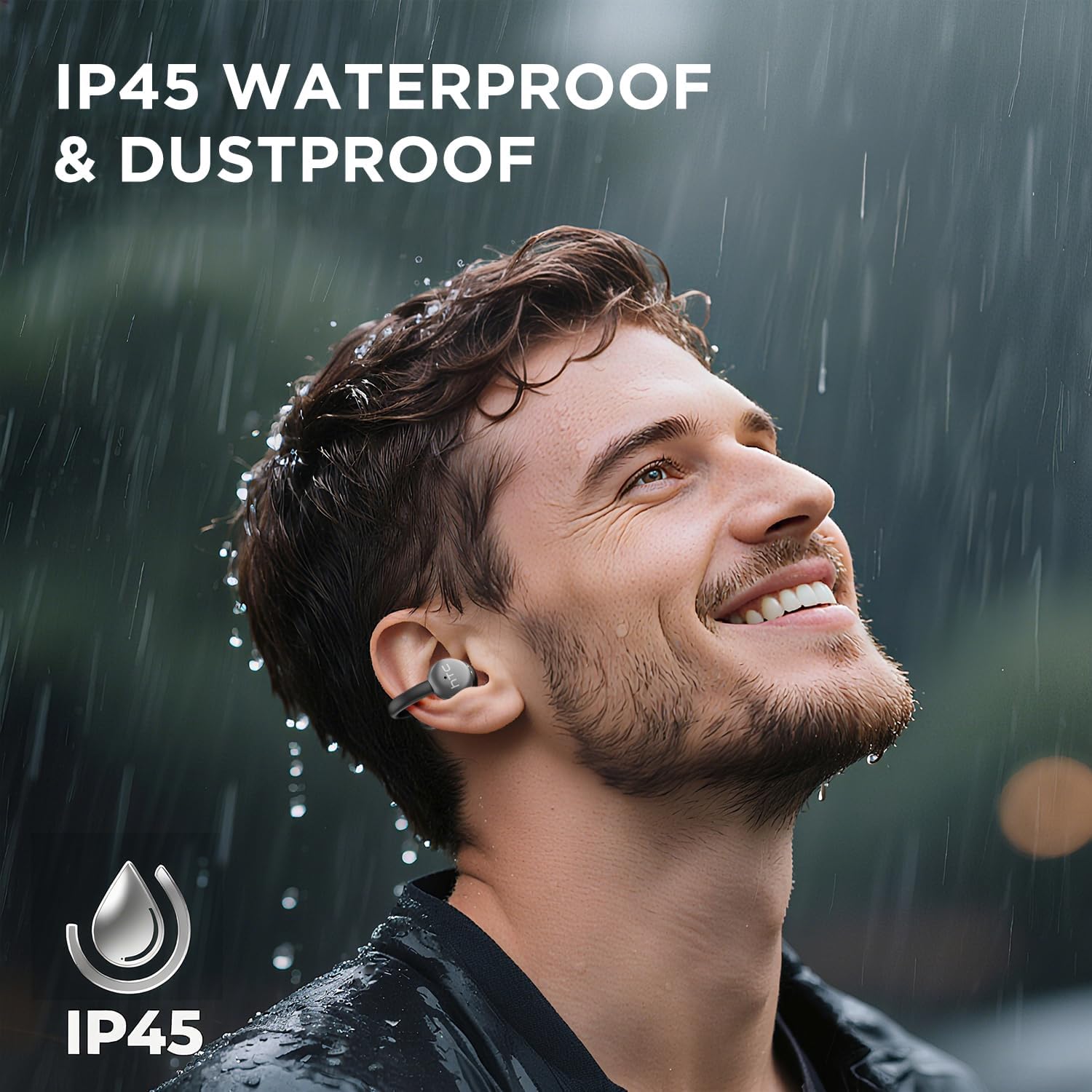
Image 7.1: The HTC N15 earbuds are IP45 rated, offering protection against dust and water splashes, making them suitable for outdoor activities.
8. Vianmääritys
| Ongelma | Mahdollinen syy | Ratkaisu |
|---|---|---|
| Kuulokkeet eivät muodosta pariliitosta | Low battery; Bluetooth off on device; Earbuds not in pairing mode; Interference. | Charge earbuds and case. Ensure Bluetooth is enabled on your device. Place earbuds in case, close, then open to re-enter pairing mode. Move closer to your device. |
| Ei ääntä tai huono äänenlaatu | Volume too low; Earbuds not properly seated; Device not connected; Dirty earbuds. | Increase device volume. Adjust earbuds for a proper fit. Reconnect earbuds to your device. Clean earbuds as per maintenance section. |
| Kuulokkeet eivät lataudu | Charging cable not connected properly; Dirty charging contacts; Faulty cable/adapter. | Ensure USB-C cable is securely connected. Clean charging contacts. Try a different USB-C cable or power adapter. |
| Kosketusohjaimet eivät reagoi | Earbuds not active; Moisture on touch surface; Software glitch. | Ensure earbuds are active and connected. Wipe touch surface dry. Place earbuds back in case, close, then reopen to reset. |
9. Tekniset tiedot
| Ominaisuus | Erittely |
|---|---|
| Mallin nimi | HTC NE15 |
| Bluetooth-versio | 6.0 |
| Yhteystekniikka | Langaton (Bluetooth) |
| Nappikuulokkeiden tyyppi | Clip-On, Open-Ear |
| Kuljettajan koko | 13 mm |
| Valvontamenetelmä | Kosketa |
| Mikrofoni | Sisäänrakennettu |
| Yhden latauksen toistoaika | Jopa 8 tuntia |
| Kokonaispeliaika (kotelon kanssa) | Jopa 22 tuntia |
| Case Fast Charging | Noin 1.5 tuntia |
| Latausportti | USB-C |
| Vedenkestävyys | IP45 (veden- ja pölynkestävä) |
| Korvanapin paino | Noin 4.7 g (kpl) |
| Yhteensopivat laitteet | Smartphones, Tablets, Bluetooth-enabled Devices (iOS, Android) |
| UPC | 768649989642 |
10. Takuu ja tuki
HTC provides customer support for its products. If you encounter any issues or have questions not covered in this manual, please contact our support team.
- Asiakastuki: Live-chat-tuki on saatavilla 7/24. Katso tuotepakkauksesta tai virallisesta HTC:n yhteystiedosta. websivusto yhteystiedot.
- Takuutiedot: Please retain your proof of purchase for warranty claims. Specific warranty terms and conditions may vary by region. Refer to the warranty card included in your package or the official HTC websivustolta yksityiskohtaisia tietoja varten.


