1. Johdanto
This manual provides detailed instructions for the setup, operation, maintenance, and troubleshooting of your ATTACK SHARK X8 SE Wireless Gaming Mouse. Designed for performance and comfort, the X8 SE features tri-mode connectivity, a high-precision sensor, and a lightweight design for an optimal gaming experience.

Kuva: Yläosa view of the ATTACK SHARK X8 SE Wireless Gaming Mouse in Berry color.
2. Pakkauksen sisältö
Varmista, että pakkauksessasi on kaikki tarvittavat osat:
- ATTACK SHARK X8 SE Wireless Gaming Mouse
- USB-C latauskaapeli
- 2.4 GHz langaton vastaanotin
- Käyttöopas (tämä asiakirja)
3. Asennus ja liitettävyys
The X8 SE mouse offers three connectivity modes: Wired, 2.4GHz Wireless, and Bluetooth. Choose the mode that best suits your needs.
3.1. Hiiren lataaminen
Before first use, it is recommended to fully charge the mouse. Connect the provided USB-C cable to the mouse's charging port and to a USB power source (e.g., computer USB port, USB wall adapter). The LED indicator will show charging status.

Image: The underside of the mouse, illustrating the USB-C charging port and the power/mode switch.
3.2. Langallinen tila
Connect the USB-C cable directly from the mouse to your computer's USB port. The mouse will function immediately and charge simultaneously.
3.3. 2.4 GHz:n langaton tila
- Locate the 2.4GHz wireless receiver, typically stored in a compartment on the underside of the mouse.
- Liitä vastaanotin tietokoneen vapaaseen USB-porttiin.
- Switch the mode selector on the bottom of the mouse to the 2.4GHz wireless icon.
- Hiiren pitäisi muodostaa yhteys automaattisesti.

Image: Visual representation of the three connectivity modes: Wired, 2.4GHz Wireless, and Bluetooth.
3.4. Bluetooth-tila
- Vaihda hiiren pohjassa oleva tilanvalitsin Bluetooth-kuvakkeen kohdalle.
- The mouse will enter pairing mode (LED may flash).
- Siirry tietokoneellasi Bluetooth-asetuksiin ja etsi uusia laitteita.
- Select "ATTACK SHARK X8 SE" from the list of available devices to pair.
4. Hiiren käyttö
4.1. DPI-säätö
The mouse features a PixArt PAW3311 gaming sensor with adjustable DPI from 50 to 25,000. Use the dedicated DPI button (usually on the underside or top of the mouse, depending on configuration) to cycle through preset DPI levels. The LED indicator may change color to signify the current DPI setting.
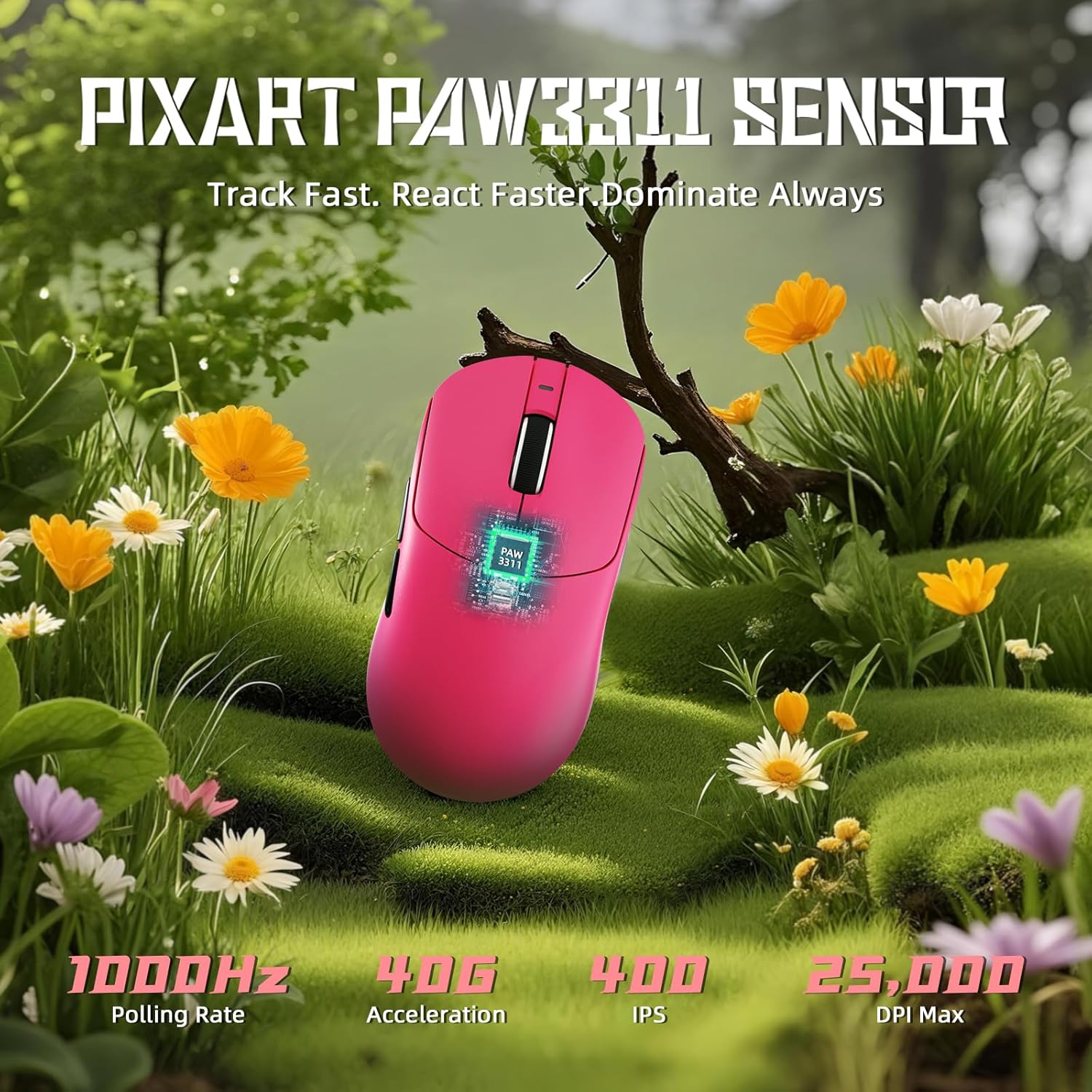
Image: Diagram illustrating the PixArt PAW3311 sensor and its performance metrics.
4.2. Äänestysprosentti
The X8 SE supports a 1KHz (1000Hz) polling rate in both wired and 2.4GHz wireless modes, ensuring responsive and accurate cursor movements.
4.3. Customizable Buttons and Software
The mouse features programmable buttons. To customize button functions, DPI settings, polling rate, macro recording, and key mapping, utilize the cloud-driven web driver. Access the driver via the official ATTACK SHARK website. This eliminates the need for traditional software installation.
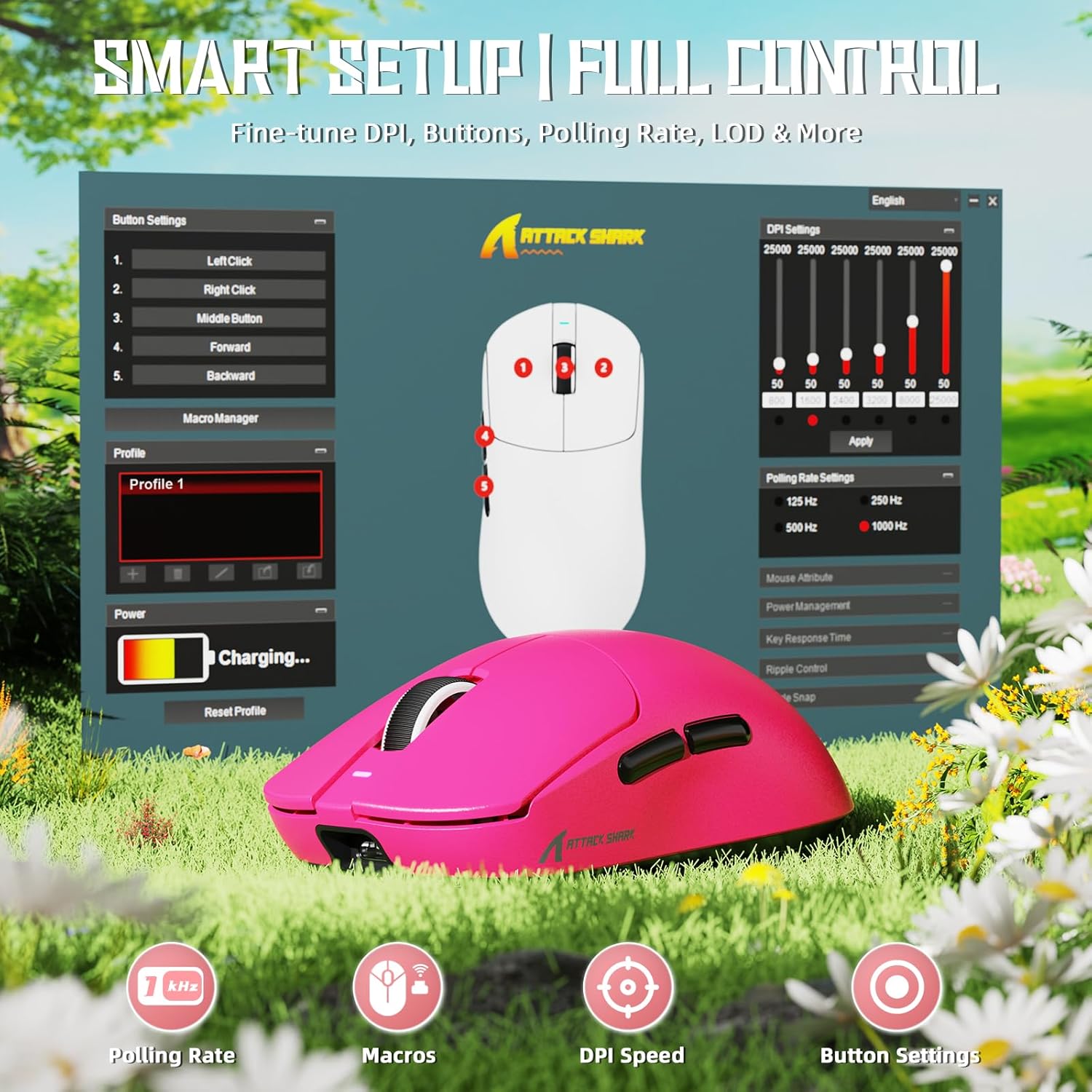
Image: Screenshot of the cloud-based driver interface for advanced customization.
4.4. Ergonomia ja otevaihtoehdot
The X8 SE is designed for users with medium to large hands, offering a comfortable grip for various styles including palm, claw, and fingertip grips.

Image: Illustration demonstrating palm, claw, and fingertip grip styles on the mouse.
5. Huolto
5.1. Puhdistus
Puhdista hiiri pehmeällä, kuivalla liinalla. Pinttyneeseen likaan käytä hieman kuivaa liinaa.amp cloth with mild soap can be used, ensuring no liquid enters the mouse. The Nano-ice coating is designed to resist sweat and maintain a clean feel.

Image: The mouse's Nano-ice coating helps maintain a clean surface.
5.2. Akun hoito
The X8 SE features a 500mAh large-capacity battery. For optimal battery life, avoid fully discharging the mouse frequently. Recharge when the battery indicator suggests low power. A single charge can last up to 300 hours of intermittent use.
5.3. Mouse Feet
The mouse is equipped with PTFE anti-slip footpads for smooth gliding. If the glide performance degrades over time, replacement mouse feet may be available from the manufacturer.
6. Vianmääritys
6.1. Hiiri ei vastaa
- Langallinen tila: Varmista, että USB-C-kaapeli on kytketty kunnolla sekä hiireen että tietokoneeseen. Kokeile toista USB-porttia.
- 2.4 GHz:n langaton tila: Ensure the 2.4GHz receiver is plugged in and the mouse is switched to 2.4GHz mode. Try re-pairing by unplugging and re-plugging the receiver, then cycling the mouse power.
- Bluetooth-tila: Ensure Bluetooth is enabled on your computer and the mouse is in Bluetooth mode. Re-pair the device through your computer's Bluetooth settings.
- Akku: Check if the mouse battery is charged. Connect the charging cable and observe the charging indicator.
6.2. Kohdistimen liikkumiseen liittyvät ongelmat
- Clean the mouse sensor area on the underside of the mouse.
- Varmista, että käytät hiirtä sopivalla alustalla (esim. hiirimatolla).
- Adjust the DPI settings to a comfortable level.
- If using wireless modes, ensure there are no significant obstructions or sources of interference between the mouse and the receiver/computer.
6.3. Cloud Driver Not Accessible
- Varmista, että tietokoneellasi on aktiivinen internet-yhteys.
- Tarkista oikea URL for the ATTACK SHARK cloud driver.
- Kokeile toista web selain.
7. Tekniset tiedot
| Ominaisuus | Yksityiskohta |
|---|---|
| Malli | X8SE |
| Anturi | PixArt PAW3311 Gaming Sensor |
| DPI-alue | 50–12 400 DPI |
| Äänestysprosentti | 1000Hz (1KHz) |
| Yhteydet | Langallinen (USB-C), 2.4 GHz:n langaton, Bluetooth |
| Paino | Noin 55 g |
| Akun kapasiteetti | 500 mAh |
| Akun kesto | Up to 300 hours (intermittent use) |
| Mikrokytkimet | HUANO (80 Million Clicks lifespan) |
| Kiihtyvyys | 40G |
| Seurantanopeus | 400 IPS |
| Mitat | Noin 4.96 x 2.5 x 1.6 tuumaa (125.5 x 63 x 40 mm) |

Image: Comparative technical specifications for the ATTACK SHARK X8 series, including the X8 SE model.
8. Takuu ja tuki
ATTACK SHARK products are designed for reliability and performance. For warranty information, technical support, or to access the cloud driver, please visit the official ATTACK SHARK websivustolla tai ota yhteyttä heidän asiakaspalveluunsa.
Virallinen ATTACK SHARK -kauppa: ATTACK SHARK -kauppa Amazonissa


