1. Johdanto
This manual provides essential information for setting up, operating, and maintaining your KOSPET Orb Smart Watch. Please read it thoroughly to ensure proper use and to maximize your device's features.

Image: KOSPET Orb Smart Watch with orange strap, showcasing its main display with time, steps, and calorie count.
2. Mitä laatikossa on
Your KOSPET Orb Smart Watch package includes the following items:
- 1 x KOSPET Orb Smart Watch
- 1 x laturikaapeli
- 1 x Käyttöohje
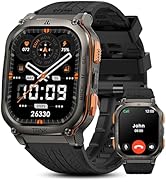
Image: Contents of the KOSPET Orb Smart Watch package, including the watch, charging cable, and user manual.
3. Asennus
3.1. Sovelluksen asennus
To unlock the full potential of your KOSPET Orb Smart Watch, download and install the Apexmove sovellus älypuhelimellasi. Sovellus on yhteensopiva iOS 10.0+- ja Android 5.1+ -laitteiden kanssa.
- Scan the QR code provided in the physical user manual or search for "Apexmove" in the Apple App Store or Google Play Store.
- Lataa ja asenna sovellus.
- Register and log in to your Apexmove account.

Image: Step-by-step guide for connecting the smartwatch to the Apexmove app on a smartphone.
3.2. Laitteen pariliitos
- Varmista, että älypuhelimesi Bluetooth on käytössä.
- Open the Apexmove app and navigate to the "Device" section.
- Select "Add a new device" and choose your KOSPET Orb from the list.
- Vahvista pariliitospyyntö sekä älypuhelimellasi että kellollasi.
3.3. Notification Setup
To receive messages and app notifications on your watch:
- iOS: Ensure the Apexmove app remains active. Go to your phone's "Settings" > "Notifications" and allow Apexmove to access notifications. Enable notifications for desired apps within the Apexmove app.
- Androidille: Ensure the Apexmove app remains active and add it to the whitelist in your phone's settings. Go to the Apexmove app > "Device" > "SMS Reminder" and enable for desired apps.

Image: Guide for configuring app notifications on iOS.
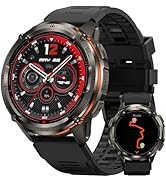
Image: Guide for configuring app notifications on Android.
4. Älykellon käyttö
4.1. Perusnavigointi
The KOSPET Orb features a responsive 1.43" AMOLED touchscreen and physical buttons for navigation:
- Kosketusnäyttö: Swipe left/right, up/down to navigate through menus and widgets. Tap to select items.
- Pyörivä kruunu: Use the high-sensitivity rotating crown to scroll through options or adjust settings.
- Painikkeet: Specific functions for each button are detailed in the app's settings for customization.
4.2. Tärkeimmät ominaisuudet
The KOSPET Orb Smart Watch offers a wide array of functionalities:
- Terveyden seuranta: Continuous monitoring of heart rate, blood oxygen (SpO2), stress levels, and mood. Includes menstrual cycle tracking for women.
- Urheilutilat: Over 175 sport modes, including automatic recognition for 6 common activities like walking, running, cycling, and elliptical.
- Bluetooth-puhelut: Make and answer calls directly from your wrist using Bluetooth 5.3.
- Ilmoitukset: Vastaanota ilmoituksia puheluista, viesteistä ja sovellusilmoituksista.
- Daily Assistant: Access features like voice assistant, remote photo capture, music control, alarm, calculator, sedentary reminder, weather forecast, and stopwatch.
- Mukautettavat kellotaulut: Choose from stunning built-in designs, dynamic animated watch faces, or personalize with your own photos.

Image: Multifunctional display of the KOSPET Orb, showing call interface, weather, and social media notifications.

Image: Health tracking features including blood oxygen monitoring, menstrual cycle tracking, and a one-tap health check.

Image: The smartwatch interface showing active sport mode tracking calories, steps, and distance.

Image: A selection of dynamic and customizable watch faces available for the KOSPET Orb.
4.3. Apexmove App Integration
The exclusive Apexmove app provides tailored training plans, intelligent coaching, and real-time performance tracking, seamlessly integrated with your watch.

Image: The KOSPET Orb Smart Watch interacting with the Apexmove app on a smartphone, highlighting personalized training and data tracking.
4.4. Virallinen tuotevideo
Video: An official KOSPET video showcasing the features and design of the KOSPET Orb Smart Watch.
5. Huolto
5.1. Lataus
The KOSPET Orb Smart Watch is equipped with a 350 Milliamp Hours battery, offering up to 25 days of battery life in standby mode, 11 days with heavy use, and 5 days in Always-On Display (AOD) mode. Use the provided charger cable to charge your device.

Image: Battery life estimates for the KOSPET Orb Smart Watch under various usage conditions.
5.2. Puhdistus
Regularly clean your smartwatch to maintain its appearance and functionality. Use a soft, dry cloth. Avoid harsh chemicals or abrasive materials.
5.3. Vedenkestävyys
The KOSPET Orb Smart Watch has an IP68 waterproof rating, making it suitable for daily wear and various water-related activities. Avoid prolonged exposure to hot water or steam.

Image: The KOSPET Orb Smart Watch being splashed with water, illustrating its IP68 water resistance.
6. Vianmääritys
If you encounter issues with your KOSPET Orb Smart Watch, try the following steps:
- Yhteysongelmat: Varmista, että Bluetooth on käytössä puhelimessasi ja että kello on kantaman sisällä. Käynnistä molemmat laitteet uudelleen ja yritä pariliitosta uudelleen.
- Akun tyhjennys: Adjust screen brightness, reduce notification frequency, or disable Always-On Display to extend battery life.
- Näyttö ei vastaa: Restart the watch by holding down the power button. If unresponsive, ensure it is charged.
- Sovelluksen synkronointiongelmat: Ensure the Apexmove app is updated to the latest version. Check your phone's app permissions for Apexmove.
7. Tekniset tiedot
| Ominaisuus | Yksityiskohta |
|---|---|
| Merkki | KOSPET |
| Mallinumero | Orb |
| Näytön koko | 1.43 tuuman AMOLED-näyttö |
| Näytön tyyppi | AMOLED with Corning Gorilla Glass |
| Tuotteen paino | 5.9 unssia (44.5 g) |
| Akun kapasiteetti | 350 miljoonaaamp Tuntia |
| Akun kesto | Up to 25 days (standby), 11 days (heavy use), 5 days (AOD) |
| Vesitiivis luokitus | IP68 |
| Yhteydet | Bluetooth 5.3 |
| Käyttöjärjestelmä | Yhteensopiva Androidin ja iOS:n kanssa |
| Muistin tallennus | 256 Mt |
| GPS | Ei GPS:ää |
8. Takuu ja tuki
For warranty information and customer support, please refer to the documentation included with your product or visit the official KOSPET website. KOSPET is committed to providing products that fulfill customer needs and support a healthy lifestyle.


