1. Johdanto
Thank you for choosing the SABLUTE KM25Pro Wireless Keyboard and Mouse Combo. This manual provides detailed instructions for setting up, operating, and maintaining your new device. Please read this manual thoroughly before use to ensure optimal performance and longevity.
Pakkauksen sisältö
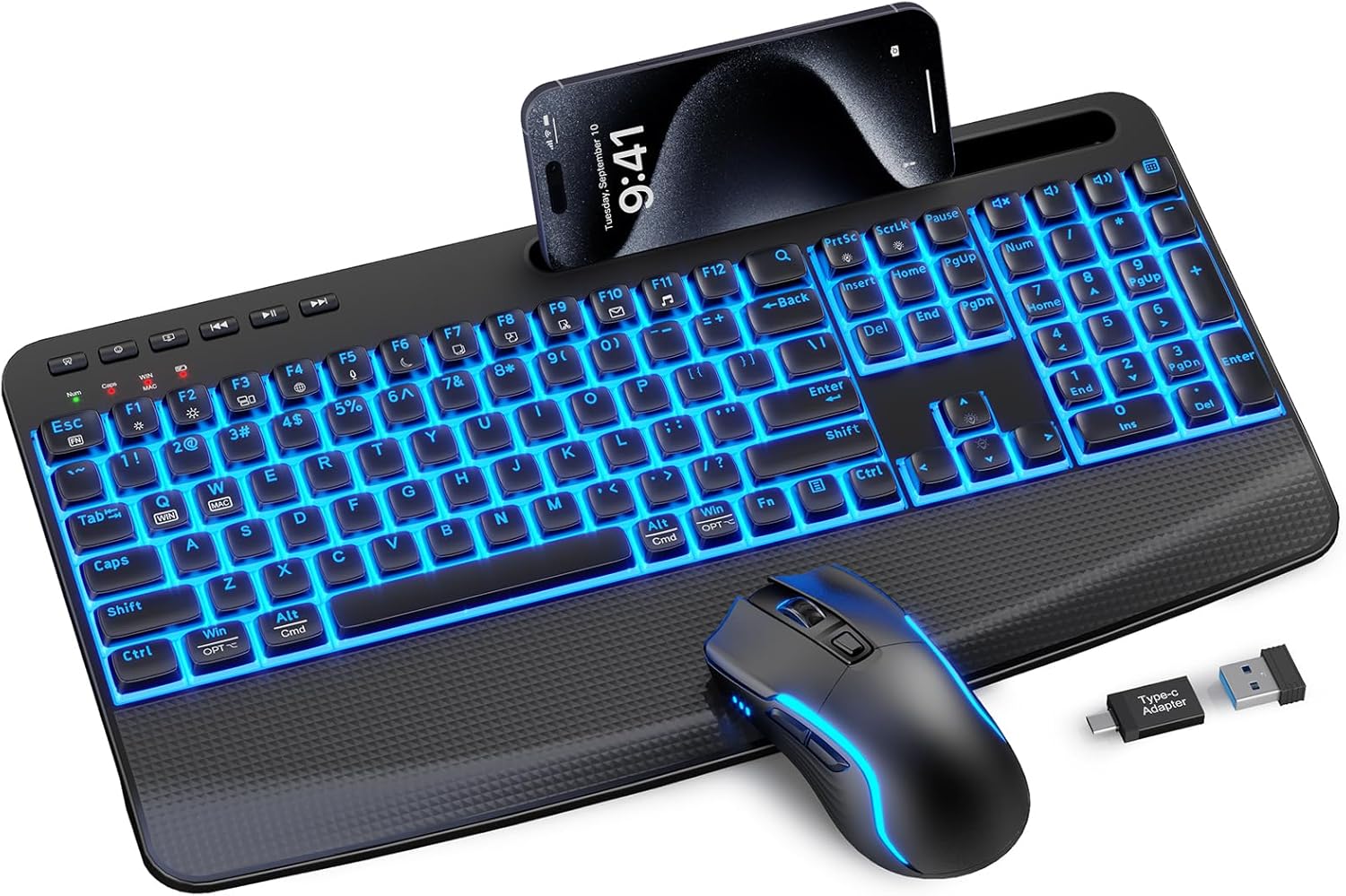
- SABLUTE KM25Pro Wireless Keyboard
- SABLUTE Wireless Mouse
- 2.4GHz USB Receiver (Dongle)
- USB-C latauskaapeli
- USB-A-USB-C-sovitin
2. Asennusohjeet
Alkulataus
Ennen ensimmäistä käyttökertaa on suositeltavaa ladata sekä näppäimistö että hiiri täyteen.
- Connect the USB-C charging cable to the charging port on the keyboard and mouse.
- Plug the other end into a USB power source (e.g., computer USB port, wall adapter).
- The keyboard has a 4000mAh battery, providing up to two weeks of use on a single charge. The mouse has a 750mAh battery, offering extended usage. Full charging typically takes 8 hours.

Laitteiden liittäminen
- Locate the 2.4GHz USB receiver. It is often stored in a compartment on the mouse.
- Plug the USB receiver into an available USB port on your computer. If your computer only has USB-C ports, use the provided USB-A to USB-C adapter.
- Käynnistä näppäimistö ja hiiri niiden virtakytkimillä.
- The devices should automatically connect to your computer. No additional drivers are typically required for Windows or macOS.
Käyttöjärjestelmän vaihto
The keyboard supports both Windows and Mac operating systems. To switch between modes:
- varten Windows tila: Paina Fn + Q.
- varten Mac tila: Paina Fn + W.
3. Käyttöohjeet
Näppäimistön ominaisuudet
Taustavalon ohjaus
The keyboard features 7-color backlighting with adjustable brightness.
- To turn the backlight on/off: Press Fn + PrtSc.
- To switch backlight color: Press Fn + ScrlLk.
- Kirkkauden säätäminen (3 tasoa): Paina Fn + ylänuoli (lisäys) tai Fn + alanuoli (vähennys).
Note: The key legends have limited transparency. Under certain angles, the backlight may appear slightly dim or characters may look blurred. This design protects legends from wear and ensures durability.
Kirjoituskokemus
The keyboard is designed for a soft and silent typing experience, utilizing scissor-switch keys that produce noise levels as low as 38dB.


Ergonomic Design and Phone Holder
The keyboard features an oversized palm rest and dual adjustable tilt legs (6° and 10°) to enhance comfort and reduce wrist strain. A built-in stand accommodates smartphones and iPad Mini devices (note: not for phone cases over 0.59 inches thick).

Multimedia and Hotkeys
The keyboard includes dedicated multimedia keys and function hotkeys for quick access to common tasks:
- Media Controls: Play/Pause, Previous Track, Next Track.
- Volume Controls: Mute, Volume Down, Volume Up.
- Quick Access: Search, Email, Web Browser, Calculator, Sleep.
Hiiren ominaisuudet
DPI-säätö
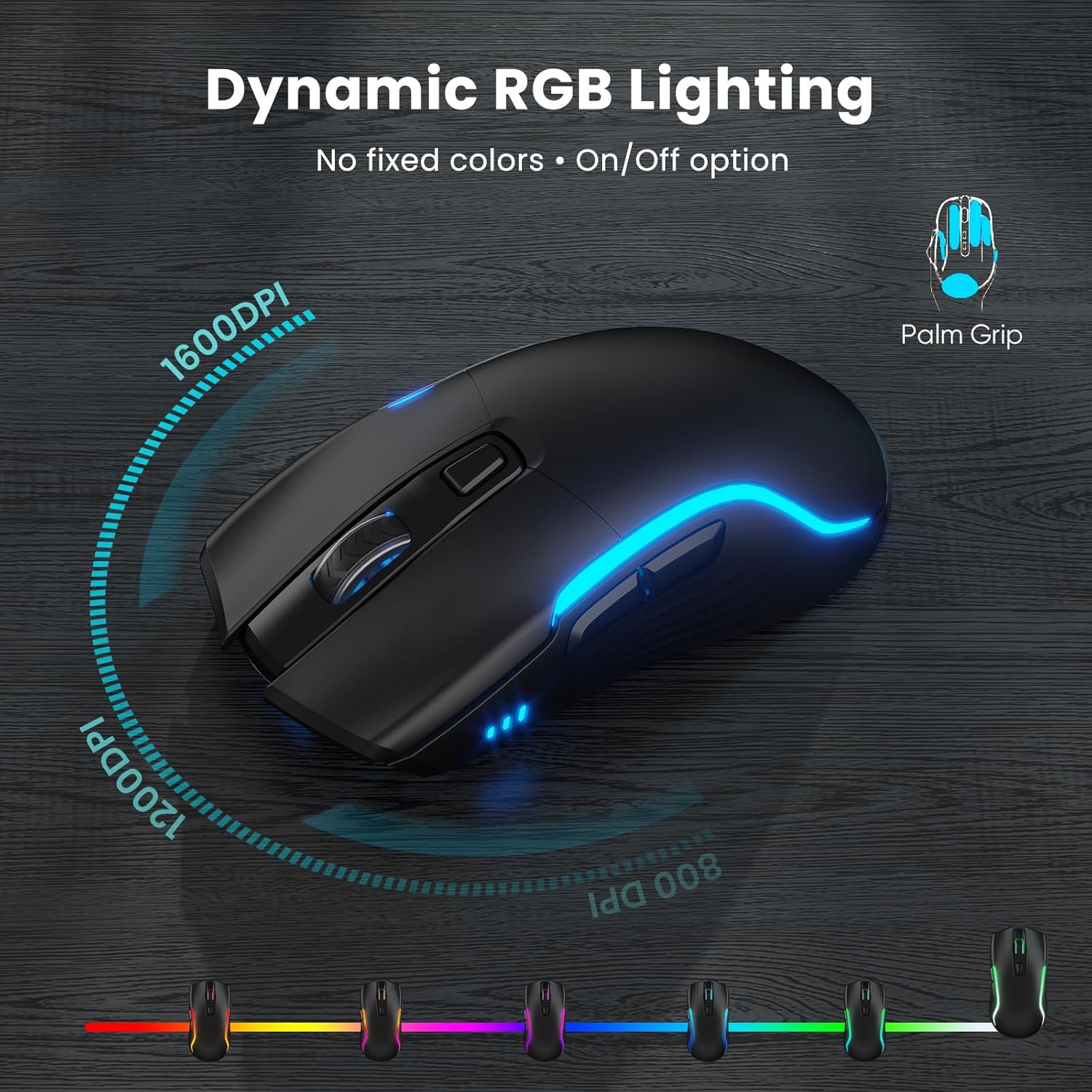
The mouse offers adjustable DPI settings for precise cursor control. Press the DPI button on top of the mouse to cycle through 800, 1200, and 1600 DPI.
RGB valaistus
The mouse features dynamic RGB lighting with an auto-cycling glow. A switch on the bottom allows you to turn the lighting on or off to conserve battery.
4. Huolto
Puhdistus
- To clean the keyboard and mouse, power them off first.
- Käytä pehmeää, damp pyyhi pinnat liinalla. Vältä voimakkaiden kemikaalien tai hankaavien materiaalien käyttöä.
- Käytä paineilmaa näppäinten välisten pölyn ja roskien poistamiseen.
Akun hoito
- To prolong battery life, turn off the keyboard and mouse when not in use.
- The devices feature an auto-sleep function to conserve power during periods of inactivity.
- Recharge the devices when the battery indicator shows low power.
5. Vianmääritys
Yhteysongelmat
- Laite ei vastaa: Varmista, että sekä näppäimistö että hiiri ovat päällä ja täyteen ladattuja.
- Ei yhteyttä: Try unplugging and re-inserting the USB receiver into a different USB port.
- Häiriöt: Siirrä laitteet lähemmäs USB-vastaanotinta tai kauemmas muista langattomista laitteista, jotka saattavat aiheuttaa häiriöitä.
Backlight Problems
- Taustavalo ei toimi: Ensure the keyboard is charged. Press Fn + PrtSc kytkeäksesi taustavalon päälle/pois.
- Incorrect color/brightness: Käyttää Fn + ScrlLk to change color and Fn + Ylös/Alas-nuoli kirkkauden säätämiseksi.
Typing/Mouse Lag
- Delayed input: Check battery levels and ensure the USB receiver is not obstructed.
- Hiiren kursori epätasainen: Clean the mouse sensor. Adjust DPI settings if sensitivity is too high or low.
6. Tekniset tiedot
| Mallinumero | KM25Pro |
| Tuotteen mitat | 16.85 x 8.46 x 1.38 tuumaa |
| Tuotteen paino | 2.2 kiloa |
| Näppäimistön akku | 4000mAh litiummetalliakku (sisältyy pakkaukseen) |
| Hiiren akku | 750mAh litiummetalliakku (sisältyy pakkaukseen) |
| Yhteystekniikka | 2.4 GHz:n langaton (USB-vastaanotin) |
| Erikoisominaisuudet | Backlit, Ergonomic, Phone Holder, Rechargeable, Wrist Rest |
| Yhteensopivat laitteet | Gaming Console, Laptop, Personal Computer, Projector, Tablet |
| Näppäinpainallusten kestävyys | 10 miljoonaa näppäinpainiketta |
7. Takuu ja tuki
The SABLUTE KM25Pro Wireless Keyboard and Mouse Combo comes with a 30-day return policy and a 1-year replacement warranty.
For technical support or warranty claims, please contact SABLUTE customer service through the retailer where the product was purchased or visit the official SABLUTE websivustolta yhteystiedot.
8. Tuotevideot
Full Product Demo, Quiet Scissor-Switch Keyboard Mouse Combo
This video provides a comprehensive demonstration of the SABLUTE KM25Pro Wireless Keyboard and Mouse Combo, highlighting its quiet scissor-switch keys and overall functionality.
Yliview - Silent Keyboard with Scissor-Switch & Mouse
Yliview videoesitysasing the silent operation and key features of the SABLUTE KM25Pro keyboard and mouse, emphasizing the scissor-switch technology.


