1. Johdanto
This manual provides essential instructions for the safe and efficient use of your DOOGEE Fire 3 Ultra Rugged Smartphone. Please read this manual thoroughly before operating your device to ensure optimal performance and longevity. The DOOGEE Fire 3 Ultra is designed for durability and performance, featuring a robust build, advanced camera system, and long-lasting battery.

2. Mitä laatikossa on
Varmista, että pakkauksessa on kaikki tarvittavat osat:
- 1x DOOGEE Fire 3 Ultra Rugged Phone
- 1 x Type-C USB-kaapeli
- 1 x 18 W laturi
- 1x Sling
- 1x Korttipaikan avaaja
3. Asennus
3.1. SIM-kortin ja TF-kortin asennus
The DOOGEE Fire 3 Ultra supports dual Nano SIM cards or one Nano SIM card and one TF (microSD) card for expanded storage up to 2TB.
- Paikanna SIM-kortin alusta laitteen sivusta.
- Insert the provided card slot opener into the small hole next to the tray to eject it.
- Aseta Nano-SIM-kortti(t) ja/tai TF-kortti varovasti lokeron niille tarkoitettuihin paikkoihin. Varmista, että kultaiset koskettimet osoittavat alaspäin.
- Gently reinsert the tray into the phone until it clicks into place.
3.2. Ensimmäinen lataus ja virran kytkeminen
Ennen ensimmäistä käyttökertaa on suositeltavaa ladata laite täyteen.
- Connect the Type-C USB cable to the phone's charging port and the 18W charger.
- Kytke laturi pistorasiaan. Latauksen merkkivalo ilmestyy näyttöön.
- Once sufficiently charged, press and hold the Power button (usually on the side) until the DOOGEE logo appears.
- Suorita alkuasetukset, mukaan lukien kielen valinta, Wi-Fi-yhteyden muodostaminen ja Google-tilin määrittäminen, noudattamalla näytön ohjeita.

4. Käyttöohjeet
4.1. Perusnavigointi ja näyttö
The device features a 5.5-inch IPS HD+ display with a 60Hz refresh rate. Navigate using touch gestures: tap, swipe, pinch-to-zoom.
- Virtapainike: Paina herättääksesi näytön/laittaaksesi sen lepotilaan. Paina ja pidä pohjassa sammuttaaksesi virran tai käynnistääksesi laitteen uudelleen.
- Äänenvoimakkuuspainikkeet: Säädä median äänenvoimakkuutta, puhelun äänenvoimakkuutta tai soittoäänen äänenvoimakkuutta.
- Widevine L1 -tuki: Enjoy high-definition content streaming from supported platforms.

4.2. Kameran toiminnot
The DOOGEE Fire 3 Ultra is equipped with a versatile camera system.
- Pääkamera: 16MP sensor for general photography.
- Yönäkökamera: 20MP sensor for enhanced low-light imaging.
- Etukamera: 8 megapikseliä selfieitä ja videopuheluita varten.
- Kuvaustilat: Includes HDR, Pro Mode, Panorama, Night Mode, Beauty, Portrait, Filters, Watermark Camera, Smile Shutter, and QR Code Scan.


4.3. Yhteydet ja navigointi
The device supports various connectivity options and advanced navigation systems.
- Wi-Fi: Connect to 2.4G/5G wireless networks.
- Bluetooth: Yhdistä langattomiin lisävarusteisiin.
- NFC: Enable for mobile payments, device pairing, and access card scanning.
- GPS: Utilize Beidou, Galileo, Glonass, and GPS for accurate positioning and navigation.
- 4G kaksois-SIM: Tukee kahta Nano-SIM-korttia joustavaa verkon käyttöä varten.
4.4. Suojausominaisuudet
Suojaa laitteesi biometrisellä todennuksella.
- Sivun sormenjälkitunnistuksen lukituksen avaaminen: Rekisteröi sormenjälkesi nopeaa ja turvallista käyttöä varten.
- Face Unlock: Käytä kasvojentunnistusta laitteen lukituksen avaamiseen.
4.5. Muisti ja tallennustila
The DOOGEE Fire 3 Ultra offers substantial memory and expandable storage.
- RAM: 24GB (6GB physical + 18GB virtual) for smooth multitasking.
- Sisäinen tallennustila: 256GB for applications, photos, and documents.
- Laajennettava tallennustila: Supports TF cards up to 2TB (sold separately).

5. Huolto
5.1. Ruggedness and Cleaning
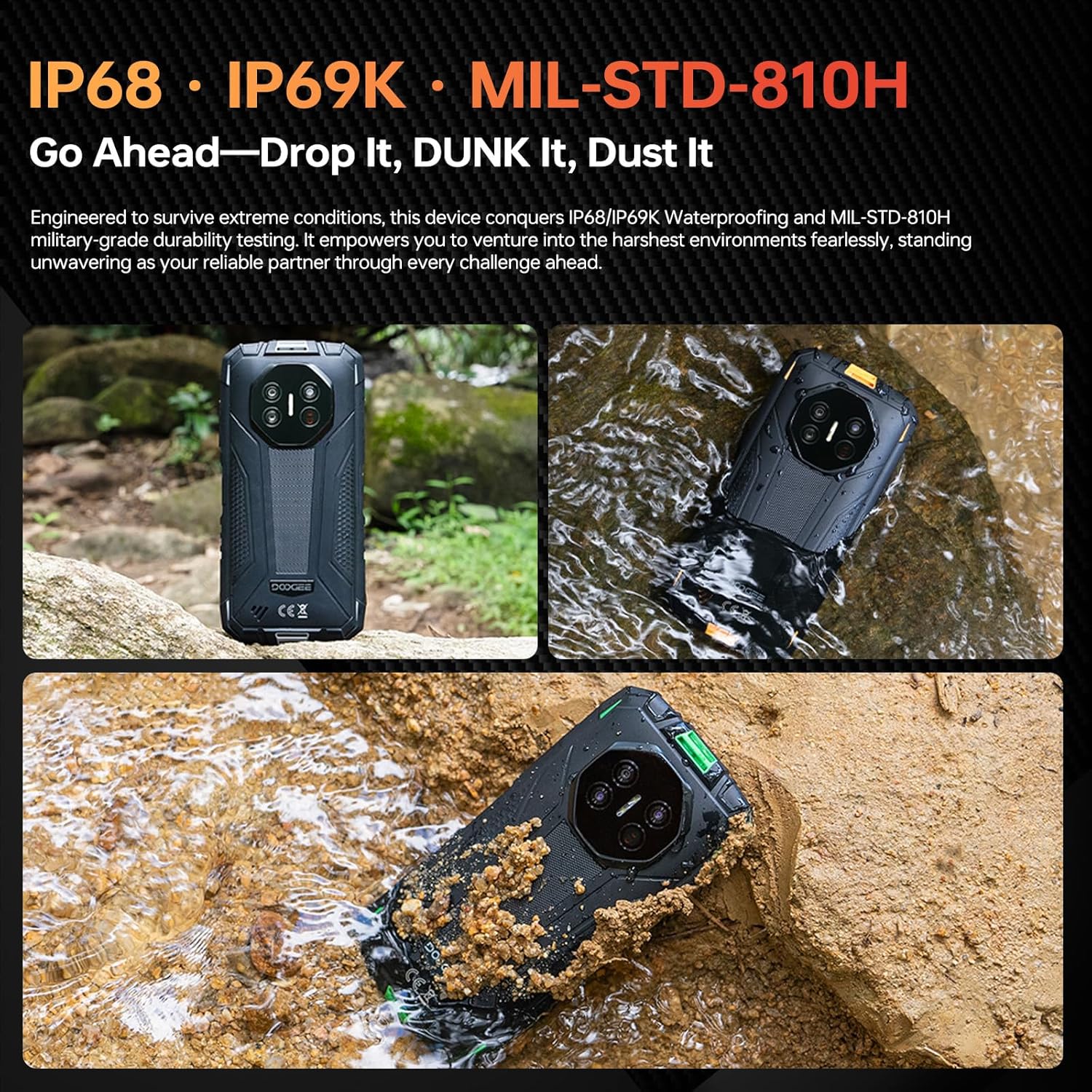
The DOOGEE Fire 3 Ultra is designed to withstand harsh environments with IP68/IP69K and MIL-STD-810H certifications.
- Veden- ja pölynkestävyys: The device is resistant to dust and can be submerged in up to 1.5 meters of water for 30 minutes. Ensure all port covers are securely closed before exposure to water or dust.
- Pudotussuojaus: Suunniteltu kestämään pudotuksia jopa 1.5 metrin korkeudesta.
- Puhdistus: Käytä pehmeää, damp cloth to clean the device. Avoid harsh chemicals or abrasive materials. For water exposure, rinse with clean water and dry thoroughly.
5.2. Akun hoito
10 000 mAh akun käyttöiän maksimoimiseksi:
- Vältä äärimmäisiä lämpötiloja.
- Use only the provided 18W charger and Type-C USB cable.
- Älä anna akun tyhjentyä kokonaan usein.
- The device supports OTG reverse charging, allowing it to charge other devices.
6. Vianmääritys
Tässä osiossa käsitellään yleisiä ongelmia, joita saatat kohdata.
- Laite ei käynnisty: Ensure the battery is charged. Connect to the charger for at least 10 minutes, then try pressing and holding the Power button.
- Näyttö ei reagoi: Restart the device by holding the Power button for an extended period (e.g., 10-15 seconds) until it reboots.
- Yhteysongelmat (Wi-Fi/Bluetooth/4G):
- Toggle the respective connection (Wi-Fi, Bluetooth, Mobile Data) off and on.
- Käynnistä laite uudelleen.
- For Wi-Fi, try forgetting the network and reconnecting.
- For 4G, ensure your SIM card is correctly inserted and your plan is active.
- Sovellukset kaatuvat tai jumiutuvat:
- Sulje ja avaa sovellus uudelleen.
- Tyhjennä sovelluksen välimuisti ja tiedot kohdassa Asetukset > Sovellukset.
- Varmista, että sovellus on päivitetty uusimpaan versioon.
- Hidas suorituskyky:
- Sulje tarpeettomat taustasovellukset.
- Tyhjennä välimuisti säännöllisesti.
- Varmista, että käytettävissä on riittävästi säilytystilaa.
If problems persist, contact customer support or refer to the official DOOGEE websivusto lisäapua varten.
7. Tekniset tiedot
| Ominaisuus | Yksityiskohta |
|---|---|
| Mallin nimi | DOOGEE Fire 3 Ultra |
| Käyttöjärjestelmä | Android 15 |
| RAM-muisti | 24 Gt (6 Gt fyysistä + 18 Gt virtuaalista) |
| Sisäinen tallennustila | 256 Gt |
| Laajennettava tallennustila | Jopa 2 TB (TF-kortti) |
| Näytön koko | 5.5 tuumaa |
| Näytön resoluutio | 720 x 1440 (HD+) |
| Päivitystaajuus | 60 Hz |
| Pääkamera | 16 MP |
| Yökuvaus kamera | 20 MP |
| Etukamera | 8 MP |
| Akun kapasiteetti | 8350 mAh |
| Lataus | 18 W:n pikalataus, OTG-käänteinen lataus |
| Yhteydet | 4G Dual SIM, Wi-Fi (2.4G/5G), Bluetooth, NFC |
| Navigointi | GPS, Glonass, Galileo, Beidou |
| Kestävyysluokitukset | IP68, IP69K, MIL-STD-810H |
| Audio Jack | 3.5 mm |
| Mitat | 6.39 x 3.04 x 0.70 tuumaa (noin) |
| Paino | 1.2 puntaa (noin) |
8. Takuu ja tuki
For warranty information, please refer to the warranty card included with your product or visit the official DOOGEE website. For technical support, product registration, or service inquiries, please contact DOOGEE customer service through their official channels.
Virallinen DOOGEE Websivusto: www.doogee.cc


