Johdanto
This manual provides detailed instructions for the setup, operation, maintenance, and troubleshooting of your JOMAA K811 19-Key Mini Mechanical Keypad. Designed for both office and gaming use, this compact keypad features hot-swappable keys, macro programming capabilities, RGB backlighting, and versatile controls including rollers, a joystick, and a dial. Please read this manual thoroughly to ensure optimal performance and longevity of your device.
Tuote loppuview
The JOMAA K811 is a compact 19-key mechanical keypad designed to enhance your productivity and gaming experience. Its small footprint frees up desktop space while offering advanced customization options.

Kuva 1: The JOMAA K811 keypad is available in various color combinations, including black and white models with distinct keycap colors.

Kuva 2: The keypad features dynamic RGB backlighting, illuminating the keys with various color effects.
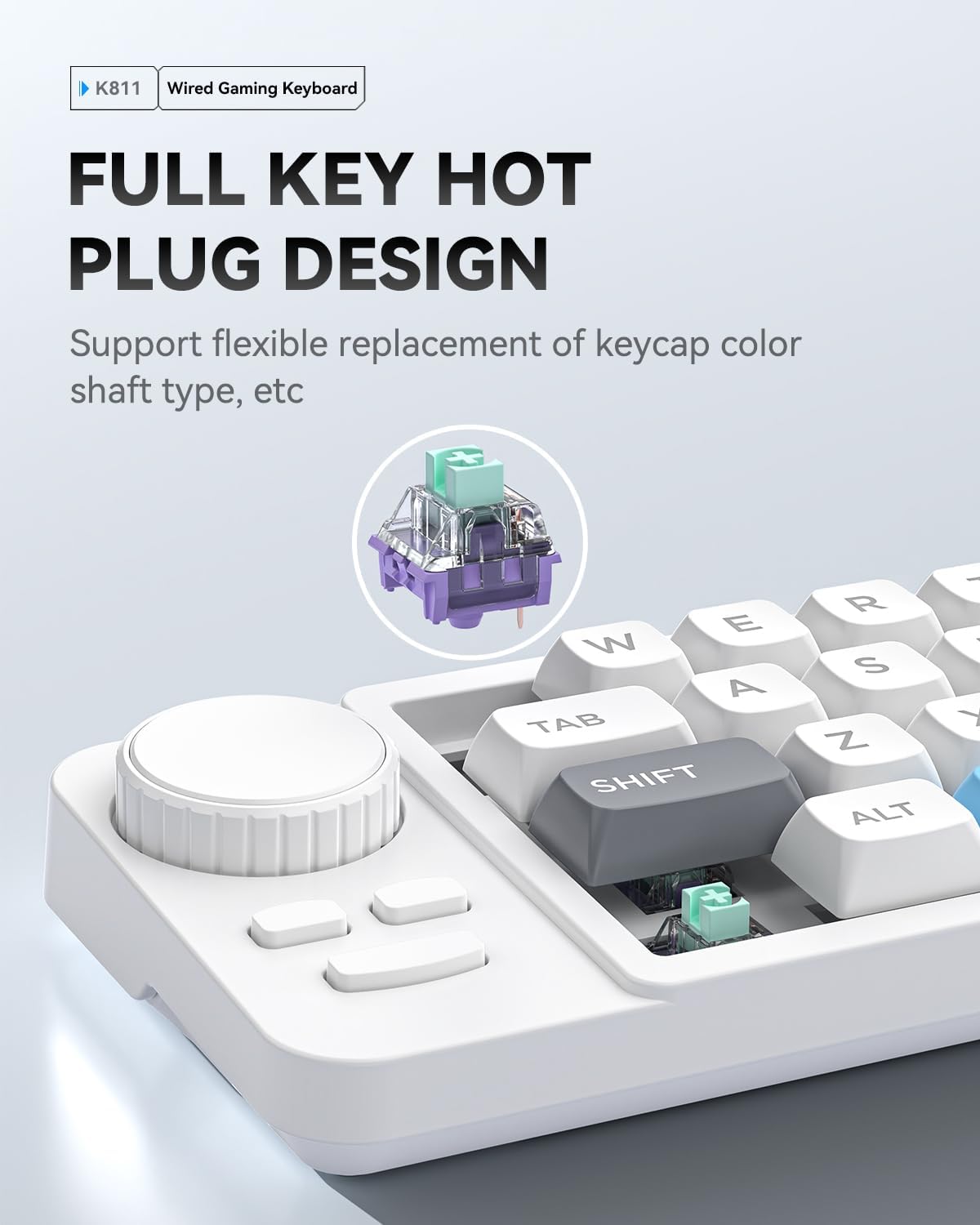
Kuva 3: The K811 keypad supports full hot-swappable key switches, allowing for easy replacement and customization without soldering.

Kuva 4: The keypad includes a multi-functional knob for volume control and a joystick for directional input and mode switching.
Video 1: Esittelyvideoasing the features and functionality of the JOMAA K811 gaming keypad, including its compact design, RGB lighting, and multi-function controls.
Asennus
- Purkaminen: Carefully remove the JOMAA K811 keypad and its accessories from the packaging. Ensure all components are present: the keypad, detachable Type-C braided cable, and any included spare switches or puller tools.
- Näppäimistön liittäminen:
- Locate the Type-C port on the keypad and the USB-A or Type-C port on your computer (PC/Laptop/Mac).
- Connect one end of the provided Type-C braided cable to the keypad and the other end to an available USB port on your computer.
- The keypad is plug-and-play for basic functions. Your operating system should automatically detect and install the necessary drivers.
- Driver Installation (for Macro Programming): For advanced macro programming and customization, install the K811 Windows driver. This driver is typically provided on a CD or available for download from the JOMAA official websivusto.
- Insert the driver CD (if provided) or download the K811 driver from the manufacturer's support page.
- Suorita asennus loppuun noudattamalla näytön ohjeita.
- Huomautus: Mac systems can directly use preset macros without driver installation.
Käyttöohjeet
1. Perusnäppäintoiminnot
The 19 keys on the keypad function as standard keyboard keys (e.g., ESC, W, E, R, T, TAB, A, S, D, SHIFT, Z, X, C, CTRL, ALT, DEL, ENTER). Their default assignments are indicated on the keycaps.
2. RGB-valaistuksen ohjaus
The keypad features 8 types of dynamic RGB backlight effects. To switch between these effects, use the dedicated light key or refer to the driver software for more granular control.
- Aalto-vaikutus
- Hengittävä vaikutus
- Single lighting effect
- And other dynamic modes.
3. Hot-Swappable Key Replacement
The K811 supports hot-swappable switches (compatible with three-pin/five-pin mechanical switches), allowing you to change switches without soldering.
- Irrota näppäinhattu: Use a keycap puller (not included, but often comes with spare switches) to gently remove the desired keycap.
- Irrota kytkin: Use the provided switch puller tool to carefully grip and pull the switch straight up from the PCB.
- Aseta uusi kytkin: Kohdista uuden kytkimen nastat piirilevyn reikiin. Paina kytkintä lujasti alas, kunnes se napsahtaa paikalleen. Varmista, etteivät nastat ole taipuneet.
- Vaihda näppäinhattu: Place the keycap onto the new switch.
A spare switch and puller are provided with the keypad for convenience.
4. Makro-ohjelmointi
The keypad supports 19-key independent macro programming via the Windows driver software. This allows complex operations to be simplified into single-key triggers.
- Launch Driver: Open the K811 driver software on your Windows computer.
- Valitse avain: Choose the key you wish to program from the virtual keypad interface.
- Define Macro: Select the "Macro" option and record or input your desired sequence of keystrokes, mouse clicks, or delays.
- Tallentaa: Save the macro to the selected key.
For Mac users, preset macros can be directly called without needing the Windows driver.
5. Multi-Functional Knob and Joystick
The keypad is equipped with a multi-functional knob and a joystick for enhanced control:
- Nuppi: Rotates to control volume (Volume - / Volume +).
- joystick: Provides directional input (Up, Down, Left, Right) and can be pressed to switch modes.
Huolto
- Puhdistus: Use a soft, dry cloth to wipe the surface of the keypad. For deeper cleaning, gently remove keycaps and use compressed air to clear debris from between switches. Avoid using harsh chemicals or abrasive materials.
- Kaapelihuolto: The detachable Type-C braided cable is designed to be anti-pull. Store it neatly when not in use to prevent tangling or damage.
- Switch Longevity: While hot-swappable, frequent removal and insertion of switches can wear down the sockets. Handle switches and the PCB with care during replacement.
Vianetsintä
- Keypad Not Recognized:
- Ensure the Type-C cable is securely connected to both the keypad and your computer.
- Yritä yhdistää tietokoneesi toiseen USB-porttiin.
- Test the keypad on another computer to rule out system-specific issues.
- Käynnistä tietokone uudelleen.
- RGB-valaistus ei toimi/on virheellinen:
- Check if the lighting is turned off or set to a static mode. Use the dedicated light key to cycle through modes.
- Ensure the driver software is installed correctly (if applicable) and check its settings for lighting control.
- Macro Not Functioning:
- Verify that the macro was programmed correctly using the Windows driver software.
- Ensure the driver software is running in the background if required for macro execution.
- Check for any conflicts with other software or system settings.
- Näppäimet eivät vastaa:
- If a specific key is not responding, try removing and re-inserting its hot-swappable switch to ensure proper contact.
- If the issue persists, try replacing the switch with a spare one.
Tekniset tiedot
| Ominaisuus | Yksityiskohta |
|---|---|
| Malli | K811 |
| Layout | 19-Key Compact |
| Yhteydet | C-tyypin johdollinen (irrotettava kaapeli) |
| Kytkimet | Hot-Swappable (3-pin/5-pin mechanical switches compatible) |
| Taustavalo | RGB (8 dynamic effects) |
| Erikoisominaisuudet | Macro Programmable, Multi-functional Knob, Joystick, Full N-Key Rollover |
| Mitat | 7.87 x 3.94 x 1.57 tuumaa |
| Paino | 14.1 unssia |
| Yhteensopivuus | Win XP/7/8/10, macOS |
| Mukana olevat komponentit | Detachable Type-C braided cable, K811 Driver (Windows) |
Takuu ja tuki
For warranty information and technical support, please refer to the official JOMAA websivustolta tai ota yhteyttä suoraan heidän asiakaspalveluunsa. Säilytä ostokuitti takuuvaatimuksia varten.
Valmistaja: JOMAA
ASIN: B0FFT63TRV
Ensimmäisenä saatavilla: 27. kesäkuuta 2025


