1. Johdanto
This manual provides comprehensive instructions for the Inateck Nomad N0158 Foldable Keyboard and Mouse Set. It covers product features, setup procedures, operational guidelines, maintenance tips, and troubleshooting information to ensure optimal performance and user experience. This set is designed for multi-device connectivity, supporting up to three devices simultaneously across various operating systems including Windows, macOS, Android, and iOS.
2. Pakkauksen sisältö
Varmista, että pakkauksessasi on kaikki alla luetellut tuotteet:
- Inateck Nomad N0158 Foldable Keyboard
- Langaton hiiri
- Accessory Bag (600D two-tone splash-proof RPET recycled material)
- Folding Stand (suitable for 4-13 inch iPads, smartphones, and tablets)
- USB-C latauskaapeli
- Käyttöopas
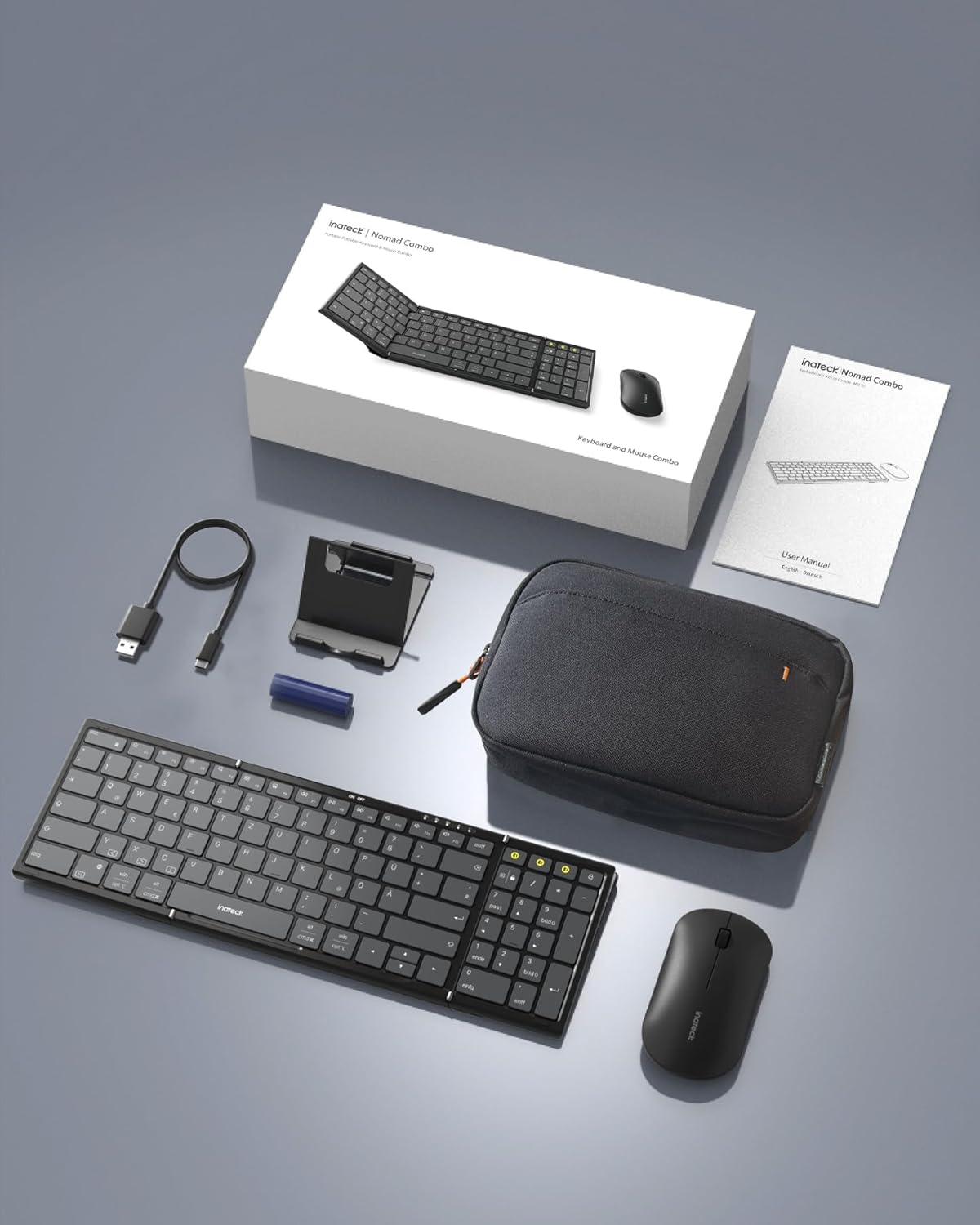
Image: All components included in the Inateck Nomad N0158 package: the foldable keyboard, wireless mouse, accessory bag, folding stand, and USB-C charging cable.
3. Tuote ohiview
3.1 Näppäimistön ominaisuudet
- Taitettava muotoilu: Compact for portability.
- Full-size Layout: 99 keys with a separate numeric keypad for efficient data entry and document editing.
- Usean laitteen liitettävyys: Connects to up to 3 devices via 2.4G, Bluetooth 1 (BT1), and Bluetooth 2 (BT2).
- Pitkä akun käyttöikä: Over 90 hours of continuous use, up to 180 days standby. Rechargeable via Type-C port.
- Stable Hinge: Features a seamless metal hinge with magnetic locking for stability when unfolded.

Image: The Inateck Nomad N0158 keyboard unfolded, showcasing its full-size layout with six rows of main keys and a dedicated numeric keypad.

Kuva: Yksityiskohtainen view of the keyboard's seamless metal hinge and magnetic locking system, designed for stability when the keyboard is open.
3.2 Hiiren ominaisuudet
- Langaton yhteys: Connects via 2.4G USB dongle and two Bluetooth channels (BT1, BT2).
- Pitkä akun käyttöikä: Over 50 hours of continuous operation, with extended standby time.
4. Asennusopas
4.1 Näppäimistön lataaminen
- Paikanna näppäimistön USB-C-latausportti.
- Connect the provided USB-C cable to the keyboard and a power source (e.g., computer USB port, USB wall adapter).
- Latauksen merkkivalo syttyy. Kun akku on ladattu täyteen, valo muuttuu tai sammuu.
The mouse typically uses a replaceable battery (often pre-installed with a pull tab) or may be rechargeable. Refer to the mouse's specific instructions for charging or battery installation.
4.2 Pairing the Keyboard and Mouse
The keyboard and mouse support multiple connection methods: 2.4G wireless (for mouse only, via USB dongle) and Bluetooth (BT1, BT2 for both keyboard and mouse).
4.2.1 2.4G Wireless Connection (Mouse Only)
- Locate the 2.4G USB dongle, usually stored within the mouse or accessory bag.
- Aseta USB-sovitin tietokoneen vapaana olevaan USB-porttiin.
- Turn on the mouse. It should automatically connect to the dongle.
4.2.2 Bluetooth Connection (Keyboard and Mouse)
The keyboard and mouse each have two Bluetooth channels (BT1 and BT2) for connecting to different devices.
- Kytke laite päälle: Varmista, että näppäimistö ja hiiri ovat päällä.
- Valitse Bluetooth-kanava:
- For the keyboard, press the dedicated BT1 or BT2 button.
- For the mouse, switch to the desired Bluetooth mode (BT1 or BT2) using its mode switch.
- Ota pariliitostila käyttöön:
- For the keyboard, pitkä painallus the selected BT1 or BT2 button until the indicator light flashes, indicating pairing mode.
- For the mouse, long press its Bluetooth pairing button (refer to mouse-specific instructions if not obvious) until its indicator light flashes.
- Ota Bluetooth käyttöön laitteellasi: On your computer, tablet, or smartphone, go to Bluetooth settings.
- Etsi laitteet: Laitteesi etsii käytettävissä olevia Bluetooth-laitteita.
- Valitse ja yhdistä: Choose "Inateck Keyboard" and/or "Inateck Mouse" from the list of found devices. Follow any on-screen prompts to complete the pairing.

Image: Illustration of the keyboard and mouse connected to multiple devices (laptop, tablet, smartphone) via 2.4G, BT1, and BT2 channels. Short press to switch channels, long press to activate pairing mode.
5. Käyttöohjeet
5.1 Vaihtaminen yhdistettyjen laitteiden välillä
Kun olet muodostanut pariliitoksen useiden laitteiden kanssa, voit helposti vaihtaa niiden välillä:
- Näppäimistö: Short press the BT1 or BT2 button to switch to the corresponding paired device.
- Hiiri: Use the mode switch on the mouse to select between 2.4G, BT1, or BT2.
5.2 Taittotelineen käyttö
The included folding stand is designed to hold 4-13 inch iPads, smartphones, and tablets, providing an ergonomic viewing angle while using the keyboard. Ensure the stand is placed on a stable, flat surface.
5.3 Keyboard Usage Notes
- Vakaa pinta: Always place the keyboard on a flat, stable surface. The folding hinge is not designed to lock, and typing on uneven surfaces may cause instability.
- Näppäimistöasettelu: The keyboard features a QWERTZ layout. Ensure your device's operating system is configured to match this layout for correct character input.
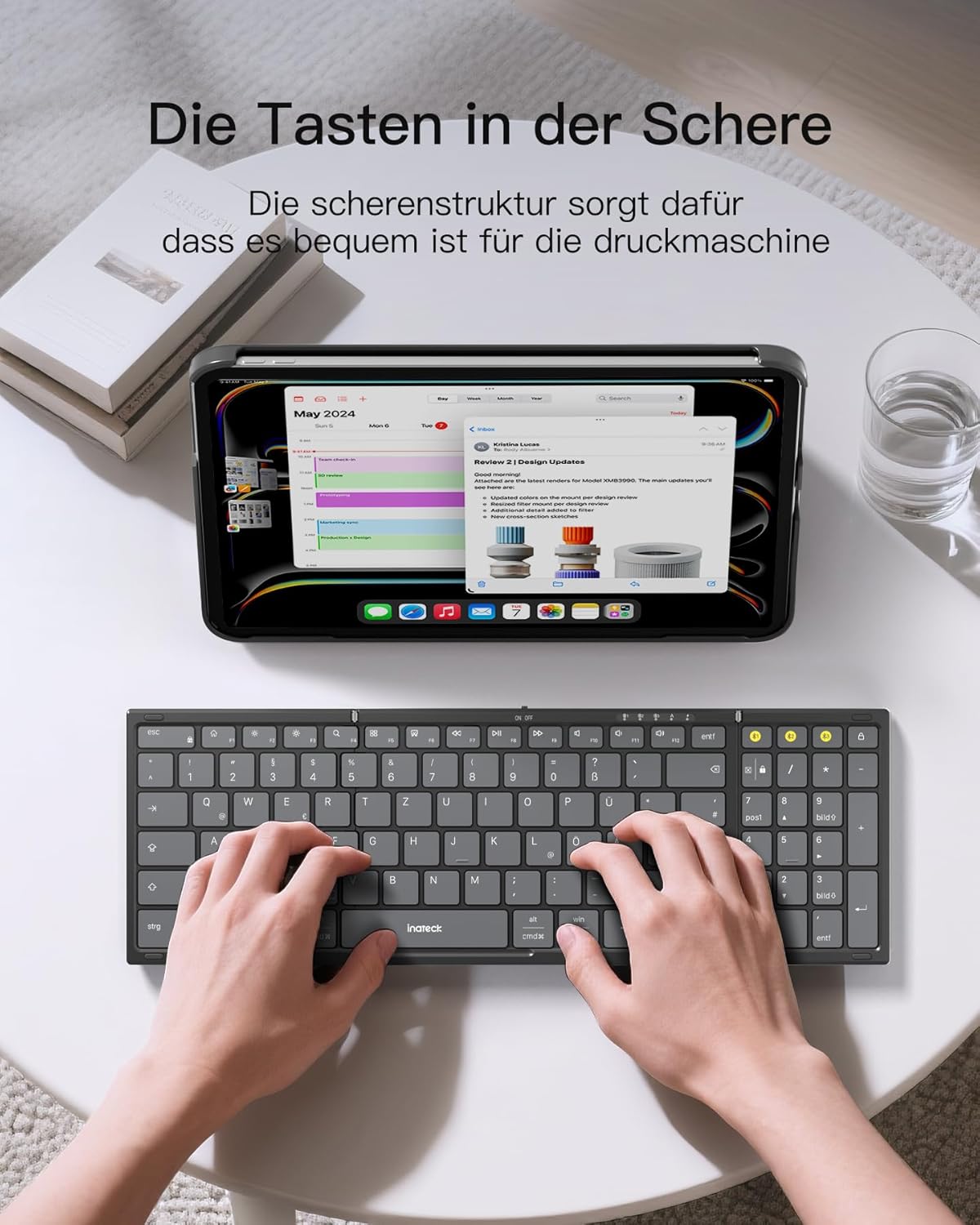
Image: A user demonstrating typing on the Inateck Nomad N0158 foldable keyboard, with a tablet positioned on the included stand for an optimal workspace setup.
6. Huolto
6.1 Puhdistus
- Use a soft, dry, lint-free cloth to clean the keyboard and mouse surfaces.
- Pinttyneeseen likaan, kevyesti dampPyyhi liina vedellä tai miedolla, hankaamattomalla puhdistusaineella. Vältä liiallista kosteutta.
- Älä käytä voimakkaita kemikaaleja, liuottimia tai hankaavia materiaaleja, sillä ne voivat vahingoittaa tuotteen pintaa.
6.2 Varastointi
- When not in use, fold the keyboard and store it along with the mouse and stand in the provided accessory bag.
- Säilytä tuotetta viileässä, kuivassa paikassa suojassa suoralta auringonvalolta ja äärimmäisiltä lämpötiloilta.
- The accessory bag is made from splash-proof material, offering protection during travel.
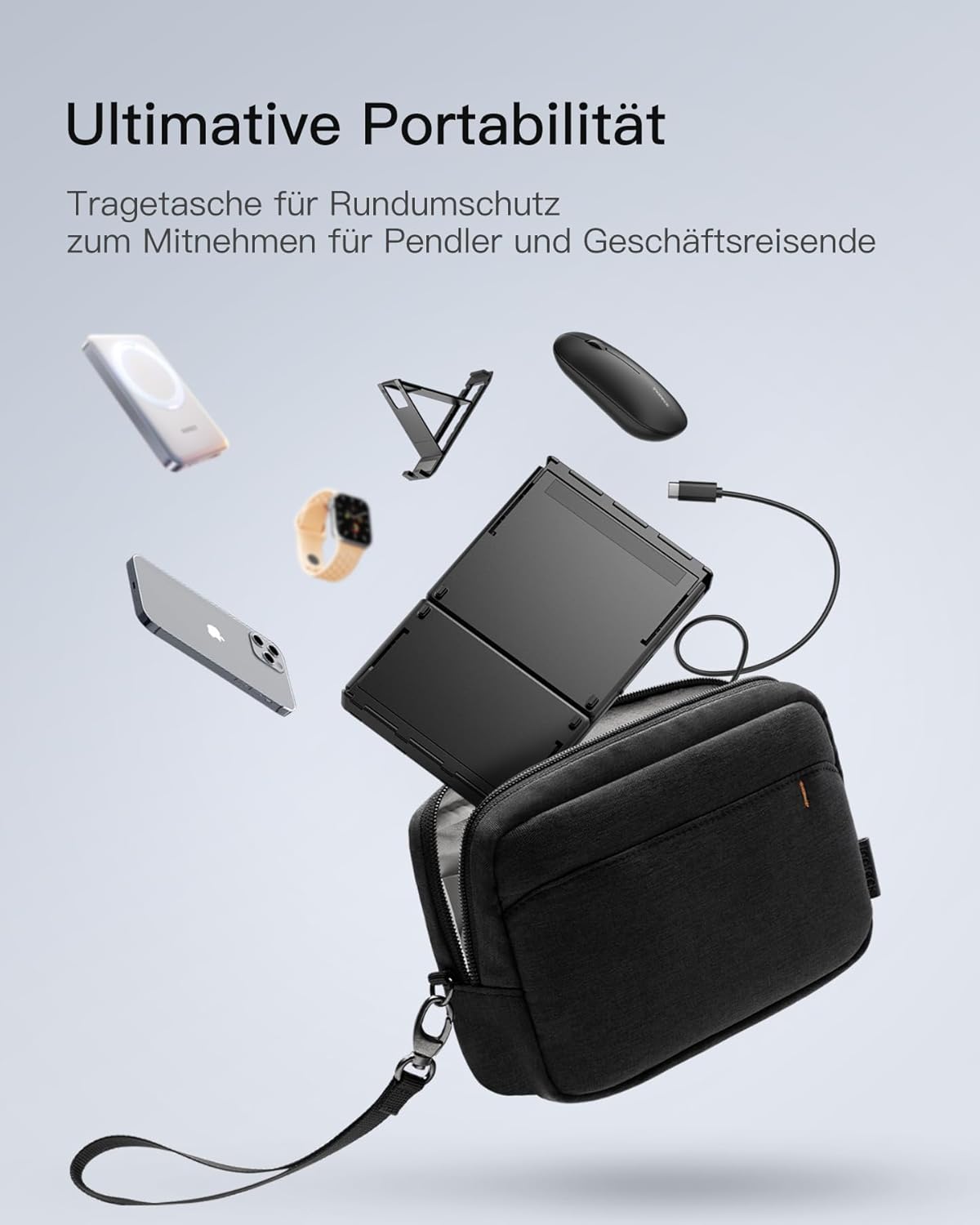
Image: The Inateck Nomad N0158 accessory bag, designed for ultimate portability and protection of the keyboard, mouse, and folding stand during transport.
6.3 Akun hoito
- Recharge the keyboard regularly to maintain battery health, even if not used frequently.
- Vältä akun tyhjentymistä kokonaan pitkiä aikoja.
- If the mouse uses replaceable batteries, ensure they are inserted correctly and replace them when power is low.
7. Vianmääritys
7.1 Yhteysongelmat
- Laite ei muodosta yhteyttä:
- Varmista, että näppäimistö/hiiri on ladattu ja päällä.
- Verify that the correct Bluetooth channel (BT1/BT2) is selected and in pairing mode (flashing indicator).
- On your device, turn Bluetooth off and then on again.
- Remove any previous pairings for the keyboard/mouse from your device's Bluetooth settings and attempt to pair again.
- For 2.4G mouse connection, ensure the USB dongle is securely inserted and the mouse is in 2.4G mode.
- Ajoittainen yhteys:
- Ensure there are no obstructions between the keyboard/mouse and your device.
- Siirry lähemmäs laitettasi sulkeaksesi pois kantamaongelmat.
- Tarkista muiden langattomien laitteiden aiheuttama häiriö.
7.2 Incorrect Keyboard Output (e.g., 'Y' appears instead of 'Z')
This issue typically occurs when the device's operating system keyboard layout does not match the physical QWERTZ layout of the Inateck keyboard. To resolve this, adjust your device's keyboard language settings:
For Windows/Android/macOS/iOS:
- Siirry laitteesi Asetukset.
- Navigoi kohteeseen Kieli ja syöttö or similar (e.g., "Other settings > Language and input methods" on Android).
- Löytää Fyysinen näppäimistö or Laitteiston näppäimistö asetukset.
- Select the "Nomad" or "Inateck Keyboard" entry.
- Set the keyboard layout to saksa (QWERTZ).
7.3 Keyboard Instability
The keyboard's folding hinge does not lock. For stable typing, always ensure the keyboard is placed on a completely flat and firm surface. Avoid using it on uneven surfaces like a lap, bed, or soft cushions, as this can cause the keyboard to fold unexpectedly.
8. Tekniset tiedot
| Merkki | Inateck |
| Malli | N0158 |
| Yhteystekniikka | Bluetooth, 2.4G Wireless (Mouse) |
| Erikoisominaisuudet | 3 Bluetooth Channels, Ergonomic (design) |
| Yhteensopivat laitteet | Laptop, Personal Computer, Smartphone (iPad, iPhone, Mac, Android, Windows) |
| Näppäimistön kuvaus | Foldable keyboard mouse set wireless |
| Suositellut tuotteen käyttötarkoitukset | Toimisto, Matkailu |
| Näppäimistön asettelu | QWERTZ |
| Virtalähde | Battery Powered (Rechargeable via USB-C for keyboard) |
| Näppäimistön akunkesto | 90+ hours continuous use, 180 days standby |
| Hiiren akunkesto | 50+ hours continuous use, extended standby |
| Tuotteen mitat (taittamatta) | 40.54 x 11.49 x 3 cm |
| Tuotteen paino | 756 g |

Image: Visual representation of the Inateck Nomad N0158 keyboard's dimensions when folded (18.4 cm) and unfolded (34.2 cm x 11.5 cm), alongside a tablet (27.9 cm) and smartphone (14.6 cm) for scale.
9. Takuu ja tuki
Inateck products are designed for reliability and performance. For warranty information, technical support, or customer service inquiries, please refer to the official Inateck websivustolta tai ota yhteyttä suoraan heidän asiakastukeen. Säilytä ostokuitti takuuvaatimuksia varten.
Virallinen Websivusto: www.inateck.com


