Johdanto
This manual provides detailed instructions for the ATTACK SHARK G3 Tri-Mode Wireless Gaming Mouse. Please read this manual thoroughly before use to ensure proper operation and to maximize your experience with the product.
The ATTACK SHARK G3 is a high-performance gaming mouse designed for versatility and precision. It offers three connectivity modes: 2.4GHz wireless, Bluetooth 5.2, and wired USB-C, allowing seamless switching between various devices and setups. Featuring a lightweight design, a high-precision PAW3311 sensor, and programmable buttons, the G3 is engineered for both gaming and productivity.
Pakkauksen sisältö
- ATTACK SHARK G3 Wireless Gaming Mouse
- USB-C-lataus-/datakaapeli
- 2.4 GHz: n USB-vastaanotin
- Käyttöopas
Tuote loppuview
Familiarize yourself with the components of your ATTACK SHARK G3 mouse.

Kuva: Ylhäältä alas view of the ATTACK SHARK G3 Wireless Gaming Mouse in Berry Red, showing the left and right click buttons, scroll wheel, and two side buttons on the left.
- Vasen napsautuspainike: Hiiren ensisijainen vakiotoiminto.
- Hiiren oikeanpuoleinen painike: Normaali toissijainen hiiren toiminto.
- Vierityspyörä: Vieritys- ja keskipainikkeen napsautustoimintoa varten.
- Sivupainikkeet (x2): Default to Forward/Backward, programmable via software.
- DPI Button (underside): Selaa esiasetettuja DPI-tasoja.
- Mode Switch (underside): Toggles between 2.4GHz, Bluetooth, and Wired modes.
- USB-C-portti: Langallista yhteyttä ja latausta varten.
- 2.4 GHz:n USB-vastaanottimen tallennustila: Sijaitsee hiiren alapuolella.

Kuva: Kollaasinäyttelyasing key features of the G3 mouse, including its 59g ultra-light design, 500mAh battery, PixArt PAW3311 sensor, 25000 DPI capability, Huano Blue Shell Pink Dot Switches, and Tri-mode connectivity.
Asennus
1. Langallinen yhteys
- Liitä mukana toimitetun kaapelin USB-C-pää hiireen.
- Liitä kaapelin USB-A-pää tietokoneen vapaaseen USB-porttiin.
- Ensure the mode switch on the underside of the mouse is set to the "Wired" position.
- The mouse will be recognized by your computer and is ready for use.
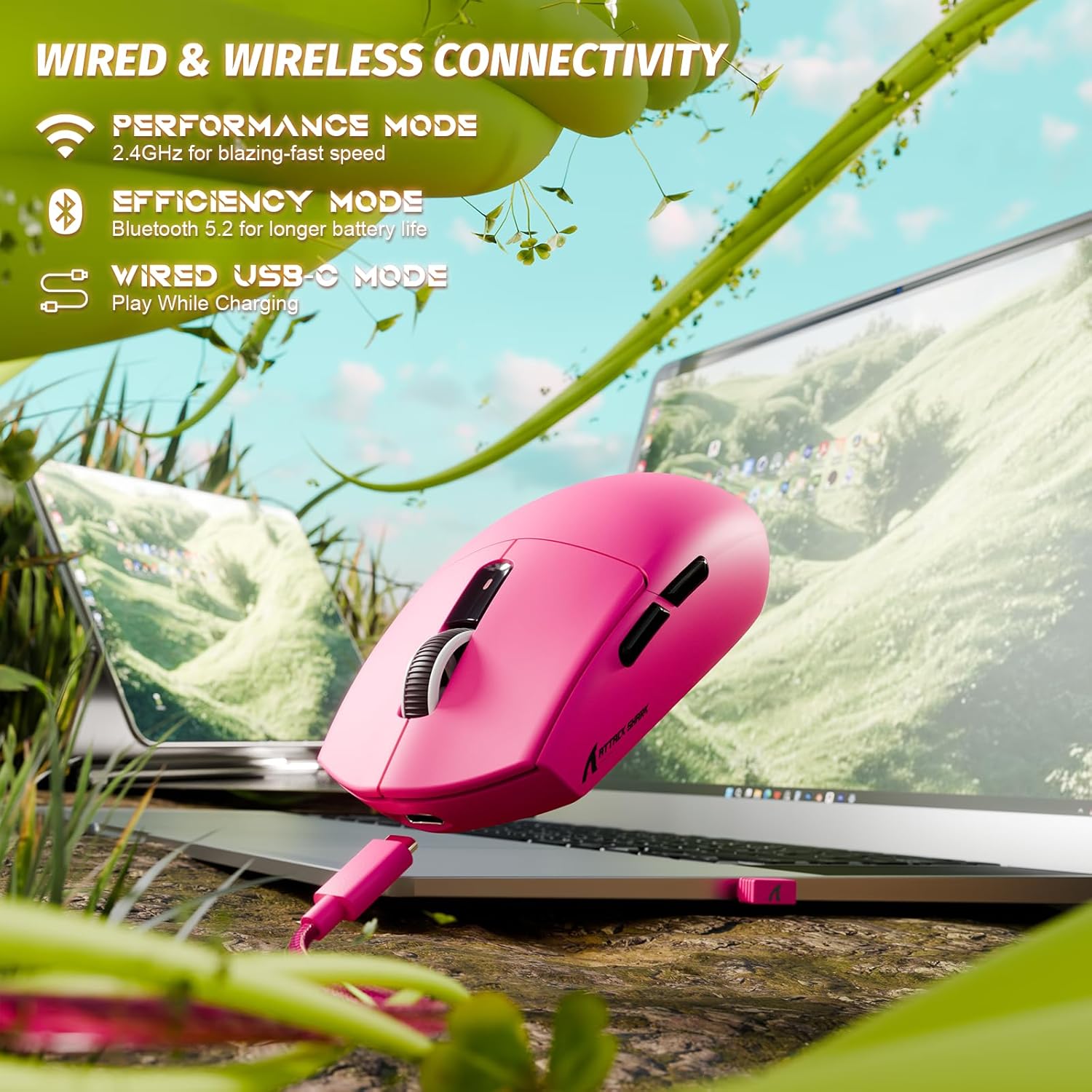
Image: The ATTACK SHARK G3 mouse connected to a laptop via its USB-C cable, illustrating the wired connectivity option.
2. 2.4GHz Wireless Mode Connection
- Locate the 2.4GHz USB receiver stored on the underside of the mouse.
- Liitä USB-vastaanotin tietokoneesi vapaaseen USB-porttiin.
- Set the mode switch on the underside of the mouse to the "2.4G" position.
- The mouse should automatically connect to the receiver. If not, press and hold the DPI button and a side button simultaneously for 3 seconds to initiate pairing.
3. Bluetooth 5.2 Mode Connection
- Set the mode switch on the underside of the mouse to the "BT" (Bluetooth) position.
- The mouse will enter pairing mode, indicated by a blinking LED light.
- Siirry tietokoneellasi tai laitteellasi Bluetooth-asetuksiin.
- Etsi new devices and select "ATTACK SHARK G3" from the list.
- Suorita pariliitos loppuun noudattamalla näytön ohjeita.
Käyttöohjeet
DPI-säätö
The ATTACK SHARK G3 features a PAW3311 sensor with adjustable DPI settings. You can cycle through preset DPI levels by pressing the DPI button located on the underside of the mouse. For fine adjustments and custom DPI profiles, use the dedicated driver software.

Kuva: Lähikuva view of the PixArt PAW3311 sensor inside the mouse, highlighting its capabilities such as 1000Hz polling rate, 25000 DPI max, and 40G acceleration.
Ohjelmoitavat painikkeet ja ohjelmistot
The G3 mouse includes 5 programmable buttons. To customize button functions, create macros, and adjust settings like polling rate and Lift-Off Distance (LOD), download and install the official ATTACK SHARK driver software from the manufacturer's website. The software allows for personalized configurations to suit your specific needs.

Image: A screenshot of the ATTACK SHARK G3 customization software interface, showing options for mouse settings, DPI settings, parameter settings, macro editing, and personal center.
Hiiren lataaminen
The mouse is equipped with a built-in 500mAh rechargeable lithium-ion battery. When the battery is low, the LED indicator will signal. Connect the mouse to your computer using the provided USB-C cable to charge. The mouse can be used normally while charging in wired mode.

Image: The ATTACK SHARK G3 mouse in a natural setting, emphasizing its 500mAh battery capacity for extended use.
Huolto
- Puhdistus: Puhdista hiiren pinta pehmeällä, kuivalla liinalla. Pinttyneeseen likaan käytä hieman kuivaa liinaa.amp kangasta voidaan käyttää varmistaen, ettei kosteutta pääse sisäisiin komponentteihin.
- Anturin hoito: Pidä hiiren pohjassa oleva optinen anturi puhtaana pölystä ja roskista varmistaaksesi tarkan seurannan.
- Akun kesto: Pidentääksesi akun käyttöikää, vältä hiiren jatkuvaa tyhjentämistä kokonaan. Lataa se, kun akun heikon varauksen ilmaisin tulee näkyviin.
- Varastointi: Kun hiirtä ei käytetä pitkään aikaan, säilytä sitä viileässä ja kuivassa paikassa.

Image: An inverted view of the ATTACK SHARK G3 mouse, showcasing its double-layer mouse feet for smooth gliding and stability.
Vianetsintä
- Hiiri ei vastaa:
- Varmista, että hiiri on ladattu.
- Check the mode switch (2.4G, BT, Wired) is set correctly.
- Varmista 2.4 GHz:n taajuudella, että USB-vastaanotin on kytketty kunnolla. Kokeile toista USB-porttia.
- Bluetoothin osalta varmista, että Bluetooth on käytössä laitteessasi ja hiiri on paritettu.
- Try connecting in wired mode to confirm functionality.
- Epätarkka seuranta:
- Puhdista hiiren alapuolella oleva optinen anturi.
- Varmista, että käytät hiirtä sopivalla alustalla (esim. hiirimatolla).
- Adjust DPI settings via the DPI button or software.
- Yhteysongelmat:
- Move the mouse closer to the receiver/device to reduce interference.
- Avoid using the 2.4GHz receiver near other wireless devices that may cause interference.
- Re-pair the mouse in 2.4GHz or Bluetooth mode if connection is lost.
- Ohjelmisto ei tunnista hiirtä:
- Ensure the mouse is connected in wired or 2.4GHz mode (Bluetooth may not be supported by all software).
- Käynnistä ohjelmisto ja/tai tietokone uudelleen.
- Asenna ohjainohjelmisto uudelleen.
Tekniset tiedot
| Ominaisuus | Yksityiskohta |
|---|---|
| Malli | G3 |
| Yhteydet | 2.4 GHz:n langaton, Bluetooth 5.2, USB-C-langallinen |
| Anturi | PixArt PAW3311 optinen anturi |
| DPI-alue | 800–25,000 DPI (säädettävä) |
| Seurantanopeus | 400 IPS |
| Kiihtyvyys | 40G |
| Äänestysprosentti | 1000 Hz (langallinen/2.4 GHz) |
| Painikkeet | 5 ohjelmoitavaa painiketta |
| Kytkimet | Huano Blue Shell Pink Dot Switches (80 million clicks) |
| Akku | 500mAh ladattava litiumioniakku |
| Hiiren paino | Noin 59 g (2.08 unssia) |
| Yhteensopivuus | PC, Mac (Windows/macOS) |
Takuu ja tuki
ATTACK SHARK products are designed and manufactured to the highest quality standards. For warranty information and technical support, please refer to the official ATTACK SHARK websivustolta tai ota yhteyttä suoraan heidän asiakaspalveluunsa. Säilytä ostokuitti takuuvaatimuksia varten.
For further assistance, visit the official ATTACK SHARK store: ATTAC SHARK -myymälä


