Johdanto
This manual provides essential information for setting up, operating, and maintaining your HP 17.3" FHD Laptop. Designed for productivity and connectivity, this laptop features an Intel Core i3-N305 processor, a Full HD IPS anti-glare display, and runs on Windows 11 Pro. Please read this manual thoroughly to ensure proper use and to maximize your laptop's performance.
Mitä laatikossa on
Varmista, että pakkauksessa on kaikki tarvittavat osat:
- 1 x HP 17.3" FHD Laptop
- 1 x virtalähde
- 1 x Käyttöohje (tämä asiakirja)
- 1 x Accessory Kit (includes 32GB USB Flash Drive, Bluetooth Earbuds, Electronic Cleaning Kit, USB-C Hub, 3-in-1 Charging Cable, USB-C Cable)
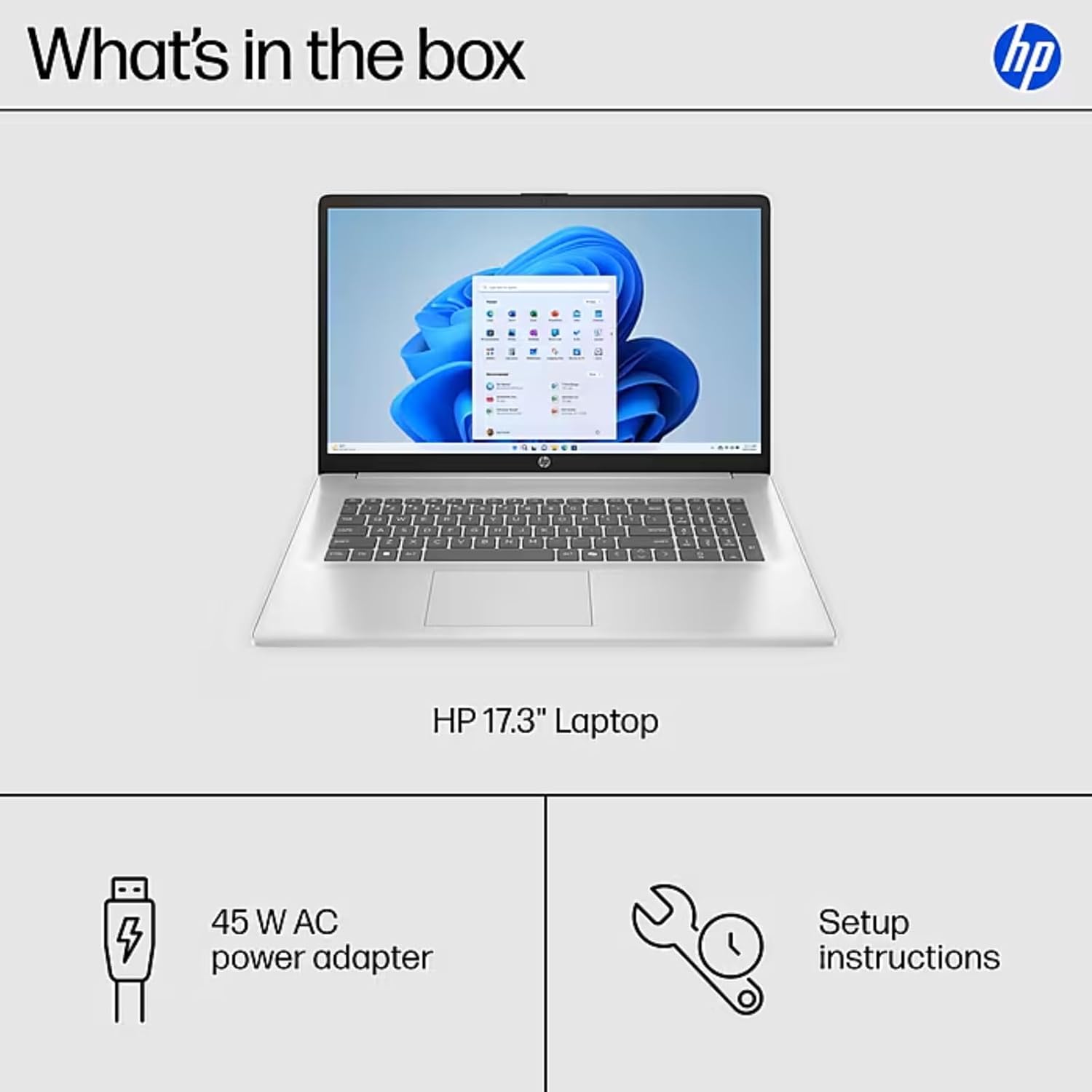
Image: The contents of the HP 17.3" Laptop box, including the laptop, power adapter, and a separate accessory kit.
Asennus
- Pura kannettava tietokone pakkauksesta: Poista kannettava tietokone ja kaikki lisävarusteet varovasti pakkauksesta.
- Liitä virta: Plug the power adapter into the laptop's AC Smart Pin port and then into a power outlet. Allow the battery to charge for at least 30 minutes before initial use.
- Alkuperäinen käynnistys: Open the laptop lid and press the power button. The laptop will guide you through the Windows 11 Pro setup process. Follow the on-screen instructions to configure your language, region, network, and user account.
- Yhdistä Wi-Fi-verkkoon: During the initial setup, you will be prompted to connect to a wireless network. Select your network and enter the password.
- Asenna päivitykset: After setup, it is recommended to check for and install any available Windows updates to ensure optimal performance and security.
Kannettavan tietokoneen käyttö
Näytön ominaisuudet
The HP 17.3" laptop features a Full HD (1920 x 1080) IPS anti-glare display. This screen provides vibrant colors and wide 178° viewing angles, reducing reflections for comfortable viewing in various lighting conditions. The large screen size is ideal for multitasking, document review, and media consumption.
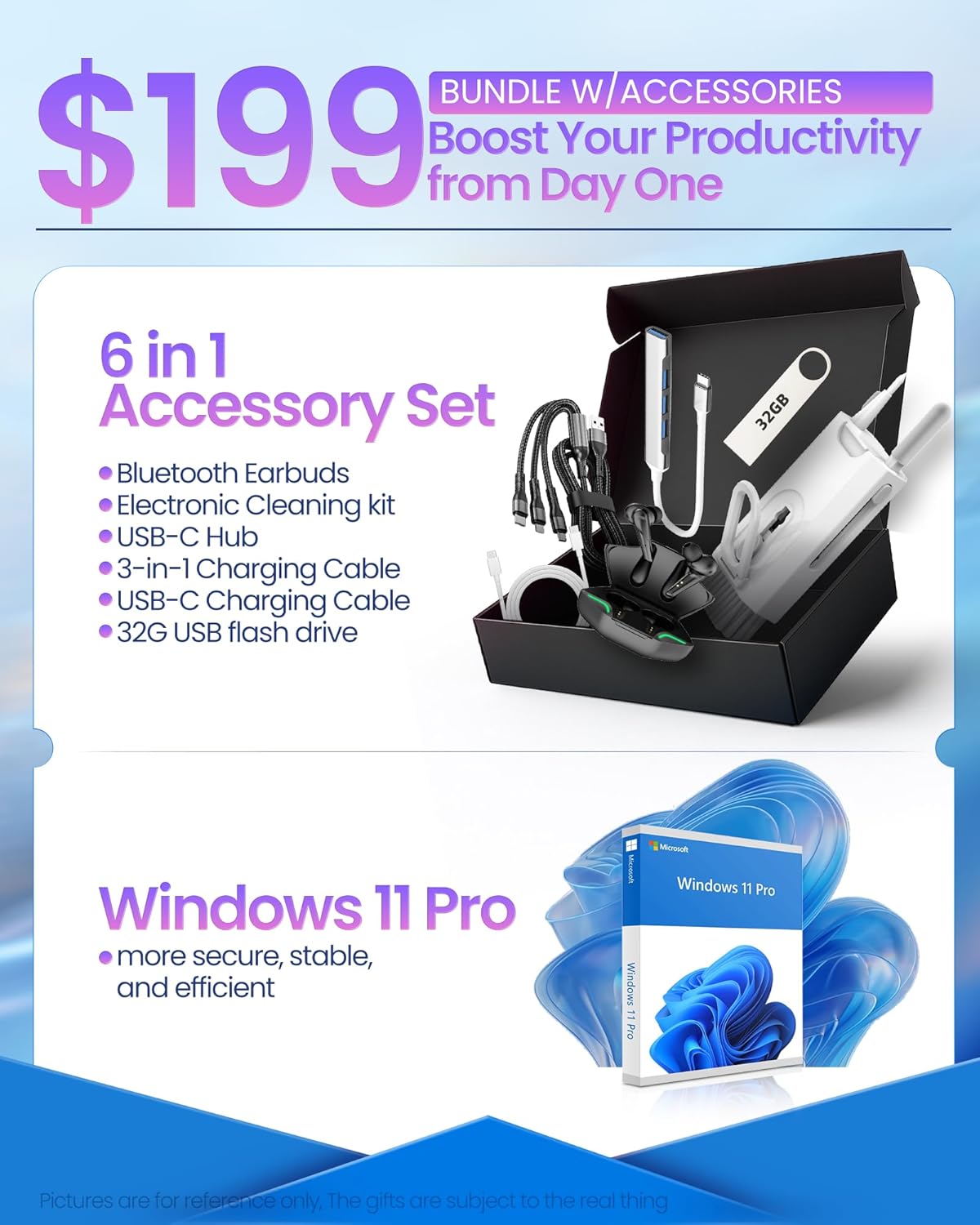
Image: The HP 17.3" laptop showcasinsen Full HD -näyttö.
Prosessori ja suorituskyky
Equipped with an Intel Core i3-N305 processor (8 cores, up to 3.9 GHz turbo) and Intel UHD Graphics, this laptop delivers efficient performance for daily tasks, schoolwork, and business applications. The 32GB DDR4 RAM ensures smooth multitasking, while the 2TB NVMe SSD provides fast storage access and quick boot times.

Image: The HP laptop running multiple applications, illustrating its multitasking performance.
Copilot AI Key
The dedicated Copilot AI Key provides instant access to AI-powered productivity tools within Windows 11 Pro. Press this key to quickly get assistance with writing, brainstorming, or finding information, streamlining your workflow.

Kuva: Lähikuva view of the Copilot key on the HP laptop keyboard.
Portit ja liitännät
Kannettavassa tietokoneessa on useita portteja oheislaitteiden ja ulkoisten näyttöjen kytkemiseen:
- 1 x USB 2.0 Type-A
- 1 x USB 3.2 Gen 1 Type-A
- 1 x USB 3.2 Gen 1 Type-C (5 Gbps)
- 1 x HDMI 1.4b
- 1 x Headphone/Mic Combo Jack
- 1 x AC-älynasta
For wireless connectivity, the laptop supports Wi-Fi 6 and Bluetooth 5.4.

Kuva: Yksityiskohtainen view of the laptop's side ports.
Tuote loppuview Video
Video: Virkamies yliview of the HP 17.3" HD Laptop for Student & Business with Windows 11 Pro, highlighting its features and benefits.
Huolto
- Puhdistus: Puhdista näyttö ja ulkopinta pehmeällä, nukkaamattomalla liinalla. Pinttyneisiin tahroihin hankaa kevyesti.ampKostuta liina vedellä tai näytönpuhdistusaineella. Vältä voimakkaita kemikaaleja.
- Akun hoito: Akun käyttöiän pidentämiseksi vältä äärimmäisiä lämpötiloja. On suositeltavaa purkaa akku ajoittain alle 20 %:n ja ladata se sitten täyteen.
- Ohjelmistopäivitykset: Regularly install operating system and driver updates to ensure security and optimal performance.
- Tallennuksen hallinta: Poista tarpeettomat säännöllisesti files and applications to maintain sufficient free storage space on your SSD.
- Fyysinen suojaus: Transport your laptop in a protective sleeve or bag to prevent scratches and damage.
Vianetsintä
If you encounter issues with your HP laptop, consider the following common solutions:
- Kannettava tietokone ei käynnisty:
- Varmista, että virtalähde on kytketty kunnolla sekä kannettavaan tietokoneeseen että toimivaan pistorasiaan.
- Tarkista pistorasian toiminta kytkemällä siihen toinen laite.
- Kokeile pitää virtapainiketta pohjassa 15–20 sekuntia suorittaaksesi laitekäynnistyksen.
- Näyttöongelmat (ei näyttöä, välkkyminen):
- Connect an external monitor to the HDMI port to check if the issue is with the laptop's display or graphics output.
- Käynnistä kannettava tietokone uudelleen.
- Varmista, että näytönohjaimet ovat ajan tasalla Windows Updaten tai HP Support Assistantin kautta.
- Wi-Fi-yhteysongelmat:
- Toggle Wi-Fi off and on in Windows settings.
- Käynnistä reititin ja modeemi uudelleen.
- Ensure Wi-Fi drivers are updated.
- Unohda verkko ja yhdistä uudelleen.
- Hidas suorituskyky:
- Sulje taustalla käynnissä olevat tarpeettomat sovellukset.
- Tarkista Tehtävienhallinnasta paljon prosessoria tai RAM-muistia kuluttavat prosessit.
- Varmista, että Windows ja ajurit ovat ajan tasalla.
- Suorita levyn puhdistus vapauttaaksesi tallennustilaa.
For more advanced troubleshooting or persistent issues, please refer to the HP support websivustolla tai ota yhteyttä asiakaspalveluun.
Tekniset tiedot
| Merkki | HP |
| Mallin nimi | HP 17 inch Laptop (B5RH2UA#ABA) |
| Käyttöjärjestelmä | Windows 11 Pro |
| Näytön koko | 17.3 tuumaa |
| Näytön resoluutio | 1920 x 1080 pikseliä (Full HD) |
| Näytön tyyppi | IPS, Anti-glare, LED, 178° wide viewkulmat |
| Prosessori | Intel Core i3-N305 (8 cores, up to 3.9 GHz) |
| Grafiikka | Integroitu Intel UHD -grafiikka |
| RAM | 32 Gt:n DDR4-muisti (3200 MHz) |
| Varastointi | 2TB NVMe SSD |
| Langaton yhteys | Wi-Fi 6, Bluetooth 5.4 |
| Portit | 1x USB 2.0 Type-A, 1x USB 3.2 Gen 1 Type-A, 1x USB 3.2 Gen 1 Type-C, 1x HDMI 1.4b, 1x Headphone/Mic Combo, 1x AC Smart Pin |
| Akun kesto | Up to 9.5 hours (Average: 9 hours) |
| Mitat (P x L x K) | 15.78 cm x 10.15 cm x 0.78 cm |
| Paino | 4.6 lbs |
| Väri | Hopea |
Takuu ja tuki
Your HP 17 FHD Laptop comes with a standard manufacturer's warranty. For detailed information regarding warranty terms, coverage, and duration, please refer to the warranty card included with your product or visit the official HP support websivusto.
For technical assistance, driver downloads, and frequently asked questions, please visit the HP Support websivusto: support.hp.com. You can also contact HP customer service directly for personalized support.