Johdanto
The Razer BlackShark V3 X HyperSpeed is a wireless esports gaming headset designed for high-performance audio and clear communication across multiple platforms. This manual provides essential information for setting up, operating, maintaining, and troubleshooting your headset.
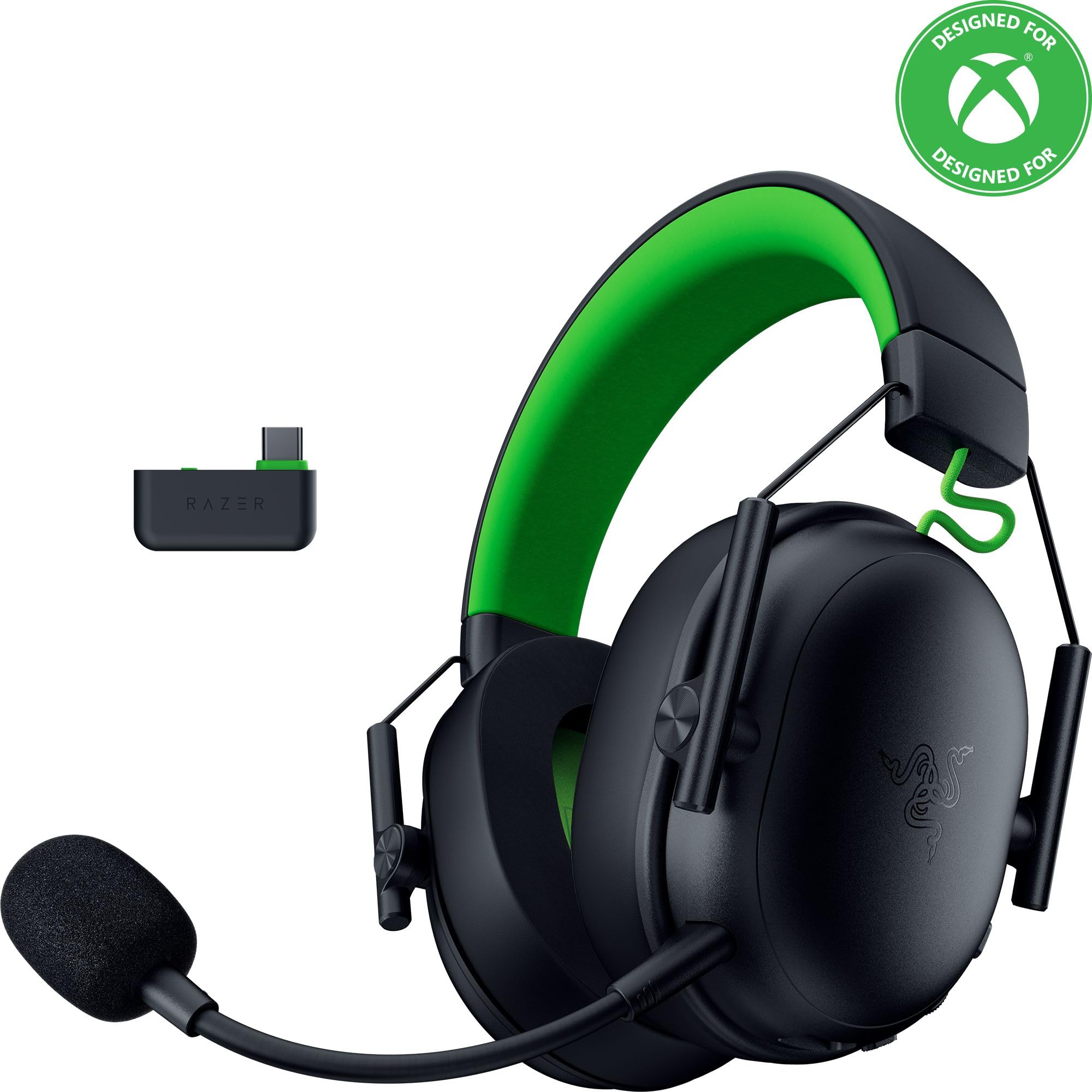
Image: The Razer BlackShark V3 X HyperSpeed Wireless Gaming Headset, showcasing sen muotoilu ja irrotettava mikrofoni.
Mitä laatikossa on
Varmista, että pakkauksessasi on kaikki seuraavat osat:
- Razer BlackShark V3 X HyperSpeed -langattomat pelikuulokkeet
- USB Type C Razer HyperSpeed -langaton sovitin
- Irrotettava Razer HyperClear Cardioid 9.9mm mikrofoni
- USB Type A to Type C Cable (for charging and wired connection)
- USB-tyyppi A - tyyppi C -sovitinkaapeli
- Käyttöopas (tämä asiakirja)

Image: The Razer BlackShark V3 X HyperSpeed headset on a stand next to its retail packaging, illustrating the product and its box.
Asennus
1. Kuulokkeen lataaminen
Before initial use, fully charge your headset using the provided USB Type A to Type C cable. Connect the USB-C end to the headset's charging port and the USB-A end to a powered USB port.
2. Mikrofonin kiinnittäminen
Insert the detachable Razer HyperClear Cardioid 9.9mm Mic into the microphone port located on the left earcup. Ensure it is securely connected.

Image: Close-up of the Razer BlackShark V3 X HyperSpeed headset showing the detachable HyperClear Cardioid microphone attached.
3. Yhteysasetukset
The headset supports three modes of connectivity: 2.4 GHz HyperSpeed Wireless, Bluetooth, and wired USB-C.
- 2.4 GHz HyperSpeed Wireless (PC, Mac, PS5, Nintendo Switch, Xbox Series X|S, Xbox One):
Insert the USB Type C Razer HyperSpeed Wireless Dongle into an available USB-C port on your device. If your device only has USB-A ports, use the provided USB Type A to Type C Adapter Cable. Ensure the switch on the dongle is set to 'USB' for PC/Mac/PS5/Switch or 'XBOX' for Xbox consoles. The headset will automatically connect. - Bluetooth (Smartphones, Tablets, Handheld Gaming Devices):
With the headset powered on, press and hold the power button until the LED indicator blinks blue, indicating pairing mode. On your device, search for and select "Razer BlackShark V3 X HyperSpeed" from the list of available Bluetooth devices. - Langallinen USB-C:
Connect the headset directly to your device using the USB Type A to Type C Cable. This mode provides audio and microphone functionality without relying on battery power.

Image: The Razer BlackShark V3 X HyperSpeed headset alongside its USB-C wireless dongle, illustrating the wireless connectivity component.

Image: A visual representation of the headset's three connectivity modes: 2.4 GHz Wireless, Bluetooth, and USB, highlighting its versatility.
Kuulokkeen käyttö
1. Controls Overview
Kuulokkeissa on intuitiiviset säätimet korvakupissa:
- Virtapainike: Press and hold to power on/off. Single press to switch between 2.4 GHz HyperSpeed Wireless and Bluetooth modes.
- Mikrofonin mykistyspainike: Paina mykistääksesi tai poistaaksesi mykistyksen.
- Äänenvoimakkuuspyörä: Säätää äänenvoimakkuutta kokonaisuudessaan.
- Mikrofonin monitorointipyörä: Adjusts the volume of your own voice heard through the headset (sidetone).

Kuva: Sivu view of the Razer BlackShark V3 X HyperSpeed headset, highlighting the location of the power button, volume wheel, and mic mute button.
2. Äänenlaatu ja ominaisuudet
- Razer TriForce 50 mm:n ajurit Gen-2: Experience powerful, clear audio with enhanced positional accuracy for competitive gaming.
- Razer HyperClear Cardioid 9.9mm Mic: The detachable microphone features a unidirectional pickup pattern to focus on your voice and minimize background noise.
- Tilaääni: Enjoy immersive surround sound with Windows Sonic on Xbox and 7.1 Surround Sound on PC for precise audio cues.

Kuva: Räjähtänyt view of the Razer TriForce 50mm Drivers Gen-2, illustrating their internal components for powerful and clear audio.

Image: The Razer BlackShark V3 X HyperSpeed headset surrounded by sound waves, representing its advanced surround sound capabilities for Xbox and PC.
3. Mukavuus ja muotoilu
Weighing just 270g, the headset is designed for extended gaming sessions with plush memory foam cushions and a fatigue-free design.

Image: The Razer BlackShark V3 X HyperSpeed headset with an icon representing its ultra-lightweight design, emphasizing comfort for long gaming sessions.
4. Virallinen tuotevideo
Video: An official product video from Razer showcasing the BlackShark V3 headset line, highlighting its features and design for esports performance.
Huolto
1. Puhdistus
- Puhdista kuulokkeiden pinnat pehmeällä, kuivalla liinalla.
- Pyyhi korvakupit varovastiamp liinalla ja tarvittaessa miedolla saippualla ja kuivaa sitten huolellisesti. Vältä liiallista kosteutta.
- Älä käytä voimakkaita kemikaaleja tai hankaavia materiaaleja.
2. Varastointi
- Säilytä kuulokkeita viileässä, kuivassa paikassa, poissa suorasta auringonvalosta ja äärimmäisistä lämpötiloista.
- Kun kuulokkeita ei käytetä, harkitse niiden asettamista kuulokemikrofonitelineeseen muodon säilyttämiseksi ja vaurioiden välttämiseksi.
Vianetsintä
Ei ääntä / Huono äänenlaatu
- Tarkista äänenvoimakkuus: Ensure the volume wheel on the headset is turned up.
- Liitettävyys: Verify the headset is correctly connected via 2.4 GHz dongle, Bluetooth, or USB-C. For 2.4 GHz, ensure the dongle switch is set to the correct platform (USB/XBOX).
- Laite asetukset: Confirm the headset is selected as the default audio output device in your computer's or console's sound settings.
- Korjaus: For wireless connections, try re-pairing the headset with your device.
Mikrofoni ei toimi
- Tarkista mykistys: Ensure the mic mute button on the headset is not activated.
- Mic Connection: Verify the detachable microphone is securely inserted into the port.
- Laite asetukset: Confirm the headset microphone is selected as the default input device in your computer's or console's sound settings.
- Mikrofonin valvonta: Adjust the mic monitoring wheel to hear your own voice, confirming mic functionality.
Yhteysongelmat
- Häiriöt: Siirry kauemmas muista langattomista laitteista, jotka voivat aiheuttaa häiriöitä.
- Alue: Ensure you are within the effective range of the wireless dongle or Bluetooth connection.
- Dongle Switch: Double-check that the switch on the USB-C dongle is set to the correct position (USB for PC/Mac/PS5/Switch, XBOX for Xbox).
Akun käyttöikä odotettua lyhyempi
- Lataus: Varmista ennen käyttöä, että kuulokkeet on ladattu täyteen.
- Käyttö: High volume levels or continuous use of certain features can reduce battery life.
Tekniset tiedot
| Mallin nimi | BlackShark V3 X HyperSpeed |
| Mallinumero | RZ04-05420200-R3U1 |
| Yhteystekniikka | Bluetooth, USB, 2.4 GHz Wireless |
| Ääniohjaimen tyyppi | Dynamic Driver (Razer TriForce 50mm Drivers Gen-2) |
| Taajuusvaste | 12 Hz - 28 kHz |
| Herkkyys | 106 dB |
| Mikrofoni | Irrotettava Razer HyperClear Cardioid 9.9mm mikrofoni |
| Melunhallinta | Äänieristys |
| Yhteensopivat laitteet | Xbox Series X|S, Xbox One, PS5, PS4, PC, Mac, Nintendo Switch, Smartphones, Tablets |
| Tuotteen paino | 270 grams (without mic) |
| Paristot | 1 litiumioniakku (mukana) |
| Bluetooth-versio | 5.3 |
Takuu ja tuki
For warranty information, technical support, or further assistance, please visit the official Razer support websivusto. Säilytä ostokuitti takuuvaatimuksia varten.
Online-tuki: www.razer.com/support


