1. Johdanto
This manual provides detailed instructions for the setup, operation, maintenance, and troubleshooting of your MOFII 2.4GHz Wireless Keyboard and Mouse Combo. This combo features a gradient color design with retro typewriter-style round keycaps, an ergonomic design with foldable stands, and anti-slip pads for comfortable use. It utilizes 2.4GHz wireless technology for a stable connection.
2. Pakkauksen sisältö
- MOFII Wireless Keyboard
- MOFII Wireless Mouse
- USB Receiver (located inside the mouse battery compartment)
- Käyttöopas
- Cleaning Brush (for detachable keycaps)
3. Asennusohjeet
Noudata näitä vaiheita alkuasennuksessa:
- Asenna paristot: The keyboard and mouse each require one AA battery (not included). Open the battery compartment on the underside of both the keyboard and mouse and insert the batteries, ensuring correct polarity.
- Paikanna USB-vastaanotin: USB-vastaanotin on hiiren paristolokerossa. Poista se varovasti.
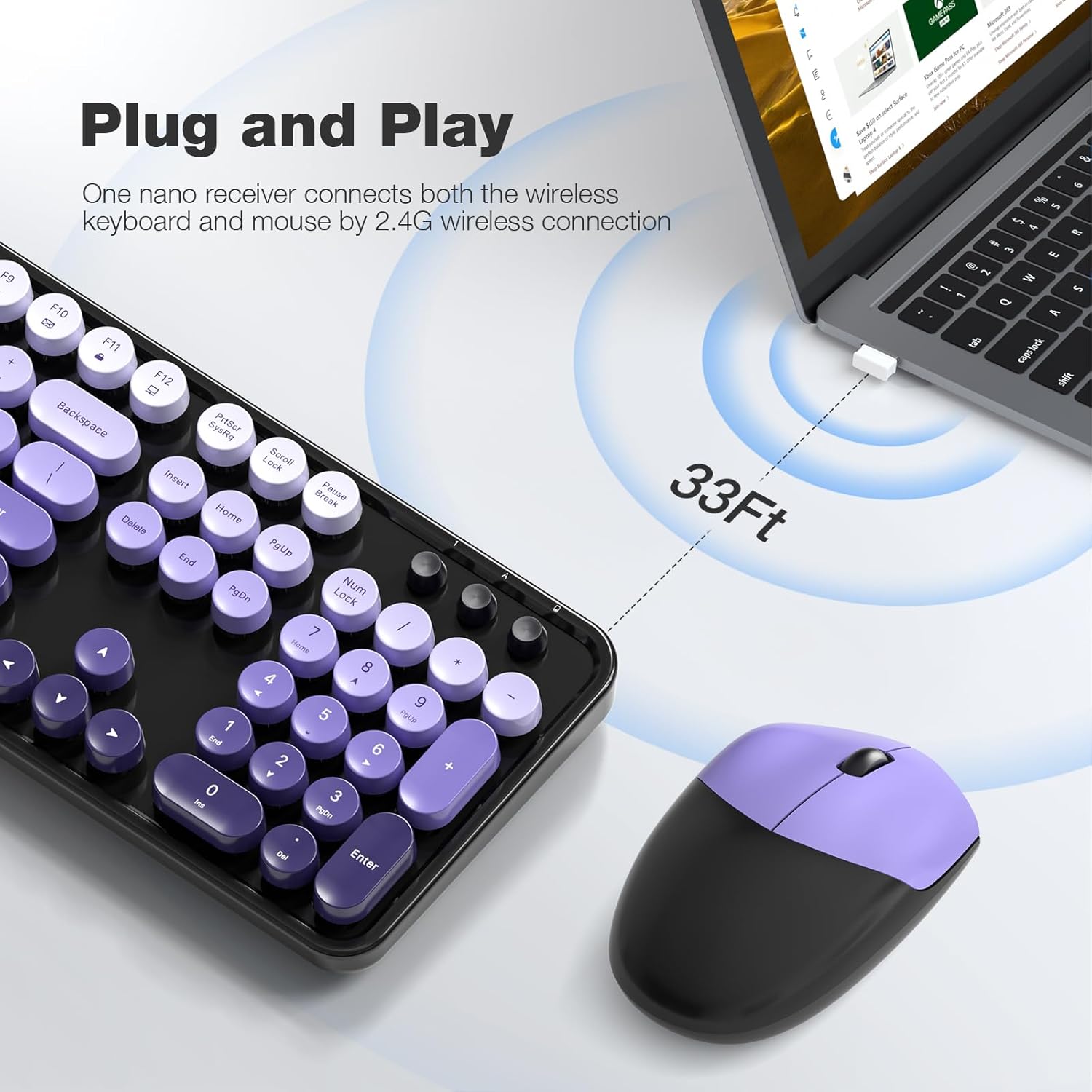
- Yhdistä vastaanotin: Plug the USB receiver into an available USB port on your computer (PC, laptop, desktop, etc.).
- Virta päälle: Käynnistä näppäimistö ja hiiri niiden virtakytkimillä (yleensä pohjassa).
- Automaattinen yhteys: The keyboard and mouse will automatically connect to your computer. No additional drivers are required for most operating systems.

The 2.4GHz wireless technology provides a stable and reliable connection up to 33 feet (10 meters) without latency.
4. Käyttöohjeet
4.1 Näppäimistön ominaisuudet
- Täysikokoinen asettelu: The 104-key layout includes a number pad for efficient data entry.
- Multimedian pikavalinnat: Utilize the 13 multimedia shortcuts (Fn + F1-F12) to control audio/video playback, volume, web selaamiseen ja sähköpostiin.
- Ergonominen muotoilu: The keyboard features foldable stands on the underside to adjust the typing angle for improved comfort. Anti-slip pads prevent movement during use.

4.2 Automaattinen lepotila
To conserve battery life, both the keyboard and mouse are equipped with a smart auto-sleep function. If inactive for 5 minutes, they will automatically enter sleep mode. To wake them up, simply click any key on the keyboard or move the mouse.

5. Huolto
5.1 Puhdistus
The keyboard features detachable round keycaps, allowing for easy cleaning. Use the included cleaning brush to remove dust and debris from between the keys. For deeper cleaning, carefully remove the keycaps and clean the keyboard base and keycaps separately with a soft, damp kangas. Varmista, että kaikki osat ovat täysin kuivia ennen uudelleen kokoamista.

5.2 Pariston vaihto
When the keyboard or mouse stops responding or experiences intermittent connectivity, it may be time to replace the AA batteries. Open the battery compartment on the underside of the device, remove the old battery, and insert a new AA battery, observing the correct polarity. Close the compartment securely.
6. Vianmääritys
- Ei vastausta näppäimistöltä/hiireltä:
- Varmista, että paristot on asennettu oikein eivätkä ne ole tyhjentyneet. Vaihda tarvittaessa.
- Check if the power switch on both devices is in the 'ON' position.
- Varmista, että USB-vastaanotin on kytketty kunnolla tietokoneen toimivaan USB-porttiin. Kokeile toista USB-porttia.
- Siirrä näppäimistö ja hiiri lähemmäs USB-vastaanotinta, jotta etäisyysongelmat eivät ole mahdollisia.
- Viive tai katkonainen yhteys:
- Vähennä häiriöitä siirtämällä muut langattomat laitteet kauemmas vastaanottimesta.
- Varmista, ettei laitteiden ja vastaanottimen välissä ole suuria metalliesineitä.
- Vaihda paristot, jos niiden varaus on vähissä.
- Multimedianäppäimet eivät toimi:
- Ensure you are pressing the 'Fn' key simultaneously with the desired function key (F1-F12).
- Check your operating system settings for any conflicting hotkey configurations.
- Hiiren kursori hyppää tai on epätarkka:
- Varmista, että hiiren anturi on puhdas eikä siinä ole pölyä tai roskia.
- Use the mouse on a suitable surface (e.g., a mouse pad) for optimal tracking.
7. Tekniset tiedot
| Merkki | MOFII |
| Malli | 2.4GHz Retro Typewriter Keyboard and Mouse Combo |
| Väri | Black Purple Gradient Color |
| Yhteystekniikka | 2.4 GHz:n langaton (USB-vastaanotin) |
| Näppäimistön asettelu | 104-koskettiminen täysikokoinen |
| Erikoisominaisuus | Round Keycaps, Ergonomic Design, Auto-Sleep Mode, Multimedia Shortcuts |
| Yhteensopivat laitteet | Laptop, Personal Computer, Desktop, Notebook, Smart TV |
| Yhteensopivat käyttöjärjestelmät | Windows 7/8/10/11/XP/Vista, Linux, Chrome |
| Virtalähde | 1x AA Battery (Keyboard), 1x AA Battery (Mouse) - Paristot eivät sisälly toimitukseen |
| Tuotteen paino | 3.2 unssia |
| Pakkauksen mitat | 17.76 x 5.43 x 3.03 tuumaa |
8. Takuu ja tuki
For warranty information and technical support, please refer to the product packaging or contact MOFII customer service directly. Keep your purchase receipt for warranty claims.


