1. Johdanto
This manual provides essential information for setting up, operating, maintaining, and troubleshooting your Roku Smart TV 2025 – 24-Inch Select Series 720p HD TV. Please read these instructions carefully before using your television.
The Roku Select Series HD TV offers a streamlined entertainment experience. It features bright HD picture quality, auto speech clarity, and a night mode. Access free live television directly from the home screen and utilize the voice remote for content discovery across various applications. This television is suitable for various rooms including bedrooms, living rooms, kitchens, or children's rooms.
2. Mitä laatikossa on
Varmista, että pakkauksessa on kaikki osat:
- Roku Select Series 24" HD TV
- Jalustat ja ruuvit
- Roku Voice Remote with batteries
- Pika-aloitusopas

Image: The Roku Select Series TV box contents, showing the television, remote, and stand components.
3. Asennus
3.1 TV-jalustojen kiinnittäminen
- Aseta televisio varovasti näyttö alaspäin pehmeälle ja puhtaalle alustalle naarmuuntumisen välttämiseksi.
- Kohdista jokainen jalusta television pohjassa oleviin vastaaviin ruuvinreikiin.
- Kiinnitä jalustat mukana toimitetuilla ruuveilla. Varmista, että ne on kiristetty tiukasti.
3.2 Oheislaitteiden liittäminen
Your Roku TV includes multiple ports for connecting external devices:
- HDMI-portit: Connect devices such as cable boxes, gaming consoles, or Blu-ray players. The HDMI 1 (ARC) port supports Audio Return Channel for simplified audio connections.
- USB-portti: For media playback from a USB drive or powering compatible devices.
- Antenni-/kaapelitulo: Liitä antenni langattomia lähetyksiä varten tai kaapelitelevisioyhteys.
- Optinen äänilähtö: Soundbariin tai äänivastaanottimeen liittämistä varten.
- AV-tulo: Vanhempien laitteiden liittämiseen komposiittivideo- ja stereoäänikaapeleilla.

Image: Close-up of the back of the Roku TV, highlighting the HDMI, USB, optical, and AV input ports.
3.3 Ensimmäinen käynnistys ja verkkoyhteys
- Kytke virtajohto televisioon ja sitten pistorasiaan.
- Insert the included AAA batteries into the voice remote.
- Käynnistä televisio painamalla kaukosäätimen virtapainiketta.
- Valitse kieli, muodosta yhteys Wi-Fi-verkkoon ja aktivoi Roku-tilisi noudattamalla näytön ohjeita.
4. Roku-television käyttö
4.1 Äänikaukosäätimen käyttö
The Roku Voice Remote simplifies navigation and content search. It features dedicated buttons for popular streaming services and voice control capabilities.
- Äänipainike: Press and hold to speak commands for searching content, launching apps, or controlling playback.
- Navigointialusta: Use the directional arrows and OK button to move through menus and select items.
- Sovelluksen pikanäppäimet: Dedicated buttons provide quick access to services like Netflix, Disney+, and Prime Video.
- Äänenvoimakkuuden säätimet: Adjust TV volume directly from the remote.
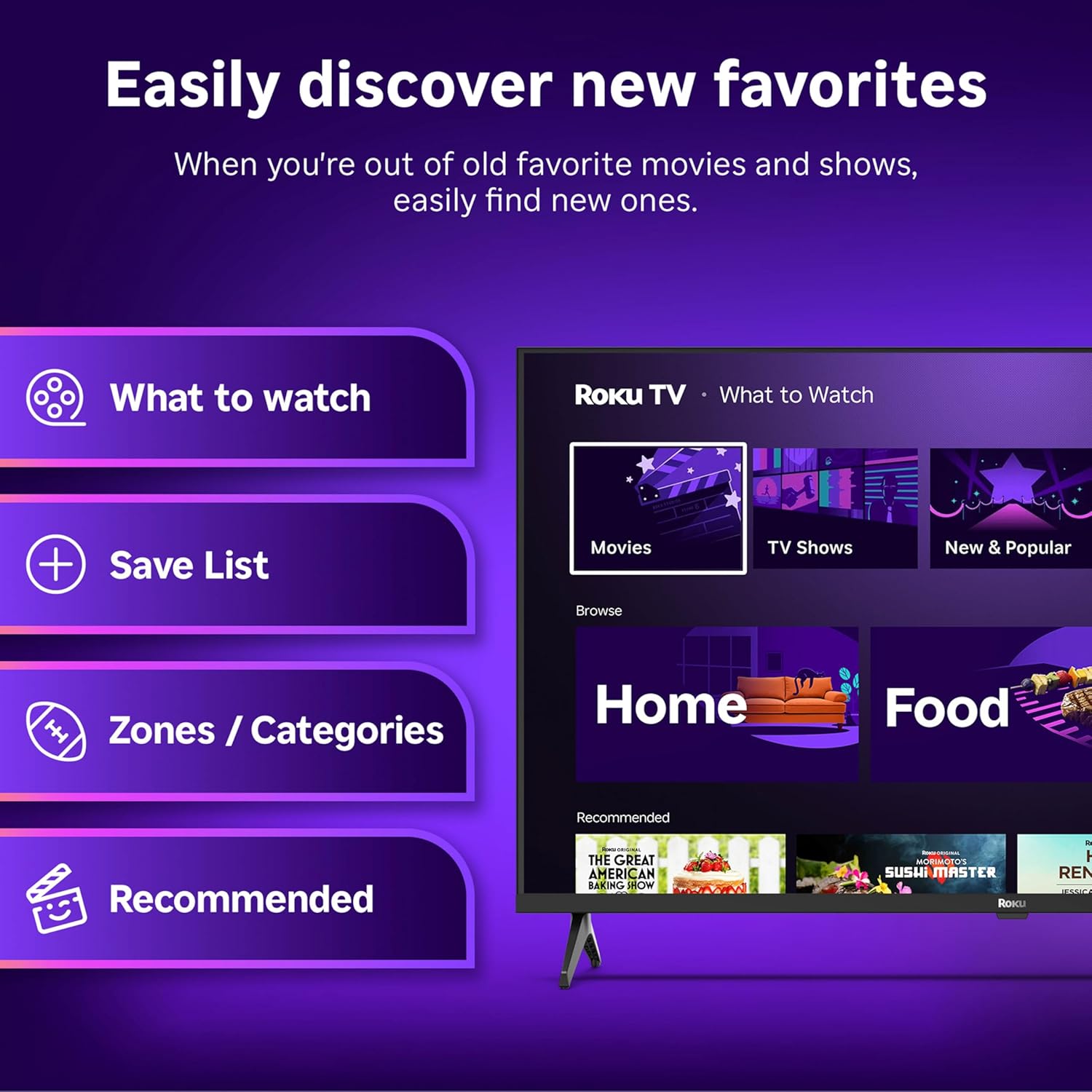
Image: The Roku Voice Remote, showing its layout and key functions.
4.2 Streaming and App Navigation
The Roku TV home screen provides quick access to all your streaming channels and inputs. You can customize the order of your apps for personalized access.
- Aloitusnäyttö: Displays your installed apps, recommended content, and TV inputs.
- Suoratoistokauppa: Browse and add new streaming channels.
- Live-TV: Access free live television channels directly from the home screen.
- Haku: Use the search function or voice remote to find movies, shows, actors, or directors across various services.

Image: The Roku TV user interface, showing the home screen with app tiles and menu options.
4.3 Kuva- ja ääniasetukset
Your Roku TV features Smart Picture technology to optimize viewing and offers enhanced audio features.
- Smart Picture: Automatically adjusts picture settings based on the content being viewed (e.g., movie, sports, vivid, standard).
- Äänen selkeys: Designed for clear speech and louder sound.
- Bluetooth-kuuloketila: Connect your wireless headphones for private listening.

Image: A vibrant nature scene displayed on the Roku TV, demonstrating the clear picture quality.
4.4 Älykoti-integraatio
The Roku TV integrates with various smart home ecosystems for convenient voice control and content sharing.
- Ääniohjaus: Compatible with Roku Voice, Siri, Alexa, and Google Assistant for hands-free operation.
- Apple AirPlay: Effortlessly share videos, photos, and music from your Apple devices to your TV.

Image: A Roku TV screen with a smart speaker nearby, illustrating voice control integration with smart home systems.
5. Huolto
5.1 Television puhdistaminen
- Irrota aina televisio pistorasiasta ennen puhdistamista.
- Pyyhi näyttö ja kotelo varovasti pehmeällä, nukkaamattomalla liinalla.
- Pinttyneisiin tahroihin, dörzsöi kevyestiampKostuta liina vedellä tai miedolla, hankaamattomalla näytönpuhdistusaineella. Älä koskaan suihkuta puhdistusainetta suoraan näytölle.
- Vältä voimakkaiden kemikaalien, hankaavien tyynyjen tai liuottimien käyttöä.
5.2 Ohjelmistopäivitykset
Your Roku TV receives automatic software updates to provide new features and improve performance. Ensure your TV is connected to the internet to receive these updates.
6. Vianmääritys
If you encounter issues with your Roku TV, try the following basic troubleshooting steps:
- Ei virtaa: Varmista, että virtajohto on kytketty kunnolla sekä televisioon että toimivaan pistorasiaan. Kokeile toista pistorasiaa.
- Ei kuvaa/ääntä: Verify that the correct input source is selected. Check all cable connections (HDMI, AV, etc.) are secure.
- Kaukosäädin ei vastaa: Vaihda kaukosäätimen paristot. Varmista, ettei kaukosäätimen ja television välissä ole esteitä.
- Verkkoyhteysongelmat: Restart your Wi-Fi router. Go to the TV's network settings to reconnect to your Wi-Fi.
- Sovellus ei lataudu: Try restarting the app. If the issue persists, remove the app and reinstall it from the Streaming Store.
- Tehdasasetusten palautus: As a last resort, a factory reset can resolve many software issues. This will erase all personal settings and installed apps. Access this option through the TV's Settings menu.
7. Tekniset tiedot
| Ominaisuus | Erittely |
|---|---|
| Merkki | Roku |
| Mallinumero | 24R2D5 |
| Näytön koko | 24 tuumaa |
| Näyttötekniikka | LED |
| Resoluutio | 720p |
| Päivitystaajuus | 60 Hz |
| Kuvasuhde | 16:9 |
| Yhteystekniikka | Bluetooth, WiFi |
| Erikoisominaisuudet | Bluetooth Headphone Mode, Dolby Audio, Voice Remote |
| Tuotteen paino | 5.7 puntaa |
| Tuotteen mitat | 7 x 21.1 x 14.3 tuumaa |
| Paristot vaaditaan | 2 AAA-paristoa (kaukosäätimeen) |
8. Takuu ja tuki
For warranty information and technical support, please refer to the documentation included with your product or visit the official Roku support websivusto. Säilytä ostokuitti takuuvaatimuksia varten.
Roku offers various support resources, including online FAQs, troubleshooting guides, and customer service contact options.


