1. Johdanto
Thank you for choosing the ATTACK SHARK×Magic-Refiner G6 Wireless Gaming Mouse. This manual provides detailed instructions on how to set up, operate, and maintain your new gaming mouse. The G6 mouse features tri-mode connectivity, a high-precision PixArt PAW3311 sensor, and a lightweight ergonomic design, making it ideal for various computing tasks and gaming scenarios.
2. Pakkauksen sisältö
Valitse seuraavat kohdat rastittamalla ruutu:
- ATTACK SHARK×Magic-Refiner G6 Wireless Gaming Mouse
- 2.4G USB-vastaanotin
- USB-C latauskaapeli
- Anti-Slip Grip Tape Set

Image: The ATTACK SHARK G6 Wireless Gaming Mouse in white, shown with its accompanying USB receiver.
3. Tuote ohiview
The G6 gaming mouse is designed for versatility and performance. Familiarize yourself with its key components and features.

Image: Detailed diagram of the G6 mouse, highlighting its buttons and features including the Left Button, Scroll Wheel + Middle Button, Right Button, Back Button, Forward Button, Power Toggle Switch (2.4G-OFF-Bluetooth), DPI Cycle Button, Atmosphere Light Switch & Wireless Mode Frequency Binding Button, Battery & DPI Indicator Light, Atmosphere Light, and USB Receiver storage.
3.1. Tärkeimmät ominaisuudet
- Kolmitilayhteys: Seamlessly switch between USB-C wired, 2.4GHz wireless, and Bluetooth 5.0 connections. The 2.4GHz mode offers a polling rate of 125-1000Hz, while Bluetooth operates at 125Hz. This allows for flexible use across various devices and scenarios.
- Korkean tarkkuuden anturi: Equipped with the PixArt PAW3311 optical sensor, offering six adjustable DPI levels from 800 to 24000. Features a 1000Hz polling rate, 1ms response time, 300 IPS tracking, and 35G acceleration for precise control.
- Lightweight Design & Long Battery Life: Weighs approximately 72±3g, minimizing hand fatigue during extended use. The built-in 750mAh battery provides over 150 hours of wireless usage on a single charge.
- Durable Switches & Customization: Features 10M micro switches with a 10 million click lifespan. Includes a 1.5m braided USB-C cable. Customize rear RGB lighting via a bottom button for various effects.
- Anti-Slip Grips: Comes with a set of 6 DIY anti-slip grip tapes for enhanced control and sweat resistance.

Image: The G6 mouse illustrating its 2.4GHz Wireless, USB-C Wired, and Bluetooth connection modes.
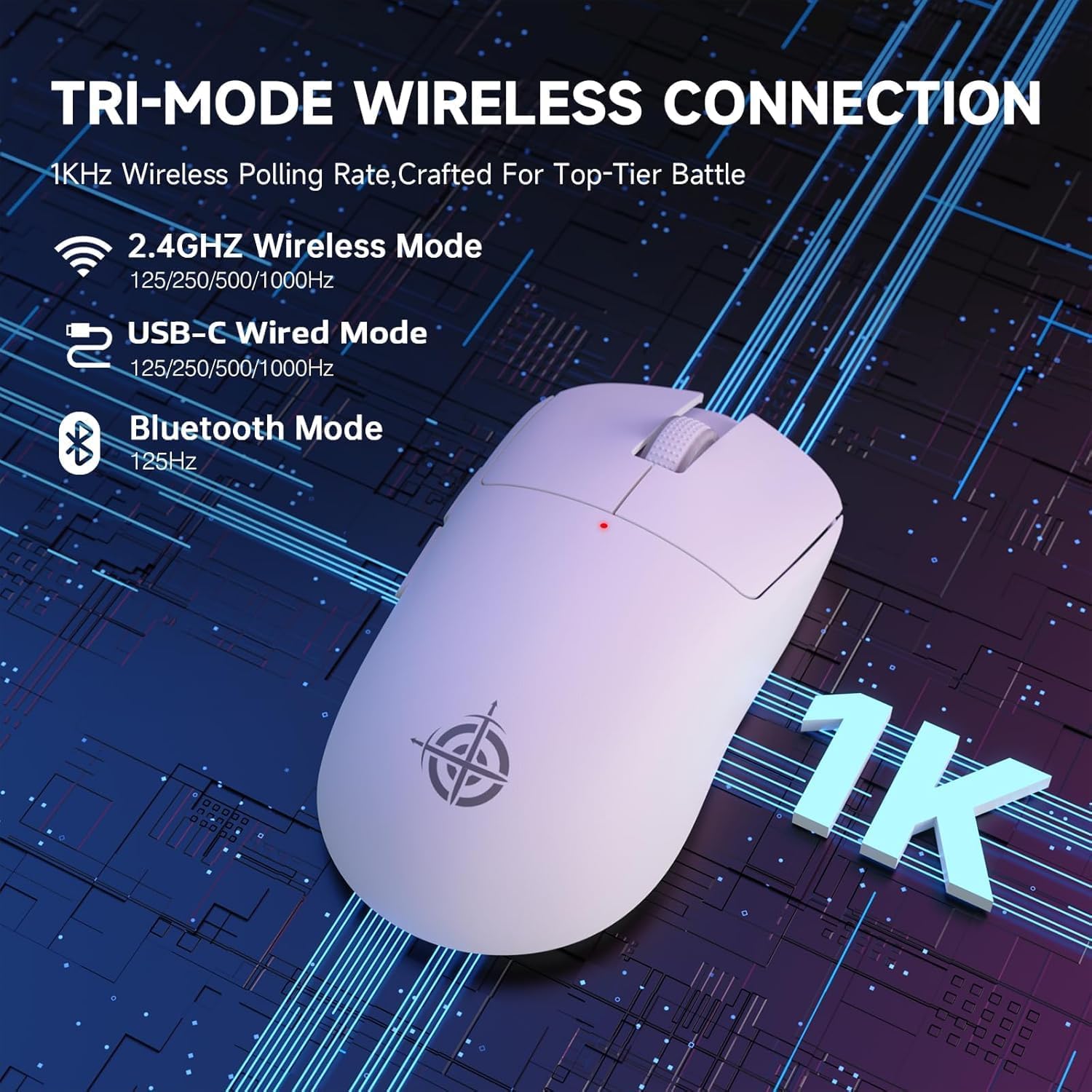
Image: The G6 mouse with an overlay indicating DPI levels (800-24000) and their associated indicator light colors (Red, Green, Blue, Yellow, Cyan, Purple).

Image: The G6 mouse displaying its customizable RGB lighting effects, including rainbow and single color options.

Image: The G6 mouse with its practical non-slip stickers applied, showing the textured surface for improved grip.
4. Asennusopas
The G6 mouse offers three connection methods. Choose the one that best suits your needs.
4.1. 2.4 GHz:n langaton tila
- Etsi hiiren pohjassa olevasta lokerosta 2.4G USB-vastaanotin.
- Liitä USB-vastaanotin tietokoneesi vapaaseen USB-porttiin.
- Slide the power toggle switch on the bottom of the mouse to the '2.4G' position.
- The mouse should automatically connect. If not, press the 'Atmosphere light switch & wireless mode frequency binding button' on the bottom of the mouse to initiate pairing.
4.2. Bluetooth-tila
- Slide the power toggle switch on the bottom of the mouse to the 'Bluetooth' position.
- Hiiren merkkivalo alkaa vilkkua osoittaen, että se on pariliitostilassa.
- Siirry tietokoneellasi tai laitteellasi Bluetooth-asetuksiin ja hae uusia laitteita.
- Select 'ATTACK SHARK G6' (or similar name) from the list of available devices to pair.
4.3. USB-C-langallinen tila
- Liitä mukana toimitettu USB-C-kaapeli hiiren etupaneelin porttiin.
- Liitä USB-C-kaapelin toinen pää tietokoneen vapaana olevaan USB-porttiin.
- Hiiri siirtyy automaattisesti langalliseen tilaan ja alkaa latautua.
5. Käyttöohjeet
5.1. DPI-säätö
The G6 mouse has a dedicated DPI cycle button on the bottom. Press this button to cycle through the preset DPI levels (800, 1600, 2400, 3200, 6400, 24000). The indicator light will change color to reflect the current DPI setting (Red, Green, Blue, Yellow, Cyan, Purple respectively).
5.2. Painikkeiden toiminnot
The G6 mouse features 5 programmable buttons:
- Vasen painike: Standard left click.
- Oikea painike: Standard right click.
- Scroll Wheel + Middle Button: Vieritä ylös/alas, napsauta keskimmäisellä painikkeella.
- Eteenpäin-painike: Navigoi eteenpäin kohdassa web selaimet tai file tutkimusmatkailijoita.
- Taaksepäin-painike: Navigoi taaksepäin web selaimet tai file tutkimusmatkailijoita.
For advanced customization of button functions and macros, please download the official driver software from the ATTACK SHARK websivusto.
5.3. RGB-valaistuksen ohjaus
The G6 mouse features customizable RGB lighting. Use the 'Atmosphere light switch' button on the bottom of the mouse to cycle through different lighting effects (e.g., Rainbow Lighting, Single Lighting) or to turn the lighting off.
6. Huolto
To ensure the longevity and optimal performance of your G6 gaming mouse, follow these maintenance guidelines:
- Puhdistus: Pyyhi hiiren pinta pehmeällä, kuivalla liinalla. Pinttyneeseen likaan pyyhi kevyesti.ampKostuta liina vedellä tai miedolla puhdistusliuoksella. Vältä voimakkaita kemikaaleja tai hankaavia materiaaleja.
- Anturin hoito: Pidä hiiren pohjassa oleva optinen anturi puhtaana pölystä ja roskista. Käytä tarvittaessa vanupuikkoa tai paineilmaa.
- Varastointi: Kun hiirtä ei käytetä pitkään aikaan, säilytä sitä viileässä, kuivassa paikassa, poissa suorasta auringonvalosta ja äärimmäisistä lämpötiloista.
- Akku: Vältä akun usein toistuvaa tyhjentymistä kokonaan. Lataa hiiri säännöllisesti akun kunnon ylläpitämiseksi.
7. Vianmääritys
If you encounter any issues with your G6 gaming mouse, please refer to the following common solutions:
- Hiiri ei vastaa:
- Ensure the mouse is charged. Connect it via USB-C cable to charge.
- Check the power toggle switch on the bottom of the mouse is in the correct position (2.4G, BT, or OFF for wired).
- For 2.4GHz mode, ensure the USB receiver is securely plugged into a working USB port. Try a different USB port.
- For Bluetooth mode, ensure Bluetooth is enabled on your device and the mouse is paired. Try unpairing and re-pairing.
- Kohdistimen liike on epätasaista tai epätarkkaa:
- Puhdista hiiren pohjassa oleva optinen anturi.
- Ensure you are using the mouse on a suitable surface. Some surfaces (e.g., plain black neoprene pads, highly reflective surfaces) may interfere with optical tracking. Try a different mouse pad or surface.
- Adjust the DPI setting using the DPI cycle button.
- 2.4GHz dongle not working:
- Ensure the mouse is switched to 2.4G mode.
- Kokeile kytkeä sovitin tietokoneen toiseen USB-porttiin.
- If issues persist, try re-pairing the mouse with the dongle by pressing the binding button on the mouse while the dongle is connected.
- Bluetooth-yhteysongelmat:
- Ensure the mouse is in Bluetooth pairing mode (indicator light blinking).
- Remove the mouse from your device's Bluetooth list and attempt to pair again.
- Varmista, että laitteesi Bluetooth-ajurit ovat ajan tasalla.
8. Tekniset tiedot
| Ominaisuus | Erittely |
|---|---|
| Mallinumero | G6 |
| Yhteystekniikka | 2.4Ghz / Bluetooth / USB-C Wired |
| Liiketunnistustekniikka | Optical (PixArt PAW3311) |
| DPI-tasot | 800-24000 (6 adjustable levels) |
| Äänestysprosentti | 125-1000Hz (2.4Ghz), 125Hz (Bluetooth) |
| Akun kapasiteetti | 750 mAh |
| Tuotteen paino | 72±3g (2.54 ounces) |
| Mitat | 116.2 x 62.2 x 37.3 mm (noin) |
| Vaihda elinikä | 10 miljoonaa napsautusta |
| Kaapelin pituus | 1.5m (Braided USB-C) |
| Yhteensopivuus | Windows, macOS, Linux, Chrome OS, Consoles, Tablets, Smartphones |
9. Takuu ja tuki
The ATTACK SHARK×Magic-Refiner G6 Wireless Gaming Mouse comes with a standard manufacturer's warranty. Please refer to the product packaging or the official ATTACK SHARK websivustolta tarkemmat takuuehdot.
For technical support, troubleshooting assistance, or warranty claims, please contact ATTACK SHARK customer service through their official websivustolta tai jälleenmyyjältä, jolta ostit tuotteen.
Huomautus: Myyjältä ei ollut saatavilla virallisia tuotevideoita upotettavaksi tähän käyttöoppaaseen.


