Johdanto
This manual provides essential instructions for setting up, operating, and maintaining your Epson EcoTank L1270 WiFi printer. Please read this guide thoroughly to ensure proper use and to maximize the performance and longevity of your device. The Epson EcoTank L1270 is an inkjet printer designed for efficient printing with a rechargeable ink tank system and Wi-Fi connectivity.
1. Asennus
1.1 Tulostimen purkaminen pakkauksesta
Carefully remove the printer from its packaging. Ensure all protective tapes and materials are removed from the exterior and interior of the printer. Keep the packaging materials for future transport or storage.
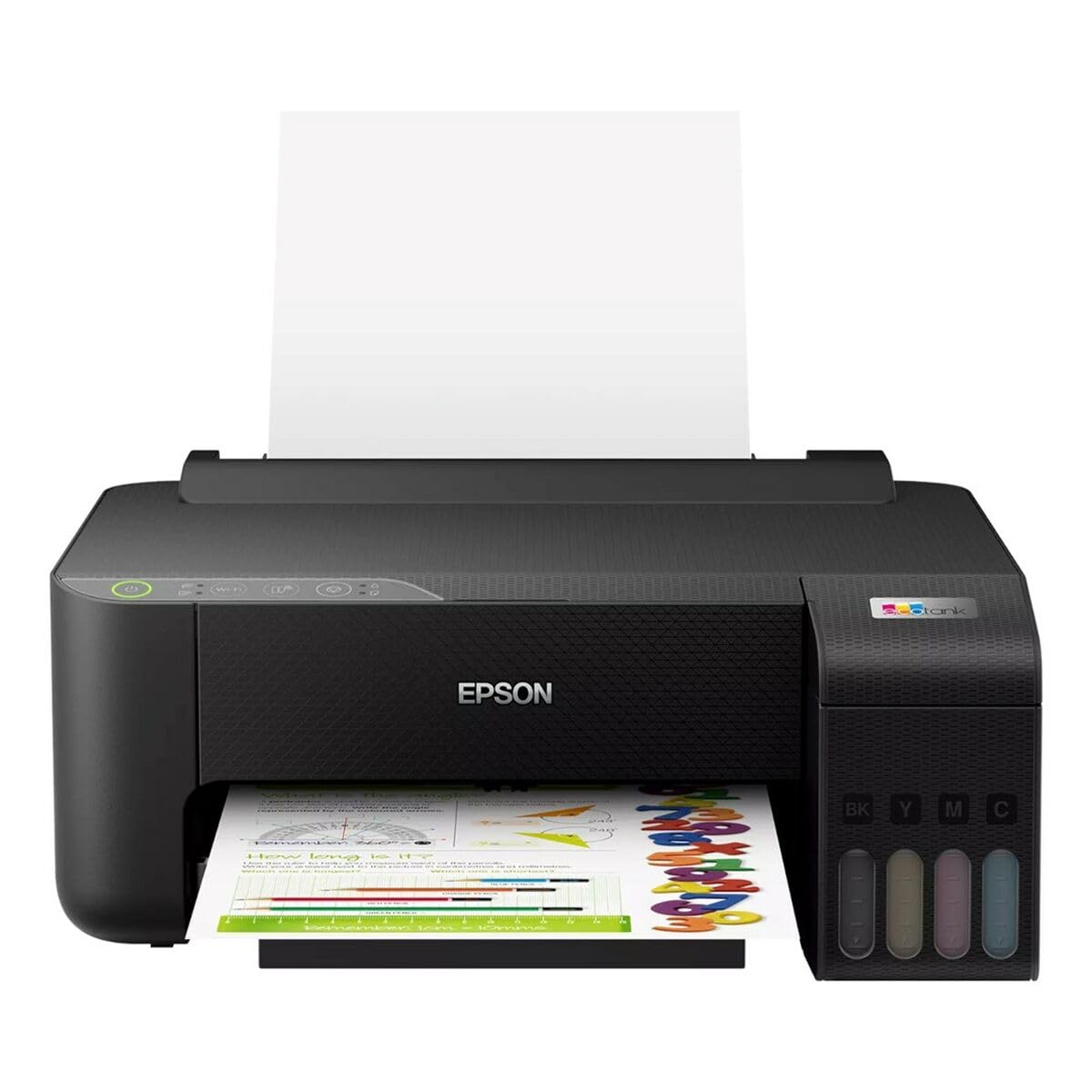
Image 1.1: Epson EcoTank L1270 WiFi Printer. This image shows the printer ready for initial setup after unpacking.
1.2 Mustesäiliöiden täyttäminen
EcoTank L1270 käyttää uudelleentäytettävää mustesäiliöjärjestelmää. Täytä mustesäiliöt seuraavasti:
- Avaa tulostimen mustesäiliöyksikön kansi.
- Uncap the ink bottle for the corresponding color. Each bottle is keyed to fit only the correct tank.
- Aseta mustepullo täyttöaukkoon. Muste alkaa täyttää säiliötä automaattisesti. Älä purista pulloa.
- Kun säiliö on täynnä, poista pullo ja sulje se korkilla. Sulje mustesäiliöyksikön kansi.
- Toista kaikille väreille.
Huomautus: Use only genuine Epson ink bottles to prevent damage and ensure optimal print quality.
1.3 Virtaliitäntä
Connect the power cord to the printer and then to a wall outlet. Press the power button to turn on the printer. The printer will perform an initial setup process, which may take a few minutes.
1.4 Ohjelmiston ja ajurin asennus
To use your printer, you need to install the necessary drivers and software on your computer. Visit the official Epson support website for the EcoTank L1270 model to download the latest drivers and utilities. Follow the on-screen instructions provided by the installer.
- Siirry osoitteeseen Epsonin tuki.
- Etsi "EcoTank L1270".
- Download and run the recommended driver package.
1.5 Wi-Fi-asetukset
The Epson EcoTank L1270 supports Wi-Fi connectivity. You can connect the printer to your wireless network using one of the following methods:
- Using the Printer's Control Panel: Navigate to the Wi-Fi settings on the printer's control panel, select your network, and enter the password.
- Using EpsonNet Setup: If installed, use the EpsonNet Setup utility on your computer to configure the wireless connection.
- WPS (Wi-Fi Protected Setup): If your router supports WPS, press the WPS button on your router, then follow the instructions on the printer's control panel to establish a connection.
2. Tulostimen käyttö
2.1 Paperin lisääminen
Load paper into the rear paper feeder. Ensure the paper guides are adjusted to the width of the paper. The printer supports various paper types and sizes, up to A4.
- Fan the paper stack before loading to prevent misfeeds.
- Do not overload the paper feeder; refer to the maximum capacity (100 sheets for plain paper).
2.2 Asiakirjojen tulostaminen
Voit tulostaa asiakirjan tietokoneeltasi seuraavasti:
- Avaa asiakirja, jonka haluat tulostaa.
- Valitse sovelluksen valikosta "Tulosta" (esim. File > Tulosta).
- Valitse tulostimeksi "Epson EcoTank L1270".
- Säädä tulostusasetuksia, kuten paperikokoa, tulostuslaatua ja kopioiden määrää.
- Napsauta "Tulosta".
2.3 Duplex Printing (Two-Sided Printing)
The EcoTank L1270 supports manual duplex printing. To print on both sides of the paper:
- In your print settings, select the option for "Manual Duplex Printing" or "Print on Both Sides".
- Print the odd-numbered pages first.
- When prompted, reload the printed pages into the paper feeder according to the on-screen instructions to print the even-numbered pages on the reverse side.
3. Huolto
3.1 Mustetasojen tarkistaminen
Visually inspect the ink tanks on the front of the printer to check current ink levels. The tanks are transparent, allowing for easy monitoring. Refill ink when levels are low to avoid running out during a print job.
3.2 Mustesäiliöiden täyttö
When an ink tank is low, purchase genuine Epson replacement ink bottles. Follow the same procedure as described in Section 1.2 "Filling the Ink Tanks".
3.3 Tulostuspään puhdistaminen
If print quality declines (e.g., missing lines, faded colors), perform a print head cleaning. This can be done through the printer's utility software on your computer or via the printer's control panel. Refer to the software's help guide for detailed steps.
3.4 Paperiradan puhdistus
If you experience paper jams or streaks on prints, the paper path may need cleaning. Consult the printer's software utility or the online manual for instructions on how to perform a paper path cleaning.
4. Vianmääritys
Tässä osiossa käsitellään yleisiä ongelmia, joita saatat kohdata Epson EcoTank L1270 -tulostimesi kanssa.
4.1 Printer Not Printing / Blank Pages
- Tarkista mustetasot: Ensure all ink tanks have sufficient ink.
- Print Head Clogged: Perform a print head cleaning (see Section 3.3).
- Paper Loaded Correctly: Verify paper is loaded properly and not jammed.
- Ohjaimen asennus: Ensure printer drivers are correctly installed and up to date. Reinstall if necessary.
4.2 Wi-Fi-yhteysongelmat
- Router Range: Varmista, että tulostin on Wi-Fi-reitittimen kantaman sisällä.
- Verkon salasana: Double-check that the correct Wi-Fi password has been entered.
- Käynnistä laitteet uudelleen: Try restarting your printer, computer, and Wi-Fi router.
- Reconfigure Wi-Fi: Attempt to set up the Wi-Fi connection again (see Section 1.5).
4.3 Huono tulostuslaatu
- Tulostuspään puhdistus: Suorita tulostuspään puhdistus ja suuttimien tarkistus.
- Paperityyppi: Varmista, että käytät tulostusasetuksiin sopivaa paperityyppiä.
- Ink Quality: Use genuine Epson inks for best results.
For more complex issues, refer to the comprehensive online manual on the Epson support websivustolla tai ota yhteyttä Epsonin asiakastukeen.
5. Tekniset tiedot
| Ominaisuus | Yksityiskohta |
|---|---|
| Merkki | Epson |
| Mallin nimi | EcoTank L1270 WiFi |
| Tulostustekniikka | Mustesuihku |
| Yhteydet | Wi-Fi |
| Tulostuksen maksimitarkkuus (väri) | 5760 x 1440 dpi |
| Suurin tulostustarkkuus (mustavalkoinen) | 5760 dpi |
| Suurin tulostusnopeus (yksivärinen) | 15 sivua minuutissa |
| Maksimipaperikapasiteetti | 100 arkkia (tavallista paperia) |
| Kaksipuolinen tulostus | Kyllä (manuaalinen) |
| Erikoisominaisuus | Rechargeable Ink Tank |
| Mitat (P x L x K) | 26P x 42,5L x 46K cm (noin) |
6. Takuutiedot
The Epson EcoTank L1270 WiFi printer comes with a limited warranty. For specific terms, conditions, and duration of your warranty, please refer to the warranty documentation included with your product or visit the official Epson support websivusto. Säilytä ostokuitti takuuvaatimuksia varten.
7. Tukea
Jos tarvitset lisäapua, teknistä tukea tai haluat ladata uusimmat ohjaimet ja käyttöoppaat, käy Epsonin virallisella tukisivustolla. websivusto:
Epsonin virallinen tuki Websivusto
You may also find helpful resources and FAQs on their websivusto.


