1. Johdanto
Thank you for choosing the Turtlebox Original Gen 3 Portable Outdoor Bluetooth Speaker. This speaker is engineered for exceptional durability and sound performance in outdoor environments. It features an ultra-loud output, IP67 waterproof rating, impact resistance, and an extended battery life. This manual provides essential information for setting up, operating, maintaining, and troubleshooting your device to ensure optimal performance and longevity.
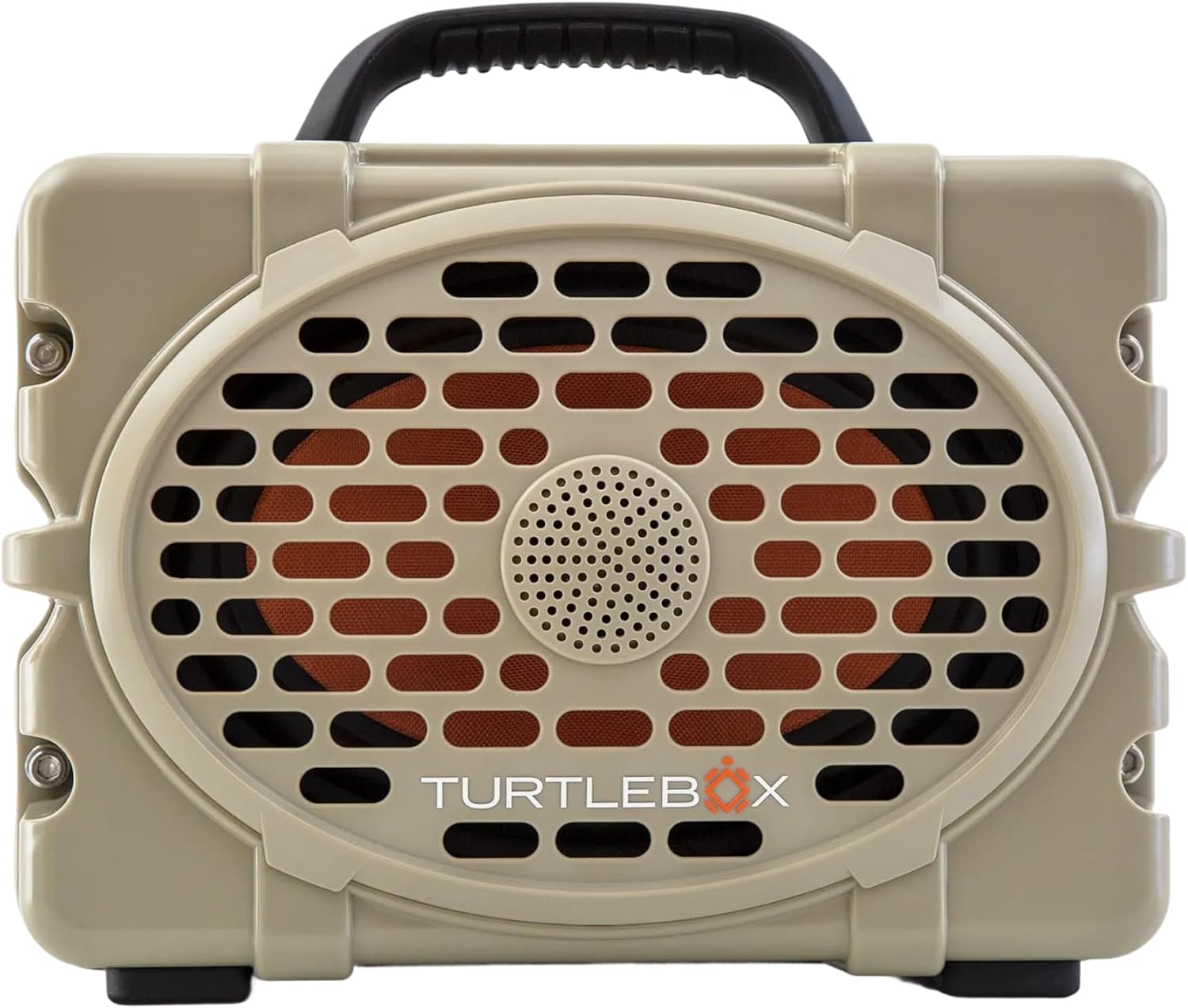
Kuva 1: Etuosa view of the Turtlebox Original Gen 3 speaker.
2. Turvallisuustiedot
- Älä yritä purkaa, korjata tai muokata kaiutinta. Tämä voi mitätöidä takuun ja aiheuttaa turvallisuusriskin.
- Ensure all port covers are securely closed before exposing the speaker to water to maintain its IP67 waterproof rating.
- Use only the provided charger or a certified equivalent to prevent damage to the battery.
- Avoid prolonged exposure to extreme temperatures (hot or cold) as this can affect battery life and speaker performance.
- Do not operate the speaker while it is charging if it is exposed to water.
3. Pakkauksen sisältö
Varmista, että pakkauksessasi on kaikki tarvittavat osat:
- Turtlebox Original Gen 3 Speaker
- Laturi
4. Tuote ohiview
4.1. Ohjauspaneeli
The control panel is located on the top of the speaker, providing easy access to essential functions.

Figure 2: Control Panel with labeled buttons.
- Virtapainike: Paina kytkeäksesi kaiuttimen päälle tai pois päältä.
- Äänenvoimakkuuspainikkeet (-/+): Säädä toiston äänenvoimakkuutta.
- Track Control Buttons (|<|): Siirry edelliseen tai seuraavaan kappaleeseen.
- Bluetooth-painike: Käynnistää Bluetooth-pariliitostilan.
- Party Mode Button: Activates Party Mode for multi-speaker synchronization.
4.2. Portit ja yhteydet
The rear panel features protected ports for charging and external audio connections.
Video 1: Yliview of the Turtlebox speaker's side and ports, demonstrating the waterproof cover.
- Latausportti: Kaiuttimen lataamiseen tarkoitetun virtalähteen kytkemistä varten.
- AUX IN: 3.5 mm:n äänitulo langallisille yhteyksille.
- MIKROFONI SISÄÄN: Tulo mikrofonin kytkemistä varten.
- USB-C OUT: Output port for charging external devices.
4.3. Fyysiset ominaisuudet
- Integroitu kahva: Helppoa siirrettävyyttä varten.
- Stainless Steel Tie-Downs: Secure the speaker to a UTV or boat.
- Rugged Casing: Provides drop, crush, and dust-proof protection.
5. Asennus
5.1. Alkulataus
Before first use, fully charge your Turtlebox speaker. Connect the provided charger to the charging port on the rear panel and plug it into a power outlet. The battery indicator lights on the control panel will show charging progress.
5.2. Virta päälle / pois
- To power on, press and hold the Power Button on the control panel until the indicator lights illuminate.
- Sammuta virta painamalla virtapainiketta uudelleen ja pitämällä sitä painettuna, kunnes merkkivalot sammuvat.
5.3. Bluetooth-pariliitos
Laitteen yhdistäminen Bluetoothin kautta:
- Ensure the Turtlebox speaker is powered on.
- Press the Bluetooth Button on the control panel. The Bluetooth indicator light will flash, indicating pairing mode.
- On your audio device (e.g., smartphone, tablet), navigate to Bluetooth settings and select "Turtlebox Gen 3" from the list of available devices.
- Kun yhteys on muodostettu, kaiuttimen Bluetooth-merkkivalo palaa tasaisesti.
6. Käyttöohjeet
6.1. Äänentoiston perustoiminnot
- Äänenvoimakkuuden säätö: Käytä ohjauspaneelin '+'- ja '-'-painikkeita.
- Reitin navigointi: Use the '|<' and '>|' buttons to skip tracks.
6.2. Party Mode (Multi-Speaker Pairing)
Party Mode allows you to connect multiple Turtlebox Original Gen 3 speakers for an expanded sound experience. Note: The Original Gen 3 does not pair with Gen 1 or Gen 2 Turtlebox speakers.
- Ensure all speakers are powered on and not currently connected to a Bluetooth device.
- On the primary speaker (the one you want to connect to your device), press the Bluetooth Button to enter pairing mode. Connect your audio device to this speaker.
- On the primary speaker, press the Party Mode button. The Party Mode indicator will flash.
- On each additional speaker, press the Party Mode button. They will automatically search for and connect to the primary speaker.
- Once connected, all speakers will play audio from your device.
6.3. AUX-tulon käyttö
For wired audio connections, open the rear port cover and connect a 3.5mm audio cable from your device to the AUX IN port. The speaker will automatically switch to AUX input mode.
6.4. Using Microphone Input
To use a microphone, open the rear port cover and connect your microphone to the MIC IN port. Adjust microphone volume as needed from the connected microphone or audio source.
6.5. Ulkoisten laitteiden lataaminen
The USB-C OUT port can be used to charge compatible external devices. Open the rear port cover and connect your device's charging cable to the USB-C OUT port.
7. Huolto
7.1. Puhdistus
Puhdista kaiutin mainoksellaamp cloth. For stubborn dirt, use mild soap and water. Ensure all port covers are closed during cleaning. Do not use abrasive cleaners or solvents.
7.2. Waterproof Seal Check
Regularly inspect the rubber seals around the port cover for any signs of wear or damage. A compromised seal can affect the speaker's waterproof integrity. Always ensure the port cover is firmly closed with an audible "click" before exposing the speaker to water.
7.3. Akun hoito
To maximize battery life, avoid fully discharging the battery frequently. Store the speaker in a cool, dry place when not in use for extended periods. Charge the battery at least once every three months to prevent deep discharge.
7.4. Varastointi
When storing the speaker, especially for long durations, ensure it is clean, dry, and all port covers are securely fastened. Store in a location away from direct sunlight and extreme temperatures.
8. Vianmääritys
- Ei virtaa: Ensure the battery is charged. Connect the speaker to the charger and allow it to charge for at least 30 minutes before attempting to power on again.
- Bluetooth ei muodosta yhteyttä: Ensure the speaker is in pairing mode (flashing Bluetooth light). Turn off and on your device's Bluetooth. Move the speaker closer to your device. If issues persist, try forgetting the device in your Bluetooth settings and re-pairing.
- Ei ääntä: Tarkista sekä kaiuttimen että liitetyn laitteen äänenvoimakkuustasot. Varmista, että oikea tulolähde (Bluetooth tai AUX) on valittu.
- Party Mode Issues: Ensure all speakers are Gen 3 models. Confirm all speakers are in Party Mode pairing. Try resetting all speakers and re-initiating Party Mode from the primary speaker.
- Vääristynyt ääni: Vähennä äänenvoimakkuutta sekä kaiuttimesta että laitteestasi. Varmista, että äänilähde on hyvälaatuinen.
9. Tekniset tiedot
| Ominaisuus | Erittely |
|---|---|
| Mallin nimi | Turtlebox Gen 3 |
| Materiaali | Fiberglass, Stainless Steel, Titanium |
| Kaiuttimen tyyppi | Tweeter, Bass Driver |
| Erikoisominaisuudet | 120 decibels of sound, 1” Titanium tweeter, 6” x 9” woofer, 85Wh Lithium-ion battery, Powerful Class D digital ampelävämpi |
| Yhteensopivat laitteet | iPhone, Android |
| Surround-äänikanavan asetukset | 2.0 |
| Väri | Ruskea / musta |
| Tuotteen mitat | 12" S x 8.75" L x 7" K |
| Vedenkestävyystaso | IP67 Vedenpitävä |
| Akku | 1 Lithium Ion battery (included), up to 3 days playtime |
| Valvontamenetelmä | Kosketa |
| Langaton viestintätekniikka | Bluetooth |
| Kaiuttimen suurin lähtöteho | 100 wattia |
| Tuotteen paino | 11.88 kiloa |
| UPC | 850024307742 |
10. Takuu ja tuki
The Turtlebox Original Gen 3 speaker comes with a 1-Year Manufacturer Warranty. For warranty claims, technical support, or additional product information, please refer to the official Turtlebox websivustolta tai ota yhteyttä suoraan heidän asiakaspalveluunsa. Säilytä ostokuitti takuun voimassaoloa varten.


