1. Tuote ohiview
The HP OfficeJet Pro 9125e is a versatile All-in-One printer designed for office and hybrid workspace environments. This certified refurbished unit offers print, scan, copy, and fax functionalities, along with advanced features like a color touchscreen and HP Wolf Pro Security. It is engineered for professional-quality color documents and efficient operation.
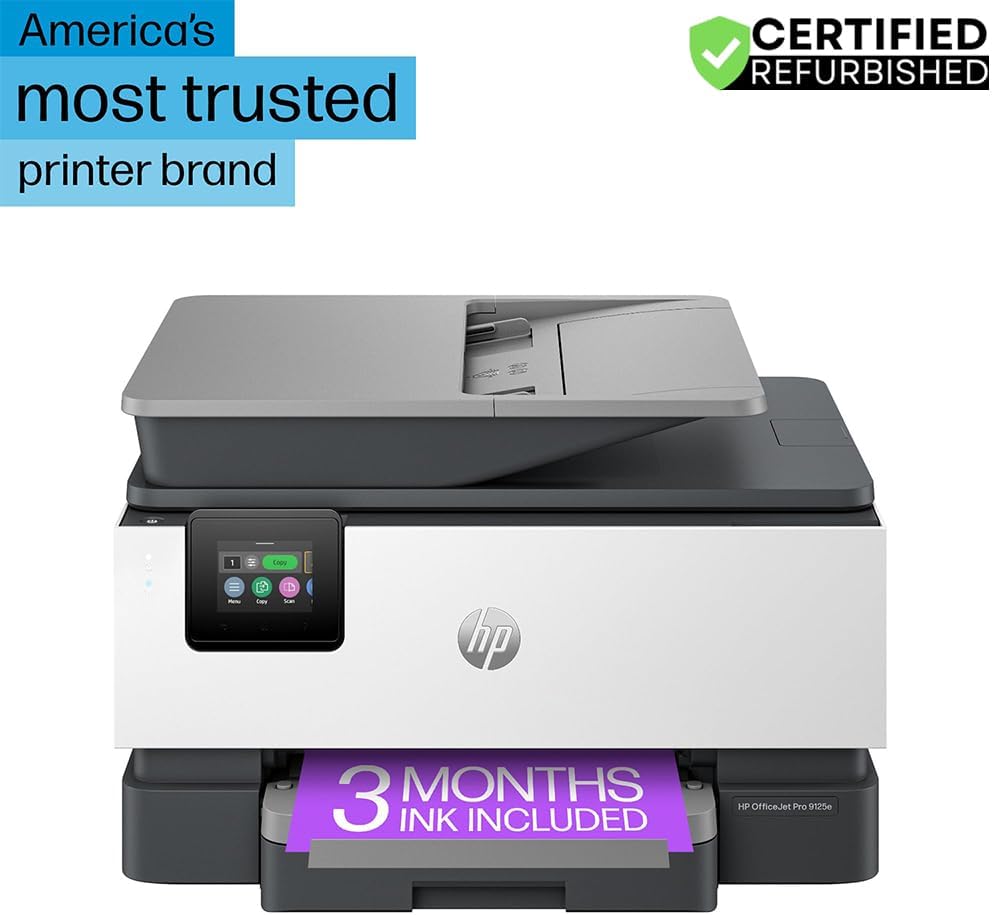
Kuva 1: Etuosa view of the HP OfficeJet Pro 9125e All-in-One Printer.
Tärkeimmät ominaisuudet:
- All-in-One-toiminnot: Print, copy, scan, and fax capabilities.
- Nopea tulostus: Up to 22 pages per minute (ppm) for black and 18 ppm for color.
- Langaton yhteys: Reliable dual-band Wi-Fi with automatic connection issue resolution.
- HP Smart -sovellus: Enables printing, scanning, copying, and faxing directly from a smartphone.
- HP Wolf Pro -tietoturva: Integrated security tools to protect data and networks.
- 2.7 tuuman värillinen kosketusnäyttö: Intuitiivinen käyttöliittymä helppoa navigointia varten.
- Automaattinen asiakirjansyöttölaite (ADF): Tehokasta usean sivun skannausta ja kopiointia varten.
- Kaksipuolinen tulostus: Automaattinen kaksipuolinen tulostus.
- Kestävä suunnittelu: Constructed with over 40% recycled plastic.

Kuva 2: Päättynytview of the HP OfficeJet Pro 9125e's primary functions and features.
2. Asennusohjeet
2.1 Pakkauksen purkaminen ja sisältö
Carefully unpack the printer and ensure all components are present. The package should contain the following:
- HP OfficeJet Pro 9125e All-in-One Printer
- HP 936 -asennusmustekasetti, musta
- HP 936 -asennusmustekasetti, syaani
- HP 936 -aloituspakkaus, magenta, mustepatruuna
- HP 936 -aloituspakkaus, keltainen mustekasetti
- Virtajohto
- Säädöskirja
- Musteen varoituslehtinen
- Asennusjuliste
- Viiteopas

Figure 3: Included items in the HP OfficeJet Pro 9125e package.
2.2 Tulostimen alkuasetukset
- Virtaliitäntä: Kytke virtajohto tulostimeen ja sitten pistorasiaan.
- Virta päälle: Käynnistä tulostin painamalla virtapainiketta.
- Mustepatruunan asennus: Follow the on-screen instructions on the 2.7-inch touchscreen to install the HP 936 setup ink cartridges. Ensure each cartridge clicks into place.
- Paperin lataus: Load plain paper into the 250-sheet input tray. Adjust the paper guides to fit the paper size.
- Kieli ja alue: Select your preferred language and region on the touchscreen.
- Verkkoyhteys: Connect the printer to your wireless network using the touchscreen. The dual-band Wi-Fi will help ensure a stable connection.
- HP Smart App Installation: Download the HP Smart App on your smartphone or computer for guided setup and advanced features.
- HP+ Activation (Optional): If you wish to enroll in the Instant Ink delivery service and extend your warranty, activate HP+ during the setup process. This may include 3 months of Instant Ink.
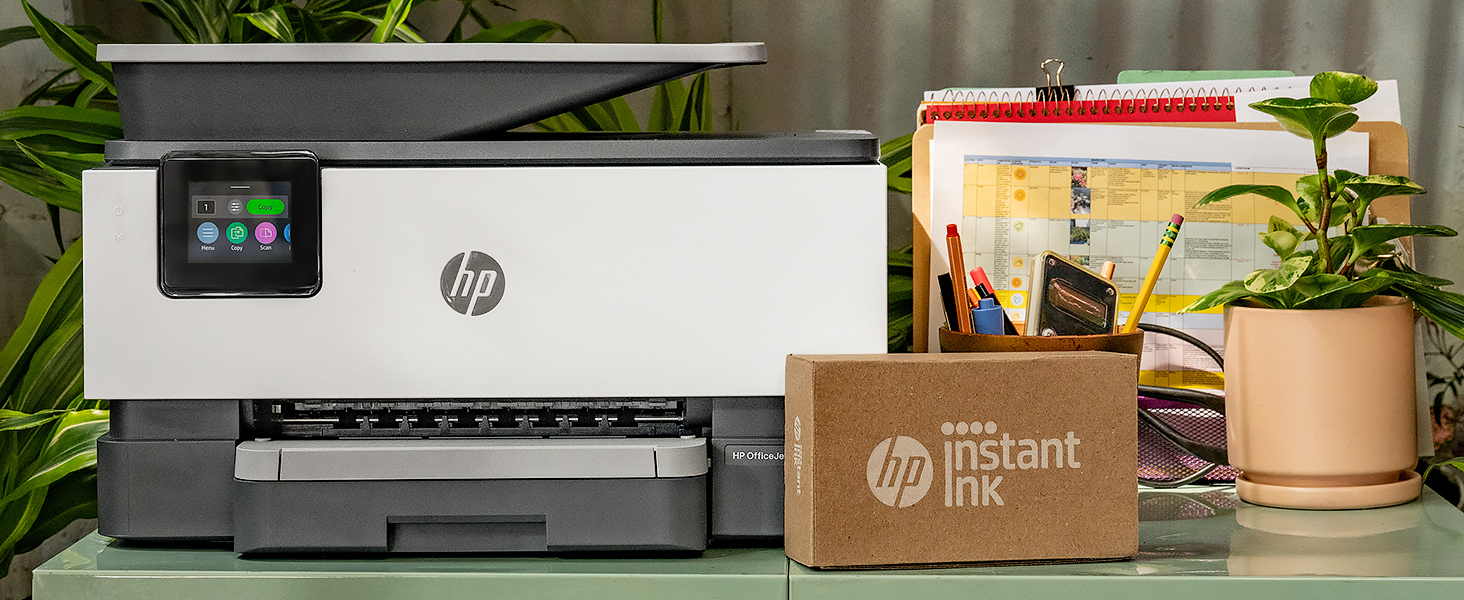
Figure 4: Printer ready for setup, showing the Instant Ink box.
3. Käyttöohjeet
3.1 Asiakirjojen tulostaminen
The HP OfficeJet Pro 9125e supports printing from various devices, including computers and smartphones.
- Tietokoneelta: Ensure the printer drivers are installed. Select "Print" from your application, choose the HP OfficeJet Pro 9125e, and adjust settings as needed (e.g., color, black and white, duplex printing).
- Mobiililaitteesta (HP Smart -sovellus): Open the HP Smart App, select "Print Documents" or "Print Photos," choose the file, and send it to the printer.
- Tulostusnopeudet: Up to 22 ppm for black and 18 ppm for color.
- Kaksipuolinen tulostus: The printer supports automatic two-sided printing. This option can be selected in your print settings.
3.2 Asiakirjojen skannaaminen
Asiakirjoja voidaan skannata tasoskannerilla tai automaattisella arkinsyöttölaitteella (ADF).
- Tasoskannerin käyttö: Place a single document face down on the scanner glass. Close the lid. Select "Scan" on the printer's touchscreen or through the HP Smart App.
- ADS:n käyttö: Load multiple pages face up into the ADF. The ADF supports dual-pass 2-sided scanning. Select "Scan" on the printer's touchscreen or through the HP Smart App and choose the ADF option.
- Skannauskohteet: Scanned documents can be sent to a computer, email, or cloud services via the HP Smart App.
3.3 Asiakirjojen kopioiminen
The printer allows for quick and efficient copying.
- Initiate Copy: Press the "Copy" icon on the printer's touchscreen.
- Paikka-asiakirja: Aseta asiakirja tasoskannerille tai automaattiseen asiakirjansyöttölaitteeseen.
- Säädä asetuksia: Select the number of copies (up to 99), color or black and white, and other options like resizing or quality.
- Aloita kopiointi: Press the "Start Copy" button on the touchscreen.
3.4 Asiakirjojen faksaaminen
The HP OfficeJet Pro 9125e includes fax functionality.
- Lataa asiakirja: Aseta asiakirja tasoskannerille tai automaattiseen asiakirjansyöttölaitteeseen.
- Enter Number: Press the "Fax" icon on the touchscreen and enter the recipient's fax number.
- Send Fax: Confirm settings and send the fax.
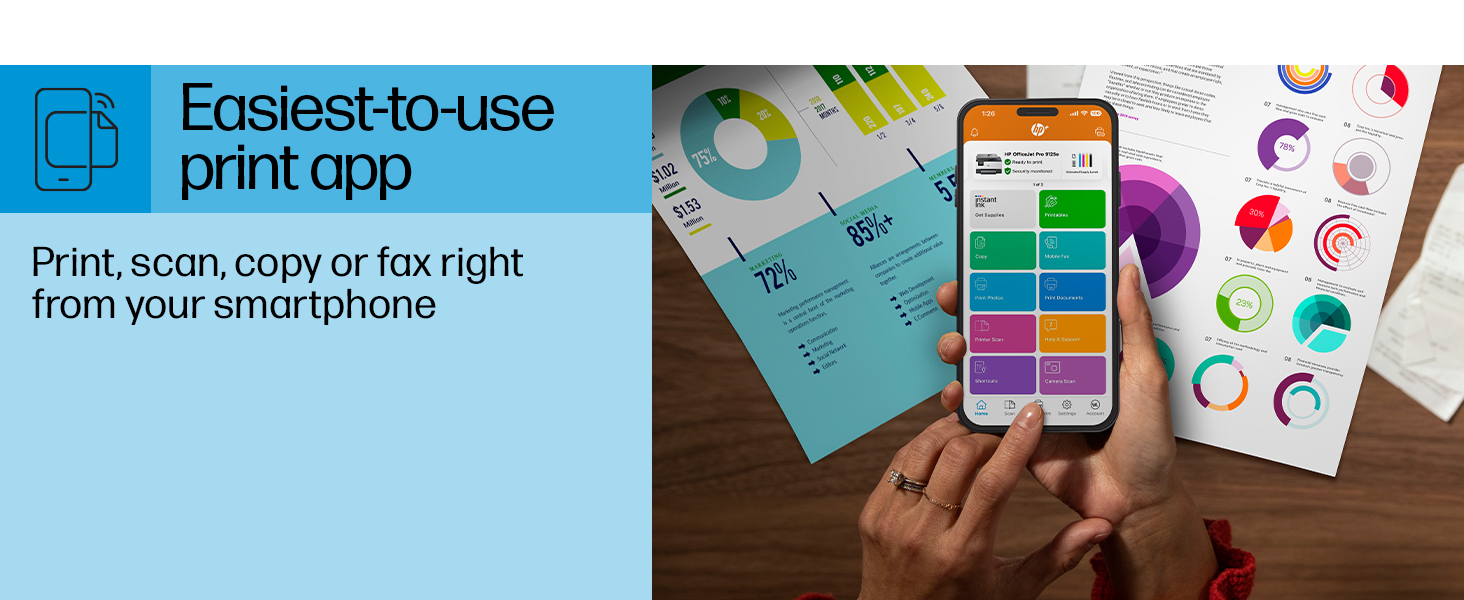
Figure 5: The HP Smart App allows control of print, scan, copy, and fax functions from a smartphone.
4. Huolto
4.1 Mustekasetin vaihtaminen
The printer uses HP 936 series ink cartridges (Black, Cyan, Magenta, Yellow). The touchscreen will indicate when ink levels are low or when a cartridge needs replacement.
- Avaa mustekasetin luukku.
- Paina vanhan kasetin kielekettä vapauttaaksesi sen ja vedä se sitten ulos.
- Unpack the new HP 936 cartridge, being careful not to touch the electrical contacts or ink nozzles.
- Aseta uusi kasetti vastaavaan paikkaan, kunnes se napsahtaa paikalleen.
- Sulje mustekasetin luukku.
4.2 Paperinkäsittely
- Input Tray: The printer features a 250-sheet input tray. Ensure paper is loaded correctly and paper guides are adjusted to prevent jams.
- Tulostelokero: The output tray has a capacity of 60 sheets.
- Tuetut mediat: The printer supports various paper types and sizes, including plain paper, photo paper, and envelopes. Supported sizes range from 3 x 5 inches to 8.5 x 14 inches.
- Envelope Stopper: Utilize the built-in envelope stopper to prevent jams when printing envelopes.
4.3 Puhdistus
Säännöllinen puhdistus auttaa ylläpitämään tulostuslaatua ja tulostimen käyttöikää.
- Ulkopuoli: Pyyhi tulostimen ulkopinta pehmeällä,amp, nukkaamaton kangas.
- Skannerin lasi: Puhdista skannerin lasi pehmeällä liinalla ja hankaamattomalla lasinpuhdistusaineella.
- ADF-rullat: Katso HP:n tukipalvelusta website or the HP Smart App for instructions on cleaning ADF rollers if paper feed issues occur.
5. Vianmääritys
This section provides solutions to common printer issues. For more detailed troubleshooting, refer to the HP support website or the HP Smart App.
5.1 Yhteysongelmat
- Tulostin offline-tilassa: Ensure the printer is powered on and connected to the correct Wi-Fi network. Restarting both the printer and your router can often resolve temporary network glitches.
- Wi-Fi-yhteyden katkeaminen: The printer's dual-band Wi-Fi is designed to automatically resolve connection issues. If problems persist, try reconnecting through the printer's touchscreen or the HP Smart App.
- USB/Ethernet Connection: If using a wired connection, ensure cables are securely plugged into both the printer and the computer/router.
5.2 Tulostuslaatuongelmat
- Haalistuneet tai raidalliset tulosteet: Check ink levels and replace any low or empty cartridges. Perform a printhead cleaning cycle through the printer's maintenance menu.
- Väärät värit: Ensure you are using genuine HP ink cartridges. Run a printhead alignment from the printer's maintenance menu.
- Paperitukokset: Follow the on-screen instructions to clear any jammed paper. Ensure paper is loaded correctly and not overfilled in the input tray.
5.3 Scanning/Copying Issues
- Blank Scans/Copies: Ensure the document is placed correctly on the scanner glass or in the ADF.
- Lines on Scans/Copies: Clean the scanner glass and the ADF rollers.
6. Tekniset tiedot
| Ominaisuus | Erittely |
|---|---|
| Mallin nimi | HP OfficeJet Pro 9125e |
| Toiminnot | Tulosta, kopioi, skannaa, faksaa |
| Tulostustekniikka | Inkjet (Four-color inkjet cartridges) |
| Suurin tulostusnopeus (mustavalkoinen) | 22 ppm |
| Suurin tulostusnopeus (väri) | 18 ppm |
| Tulostuksen maksimitarkkuus (mustavalkoinen) | 1200 x 1200 dpi |
| Tulostuksen maksimitarkkuus (väri) | Jopa 4800 x 1200 optimoitu dpi |
| Kaksipuolinen tulostus | Automaattinen |
| Skannerin tyyppi | Helppokäyttöinen lasin liu'uttava, kaksipuolinen automaattinen arkinsyöttölaite |
| Kopioinnin maksimitarkkuus | 600 x 600 dpi (mustavalkoinen ja värillinen) |
| Max Copies per Run | 99 |
| Yhteydet | Ethernet, USB, Wi-Fi (Dual-band) |
| Valvontamenetelmä | Sovellus, kosketusnäyttö |
| Kosketusnäytön koko | 2.7 tuumaa |
| Syöttöarkin kapasiteetti | 250 arkkia |
| Tulostusarkkikapasiteetti | 60 arkkia |
| Tuetut mediakoot | 3 x 5 tuumaa - 8.5 x 14 tuumaa |
| Muistin tallennuskapasiteetti | 512 Mt |
| Tuotteen mitat (S x L x K) | 13.48 cm x 17.3 cm x 10.94 cm |
| Tuotteen paino | 20.5 kiloa |
| Virrankulutus | 5.06 wattia |

Figure 6: Physical dimensions of the HP OfficeJet Pro 9125e.
7. Takuu ja tuki
7.1 Takuutiedot
- Certified Refurbished Warranty: This unit comes with a 90-day manufacturer warranty, ensuring reliable, like-new performance.
- Extended Protection Pack: The product bundle includes a 2-year CPS Enhanced Protection Pack.
- HP+ Offer Warranty: A one-year limited hardware warranty is provided, with an option to extend to two years upon acceptance of the HP+ Offer during setup.
For specific terms and conditions regarding your warranty, please refer to the documentation included with your product or visit the official HP support websivusto.
7.2 Asiakastuki
For further assistance, technical support, or to access detailed user guides and drivers, please visit the official HP support websivusto:
You can also utilize the HP Smart App for troubleshooting and accessing support resources directly from your mobile device.