Johdanto
Thank you for choosing the PRORECK Stage Pro 12 PA Speaker System. This powerful audio system is designed to deliver exceptional sound quality for various events, including DJ performances, weddings, meetings, and live events. With its 8000W peak power, dual 12" subwoofers, four line array speakers, and versatile DSP presets, the Stage Pro 12 offers a comprehensive solution for your audio needs. This manual provides essential information for the proper setup, operation, maintenance, and troubleshooting of your system.
Keskeisiä ominaisuuksia ovat:
- 8000W Powerful Sound System: Experience unmatched audio performance with 8000W peak power and 1200W RMS for crystal-clear, high-quality sound.
- 4x Line Array Speakers + 2x 12" Subwoofer: Provides a perfect balance of crisp highs, rich mids, and deep bass.
- 3 DSP Presets: Optimize audio output with STANDARD, DJ, and LIVE presets for different occasions.
- TWS Bluetooth for Wireless Connectivity: Stream music wirelessly and connect two Stage Pro 12 speakers for enhanced stereo sound.
- Versatile and Professional-Grade: Ideal for DJs, musicians, and event organizers.
Turvallisuustiedot
Lue ja ymmärrä kaikki turvallisuusohjeet ennen tuotteen käyttöä. Näiden ohjeiden noudattamatta jättäminen voi aiheuttaa sähköiskun, tulipalon tai vakavan vamman.
- Virtalähde: Connect the system only to a power supply of the type described in this manual or marked on the unit. Ensure the voltage switch is set correctly for your region (AC 120V or AC 240V).
- Ilmanvaihto: Älä tuki tuuletusaukkoja. Asenna valmistajan ohjeiden mukaisesti.
- Vesi ja kosteus: Do not expose this apparatus to rain or moisture. Do not use near water.
- Lämpö: Älä asenna lähelle mitään lämmönlähteitä, kuten lämpöpattereita, lämpöpattereita, liesiä tai muita laitteita (mukaan lukien ampnostimet), jotka tuottavat lämpöä.
- Maadoitus: Tämä tuote on maadoitettava. Älä kumoa polarisoidun tai maadoitetun pistokkeen turvallisuustarkoitusta.
- Huolto: Älä yritä huoltaa tätä tuotetta itse. Anna kaikki huoltotoimenpiteet pätevän huoltohenkilöstön tehtäväksi.
- Käsittely: Use caution when moving the system to prevent injury or damage.
Mitä laatikossa on
Upon unpacking, please verify that all components listed below are present and in good condition. If any items are missing or damaged, contact PRORECK customer support immediately.

Image: All components of the PRORECK Stage Pro 12 system, including the two 12-inch subwoofers, four line array speakers, power cable, and speaker cables.
- 2 x 12" Subwoofer Units
- 4 x Line Array Speaker Units
- 1 x virtajohto
- Speaker Cables (for connecting line array speakers to subwoofers and subwoofers to each other)
Note: The system is typically shipped in three separate packages.
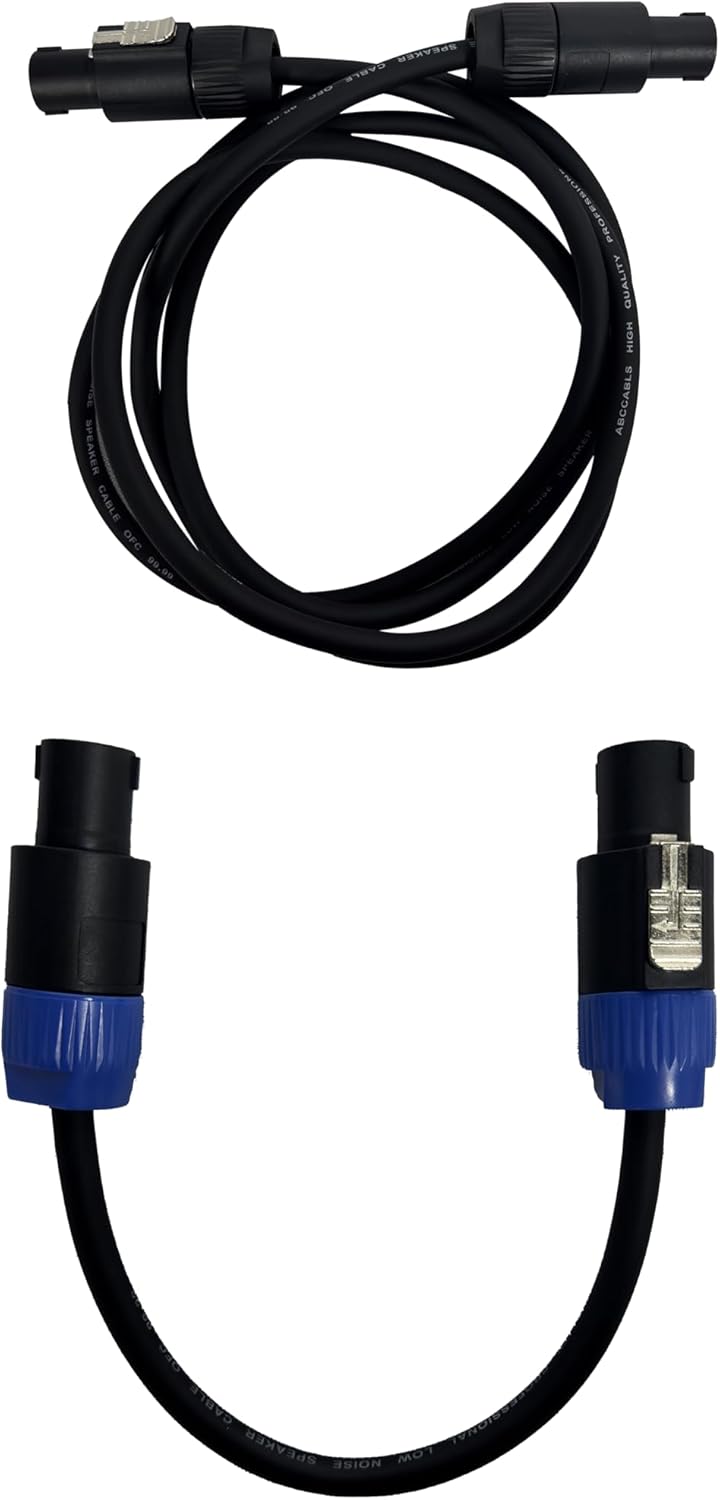
Image: The three distinct packages (Stage Pro 12Y, 12W, 12X) in which the PRORECK Stage Pro 12 system is shipped.
Tuote loppuview: Ohjauspaneeli
Familiarize yourself with the control panel located on the rear of the subwoofer unit. Understanding these controls is crucial for proper operation.
Kuva: Lähikuva view of the main control panel on the PRORECK Stage Pro 12 subwoofer, showing all inputs, outputs, and control knobs with corresponding labels.
- ALATASO: Adjusts the output volume of the subwoofer.
- SATELLITE LEVEL: Adjusts the output volume of the line array speakers.
- XLR/TRS COMBO INPUT: Input for audio sources using XLR or 1/4" TRS cables (Left and Right channels).
- XLR LINK OUTPUT: Output for linking to another speaker system or mixer.
- DSP PRESETS: Selects between STANDARD, DJ, and LIVE sound modes.
- BLUETOOTH/TWS SWITCH: Activates Bluetooth pairing mode or True Wireless Stereo (TWS) linking.
- SATELLITE POWER OUTPUT: Connects to the line array speakers.
- SUBWOOFER-LÄHTÖ: Connects to the second subwoofer unit.
- VOLTAGE SWITCH: Selects between AC 120V and AC 240V power input. Ensure this matches your local power supply.
- VIRTAKYTKIN: Turns the system ON or OFF.
- MAIN POWER INPUT: Connects the system to the main power supply using the provided power cable.
Asennus
1. Järjestelmän kokoonpano
The PRORECK Stage Pro 12 system is designed for easy assembly. Follow these steps to set up your speakers:
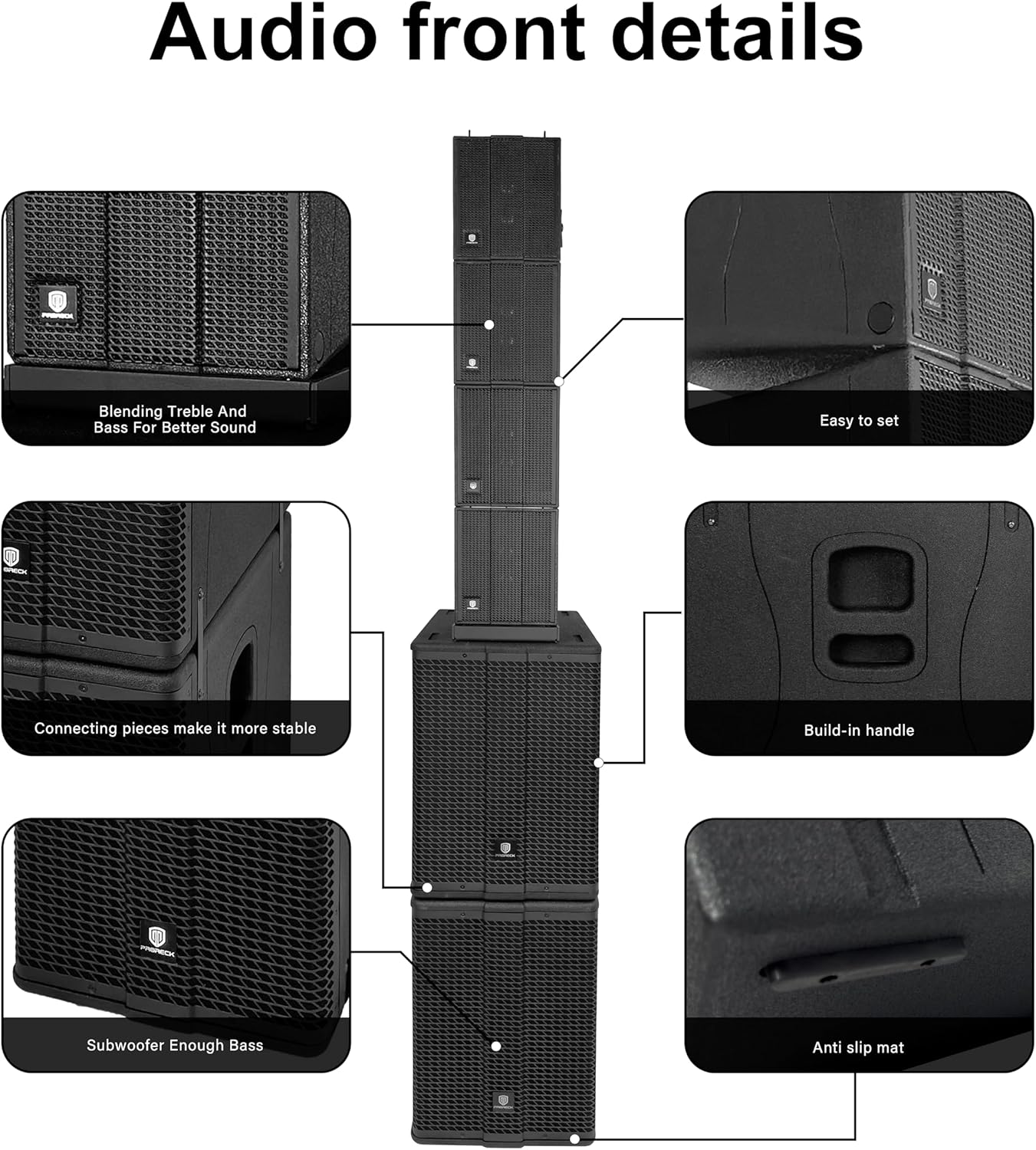
- Place the two 12" subwoofer units on a stable, flat surface. The bottom subwoofer should be placed first, followed by the second subwoofer stacked directly on top.
- Carefully place the four line array speaker units on top of the upper subwoofer. Ensure they are securely connected using the integrated connecting pieces for stability.

Image: The complete PRORECK Stage Pro 12 system fully assembled, showing the two subwoofers at the base and the four line array speakers stacked vertically above them.
2. Sähköliitännät
- Virtaliitäntä: Before connecting to power, ensure the VOLTAGE KYTKIN (9) on the control panel is set to match your local power supply (AC 120V or AC 240V). Connect the provided power cable to the PÄÄVIRTATULO (11) on the subwoofer and then to a grounded electrical outlet.
- Subwooferin liitäntä: Use a speaker cable to connect the SUBWOOFER-LÄHTÖ (8) of the primary subwoofer to the input of the second subwoofer unit.
- Line Array Speaker Connection: Connect the line array speakers to the SATELLITE POWER OUTPUT (7) on the primary subwoofer using the appropriate speaker cables. Ensure all four line array speakers are daisy-chained or connected as per the system's design.

Image: The rear panel of the PRORECK Stage Pro 12 system, illustrating the correct cable connections for power, linking subwoofers, and connecting the line array speakers.
3. Äänilähteen liitäntä
- Connect your audio source (mixer, microphone, instrument, etc.) to the XLR/TRS COMBO INPUT (3) on the control panel. Use either XLR or 1/4" TRS cables.
- For linking to another speaker system or recording device, use the XLR LINK OUTPUT (4).
Käyttöohjeet
1. Virta päälle / pois
- Varmista ennen virran kytkemistä, että kaikki liitännät ovat kunnolla kiinni.
- Käännä ALATASO (1) ja SATELLIITIN TASO (2) knobs to their minimum positions.
- Käännä VIRTAKYTKIN (10) to the "ON" position. The power indicator light will illuminate.
- To power off, turn the level knobs to minimum, then flip the VIRTAKYTKIN (10) to "OFF".
2. Äänenvoimakkuuden säätäminen
- Käytä ALATASO (1) knob to control the volume of the subwoofer.
- Käytä SATELLIITIN TASO (2) knob to control the volume of the line array speakers.
- Adjust both levels to achieve a balanced sound for your environment.
3. DSP Presets
Stage Pro 12 features three Digital Signal Processing (DSP) presets to optimize sound for different applications:
- STANDARDI: General purpose setting for balanced audio reproduction.
- DJ: Enhanced bass and treble for music playback, ideal for parties and events.
- ELÄÄ: Optimized for live vocals and instruments, providing clarity and presence.
Käytä DSP PRESETS (5) switch to cycle through these modes and select the one best suited for your current use.
4. Bluetooth and TWS Connectivity
- Bluetooth-pariliitos: Käännä BLUETOOTH/TWS SWITCH (6) to the Bluetooth position. The Bluetooth indicator light will flash, indicating it's ready for pairing. On your smartphone, tablet, or laptop, search for "PRORECK Stage Pro 12" in your Bluetooth settings and connect. Once paired, the light will become solid.
- Todellinen langaton stereo (TWS): To connect two Stage Pro 12 systems for stereo sound, ensure both units are powered on and in Bluetooth mode. On one unit, press and hold the BLUETOOTH/TWS SWITCH (6) until the TWS indicator light flashes. The two units will automatically pair, and audio will be split into left and right channels for a wider soundstage.
Huolto
Proper maintenance ensures the longevity and optimal performance of your PRORECK Stage Pro 12 system.
- Puhdistus: Use a soft, dry cloth to clean the exterior surfaces of the speakers. Do not use abrasive cleaners, waxes, or solvents. For stubborn dirt, a slightly damp liinaa voidaan käyttää, ja sen jälkeen kuivaa liinaa.
- Ilmanvaihto: Tarkista säännöllisesti, että tuuletusaukot ovat puhtaat pölystä ja roskista ylikuumenemisen estämiseksi.
- Varastointi: When not in use for extended periods, store the system in a cool, dry place, away from direct sunlight and extreme temperatures. It is recommended to use the original packaging for storage and transport.
- Kaapelihuolto: Inspect all cables regularly for signs of wear or damage. Replace any damaged cables immediately to prevent electrical hazards or signal loss.
Vianetsintä
If you encounter issues with your PRORECK Stage Pro 12 system, refer to the following common problems and solutions:
| Ongelma | Mahdollinen syy | Ratkaisu |
|---|---|---|
| Ei ääntä kaiuttimista. |
|
|
| Vääristynyt tai huono äänenlaatu. |
|
|
| Bluetooth-pariliitosongelmat. |
|
|
| TWS-yhteys katkeaa. |
|
|
Jos ongelma jatkuu näiden ratkaisujen kokeilemisen jälkeen, ota yhteyttä PRORECKin asiakastukeen saadaksesi lisäapua.
Tekniset tiedot
Detailed technical specifications for the PRORECK Stage Pro 12 PA Speaker System:
| Mallinumero | StagePro 12 |
| Merkki | PRORECK |
| Kaiuttimen suurin lähtöteho | 8000 XNUMX wattia (huippu) |
| RMS-teho | 1200 wattia |
| Mukana olevat komponentit | Line Array Speakers (4x), Subwoofers (2x 12") |
| Yhteystekniikka | Bluetooth (TWS supported) |
| Äänilähtötila | Stereot |
| Asennustyyppi | Lattia seisoo |
| Valvontamenetelmä | Voice (via connected device for Bluetooth), Manual Knobs/Switches |
| Kohteiden määrä | 1 (complete system) |
| Mitat (likimääräinen) | Total Height: 192cm (75.5 inches) |

Image: Detailed dimensional drawing of the PRORECK Stage Pro 12 system, providing measurements for the overall height, and individual dimensions for the subwoofers and line array speakers.
Takuu
The PRORECK Stage Pro 12 PA Speaker System comes with a Limited Warranty. Please refer to the warranty card included with your product for specific terms, conditions, and duration of coverage. Retain your proof of purchase for warranty claims.
Tukea
For technical assistance, troubleshooting beyond this manual, or warranty inquiries, please contact PRORECK customer support. You can find more information and contact details on the official PRORECK website or through the PRORECK Store on Amazon.
Vieraile osoitteessa PRORECK Store lisätietoja tuotteesta ja tukiresursseista.


