1. Johdanto
Thank you for choosing the MUNBYN RW403B Thermal Label Printer. This device is designed to streamline your labeling tasks with its advanced features, including Bluetooth connectivity, high-precision DAC technology, and quiet operation. This manual will guide you through the installation, operation, and maintenance of your printer to ensure optimal performance.
Video: Yliview of the MUNBYN RW403B Thermal Label Printer, demonstrating its features and ease of use for various labeling needs.
2. Pakkauksen sisältö
Varmista, että pakkauksessa on kaikki tarvittavat osat:
- MUNBYN RW403B lämpötarratulostin
- Virtalähde
- USB-kaapeli
- Pika-aloitusopas
- Sample Labels
3. Tulostin yliview
Familiarize yourself with the main components of your printer:
- Virtapainike: Käynnistää/sammuttaa tulostimen.
- Tilan merkkivalo: Displays printer status (e.g., power on, error, printing).
- Label Exit Slot: Missä painetut etiketit ilmestyvät.
- Label Roll Compartment: Holds the label roll.
- USB-portti: For wired connection to computers.
- Virtaportti: Virtalähteen liittämiseen.

Image: The MUNBYN RW403B printer in operation, demonstrating its compact design and label output.
4. Asennus
4.1 Pakkauksesta purkaminen ja sijoittaminen
- Remove the printer and all accessories from the packaging.
- Aseta tulostin vakaalle ja tasaiselle alustalle.
4.2 Virtaliitäntä
- Liitä virtalähde tulostimen virtaliitäntään.
- Liitä verkkolaite pistorasiaan.
- Press the power button to turn on the printer. The status indicator light will illuminate.
4.3 Tarrojen lataaminen
- Avaa tulostimen kansi.
- Place the label roll into the label compartment, ensuring the labels feed smoothly from the bottom.
- Säädä tarraohjaimia vastaamaan tiiviisti tarrojen leveyttä.
- Sulje tulostimen kansi. Tulostin tunnistaa ja kalibroi tarran koon automaattisesti.

Image: The printer demonstrating its adjustable label guides, supporting label widths from 1.57 to 4.25 inches.
4.4 Ohjelmiston asennus ja liitettävyys
The MUNBYN RW403B supports both Bluetooth and USB connectivity across various operating systems.
- For Mobile Devices (iOS/Android): Download the "Munbyn Print" app from your device's app store. Follow the in-app instructions to connect via Bluetooth.
- For Desktop (Mac/Windows): For Bluetooth connectivity, ensure your computer's Bluetooth is enabled and pair with the printer. For USB connection, simply connect the printer to your computer using the provided USB cable. No driver installation is typically required for major shipping platforms.
- For Chrome OS: Utilize the "Munbyn Editor" web application for label design and printing.

Image: Illustration of the printer's versatile connectivity, supporting both wireless Bluetooth and wired USB connections for various devices.
5. Käyttöohjeet
5.1 Printing Shipping Labels
The RW403B printer is compatible with major shipping platforms such as FedEx, UPS, USPS, Amazon, Shopify, Etsy, and eBay.
- Generate your shipping label from your preferred platform.
- Ensure the label size in your software settings matches the physical labels loaded in the printer (e.g., 4x6 inches).
- Select the MUNBYN RW403B as your printer and initiate the print command.

Image: Demonstrates the one-click wireless printing feature, allowing users to print shipping labels directly from their mobile devices or computers.
5.2 Designing and Printing Custom Labels
Utilize the "Munbyn Print" app (mobile) or "Munbyn Editor" (Chrome web application) to create custom labels.
- Open the Munbyn Print app or Munbyn Editor.
- Choose from over 2,000 templates and 3,500 pre-made design elements, or start from scratch.
- Customize your label with text (over 80 fonts available), images, OCR/voice recognition, and more.
- Preview your design and send it to the printer.
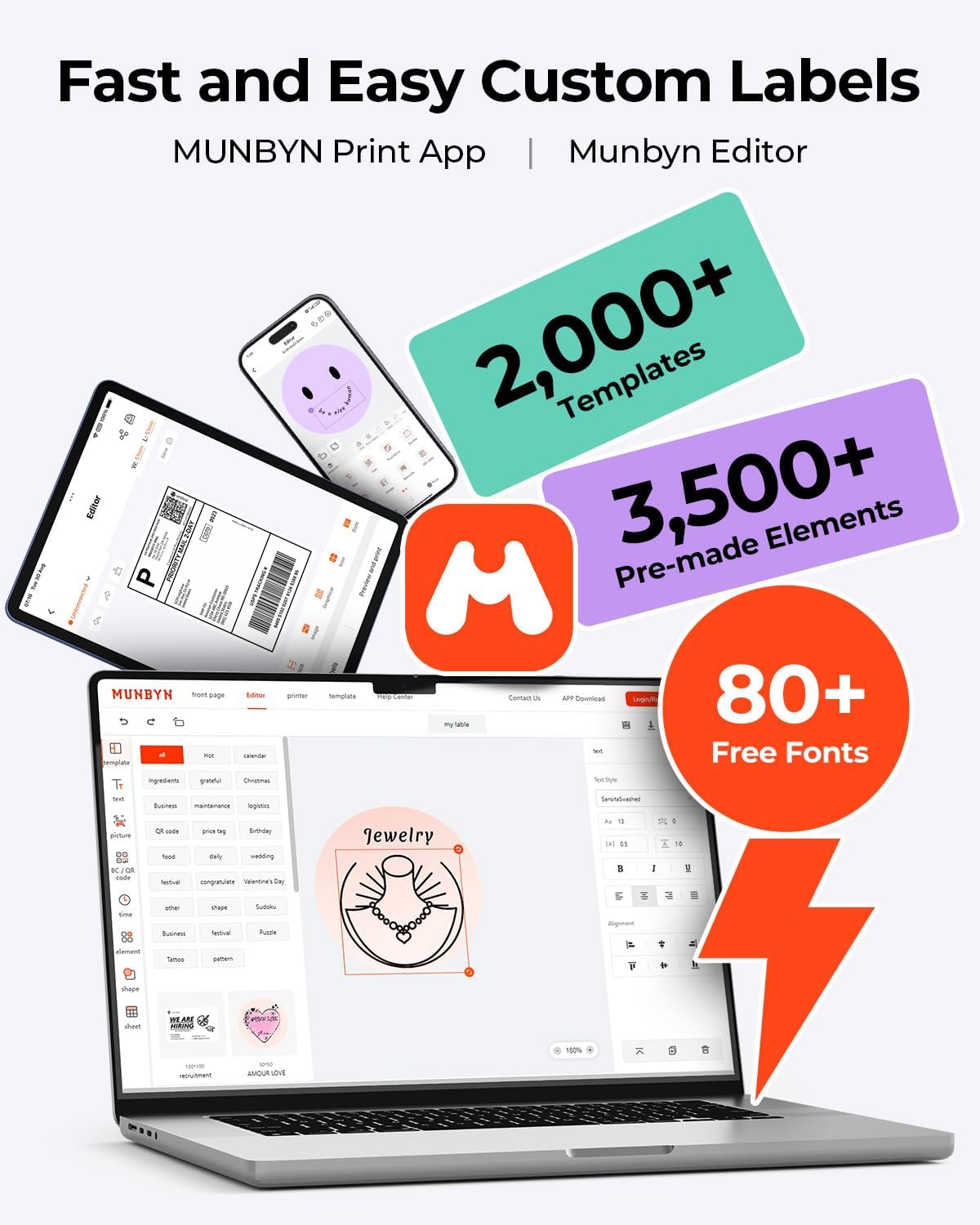
Image: The Munbyn Print App and Editor provide extensive tools for fast and easy custom label design, including templates, elements, and fonts.
6. Tärkeimmät ominaisuudet
- Edistynyt DAC-tekniikka: The RW403B features a 4-inch DAC chip that automatically calibrates, eliminating 99.8% of label alignment defects and ensuring military-grade precision for flawless labels.
- Parannettu tulostuksen selkeys: Designed for professional-grade output, this printer ensures 0.1mm font readability, producing crisp monochrome labels for return slips, inventory, organization, and branding.
- Hiljainen toiminta: Operating at only 60 dB, the printer is quieter than typing, allowing for focused work in home offices, libraries, or shared workspaces.
- Poikkeuksellinen kestävyys: Engineered for longevity, the RW403B can print up to 970,000 labels, significantly outlasting many standard devices. Its professional-grade design minimizes paper jams to less than 0.01%.
- Monipuolinen etikettien tuki: The printer supports a printable width of 1.57 to 4.25 inches, accommodating a wide range of label types and sizes for various applications.
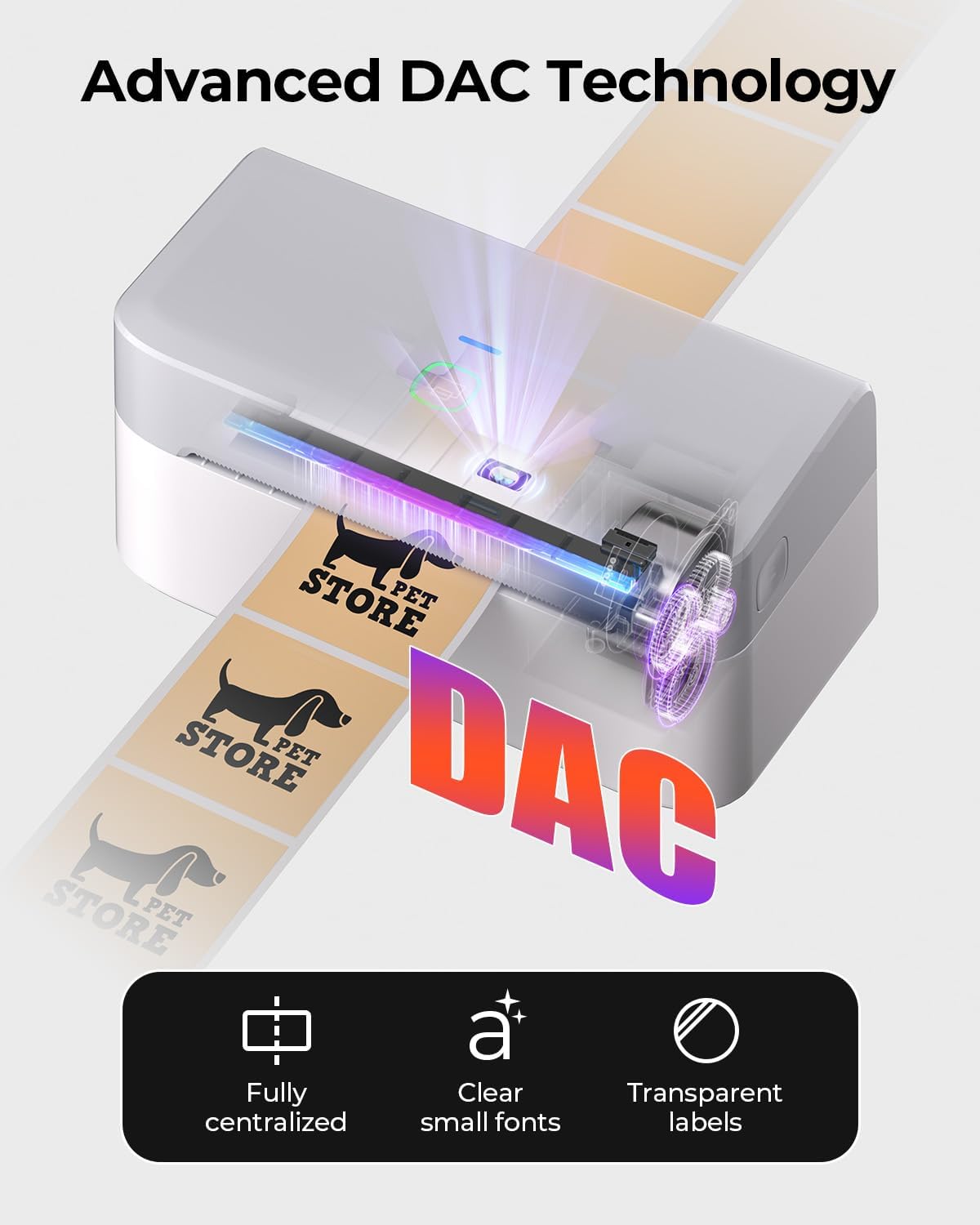
Image: Visual representation of the printer's DAC technology, ensuring precise alignment and clear printing on various label types.
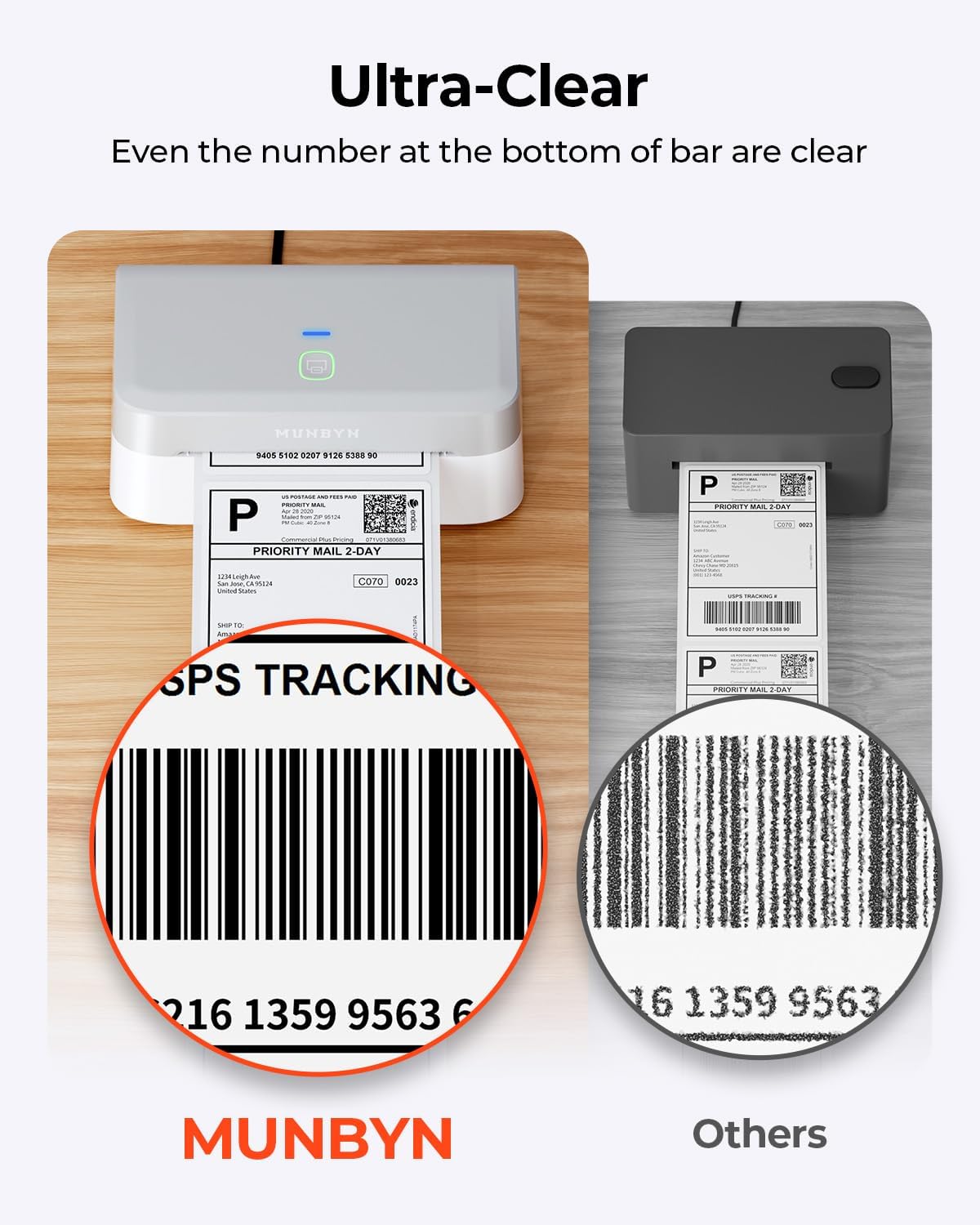
Image: A close-up comparison highlighting the superior clarity of labels printed with the MUNBYN RW403B, even for small details like barcode numbers.

Image: An illustration comparing the impressive lifespan of the MUNBYN RW403B, capable of printing up to 970,000 labels, six times more than typical printers.
7. Huolto
7.1 Tulostuspään puhdistaminen
Tulostuslaadun ylläpitämiseksi puhdista tulostuspää säännöllisesti:
- Sammuta tulostin ja irrota virtajohto.
- Avaa tulostimen kansi.
- Pyyhi tulostuspää varovasti alkoholipyyhkeellä tai pehmeällä, nukkaamattomalla liinalla.ampisopropyylialkoholilla.
- Anna tulostuspään kuivua kokonaan ennen kannen sulkemista ja tulostimen käynnistämistä uudelleen.
7.2 Yleishoito
- Keep the printer free from dust and debris.
- Vältä tulostimen altistamista äärimmäisille lämpötiloille tai suoralle auringonvalolle.
- Use only high-quality thermal labels to prevent damage to the print head and ensure optimal print results.
8. Vianmääritys
If you encounter issues with your MUNBYN RW403B printer, refer to the following common problems and solutions:
| Ongelma | Mahdollinen syy | Ratkaisu |
|---|---|---|
| Tulostin ei vastaa | No power, incorrect connection, software issue. | Check power cable, verify USB/Bluetooth connection, restart printer and computer/app. |
| Huono tulostuslaatu | Dirty print head, low-quality labels, incorrect print density. | Clean the print head (Section 7.1), use recommended labels, adjust print density in software settings. |
| Tarrat eivät syöty oikein | Improperly loaded labels, label guides not adjusted. | Reload labels correctly, adjust label guides to fit snugly. |
| Bluetooth-yhteysongelmat | Bluetooth ei ole käytössä, pariliitos epäonnistui, häiriöitä. | Ensure Bluetooth is on for both devices, re-pair the printer, move closer to the printer, avoid other wireless devices. |
9. Tekniset tiedot
Detailed technical specifications for the MUNBYN RW403B Thermal Label Printer:
- Mallinumero: RW403B
- Tulostustekniikka: Lämpö
- Liitettävyys: Bluetooth, USB
- Suurin mediakoko: 4 x 6 tuumaa (10.16 cm)
- Tulostusresoluutio: 203 dpi
- Suurin tulostusnopeus (mustavalkoinen): 72 pages per minute (labels per minute)
- Yhteensopivat laitteet: Android, Mac, PC, iOS
- Tuotteen paino: 1.3 kiloa
- Tuotteen mitat: 31P x 7.5l x 10K senttimetriä
- Erikoisominaisuudet: Automatic Document Feeder, Energy Star, Portable
10. Takuu ja tuki
MUNBYN provides comprehensive support for your RW403B Thermal Label Printer:
- Takuu: Limited Warranty (details available upon product registration or contacting support).
- Tekninen tuki: Enjoy 24 months of technical assistance. For support, please visit the official MUNBYN websivustolta tai ota yhteyttä suoraan heidän asiakaspalveluunsa.