Johdanto
This manual provides essential information for the safe and efficient use of your Qubo X-10BL mobile phone. Designed with ease of use in mind, this phone is particularly suitable for elderly users, featuring a clear 2.4-inch screen, a robust design, and essential communication functions. Please read this manual thoroughly before operating your device.
Tärkeimmät ominaisuudet:
- Malli: X-10BL
- Näyttö: 2.4-inch display (6.1 cm diagonal)
- RAM: 32 Mt
- Akku: Kapasiteetti 900 XNUMX mAh
- Liitettävyys: Bluetooth
- Portit: 3.5mm Jack, Micro USB
- Design: Includes a protective cover
- Väri: Sininen
Tuote loppuview
The Qubo X-10BL is a compact and user-friendly mobile phone. Below is an image illustrating the device's general appearance.
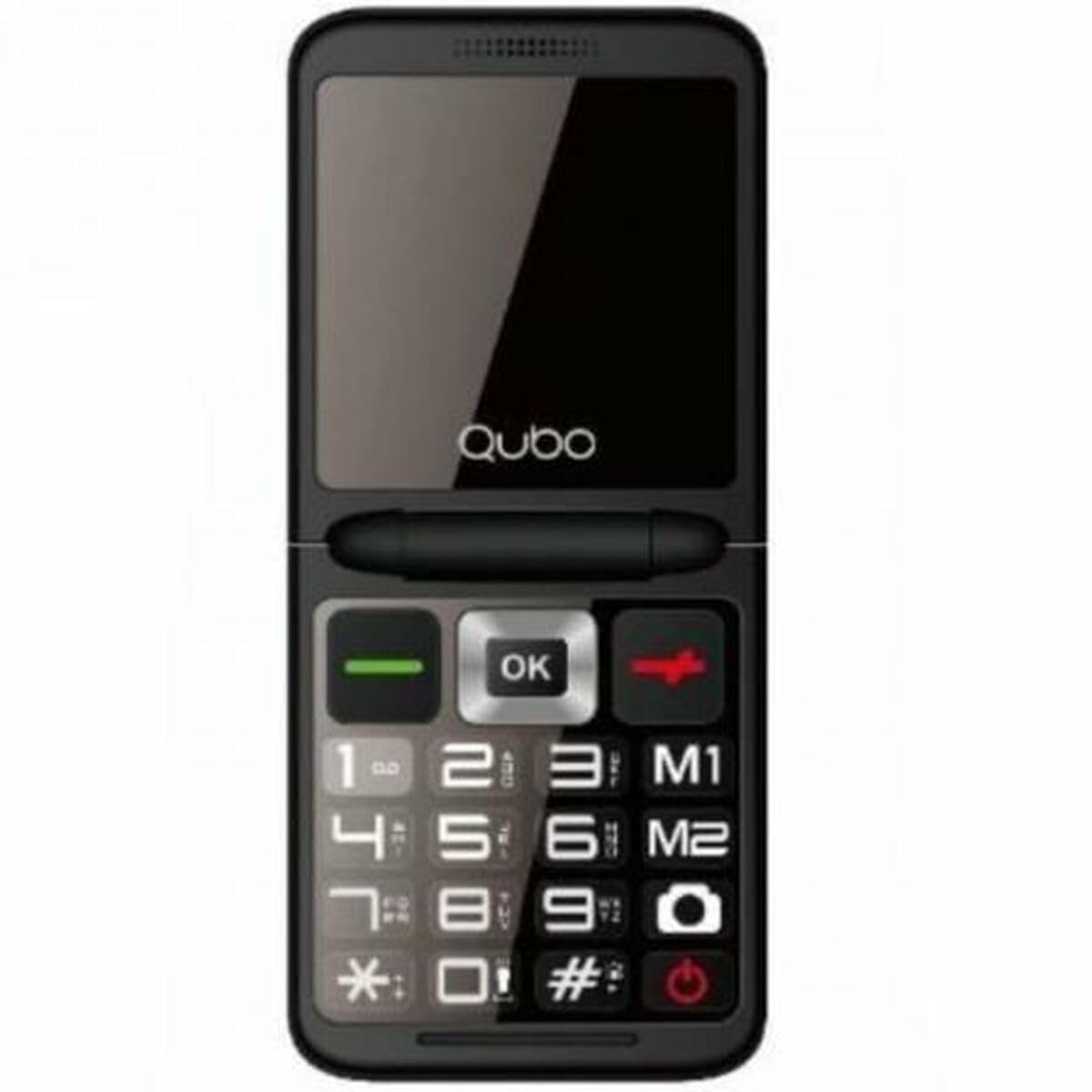
Kuva 1: Edessä view of the Qubo X-10BL mobile phone. The image displays the phone in blue, featuring a clear screen, a numerical keypad, and navigation buttons. The phone is designed for straightforward operation.
Familiarize yourself with the phone's buttons and ports before proceeding with setup. Typically, these include a power button, call/end call buttons, navigation keys, a numerical keypad, and charging/headphone ports.
Asennus
1. SIM-kortin ja akun asentaminen
- Irrota puhelimen takakansi varovasti.
- Insert your SIM card into the designated slot. Ensure it is correctly oriented as indicated by the diagram near the slot.
- Aseta akku lokeroonsa ja kohdista kosketuspinnat.
- Aseta takakansi takaisin paikalleen, kunnes se napsahtaa tukevasti paikalleen.
2. Lataa laite
- Connect the Micro USB cable to the charging port on your phone.
- Plug the other end of the cable into the provided European plug adapter, then into a wall outlet.
- Allow the phone to charge fully before first use. The charging indicator on the screen will show the battery status.
3. Virta päälle/pois
- Virran kytkeminen: Pidä virta-/puhelun lopetuspainiketta painettuna, kunnes näyttö syttyy.
- Virran sammuttaminen: Press and hold the Power/End Call button until the power-off options appear, then select 'Power Off' or continue holding until the device shuts down.
Käyttöohjeet
Puhelujen soittaminen ja vastaanottaminen
- Soittaminen: Enter the phone number using the keypad and press the Call button (usually a green phone icon).
- Puheluun vastaaminen: Kun puhelin soi, paina soittopainiketta.
- Puhelun lopettaminen: Press the End Call button (usually a red phone icon).
Sending and Receiving SMS Messages
- Siirry Viestit-valikkoon.
- Valitse 'Uusi viesti' tai 'Kirjoita viesti'.
- Anna vastaanottajan numero tai valitse se yhteystiedoista.
- Kirjoita viestisi näppäimistöllä.
- Paina 'Lähetä'.
Bluetooth-yhteys
The Qubo X-10BL supports Bluetooth for connecting to compatible devices such as headsets or other phones.
- Siirry kohtaan "Asetukset" ja sitten "Bluetooth".
- Ota Bluetooth käyttöön.
- ValitseEtsi laitteet' tai 'Yhdistä uusi laite'.
- Choose the desired device from the list and follow the on-screen prompts to pair.
Using the Phone Cover
The phone comes with a protective cover. Ensure the phone is securely placed within the cover to protect it from minor impacts and scratches. The cover may also feature cutouts for easy access to buttons and ports.
Huolto
Puhdistus
- Puhdista puhelimen näyttö ja runko pehmeällä, kuivalla liinalla.
- Vältä nestemäisten puhdistusaineiden, aerosolien tai voimakkaiden kemikaalien käyttöä, sillä ne voivat vahingoittaa laitetta.
Akun hoito
- Akun käyttöiän pidentämiseksi vältä puhelimen altistamista äärimmäisille lämpötiloille.
- Älä jätä puhelinta latautumaan liian pitkäksi aikaa sen jälkeen, kun se on ladattu täyteen.
- Jos puhelinta ei käytetä pitkään aikaan, lataa se noin 50-prosenttisesti ennen säilytystä.
Varastointi
Säilytä puhelinta viileässä, kuivassa paikassa, poissa suorasta auringonvalosta ja kosteudesta, kun sitä ei käytetä.
Vianetsintä
If you encounter issues with your Qubo X-10BL, refer to the table below for common problems and solutions.
| Ongelma | Mahdollinen syy | Ratkaisu |
|---|---|---|
| Puhelin ei käynnisty | Akun varaustaso heikko; Akku ei ole asennettu oikein | Charge the battery; Reinstall the battery |
| Ei verkkosignaalia | SIM card issue; Out of network coverage | Check SIM card installation; Move to an area with better coverage |
| Ei voi soittaa/vastaanottaa puheluita | No network; Incorrect number dialed; Call barring activated | Check network signal; Verify number; Check call settings |
| Akku ei lataudu | Charger faulty; Charging port damaged | Try a different charger; Contact support if port is damaged |
Tekniset tiedot
Detailed technical specifications for the Qubo X-10BL mobile phone.
| Ominaisuus | Yksityiskohta |
|---|---|
| Merkki | Qubo |
| Mallin nimi | X-10BL |
| Tuotteen mallinumero | S9914467 |
| Tuotetyyppi | Baaripuhelin |
| Muototekijä | Baari |
| Näytön koko | 6.1 senttimetriä (2.4 tuumaa) |
| Asennetun RAM-muistin koko | 32 Mt |
| Langaton verkkotekniikka | Bluetooth |
| Valmistaja | Qubo |
| Alkuperämaa | Espanja |
| Saatavilla ensimmäisen kerran Amazon.com.be-sivustolla | 11. tammikuuta 2025 |
| Varaosien saatavuus | Tietoja ei saatavilla |
| Ohjelmistopäivitykset taattu asti | Tietoja ei ole saatavilla |
Takuu ja tuki
Takuutietoja ja asiakastukea varten katso ostoksesi mukana toimitettuja asiakirjoja tai ota yhteyttä jälleenmyyjään. Säilytä ostokuittisi mahdollisia takuuvaatimuksia varten.