1. Johdanto
Thank you for choosing the Bennett Read Alphabot Ultra Robotic Vacuum. This cutting-edge cleaning solution combines powerful performance with smart functionality, designed to handle sweeping, vacuuming, and wet-mopping. Equipped with advanced laser navigation and anti-fall sensors, it ensures precise tracking and smooth obstacle avoidance. This manual provides essential information for the safe and efficient operation, maintenance, and troubleshooting of your device.
Lue tämä käyttöohje huolellisesti ennen tuotteen käyttöä ja säilytä se myöhempää tarvetta varten.
2. Turvallisuusohjeet
Vähentääksesi loukkaantumis- tai vaurioriskiä, noudata seuraavia turvaohjeita:
- Tätä laitetta voivat käyttää 8-vuotiaat ja sitä vanhemmat lapset ja henkilöt, joilla on alentuneet fyysiset, sensoriset tai henkiset kyvyt tai joilla ei ole kokemusta ja tietoa, jos heitä on valvottu tai opastettu laitteen turvallisesta käytöstä ja he ymmärtävät siihen liittyvät vaarat. .
- Lapset eivät saa leikkiä laitteella. Lapset eivät saa suorittaa puhdistusta ja käyttäjän huoltamista ilman valvontaa.
- Käytä ainoastaan valmistajan toimittamaa alkuperäistä virtalähdettä.
- Älä käytä tuotetta tiloissa, joissa on avotulta tai särkyviä esineitä.
- Do not use the product to clean liquids, burning objects, or sharp objects.
- Varmista, että lataustelakka on asetettu tasaiselle alustalle seinää vasten ja että sen ympärillä on tyhjää tilaa.
- Pidä hiukset, löysät vaatteet, sormet ja kaikki kehon osat poissa aukoista ja liikkuvista osista.
- Irrota laite verkkovirrasta ennen puhdistusta tai huoltoa.
3. Pakkauksen sisältö
Varmista, että pakkauksessa on kaikki osat:
- 1 x Bennett Read Alphabot Ultra Robotic Vacuum with Sweep and Wet-Mop
- Lataustelakka
- Virtalähde
- Sivuharjat
- Puhdistustyökalu
- Käyttöopas
4. Tuote ohiview
Familiarize yourself with the main components of your Alphabot Ultra Robotic Vacuum.

Kuva 4.1: Yläosa view of the Bennett Read Alphabot Ultra Robotic Vacuum, showing its sleek black design and control indicators.
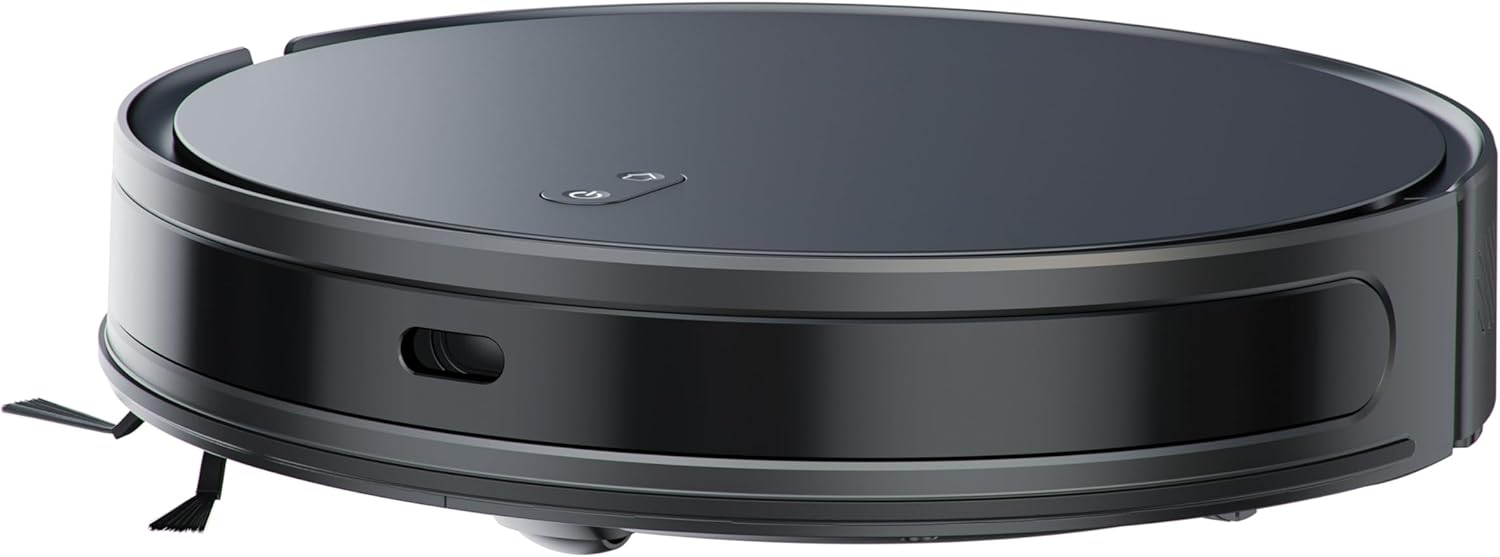
Kuva 4.2: Sivu view of the Alphabot Ultra, highlighting its low profile ja sivuharjat.

Kuva 4.3: Diagram illustrating the powerful suction path and internal components of the Alphabot Ultra.

Kuva 4.4: Alapuoli view of the Alphabot Ultra, showing the main brush, side brushes, and mopping pad attachment.
5. Asennus
5.1 Pakkauksesta purkaminen
- Remove the robotic vacuum and all accessories from the packaging.
- Remove any protective films or stickers from the device and charging dock.
5.2 Latausaseman sijoittaminen
- Aseta lataustelakka kovalle, tasaiselle alustalle seinää vasten.
- Ensure there is at least 1 meter (3 feet) of clear space on both sides of the dock and 2 meters (6 feet) in front of it for optimal navigation.
- Kytke virtalähde lataustelakkaan ja kytke se pistorasiaan.

Kuva 5.1: The Alphabot Ultra robotic vacuum docked at its self-charging station, illustrating the automatic charging feature.
5.3 Alkuveloitus
- Place the robotic vacuum onto the charging dock, ensuring the charging contacts align.
- Allow the vacuum to charge completely before its first use. The indicator lights will show charging status. A full charge can take several hours.
5.4 Sovellusyhteys (Smart Life -sovellus)
- Download the 'Smart Life' app from your mobile device's app store.
- Rekisteröidy tai kirjaudu sisään Smart Life -tilillesi.
- Follow the in-app instructions to add your Bennett Read Alphabot Ultra. Ensure your Wi-Fi network is 2.4GHz, as 5GHz networks are not supported.
- The app allows for scheduling, mapping, and customization of cleaning preferences.

Kuva 5.2: Screenshot of the Smart Life app interface, demonstrating cleaning preference settings for water volume and suction.
6. Käyttöohjeet
6.1 Virta päälle/pois
- To power on, press and hold the power button on the vacuum or use the app.
- To power off, press and hold the power button until the indicators turn off, or use the app.
6.2 Puhdistustilaa
The Alphabot Ultra supports multiple cleaning modes:
- Lakaisu ja imurointi: Utilizes the side brushes, main brush, and 5000Pa suction power for dry debris removal.
- Wet-Mop: For light wet cleaning of hard floors. Ensure the water tank is filled and the mopping pad is attached.
- Yhdistetty tila: Sweeps, vacuums, and mops simultaneously for comprehensive cleaning.
6.3 Aikataulu
Use the Smart Life app to set up cleaning schedules. You can customize cleaning times, days, and specific areas for the vacuum to clean automatically.
6.4 Navigation and Sensors
The Alphabot Ultra uses advanced laser navigation for precise mapping and efficient cleaning paths. Anti-fall sensors prevent the vacuum from falling down stairs or ledges, while anti-collision sensors help it avoid obstacles.

Kuva 6.1: The Alphabot Ultra demonstrating its anti-fall sensors, preventing it from falling down stairs or ledges.
7. Huolto
Säännöllinen huolto varmistaa robotti-imurin optimaalisen suorituskyvyn ja pidentää sen käyttöikää.
7.1 Pölysäiliön ja suodattimen puhdistus
- Paina roskakorin vapautuspainiketta ja irrota roskakori.
- Avaa roskasäiliön kansi ja tyhjennä sen sisältö roskasäiliöön.
- Remove the filter assembly and tap it gently to dislodge dust. Do not wash the HEPA filter with water.
- Huuhtele pölysäiliö tarvittaessa vedellä ja varmista, että se on täysin kuiva ennen takaisinasennusta.
- Reassemble the filter and dustbin, then reinsert into the vacuum.
7.2 Harjan puhdistus
- Pääharja: Remove the main brush cover and lift out the brush. Use the provided cleaning tool to cut and remove any tangled hair or debris.
- Sivuharjat: Gently pull the side brushes to remove them. Clean off any hair or debris. If brushes are damaged, replace them.
7.3 Moppityynyn hoito
- After each mopping session, remove the mopping pad from the water tank.
- Wash the mopping pad with water and mild detergent.
- Allow the mopping pad to air dry completely before reattaching or storing.

Kuva 7.1: The Alphabot Ultra with its 2-in-1 tank, designed for both sweeping/vacuuming and wet-mopping functionalities.
7.4 Anturin puhdistus
- Periodically wipe the cliff sensors, wall sensors, and charging contacts with a clean, dry cloth to ensure proper function.
8. Vianmääritys
If you encounter issues with your Alphabot Ultra, refer to the following common problems and solutions:
| Ongelma | Mahdollinen syy | Ratkaisu |
|---|---|---|
| Tyhjiö ei käynnisty | Akun varaus vähissä; Virtapainiketta ei painettu oikein | Charge the vacuum; Press and hold the power button for a few seconds. |
| Imuri ei lataudu | Latauskoskettimet likaiset; Lataustelakka ei ole päällä | Clean charging contacts on both vacuum and dock; Ensure dock is plugged in and powered. |
| Huono imuteho | Pölysäiliö täynnä; Suodatin tukossa; Pääharja sotkeutunut | Empty dustbin; Clean or replace filter; Clean main brush. |
| Imuri jumiutuu usein | Esteitä lattialla; Korkeuseroanturit likaiset | Poista kaapelit, matot ja pienet esineet; Puhdista pudotusanturit. |
| Sovelluksen yhteysongelmat | Incorrect Wi-Fi band; Router too far | Ensure 2.4GHz Wi-Fi; Move vacuum closer to router; Restart router and vacuum. |
Jos ongelma jatkuu, ota yhteyttä asiakastukeen.
9. Tekniset tiedot
| Ominaisuus | Erittely |
|---|---|
| Merkki | Bennett Lue |
| Mallin nimi | Alphabot Ultra |
| Mallinumero | HVC403 |
| Väri | Musta |
| Tuotteen mitat | 30 L x 8 L x 35 K senttimetriä |
| Tuotteen paino | 1.8 kg |
| Imuteho | 5000Pa |
| Akun tyyppi | 3200 XNUMX mAh Lithium-Ion |
| Suoritusaika | Jopa 180 minuuttia |
| Navigointi | Advanced Laser Navigation |
| Yhteydet | Wi-Fi (vain 2.4 GHz) |
| Moottorin tyyppi | Kestävä harjaton moottori |
| Puhdistustoiminnot | Sweep, Vacuum, Wet-Mop |
| Virtalähde | Johdollinen sähköinen (latauslaituriin) |
10. Takuu ja tuki
Your Bennett Read Alphabot Ultra Robotic Vacuum is covered by a manufacturer's warranty. Please refer to the warranty card included in your package for specific terms and conditions.
For technical support, troubleshooting assistance beyond this manual, or to inquire about spare parts, please contact Bennett Read customer service. Contact details can typically be found on the official Bennett Read websivustolla tai tuotepakkauksessa.


