Johdanto
The TECKNET TK-KB030 Wireless Ergonomic Keyboard is designed to provide a comfortable and efficient typing experience. Featuring a split layout, curved key arrangement, and an integrated wrist rest, this keyboard aims to reduce strain during extended use. It offers versatile connectivity options including 2.4GHz wireless and Bluetooth 5.0, allowing connection to multiple devices.
Pakkauksen sisältö
Tarkista pakkauksen sisältö purkamisen yhteydessä:
- TECKNET Wireless Ergonomic Keyboard (TK-KB030)
- USB-A Receiver (for 2.4GHz connection)
- USB-C latauskaapeli
- Käyttöopas
Tuotteen ominaisuudet
Ergonomic Key Layout
The keyboard features a split layout and a curved key arrangement designed to align with the natural arc of your fingers. This design promotes a neutral wrist posture and allows your hands to rest at shoulder-width distance, reducing lateral stretching and typing strain.
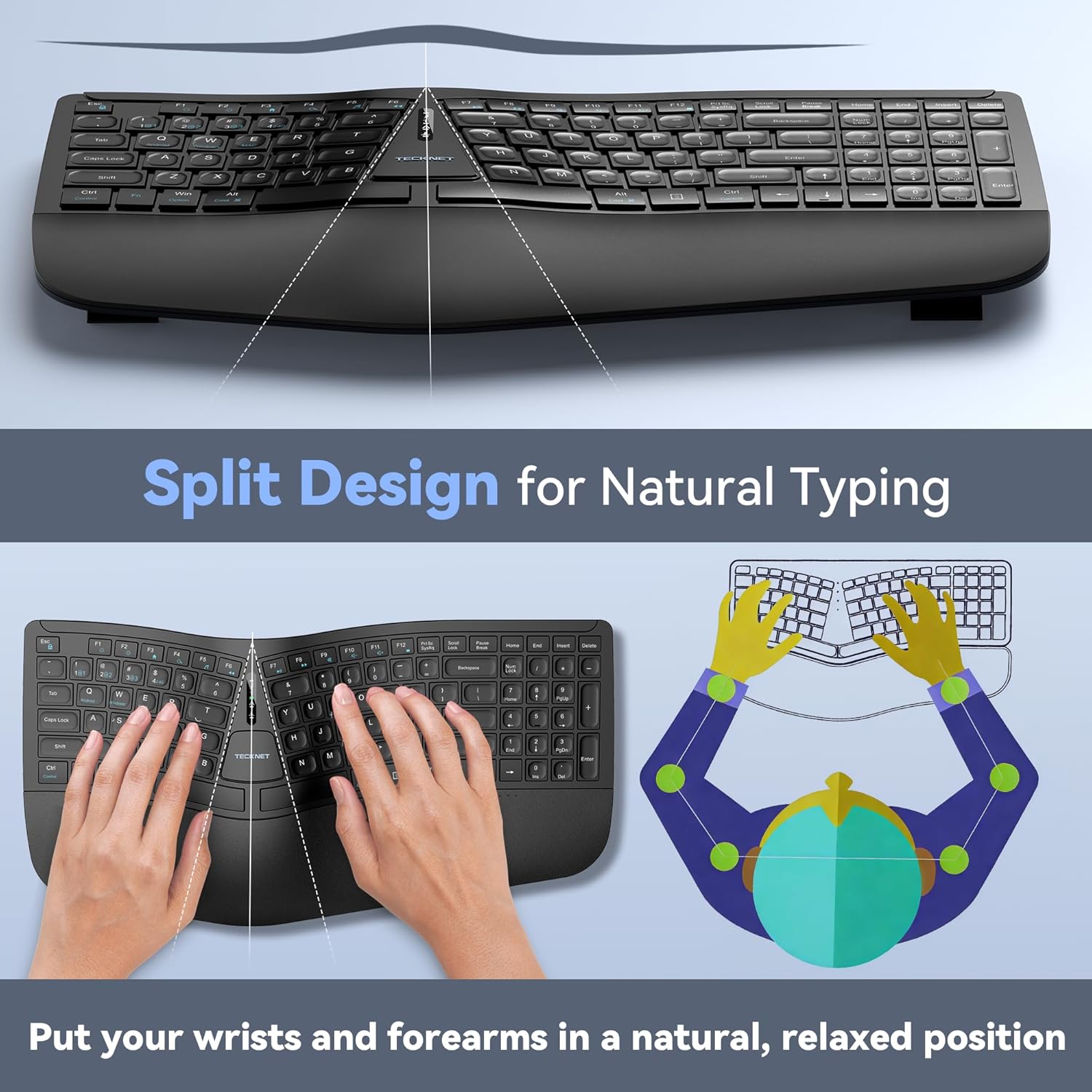
Image: The keyboard's split design, illustrating how it allows for natural hand and wrist positioning to reduce strain.
Integrated High-Density Memory Foam Wrist Rest
A built-in dual-density wrist rest provides support and comfort. The bottom layer offers stable support, while the top layer of slow-rebound memory foam conforms to your hands, distributing pressure evenly.
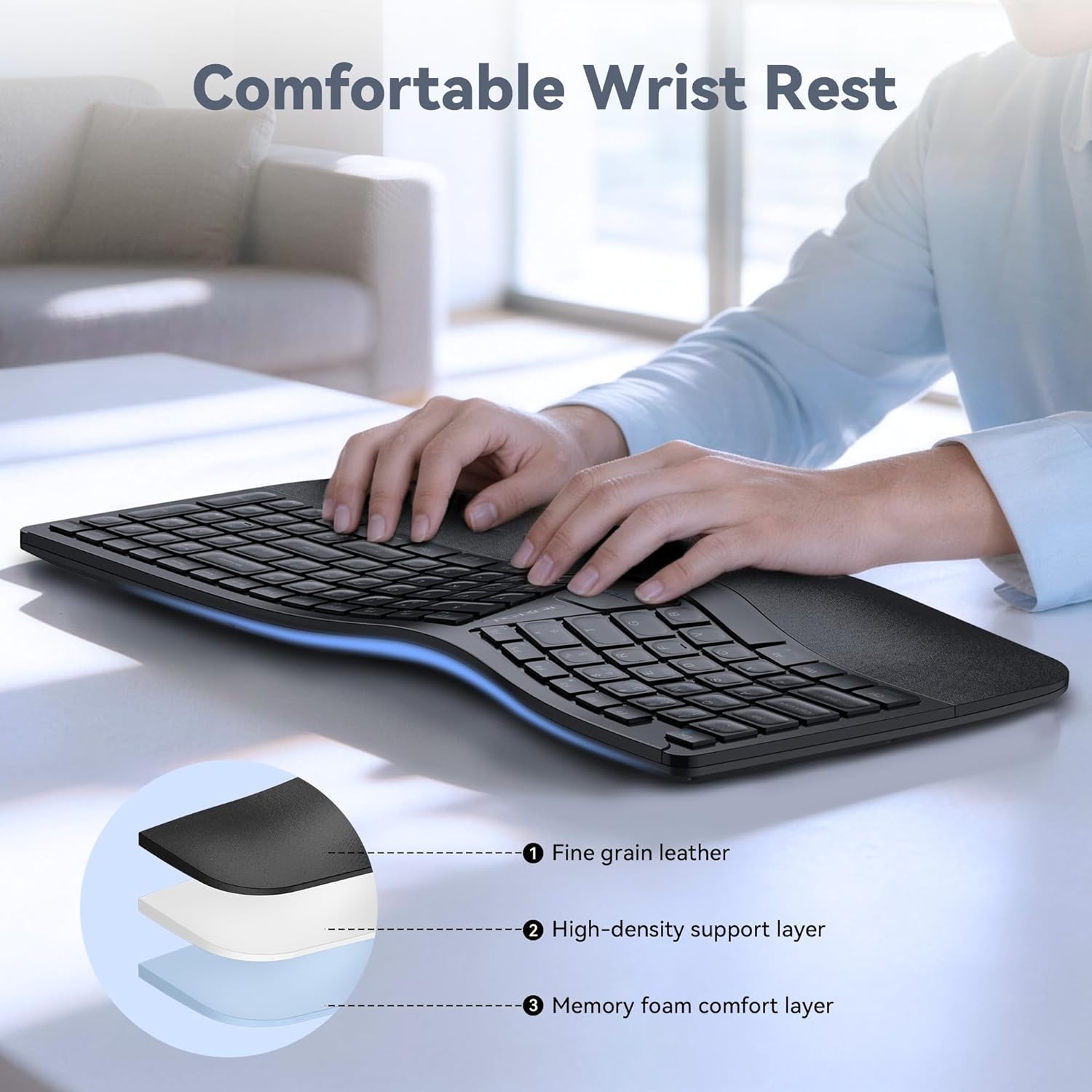
Image: Diagram showing the layers of the integrated wrist rest: fine grain leather, high-density support layer, and memory foam comfort layer.
Bluetooth + 2.4GHz Wireless Connectivity
The keyboard supports Bluetooth 5.0 with pairing memory for up to 3 devices and includes a USB wireless dongle for 2.4GHz connectivity. This allows connection to up to 4 devices (1 via 2.4GHz, 3 via Bluetooth) and seamless switching between them.
Long Battery Life & Fast Charging
Equipped with a 500mAh rechargeable lithium battery, the keyboard fully charges in approximately 4 hours and provides up to 200 hours of continuous use. The USB-C port supports simultaneous charging and use.
Monikulmainen säätö
The keyboard base features 4-stage adjustable feet, offering tilt options of 0°, 1.2°, 3°, and 6.2° to accommodate various working scenarios and personal preferences.
Asennus
2.4 GHz: n langaton yhteys
- Locate the USB-A receiver, typically stored in a compartment on the keyboard.
- Kytke USB-A-vastaanotin tietokoneen vapaaseen USB-porttiin.
- Turn on the keyboard using the power switch (usually located on the back or side).
- The keyboard should automatically connect to your device. The 2.4G indicator light may illuminate briefly.
Bluetooth Connection (BT1, BT2, BT3)
- Kytke näppäimistö päälle.
- Paina ja pidä painettuna BT1, BT2, tai BT3 key for 3-5 seconds until the corresponding Bluetooth indicator light flashes rapidly. This indicates the keyboard is in pairing mode.
- Siirry laitteellasi (tietokone, tabletti, älypuhelin) Bluetooth-asetuksiin ja hae uusia laitteita.
- Select "TECKNET Keyboard" or a similar name from the list of available devices.
- Follow any on-screen prompts to complete the pairing process. The indicator light will stop flashing and remain solid for a few seconds upon successful connection.
- Toista nämä vaiheet BT2:lle ja BT3:lle parittaaksesi ne muiden laitteiden kanssa.

Image: The keyboard connected to multiple devices (PC via 2.4G, tablet via BT1, laptop via BT2, smartphone via BT3), demonstrating its versatile connectivity.
Käyttöohjeet
Vaihtaminen kytkettyjen laitteiden välillä
To switch between connected devices, simply press the corresponding connectivity key: 2.4G, BT1, BT2, tai BT3. The keyboard will switch to the selected device within a few seconds.
Näppäimistön lataaminen
When the battery is low, the battery indicator light will flash. Connect the supplied USB-C charging cable to the keyboard's USB-C port and the other end to a USB power source (e.g., computer USB port, wall adapter). The indicator light will show charging status and turn off when fully charged.
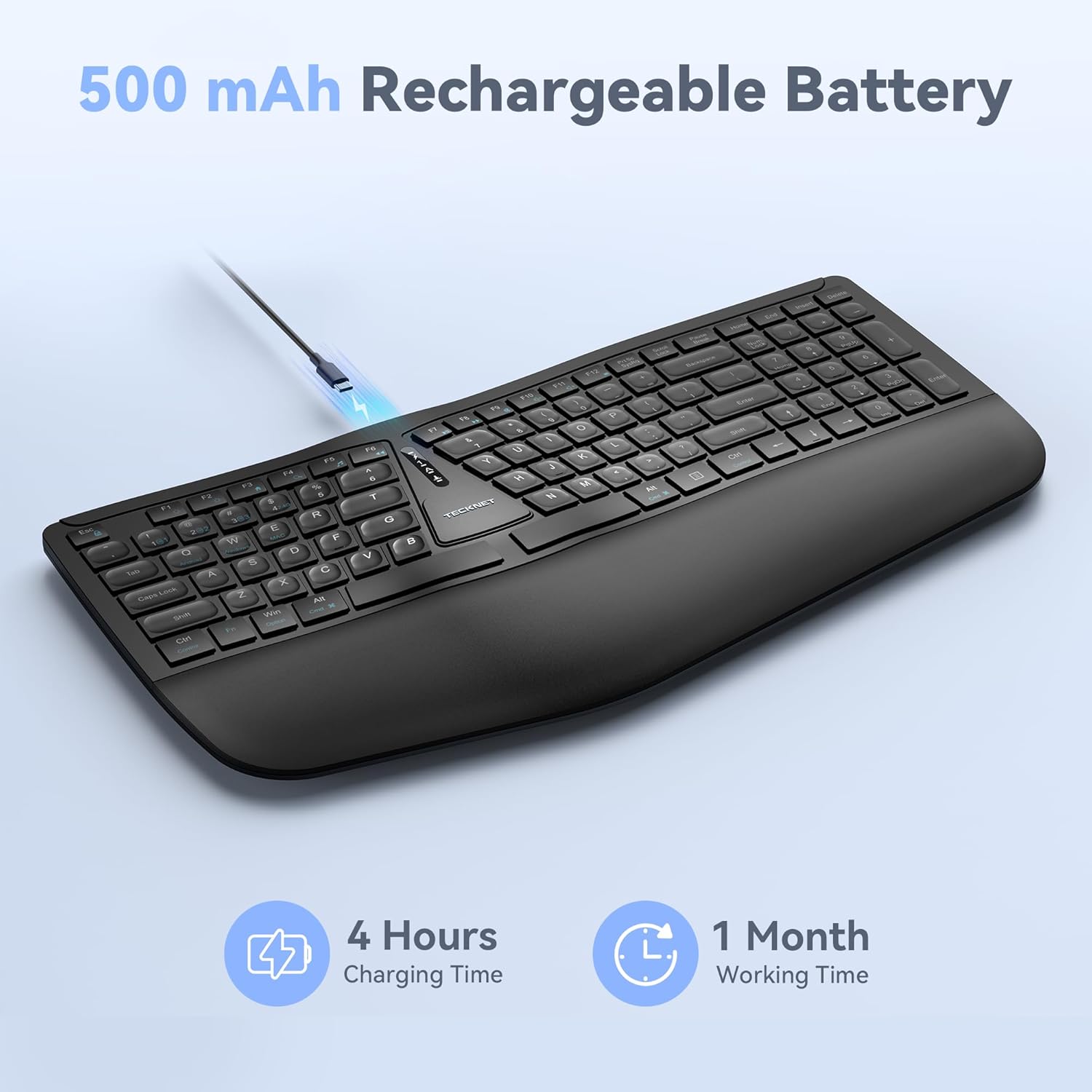
Image: The keyboard connected via a USB-C cable for charging, with an icon indicating 4 hours charging time for 1 month working time.
Näppäimistön kallistuksen säätäminen
The keyboard features adjustable feet on the underside. You can adjust the tilt to one of four positions: 0° (flat), 1.2° (backward tilt), 3° (rear stand open), or 6.2° (front tripod open). Experiment with different angles to find the most comfortable typing position for your setup.
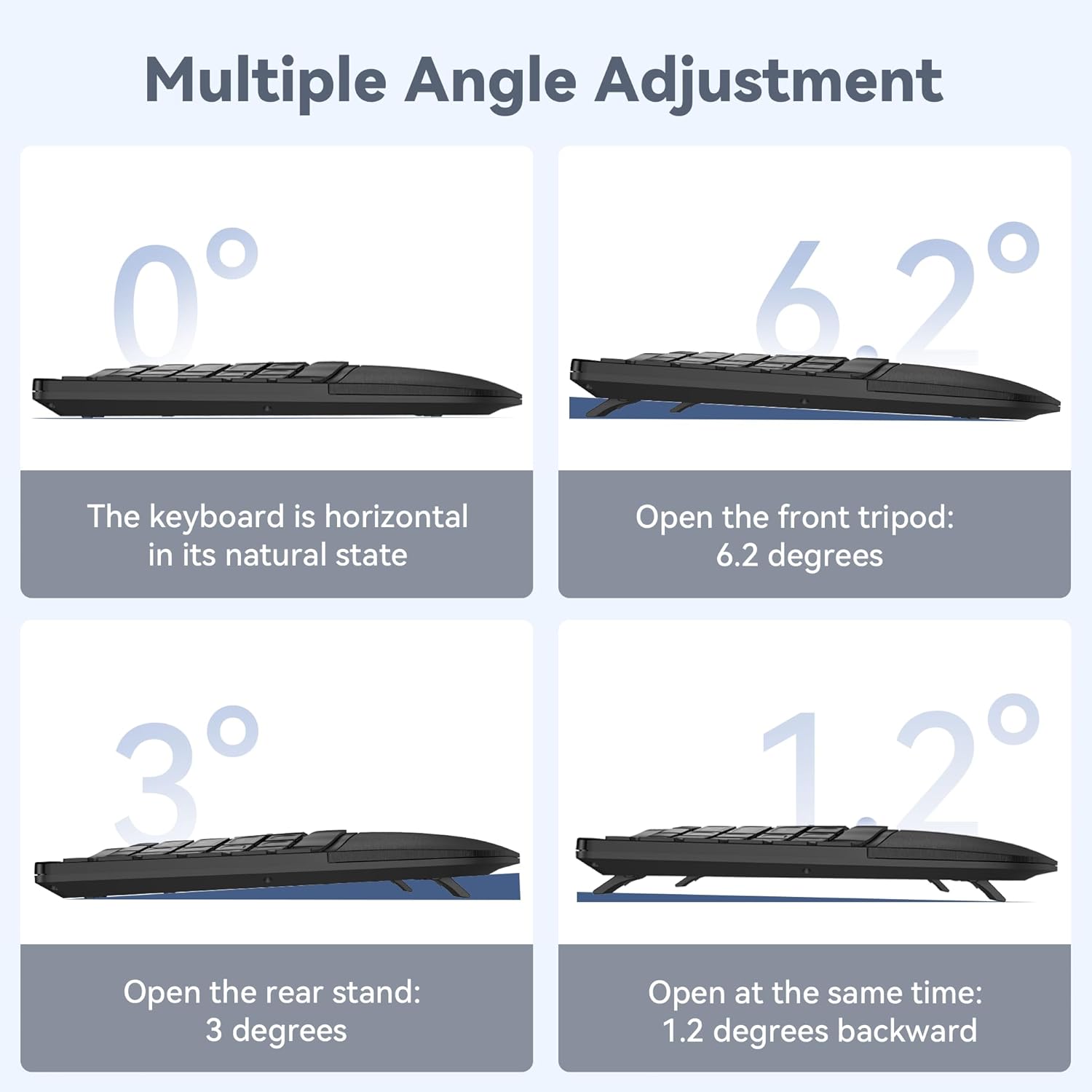
Image: Four diagrams illustrating the different tilt angles (0°, 1.2°, 3°, 6.2°) achievable with the keyboard's adjustable feet.
Huolto
- Puhdistus: Käytä pehmeää, damp liinalla näppäimistön pinnan puhdistamiseen. Vältä voimakkaita kemikaaleja tai hankaavia materiaaleja.
- Varastointi: Säilytä näppäimistöä kuivassa, viileässä paikassa, poissa suorasta auringonvalosta ja äärimmäisistä lämpötiloista.
- Akun hoito: Akun käyttöiän pidentämiseksi vältä näppäimistön usein tapahtuvaa tyhjentämistä kokonaan. Lataa se, kun akun heikon varauksen ilmaisin tulee näkyviin.
Vianetsintä
Näppäimistö ei muodosta yhteyttä
- Varmista, että näppäimistö on päällä ja täyteen ladattu.
- For 2.4GHz connection, verify the USB receiver is securely plugged into your device. Try a different USB port.
- For Bluetooth connection, ensure Bluetooth is enabled on your device and the keyboard is in pairing mode (flashing BT indicator). Remove previous pairings on your device and try pairing again.
- Kokeile käynnistää tietokone tai laite uudelleen.
Avaimet eivät vastaa
- Tarkista akun varaustaso ja lataa näppäimistö tarvittaessa.
- Ensure the keyboard is connected to the correct device (check the 2.4G/BT indicator).
- If specific keys are not working, gently clean around the keycaps to remove any debris.
Viive tai katkonainen yhteys
- Move the keyboard closer to your device to reduce interference.
- Avoid placing the keyboard near other wireless devices (e.g., Wi-Fi routers, cordless phones) that might cause interference.
- Varmista, että laitteesi ajurit ovat ajan tasalla.
Tekniset tiedot
| Mallinumero | TK-KB030 |
| Yhteystekniikka | 2.4 GHz:n langaton, Bluetooth 5.0 |
| Akun kapasiteetti | 500 mAh litiumakku |
| Latausaika | Noin 4 tuntia |
| Jatkuva käyttöaika | Jopa 200 tuntia |
| Näppäimistön mitat (P x L x K) | 43.3 cm x 22.6 cm x 3 cm (17 x 8.9 x 1.2 tuumaa) |
| Tuotteen paino | 790 g (1.7 lbs) |
| Yhteensopivat laitteet | PC, Laptop, Tablet, Smartphone (Windows compatible) |
| Materiaali | Muovi |

Image: Keyboard dimensions (length, width, height) and a hand size guide (S, M, L) with recommended keyboard size for M-L hands.
Takuu ja tuki
The TECKNET Wireless Ergonomic Keyboard TK-KB030 comes with a 36 kuukauden huoleton takuu. This warranty covers any issues encountered during normal use of the product.
For technical assistance, troubleshooting, or warranty claims, please contact TECKNET customer service. Refer to the contact information provided on the product packaging or the official TECKNET websivusto tukitietojen saamiseksi.


