Johdanto
The Celly FLIP3WH are compact, wireless in-ear earbuds designed for comfortable use with mobile phones, tablets, and computers. They feature integrated microphones for calls and media control, utilizing Bluetooth 5.2 technology for a stable connection. This manual provides essential instructions for setting up, operating, and maintaining your earbuds.
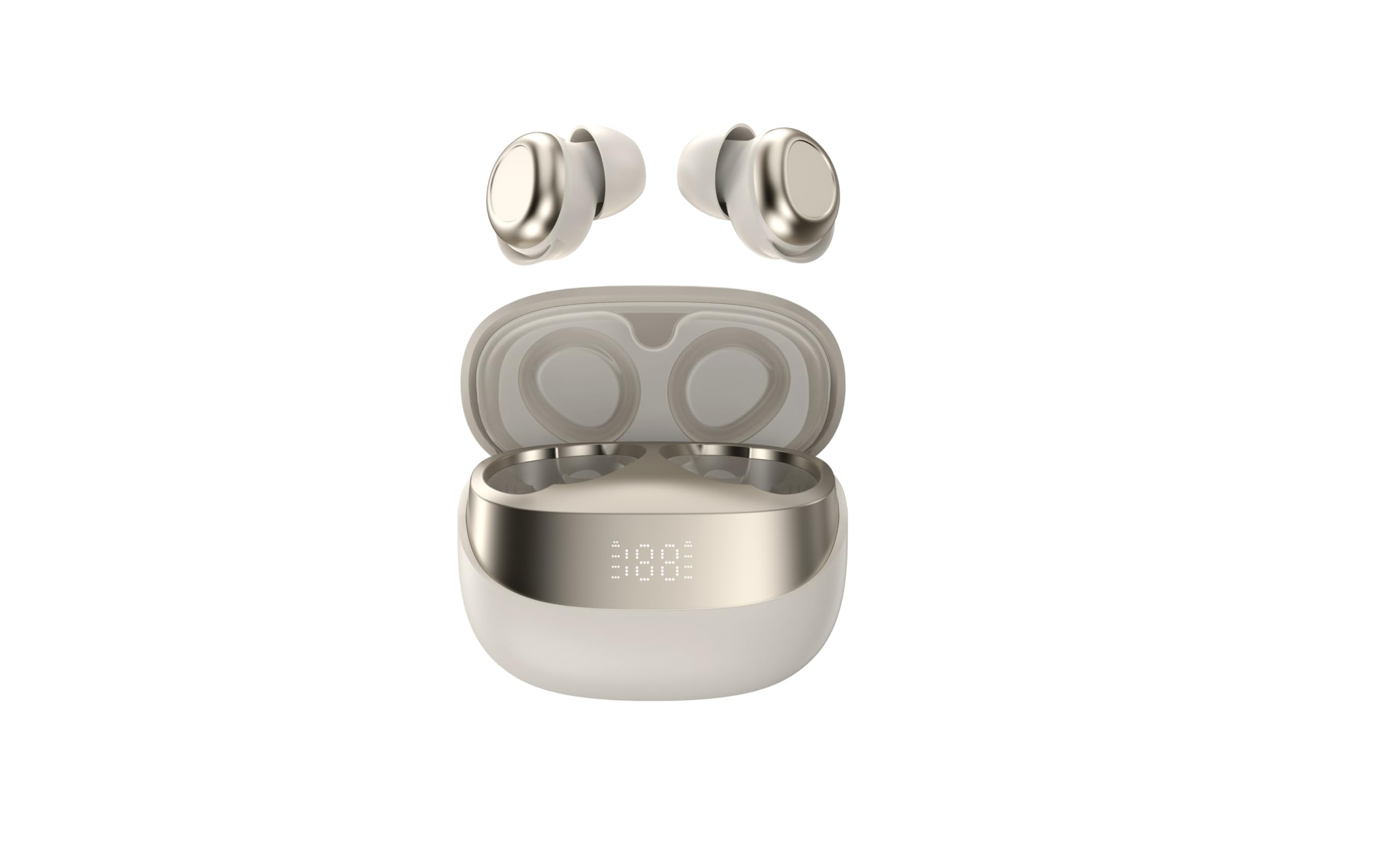
Image showing the Celly FLIP3WH wireless Bluetooth earbuds, highlighting their compact in-ear design and white color.
Tuote loppuview
The Celly FLIP3WH earbuds offer a secure in-ear fit and connect wirelessly via Bluetooth 5.2, providing a stable connection up to 12 meters. They include an integrated microphone for hands-free calls and remote controls for volume and music playback. The lightweight design, weighing 33 grams, ensures comfort during extended use.
- Korvaan asetettava muotoilu: Secure and comfortable fit.
- Bluetooth 5.2: Stable wireless connectivity up to 12 meters.
- Integroitu mikrofoni: Handsfree-puheluihin.
- Kaukosäätimet: For calls, volume, and music playback.
- Kevyt: Weighs 33 grams for extended comfort.
Asennus
Kuulokkeiden lataaminen
Before first use, fully charge your Celly FLIP3WH earbuds. Connect the charging cable to the earbuds and a compatible USB power source. The charging indicator will show the charging status. A full charge typically takes approximately 1.5 to 2 hours.
Pariliitos laitteen kanssa
To connect your Celly FLIP3WH earbuds to a mobile phone, tablet, or computer:
- Ensure the earbuds are charged and powered on. They should automatically enter pairing mode, indicated by a flashing LED light.
- Aktivoi Bluetooth matkapuhelimessasi, tabletissasi tai tietokoneessasi.
- Etsi available Bluetooth devices in your device's Bluetooth settings.
- Select 'Celly FLIP3WH' from the list of found devices to initiate pairing.
- Once connected, the earbuds will indicate successful pairing with an audible prompt or a solid LED light.
Toiminnassa
Virta päälle/pois
- Virta päälle: Press and hold the multi-function button for approximately 3 seconds until you hear an audible prompt and the LED indicator lights up.
- Virta pois: Press and hold the multi-function button for approximately 5 seconds until you hear an audible prompt and the LED indicator turns off.
Musiikin toisto
- Toista/tauko: Paina monitoimipainiketta kerran.
- Seuraava kappale: Paina monitoimipainiketta kahdesti.
- Edellinen kappale: Paina monitoimipainiketta kolme kertaa.
Puhelujen hallinta
- Puhelun vastaaminen/lopetus: Paina monitoimipainiketta kerran.
- Hylkää puhelu: Paina monitoimipainiketta 2 sekunnin ajan.
Äänenvoimakkuuden säätö
Adjust the volume directly from your connected device. Some earbuds may feature dedicated volume buttons; refer to the product diagram for specific controls if available.
Huolto
Puhdistus
Gently wipe the earbuds with a soft, dry, lint-free cloth. Do not use abrasive cleaners, solvents, or immerse the earbuds in water, as they are not water-resistant. Regularly clean the ear tips to ensure optimal sound quality and hygiene.
Varastointi
Store the earbuds in a cool, dry place away from direct sunlight, extreme temperatures, and humidity. When not in use for extended periods, charge them periodically (e.g., once every three months) to maintain battery health and prevent deep discharge.
Vianetsintä
- Kuulokkeet eivät muodosta pariliitosta:
- Varmista, että Bluetooth on käytössä laitteessasi ja että nappikuulokkeet ovat pariliitostilassa.
- Check if the earbuds are sufficiently charged.
- Kokeile käynnistää sekä nappikuulokkeet että laitteesi uudelleen.
- Varmista, etteivät nappikuulokkeet ole jo yhdistetty toiseen laitteeseen.
- Ei ääntä:
- Tarkista äänenvoimakkuus sekä nappikuulokkeista että yhdistetystä laitteesta.
- Varmista, että kuulokkeet on yhdistetty ja yhdistetty laitteeseesi oikein.
- Try playing different audio sources or applications.
- Huono äänenlaatu tai katkeamisia:
- Varmista, ettei nappikuulokkeiden ja laitteesi välissä ole fyysisiä esteitä.
- Siirry lähemmäs laitettasi mahdollisten häiriöiden vähentämiseksi.
- Check for other active Bluetooth devices in the vicinity that might cause interference.
Tekniset tiedot
| Merkki | Celly |
| Malli | FLIP3WH |
| Yhteydet | Bluetooth 5.2 |
| Wireless Range | Jopa 12 metriä |
| Akunkesto (musiikin toisto) | Jopa 6 tuntia |
| Akun kesto (valmiustila) | Jopa 30 tuntia |
| Taajuusvaste | 20-20,000 Hz |
| Paino | 33 grammaa |
| Mikrofoni | Integroitu |
| Vedenkestävyys | Ei |
| Väri | Valkoinen |
Takuu ja tuki
For detailed warranty information, technical support, and customer service, please refer to the documentation provided with your purchase or visit the official Celly websivusto. Säilytä ostokuittisi mahdollisten takuuvaatimusten varalta.