Tärkeitä turvallisuustietoja
Please read this manual carefully before operating your Riflewell gun safe. Failure to follow these instructions may result in injury, damage to the safe, or unauthorized access to firearms. Keep this manual for future reference.
- Säilytä turvallisesti: Always store firearms unloaded and locked in the safe. Keep ammunition stored separately and securely.
- Keep Keys Secure: The emergency keys must be stored in a secure location away from the safe and out of reach of children and unauthorized individuals. Do not store emergency keys inside the safe.
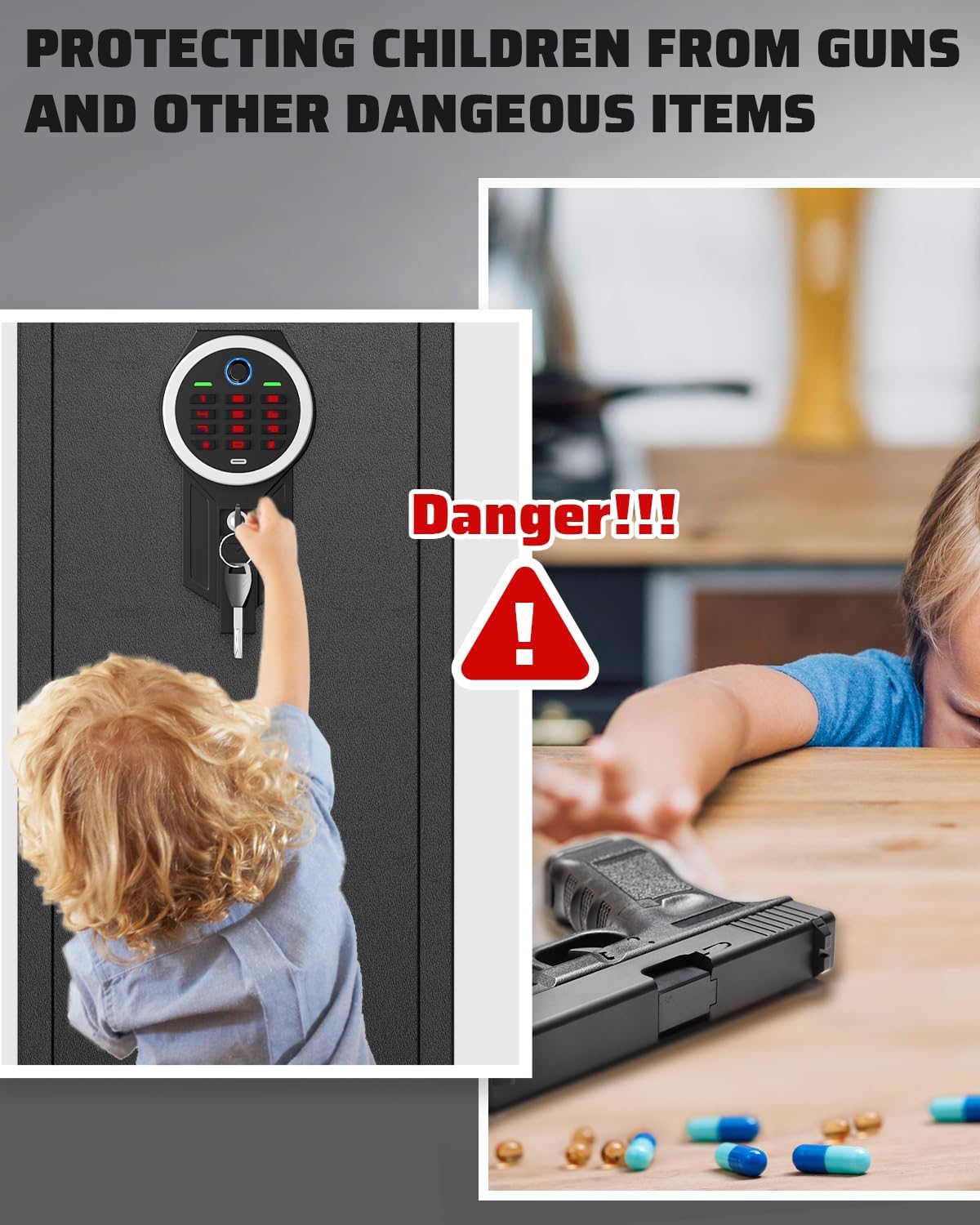
- Lasten turvallisuus: This safe is designed to prevent unauthorized access, especially by children. Never leave the safe unlocked or allow children to play with the safe or its locking mechanisms.
- Oikea asennus: Ensure the safe is securely mounted to a wall or floor to prevent removal or tipping.
- Akun hoito: Vaihda paristot viipymättä, kun niiden varaus on heikkotage warning is indicated to ensure continuous operation.
Pakkauksen sisältö
Varmista, että pakkauksessasi on kaikki alla luetellut tuotteet. Jos jokin tuote puuttuu tai on vaurioitunut, ota yhteyttä asiakaspalveluun.
- 1 x Rifle Gun Safe
- 2 x hätäavainta
- 5 x laajennusruuvia
- 1 x Type-C Cable (for external power)
- 3 x Gun Racks (adjustable)
- 1 x Käyttöohje (tämä asiakirja)

Tuote loppuview
The Riflewell GMM-145ZW gun safe is constructed from low-carbon alloy steel, providing robust security for your firearms. It features a biometric fingerprint scanner and a digital keypad for quick access, along with an emergency key override.
Tärkeimmät ominaisuudet:
- Rakenne: Low-carbon alloy steel with a 6cm-thick anti-drill door and 1mm anti-pry seam.
- Lukitusmekanismi: Biometric fingerprint sensor, digital keypad, and emergency key access.
- Security Bolts: 5 solid 20mm anti-theft bolts.
- Sisustus: Soft foam gun rack, carpeted floor, adjustable gun racks, removable shelf, 2 storage boxes, and 2 pistol bags on the door.
- Valaistus: Internal LED light for visibility in dark conditions.
- Hälytysjärjestelmä: Dual alarm system for incorrect code/fingerprint attempts and violent vibration.
- Mykistystoiminto: Option to silence operational sounds.


Asennus
1. Ensimmäinen avaaminen
Upon receiving your safe, use one of the provided emergency keys to open the door for the first time. The keyhole is typically located behind the biometric/keypad module or under a cover.
- Locate the emergency keyhole.
- Aseta hätäavain sisään ja käännä sitä avataksesi kassakaapin lukituksen.
- Avaa kassakaapin ovi.
2. Akun asennus
The safe requires batteries to power the biometric and keypad systems. The battery compartment is usually located on the inside of the safe door.
- Avaa kassakaapin ovi hätäavaimella.
- Locate the battery compartment (typically on the back of the keypad module).
- Aseta tarvittava määrä AA-paristoja (eivät sisälly toimitukseen) napaisuusmerkintöjen mukaisesti.
- Sulje paristolokero.
3. Kassakaapin asentaminen
For maximum security, it is highly recommended to securely mount the safe to a wall or floor using the provided expansion screws.
- Choose a suitable location for the safe, ensuring it is level and stable.
- Merkitse porauskohdat kassakaapin takaosassa tai pohjassa oleviin esiporattuihin reikiin.
- Poraa seinään tai lattiaan ohjausreiät sopivalla poranterällä.
- Position the safe and align the holes.
- Insert the expansion screws through the safe and into the drilled holes.
- Tighten the screws securely to fix the safe in place.

Käyttöohjeet
1. Setting Up Fingerprints
The safe can store up to 30 unique fingerprints for multiple users. Refer to the specific instructions on the keypad for entering programming mode.
- Avaa kassakaapin ovi.
- Press the programming button (refer to the safe's internal panel for exact location, usually a small button).
- Place your finger on the fingerprint scanner. The safe will prompt you to lift and place your finger multiple times until the fingerprint is successfully registered.
- Repeat for additional fingerprints if desired.
- Test the registered fingerprint to ensure it unlocks the safe.
2. Setting Up Digital Code
You can set a personal digital code for access. The code memory function ensures your code is retained even if batteries are depleted.
- Avaa kassakaapin ovi.
- Paina ohjelmointipainiketta.
- Enter your desired code (typically 4-8 digits) on the keypad.
- Press the '#' or 'confirm' button.
- Re-enter the code and press '#' or 'confirm' again to confirm.
- Test the new code to ensure it unlocks the safe.


3. Using Emergency Keys
In case of battery failure or forgotten codes, the emergency keys provide manual access.
- Paikanna hätäavaimenreikä (usein piilossa).
- Aseta hätäavain sisään ja käännä sitä avataksesi kassakaapin lukituksen.
- Käännä kahvaa avataksesi oven.
4. Mykistystoiminto
To operate the safe silently, you can activate the mute function.
- To turn on/off the mute function, press '1' twice, then press '#'. A prompt sound will confirm the change.
5. Kaksoishälytysjärjestelmä
Turvallisuussyistä kassakaapissa on kaksoishälytysjärjestelmä.
- Virheellisen syötön hälytys: After 3 consecutive incorrect code entries or 5 consecutive incorrect fingerprint attempts, the alarm will activate for 30 seconds.
- Tärinähälytys: If the safe experiences violent movement, a vibration alarm will be triggered, sounding up to 70 decibels.


Huolto
1. Pariston vaihto
Kun voltage drops below 4.8V, the safe will emit a prompt sound to remind you to replace the batteries. Prompt replacement ensures continuous functionality.
- Avaa kassakaapin ovi.
- Paikanna paristolokero.
- Poista vanhat paristot ja hävitä ne asianmukaisesti.
- Aseta uudet AA-paristot paikoilleen varmistaen oikea napaisuus.
- Sulje paristolokero.
2. Puhdistus
Kassakaapin ulkonäön ja toimivuuden ylläpitämiseksi:
- Pyyhi ulkopuoli pehmeällä, damp kangas. Vältä hankaavia puhdistusaineita.
- Keep the fingerprint scanner and keypad clean and free of dust or debris for optimal performance.
Vianetsintä
| Ongelma | Mahdollinen syy | Ratkaisu |
|---|---|---|
| Safe does not open with fingerprint/code. | Low batteries, incorrect fingerprint/code, scanner/keypad malfunction. | Replace batteries. Re-enter code carefully. Re-register fingerprint. Use emergency key. |
| Hälytys soi odottamatta. | Multiple incorrect entries, violent movement/vibration. | Ensure correct code/fingerprint. Check if safe was disturbed. Alarm will reset after 30 seconds. |
| No power/display. | Tyhjät paristot, paristojen virheellinen asennus. | Replace batteries. Check battery polarity. Use external Type-C power cable if available. |
| Hätäavain ei toimi. | Key not fully inserted, wrong key, lock mechanism jammed. | Ensure key is fully inserted and turned correctly. Contact customer service if issue persists. |
Tekniset tiedot
| Ominaisuus | Yksityiskohta |
|---|---|
| Merkki | Riflewell |
| Mallinumero | GMM-145ZW |
| Ulkomitat (K x L x S) | 57.08 cm x 13.78 cm x 11.81 cm |
| Sisämitat (K x L x S) | 56.27 cm x 13.38 cm x 10.83 cm |
| Materiaali | Vähähiilinen teräs |
| Lukon tyyppi | Biometric Fingerprint, Digital Keypad, Emergency Key |
| Sormenjälkikapasiteetti | Jopa 30 sormenjälkeä |
| Avausaika | Less than 0.1 seconds (biometric) |
| Alarm Decibels | Jopa 70 dB |
| Asennustyyppi | Lattiakiinnitys, seinäteline |
| Väri | Musta |
| UPC | 792864903404 |
Takuu ja tuki
Riflewell is committed to providing quality products and customer satisfaction. If you encounter any issues with your gun safe, please refer to the following information.
Myynnin jälkeinen palvelu
If there are any problems with the gun cabinet, please contact our experienced customer service team directly. We aim to respond within 24 hours and resolve the problem to your satisfaction.
How to Find the Seller on Amazon:
- Log in to your Amazon buyer's account.
- Siirry kohtaan 'Tilauksesi'.
- Find your purchase of the Riflewell gun safe.
- Click 'Get help' or 'Contact Seller' for assistance with this product.


