1. Johdanto
This manual provides detailed instructions for the setup, operation, and maintenance of your ATTACK SHARK X98PRO Wireless Mechanical Keyboard. The X98PRO features tri-mode connectivity (Bluetooth, 2.4GHz wireless, USB-C wired), hot-swappable switches, a customizable TFT screen, and a multi-function CNC knob, designed for both gaming and productivity across various operating systems.
2. Pakkauksen sisältö
- ATTACK SHARK X98PRO Mechanical Keyboard
- USB-C–USB-A-punottu kaapeli
- 2.4 GHz langaton vastaanotin
- Näppäimistön vetäjä
- Kytkimen vedin
- Käyttöopas (tämä asiakirja)
3. Keyboard Layout and Components
The X98PRO features a compact 98-key layout, integrating a numeric keypad while maintaining a smaller footprint than a full-size keyboard. Key components include:
- 1.14 tuuman TFT-näyttö: Located above the numeric keypad, this screen displays various information and allows for customization.
- CNC Multi-Function Knob: Positioned next to the TFT screen, this knob controls volume, brightness, RGB effects, and connection modes.
- USB-C-portti: Langallista yhteyttä ja latausta varten.
- 2.4GHz Wireless Receiver Storage: Typically located in a dedicated slot on the keyboard for safekeeping.


4. Asennus
4.1. Näppäimistön lataaminen
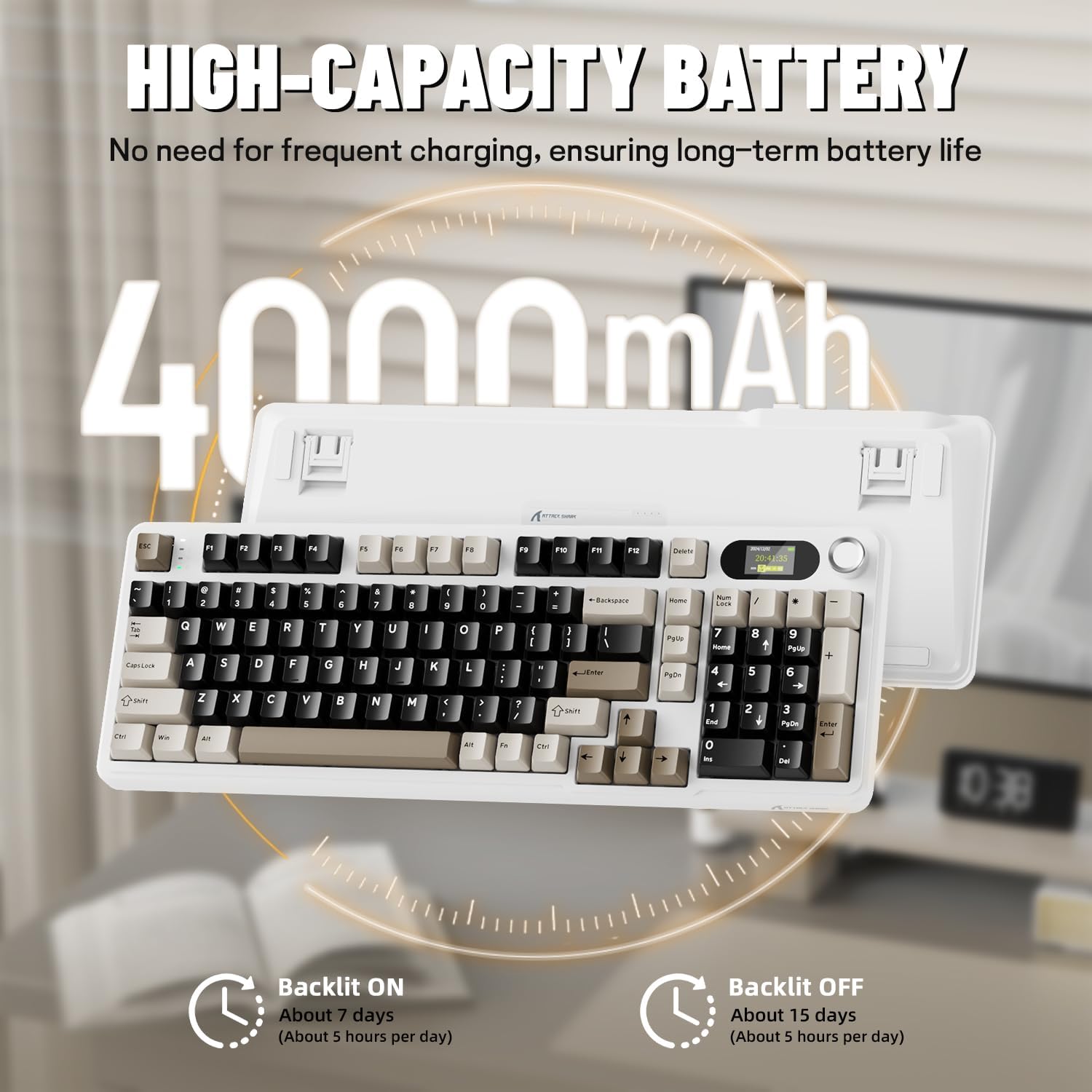
Before first use, it is recommended to fully charge the keyboard. Connect the provided USB-C cable to the keyboard's USB-C port and the other end to a USB-A power source (e.g., computer, wall adapter). The TFT screen will indicate charging status. The keyboard features a 4000mAh battery for extended wireless use.
4.2. Yhteystilat
The X98PRO supports three connection modes:
- USB-C-langallinen tila: Connect the keyboard directly to your device using the USB-C cable. This mode also charges the keyboard.
- 2.4 GHz:n langaton tila:
- Liitä 2.4 GHz:n langaton vastaanotin tietokoneen vapaaseen USB-porttiin.
- Switch the keyboard's mode selector to 2.4G. The keyboard should automatically connect.
- Bluetooth 5.0 -tila: Näppäimistö voi parittaa jopa kolme Bluetooth-laitetta.
- Vaihda näppäimistön tilanvalitsin Bluetooth-asentoon.
- Paina ja pidä painettuna fn+1, fn+2, tai fn+3 for 3-5 seconds until the indicator light flashes, indicating pairing mode.
- On your device (PC, Mac, Tablet), search for Bluetooth devices and select "ATTACK SHARK X98PRO" to pair.
- Vaihda paritettujen Bluetooth-laitteiden välillä painamalla fn+1, fn+2, tai fn+3 lyhyesti.

4.3. Alkuperäiset asetukset (Web-based Driver)
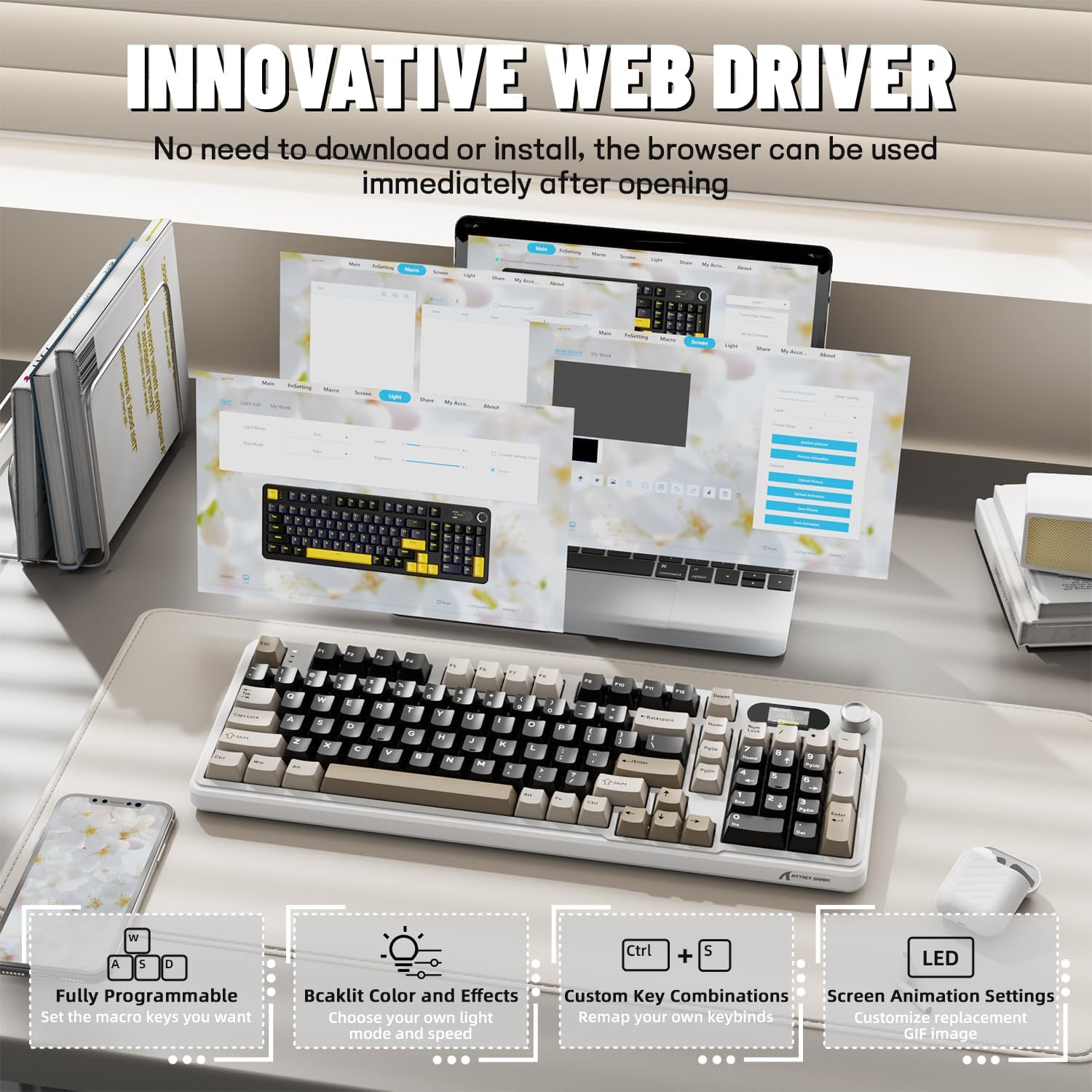
The X98PRO utilizes an intuitive web-based driver for advanced customization. This allows you to edit, upload, and switch display content for the TFT screen, customize RGB lighting, remap keys, and set macros without installing dedicated software. Access the official ATTACK SHARK websivustoa varten web kuljettajan käyttöliittymä.
5. Käyttöohjeet
5.1. TFT Screen Functions
The 1.14-inch TFT screen can display various information:
- Järjestelmän tila: Connection mode (wired, 2.4G, BT1/2/3), operating system (Win/Mac).
- Akun kesto: Real-time battery level.
- Aika: Nykyinen aika.
- Custom GIFs: Upload personalized animations via the web kuljettaja.
To navigate the TFT screen menu, rotate the CNC knob to scroll through options and press the knob to confirm a selection.
5.2. CNC Multi-Function Knob
The CNC knob provides intuitive control over several keyboard features:
- Äänenvoimakkuuden säätö: By default or after switching, rotate to adjust system volume.
- Kirkkauden säätö: Säädä taustavalon kirkkautta.
- RGB-tehosteet: Selaa eri RGB-valaistustehosteita.
- Yhteystilat: Switch between wired, 2.4GHz, and Bluetooth modes.
To switch the knob's function (e.g., between volume and RGB control), press Fn + Nuppi (press the knob down).
5.3. RGB-taustavalo
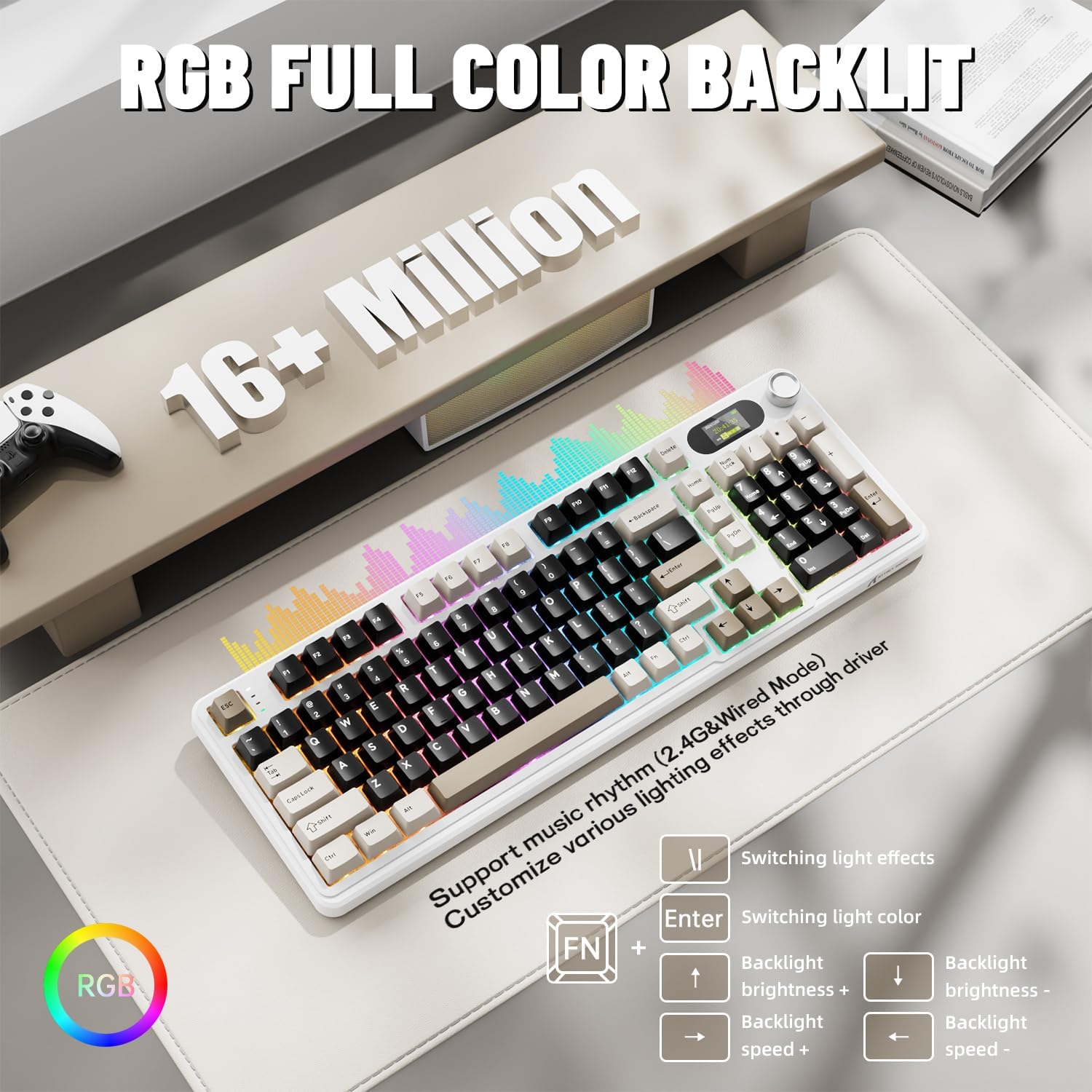
The X98PRO features full RGB backlighting with multiple effects. Control options include:
- Valotehosteiden vaihto: Paina Fn + Enter.
- Switching Light Color: Paina Fn + \|.
- Taustavalon kirkkaus: Paina Fn + ylänuoli (lisäys) tai Fn + alanuoli (vähennys).
- Taustavalon nopeus: Paina Fn + vasen nuoli (vähennys) tai Fn + oikea nuoli (increase).
Further customization of RGB lighting, including per-key lighting and custom profiles, is available through the web-pohjainen kuljettaja.
5.4. Käytön aikana vaihdettavat kytkimet
The X98PRO features a hot-swappable PCB, allowing you to easily change mechanical switches without soldering. It is compatible with most 3-pin and 5-pin mechanical switches.
- Käytä mukana toimitettua kytkimen ulosvetäjää, tartu varovasti kytkimeen ja vedä sitä suoraan ylöspäin irrottaaksesi sen.
- Kohdista uuden kytkimen nastat piirilevyn reikiin. Varmista, että nastat ovat suorassa.
- Paina uutta kytkintä varovasti paikalleen, kunnes se napsahtaa. Älä pakota sitä.

6. Huolto
6.1. Puhdistus
- Irrota näppäimistö kaikista virtalähteistä ennen puhdistamista.
- Käytä näppäinhattuvetimeä irrottaaksesi näppäinhatut perusteellista puhdistusta varten.
- Pyyhi näppäimistön pinta pehmeällä,amp kangas. Vältä vahvoja kemikaaleja.
- Poista pöly ja roskat näppäinten välistä paineilmalla.
6.2. Kytkimen ja näppäinhatun vaihto
Refer to Section 5.4 for instructions on replacing switches. Keycaps can be removed using the provided keycap puller and replaced with compatible sets.
7. Vianmääritys
- Näppäimistö ei vastaa: Ensure the keyboard is charged. Check the connection mode (wired, 2.4G, BT) and ensure it matches your device. For 2.4GHz, ensure the receiver is properly inserted. For Bluetooth, re-pair if necessary.
- TFT screen not updating/syncing: Ensure the keyboard is connected to a device. For time synchronization or custom GIFs, use the web-pohjainen kuljettaja.
- Lyhyt akunkesto: Ensure the keyboard is fully charged. Reduce backlight brightness or disable RGB effects to conserve battery.
- Avaimet eivät rekisteröidy: If a specific key is not working, try removing and re-inserting its switch. If the issue persists, consider replacing the switch.
- Customization issues: Ensure you are using the official web-based driver. Clear browser cache or try a different browser if experiencing issues.
8. Tekniset tiedot
| Merkki | HYÖKKIHAI |
| Malli | X98PRO |
| Yhteystekniikka | 2.4GHz, Bluetooth 5.0, USB-C Wired |
| Näppäimistön kuvaus | Mekaaninen |
| Kytkimen tyyppi | Linear (Blueberry switches) |
| Kuumavaihdettava | Kyllä (yhteensopiva 3- ja 5-nastaisten kanssa) |
| Akun kapasiteetti | 4000 mAh |
| Erikoisominaisuudet | Customizable TFT Display, Multi-Function CNC Knob, RGB Backlit, Gasket Mount |
| Yhteensopivat laitteet | Laptop, PC, Tablet (Windows, Mac, Linux) |
| Mitat | 16.4 x 5.8 x 1.8 tuumaa (arvioitu) |
| Tuotteen paino | 2.9 kiloa |
9. Takuu ja tuki
Takuutietoja ja teknistä tukea varten ota yhteyttä viralliseen ATTACK SHARK -sivustoon. websivustolta tai ota yhteyttä heidän asiakaspalveluunsa. Säilytä ostokuitti takuuvaatimuksia varten.


