1. Johdanto
Thank you for choosing the soyes Mini Phone 4G Unlocked Smartphone. This compact and feature-rich device is designed for portability and essential communication, offering a balance of functionality and convenience. This manual provides detailed instructions to help you set up, operate, and maintain your new smartphone.
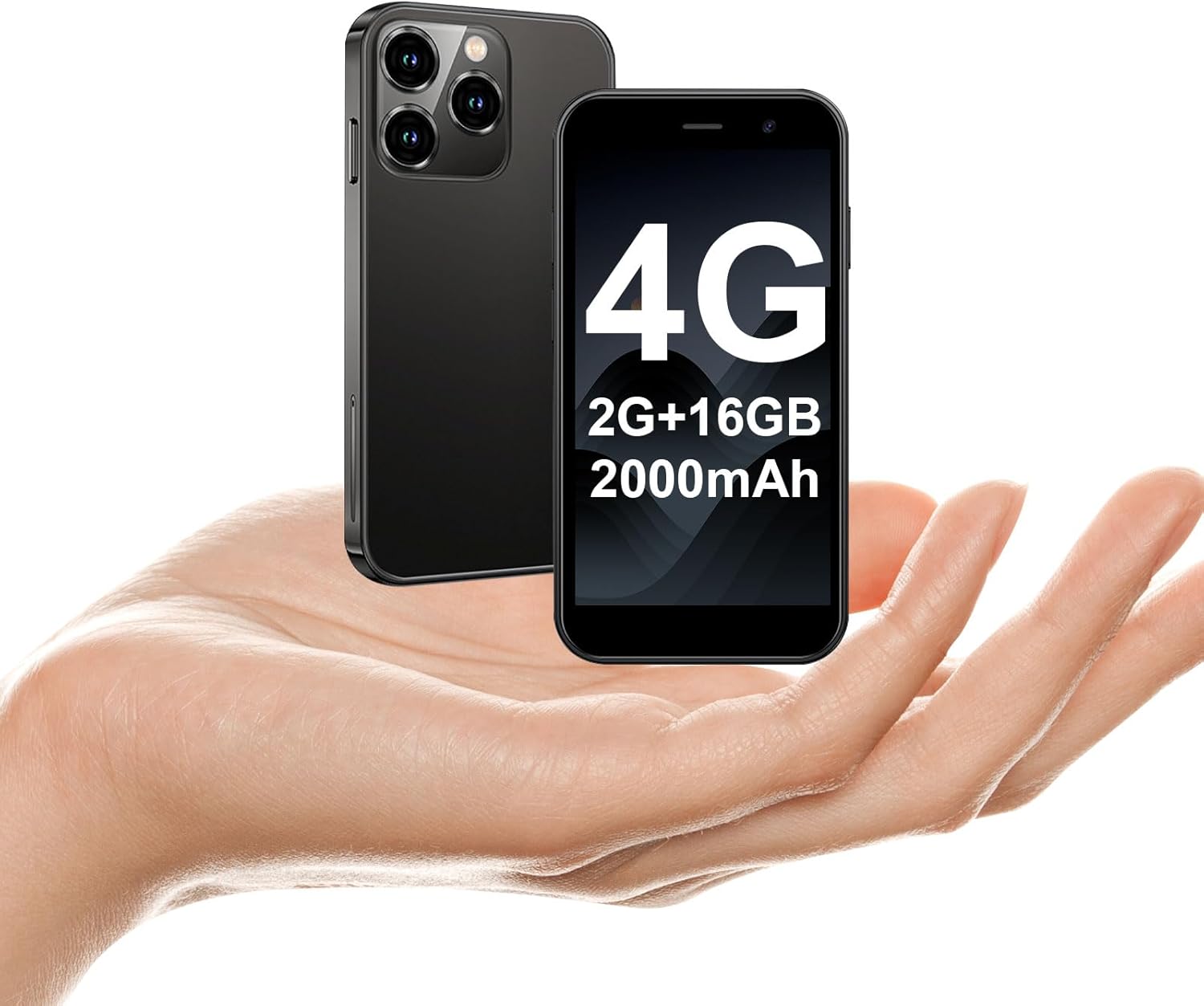
The soyes Mini Phone 4G Unlocked Smartphone, designed for portability and essential communication.
2. Mitä laatikossa on
Varmista, että pakkauksessasi on kaikki tarvittavat osat:
- 1 x soyes Mini Smartphone
- 1 x karkaistu kalvo (näytönsuoja)
- 1 x C-tyypin kaapeli
- 1 x matkapuhelinkotelo
- 1 x SIM Ejector Pin
3. Asennus
3.1. SIM-kortin ja muistikortin asentaminen
The soyes Mini Phone supports dual SIM cards and a memory card for expanded storage. Ensure your SIM card is compatible with the following frequency bands: WCDMA B2/B4, B5; FDD B2/B4/B5/B7/B17/B28/B28A/B41/B66.
- Etsi SIM-kortin alusta puhelimen sivusta.
- Aseta mukana toimitettu SIM-kortin poistotappi pieneen reikään alustan vieressä ja paina varovasti, kunnes alusta ponnahtaa ulos.
- Vedä lokero varovasti ulos.
- Place your Nano-SIM cards into the designated slots (SIM1, SIM2) and the TF (microSD) card into its slot, ensuring the gold contacts face downwards.
- Työnnä pidike varovasti takaisin puhelimeen, kunnes se napsahtaa paikalleen.

Insert your SIM and memory cards into the tray.
3.2. Ensimmäinen käynnistys
Press and hold the Power button (located on the right side of the phone) until the screen lights up. Follow the on-screen prompts to complete the initial setup, including language selection, Wi-Fi connection, and Google account setup.
3.3. Laitteen lataaminen
Before first use, it is recommended to fully charge the phone. Connect the provided Type-C cable to the phone's charging port and the other end to a compatible USB power adapter (not included) or a computer's USB port.

Connect the Type-C cable to charge your device.
4. Käyttöohjeet
4.1. Perusnavigointi
The soyes Mini Phone features a 3.0-inch HD touchscreen. Navigate the interface by tapping, swiping, and pinching. The Android 8.1 operating system provides an intuitive user experience.

Experience clear visuals on the 3.0-inch HD touchscreen.
4.2. Calling and Messaging
Utilize the Phone app for making and receiving calls. The Messaging app allows you to send and receive SMS/MMS messages. With dual SIM support, you can manage two different phone numbers simultaneously.
4.3. Kameran käyttö
The phone is equipped with a 2MP front camera and a 5MP rear camera. Open the Camera app to capture photos and videos. Tap the screen to focus and press the shutter button to take a picture.

Capture moments with the HD Dual Camera.
4.4. Sovelluksen asennus ja käyttö
Running on Android 8.1, the soyes Mini Phone is fully compatible with the Google Play Store. You can download and install a wide range of applications, including social media, entertainment, and productivity tools.
- Varmista, että olet yhteydessä Wi-Fi-verkkoon tai että mobiilidata on käytössä.
- Avaa Play Kauppa -sovellus aloitusnäytöltä tai sovellusvalikosta.
- Etsi your desired application.
- Tap 'Install' to download and set up the app.

Download and enjoy a wide variety of applications from the Google Play Store.
4.5. Kasvojentunnistus
The device features advanced facial recognition technology for faster and secure unlocking. To set up Face ID, go to Settings > Security > Face Unlock and follow the on-screen instructions.

Unlock your phone quickly and securely with Face ID.
4.6. Tallennuksen hallinta
The soyes Mini Phone comes with 2GB RAM and 16GB ROM. You can expand the storage capacity up to 256GB using a TF (microSD) card, allowing you to store more photos, videos, and applications.

Manage your storage with 2GB RAM, 16GB ROM, and expandable memory.
5. Huolto
5.1. Akun hoito
The phone is equipped with a 2000mAh battery. To maximize battery life:
- Vältä äärimmäisiä lämpötiloja.
- Charge the phone regularly, but avoid leaving it fully charged or fully depleted for extended periods.
- Käytä lataukseen mukana toimitettua Type-C-kaapelia.

2000 mAh:n akku tarjoaa pidemmän käyttöajan.
5.2. Puhdistus
Puhdista puhelimen näyttö ja runko pehmeällä, nukkaamattomalla liinalla. Vältä voimakkaiden kemikaalien tai hankaavien materiaalien käyttöä.
5.3. Ohjelmistopäivitykset
Periodically check for software updates in Settings > System > System update to ensure your device has the latest features and security patches.
6. Vianmääritys
If you encounter issues with your soyes Mini Phone, please refer to the following common solutions:
| Ongelma | Mahdollinen ratkaisu |
|---|---|
| Phone is unresponsive or frozen | Pakota uudelleenkäynnistys painamalla virtapainiketta noin 10–15 sekuntia. |
| Akku tyhjenee nopeasti | Close unused apps, reduce screen brightness, disable Wi-Fi/Bluetooth when not in use, or check for background app activity. |
| Wi-Fi-/mobiilidatayhteyden muodostaminen ei onnistu | Toggle Wi-Fi/Mobile Data off and on. Restart the phone. Ensure correct SIM card installation and network settings. |
| Apps crashing or not installing | Clear cache for the app or Play Store. Ensure sufficient storage space. Check app compatibility with Android 8.1. |
| Kasvotunnistus ei toimi | Ensure good lighting and that your face is clearly visible to the front camera. Re-register your face in settings if necessary. |
Jos ongelma jatkuu, harkitse tehdasasetusten palauttamista (varmuuskopioi ensin tietosi) tai ota yhteyttä asiakastukeen.
7. Tekniset tiedot
The soyes Mini Phone 4G Unlocked Smartphone offers the following technical specifications:

Kompakti ja kevyt muotoilu helpottaa kannettavuutta.

Designed to fit comfortably in the palm of your hand.
| Ominaisuus | Yksityiskohta |
|---|---|
| Mallin nimi | soyes-15mini-bk |
| Käyttöjärjestelmä | Android 8.1 |
| Prosessori | Neliytiminen |
| RAM | 2 Gt |
| Sisäinen tallennustila (ROM) | 16 Gt |
| Laajennettava Muisti | TF Card Slot (up to 256GB) |
| Näytön koko | 3.0 tuumaa |
| Näytön resoluutio | 480*854 HD |
| Takakamera | 5 MP |
| Etukamera | 2 MP |
| Akun kapasiteetti | 2000 mAh Lithium Ion |
| SIM-kortin tuki | Kaksi SIM-korttia (nano-SIM) |
| Mobiilitekniikka | 4G (Unlocked) |
| Tuetut taajuuskaistat | WCDMA B2/B4, B5; FDD B2/B4/B5/B7/B17/B28/B28A/B41/B66 |
| Yhteydet | Wi-Fi, Bluetooth, GPS |
| Erikoisominaisuudet | Face ID, Stereo Speakers, Fast Charging Support |
| Dimensions (Phone) | Noin 3.7 cm (P) x 1.87 cm (L) |
| Paino | 3.35 unssia (95 grammaa) |
| Latausportti | Tyyppi-C |
8. Takuu ja tuki
For warranty information and customer support, please refer to the documentation included with your product packaging or visit the official soyes websivusto. Säilytä ostokuitti ostotodistuksena.


