Johdanto
Thank you for choosing the Haomuren K1 Mini Portable Bluetooth Karaoke Machine. This manual provides essential information for the safe and efficient operation of your new device. Please read it thoroughly before use and retain it for future reference.
Mitä laatikossa on
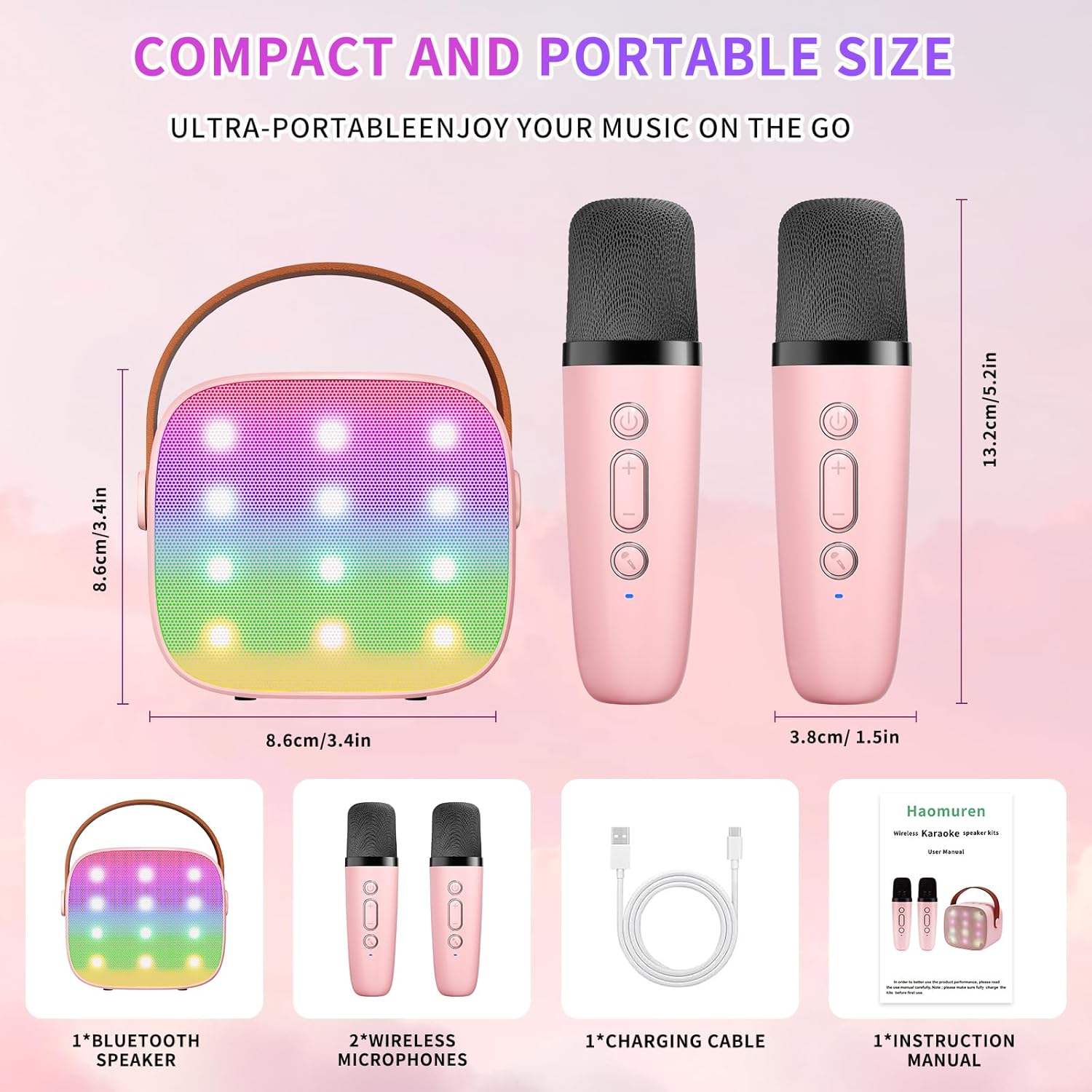
- Karaoke Machine (Speaker) x 1
- Langaton mikrofoni x 2
- Type-C latauskaapeli x 1
- Käyttöohje x 1
Asennus
1. Laitteen lataaminen
Before initial use, fully charge the karaoke machine and both microphones. Use the provided Type-C charging cable.
- Kaiutin: Connect the Type-C cable to the speaker's charging port. The speaker has an 1800mAh battery and typically charges in 1-2 hours.
- Mikrofonit: Connect the Type-C cable to the charging port at the bottom of each microphone. Each microphone has a 600mAh battery.

2. Virta päälle/pois
- Kaiutin: Press and hold the power button on the top panel of the speaker until the LED lights illuminate.
- Mikrofonit: Press and hold the power button on each microphone until the blue indicator light turns on.
3. Bluetooth-pariliitos
The speaker and microphones are designed for instant pairing. Once both are powered on, they should automatically connect. To connect the speaker to an external device (smartphone, tablet, PC):
- Ensure the karaoke machine speaker is powered on and in Bluetooth mode (indicated by a voice prompt).
- Ota Bluetooth käyttöön ulkoisessa laitteessasi ja hae käytettävissä olevia laitteita.
- Select "K1" (or similar model name) from the list to pair. A confirmation sound will indicate successful pairing.

Käyttöohjeet
1. Kaiuttimien säätimet
The speaker features intuitive buttons on its top panel:
- Äänenvoimakkuutta pienemmälle (-): Vähentää kaiuttimen äänenvoimakkuutta.
- Virta/toisto/tauko: Short press to play/pause music. Long press to power on/off the speaker.
- Äänenvoimakkuuden lisääminen (+): Lisää kaiuttimen äänenvoimakkuutta.
- Tila (M): Switches between different input modes (Bluetooth, TF Card).
- LED -valon ohjaus: Short press to cycle through 6 different LED lighting modes.
- Original Vocal/Accompaniment: Press this button to remove or restore original vocals from a song, allowing you to sing along to the instrumental track.

2. Mikrofonin säätimet
Jokaisessa langattomassa mikrofonissa on seuraavat säätimet:
- Virtapainike: Press and hold to power on/off the microphone.
- Äänenvoimakkuuden lisääminen (+): Lisää mikrofonin äänenvoimakkuutta.
- Äänenvoimakkuutta pienemmälle (-): Vähentää mikrofonin äänenvoimakkuutta.
- Voice Changer -painike: Short press to cycle through 5 different voice effects.

3. Voice Changing Modes
The microphones offer 5 unique voice effects to enhance your karaoke experience:
- Alkuperäinen Ääni
- Naisen Ääni
- Miehen Ääni
- Vauvan ääni
- hirviön ääni
4. LED-valot
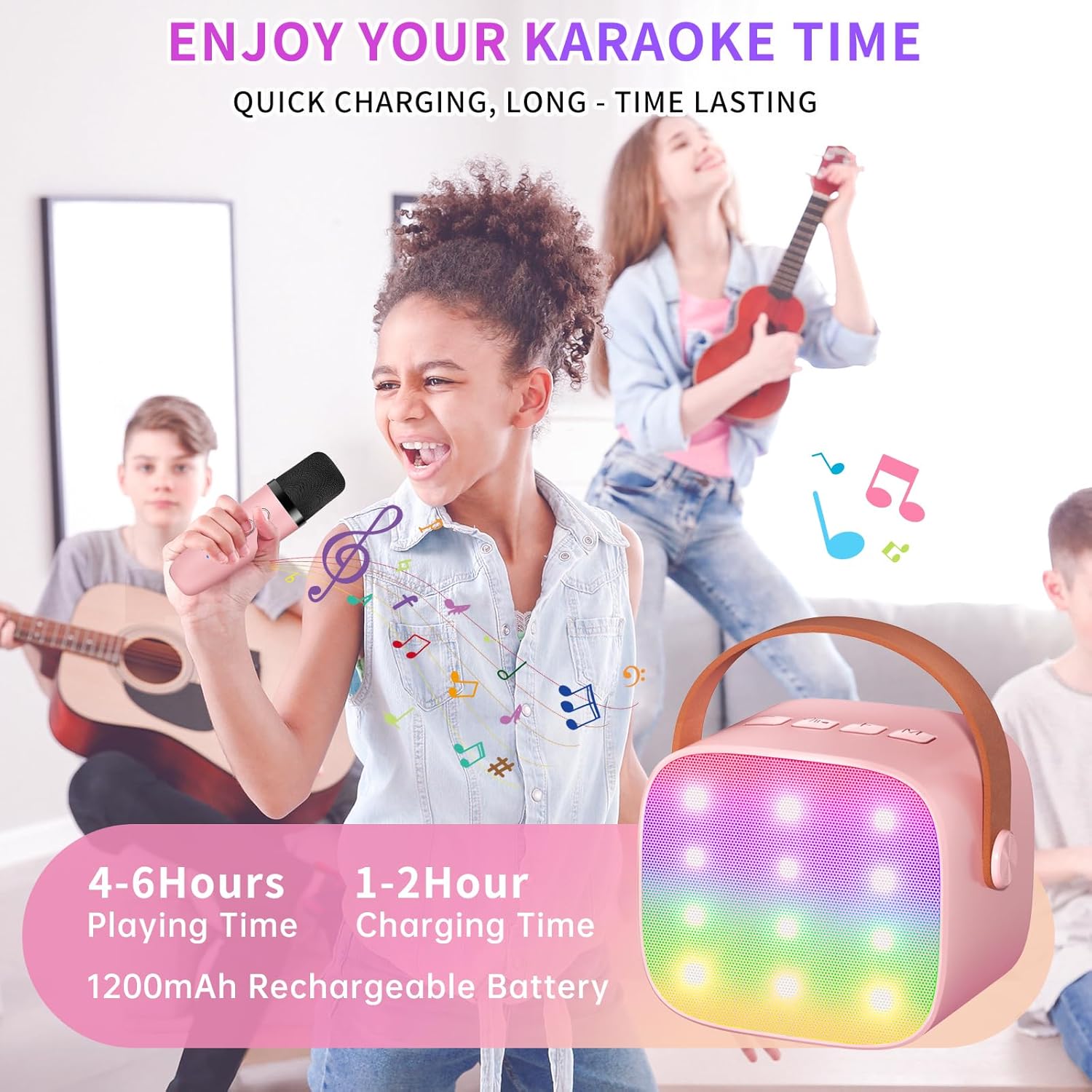
The speaker features built-in LED lights with 6 dynamic modes that synchronize with the music, creating an immersive atmosphere. Use the dedicated LED Light Control button on the speaker to cycle through these modes.

5. Music Playback Options
The Haomuren K1 supports various music playback methods:
- Bluetooth: Connect wirelessly to your smartphone, tablet, or PC.
- TF-kortti: Insert a TF (MicroSD) card into the designated slot on the back of the speaker to play stored music files.
- Kuulokkeiden lähtö: Use the 3.5mm headphone jack for private listening.
Huolto
- Puhdistus: Use a soft, dry cloth to clean the exterior of the speaker and microphones. Do not use liquid cleaners or abrasive materials.
- Varastointi: Säilytä laitetta viileässä, kuivassa paikassa, poissa suorasta auringonvalosta ja äärimmäisistä lämpötiloista.
- Akun hoito: Akun käyttöiän pidentämiseksi vältä laitteen usein toistuvaa tyhjentämistä kokonaan. Lataa laite säännöllisesti, vaikka sitä ei käytettäisi pitkään aikaan.
Vianetsintä
- Ei ääntä kaiuttimesta:
- Varmista, että kaiuttimeen on kytketty virta ja että se on ladattu.
- Check the speaker's volume level.
- Verify that the speaker is correctly paired via Bluetooth to your device.
- Jos käytät TF-korttia, varmista, että se on asetettu oikein ja että siinä on yhteensopiva äänikortti. files.
- Mikrofoni ei toimi:
- Varmista, että mikrofoni on päällä ja ladattu.
- Tarkista mikrofonin äänenvoimakkuustaso.
- Confirm the microphone is automatically paired with the speaker.
- Bluetooth-yhteyden katkaisu:
- Ensure the speaker and your device are within the effective Bluetooth range (typically 10 meters).
- Turn off and restart both the speaker and your device, then attempt to re-pair.
- Tarkista, aiheuttavatko muut langattomat laitteet häiriöitä.
- Vääristynyt ääni:
- Lower the volume on both the speaker and your connected device.
- Ensure the microphones are not too close to the speaker to avoid feedback.
- Tarkista äänilähteen laatuongelmat.
Tekniset tiedot
| Ominaisuus | Erittely |
|---|---|
| Merkki | Haomuren |
| Mallinumero | K1 |
| Asennustyyppi | Pöytälevy |
| Virtalähde | Paristokäyttöinen |
| Liittimen tyyppi | 3.5mm headphone, Type-C Charging |
| Materiaali | Akryylinitriilibutadieenistyreeni (ABS) |
| Tuotteen paino | 14.9 unssia |
| Kanavien lukumäärä | 2 |
| Äänitulo | Langattomat mikrofonit |
| Taajuusvaste | 10 kHz |
| Tuotteen mitat | 3.7 x 4.1 x 4.3 tuumaa |
| Paristot | Vaatii 1 AAA-paristoa (mukana) |
| Yhteystekniikka | Bluetooth, USB, Langaton |
Takuu ja tuki
Haomuren is committed to providing high-quality audio products. Your K1 Mini Portable Bluetooth Karaoke Machine comes with the following:
- Ilmainen vaihto: In case of product defects.
- 365 päivän takuu: Covering manufacturing defects and malfunctions.
- Tekninen tuki: Dedicated support is available for any operational questions or issues.
For further assistance, please contact Haomuren customer service through your purchase platform or visit the official Haomuren websivusto.


