1. Tuote ohiview
The Transcend DrivePro Body 30 is a robust body-worn camera designed for professionals requiring reliable video and audio recording in various environments. It features a high-sensitivity image sensor for clear 1440P 2K QHD recording, infrared LEDs for night vision, and a durable IP67-rated waterproof and dust-resistant design. Integrated Wi-Fi and Bluetooth connectivity allow for easy setup and live streaming via the DrivePro Body App.
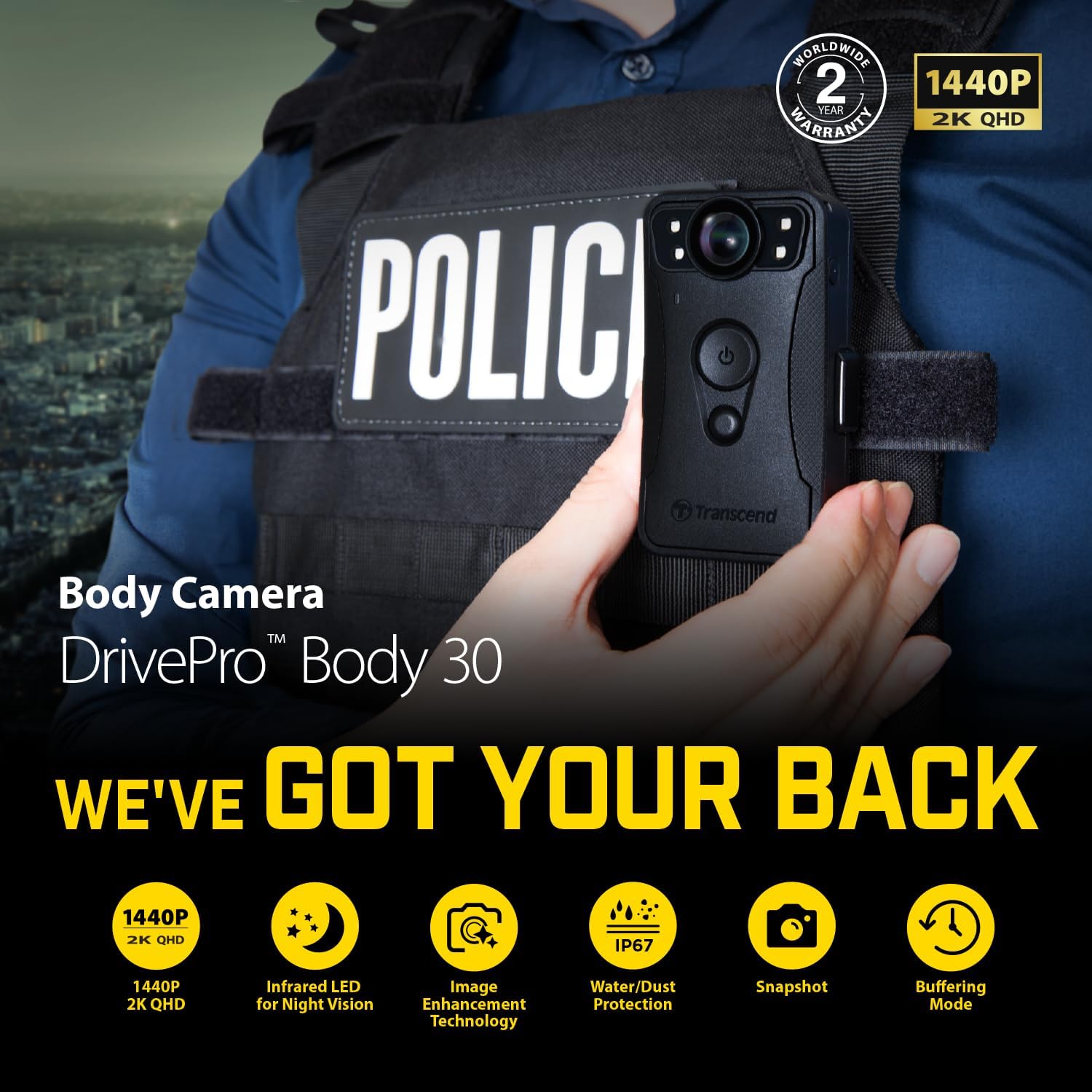
Kuva 1: Etuosa view of the Transcend DrivePro Body 30 camera.
2. Pakkauksen sisältö
Varmista, että pakkauksessa on kaikki tarvittavat osat:
- Kameran runko
- 3.5 mm:n USB-kaapeli
- Sovitin
- 360° rotatable clip
- Velcro-pidike
3. Laitteen asettelu ja painikkeiden toiminnot
Familiarize yourself with the physical components and controls of your DrivePro Body 30 camera.

Kuva 2: Sivu view of the Transcend DrivePro Body 30 camera.

Kuva 3: Takaosa view of the Transcend DrivePro Body 30 camera.
Painikkeiden toiminnot:
- Virtapainike:
- Long Press (1 time): Power On/Off.
- Short Press (2 times): Switch between Buffering mode and Recording mode.
- Snapshot-painike:
- Long Press (1 time): Infrared LED On/Off.
- Short Press (1 time): Take a Snapshot.
- Tilapainike:
- Long Press (1 time): Bluetooth connection.
- Short Press (1 time): Check battery level and recording status.
- Assistive Button:
- Long Press (1 time): LED lamp and buzzer on/off (Stealth mode).
- Short Press (1 time): Microphone on/off (Silent mode).
- Power Button + Snapshot Button (5 sec simultaneous press): Device Reset, Format, and Power off.
LED-ilmaisimet:
- Pariston ilmaisin:
- Red Flashing: Low battery during recording.
- Orange Solid: Charging when connected to computer/power.
- Vihreä palaa tasaisesti: Akussa jäljellä yli 67 %.
- Orange Solid: Battery 31% - 67% remaining.
- Punainen palaa tasaisesti: Akussa < 31 % jäljellä.
- Tilan ilmaisin:
- Green Flashing: Memory almost full during recording.
- Blue Flashing: Bluetooth pairing during recording.
- Blue Solid: Buffering mode when checking status.
- Red Solid: Silent mode.
- Red Flashing: Recording mode when checking status.
- Green Flashing: Transferring data when connected to computer.
- Tallennuksen ilmaisin:
- Blue Flashing: Powering on.
- Blue Solid: Buffering mode.
- Red Flashing: Recording mode.
- Red Solid: Connected to Computer.
Video 1: This video provides an introduction to the button functions and LED indicators of the Transcend DPB30 DrivePro Body Camera. It demonstrates how to power on, switch modes, take snapshots, and understand the various status lights.
4. Asennus ja käyttöönotto
4.1 Laitteen lataaminen
Before first use, fully charge the DrivePro Body 30 camera. Connect the camera to a power source using the provided 3.5mm to USB cable and adapter. The Battery Indicator will show an orange solid light during charging.
4.2 Kameran asennus
The camera comes with a 360° rotatable clip and a Velcro holder for secure attachment to clothing or gear. Choose the accessory that best suits your needs for optimal recording angle and stability.

Figure 4: The DrivePro Body 30 camera securely mounted on a police vest using the provided accessories.
4.3 DrivePro Body App Installation and Connectivity
Download the DrivePro Body App from your device's app store (iOS and Android supported). Use Bluetooth for basic setup and mode switching, and Wi-Fi for live streaming videos to your mobile device. Refer to the app's instructions for detailed pairing and usage.

Figure 5: A smartphone showing the DrivePro Body App interface, used for quick and easy connectivity and device settings.
5. Kameran käyttö
5.1 Virran kytkeminen päälle/pois
To power on the device, press and hold the Power Button for one beep. To power off, press and hold the Power Button again until a beep sounds.
5.2 Activating Buffering Mode
After powering on, the camera enters buffering mode (Recording Indicator blinks blue, then turns solid blue). In this mode, the camera continuously records but does not save footage until recording mode is activated. This saves storage space and power.
5.3 Switching to Recording Mode
While in buffering mode, quickly press the Power Button twice (two beeps will sound) to switch to recording mode. The Recording Indicator will blink red continuously, indicating active recording. Press the Power Button twice again to return to buffering mode.
5.4 Tilannekuvan ottaminen
To capture an image, briefly press the Snapshot Button during startup (one beep will sound). The image will be saved to the internal storage. Images captured with infrared LEDs will be recorded in black and white.
5.5 Night Vision (Infrared LEDs)
The DrivePro Body 30 features four infrared LEDs that automatically activate in low-light conditions to enhance night vision. This allows for clear recording in complete darkness. Long press the Snapshot Button to manually turn the Infrared LEDs On/Off.

Figure 6: A comparison demonstrating the effectiveness of infrared LEDs for night vision, showing clear recording in total darkness.
5.6 Silent Mode (Microphone On/Off) and Stealth Mode (LED/Buzzer On/Off)
Short press the Assistive Button to toggle the microphone on or off for silent recording. Long press the Assistive Button to turn the LED lamp and buzzer on or off, enabling a stealth mode for discreet operation.
Video 2: This video highlights key features of the DrivePro Body 30, including its high-sensitivity image sensor for 2K QHD recording, pre-event buffering mode, infrared LEDs for night vision, and Wi-Fi connectivity for live streaming via the DrivePro Body App.
6. Huolto
6.1 Puhdistus ja vedenkestävyys
The DrivePro Body 30 is IP67 rated for dust and water resistance. To maintain this protection, ensure the device is clean and dry before use. Liquid damage is not covered under warranty. Avoid using harsh chemicals for cleaning.

Figure 7: The DrivePro Body 30 camera shown with water droplets, illustrating its rugged and durable IP67-rated design for protection against dust and water.
6.2 Akun hoito
The built-in lithium-polymer battery provides up to 12 hours of continuous video recording. For optimal battery life, avoid extreme temperatures and fully charge the device regularly. Do not attempt to replace the battery yourself.

Figure 8: The DrivePro Body 30 camera highlighting its battery indicator, which helps users monitor the remaining power.
6.3 Tallennuksen hallinta
The camera has built-in high storage capacity for videos. Regularly transfer recorded videos to a computer or other storage device to free up space. The DrivePro Body Toolbox utility for Windows PCs can assist with managing recorded videos and snapshots.
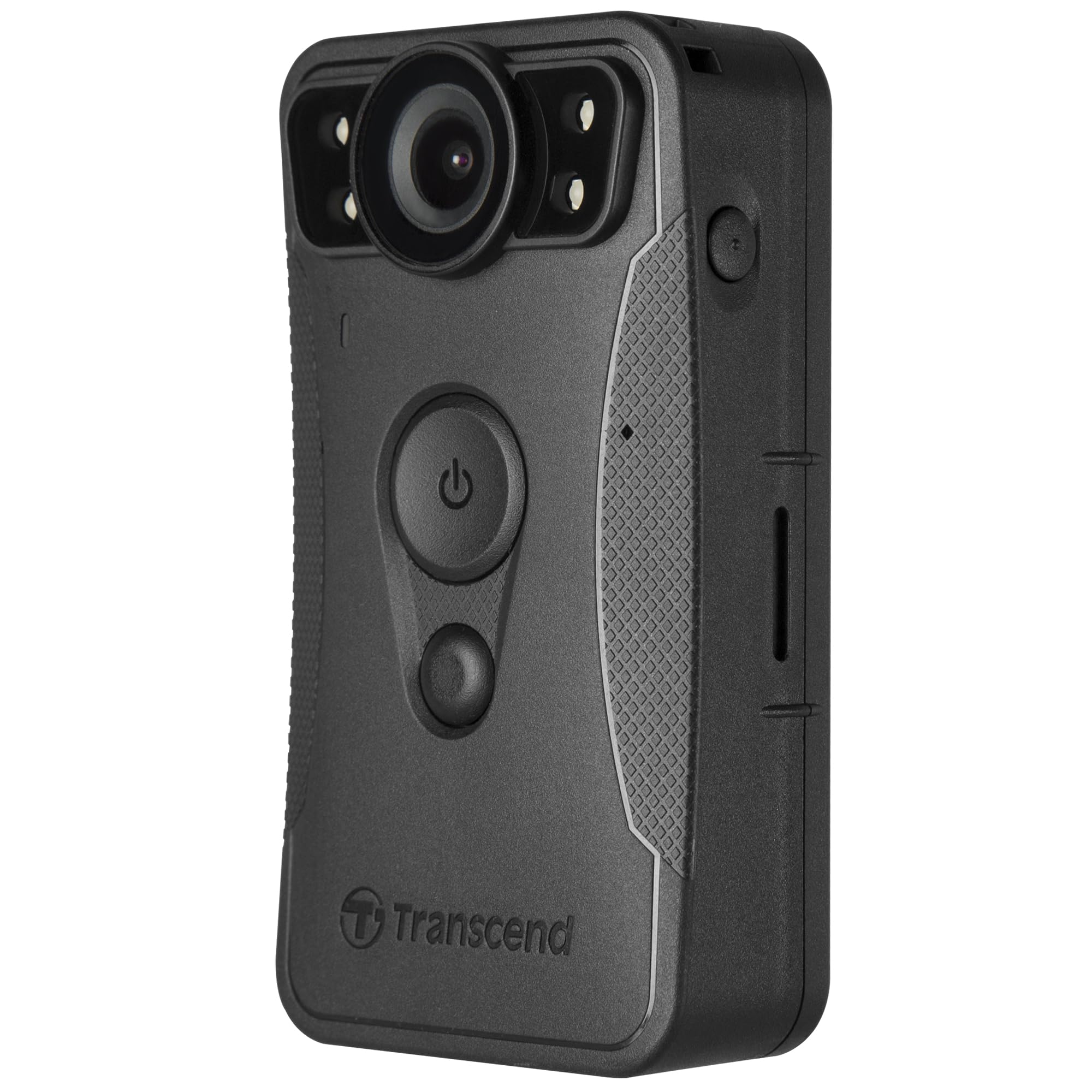
Figure 9: The DrivePro Body 30 camera interface showing multiple video thumbnails, indicating its capacious storage for high-quality video recordings.
7. Vianmääritys
- Laite ei käynnisty: Ensure the battery is charged. If the issue persists, try a device reset by simultaneously pressing the Power Button and Snapshot Button for 5 seconds.
- Mikrofoniongelmat: Check if the microphone is accidentally turned off (Silent mode). Short press the Assistive Button to toggle it. If issues persist, contact Transcend support.
- Yhteysongelmat (Wi-Fi/Bluetooth): Ensure the DrivePro Body App is updated. Try restarting both the camera and your mobile device. Long press the Status Button to initiate Bluetooth connection.
- Muisti täynnä: Transfer existing recordings to a computer and format the internal storage using the DrivePro Body Toolbox or the device reset function (Power Button + Snapshot Button for 5 seconds).
8. Tekniset tiedot
| Ominaisuus | Yksityiskohta |
|---|---|
| Merkki | Ylittää |
| Mallin nimi | DrivePro Body 30 |
| Tuotteen mallinumero | TS128GDPB30A |
| Videon sieppaustarkkuus | 1440p |
| Erikoisominaisuudet | Built-In WiFi, Lightweight, Night Vision |
| Yhteystekniikka | Bluetooth, USB, Wi-Fi |
| Akun kesto | Jopa 12 tuntia jatkuvaa tallennusta |
| Veden/pölynkestävyys | IP67 luokitus |
| Iskunkesto | Meets U.S. military drop-test standards |
| Tuotteen paino | 15.2 unssia |
| Tuotteen mitat | 1.09 x 2.06 x 3.78 tuumaa |
| Mukana olevat komponentit | Camera Body, 3.5mm to USB cable, Adapter, 360° rotatable clip, Velcro holder |
9. Takuu ja tuki
9.1 Takuutiedot
The Transcend DrivePro Body 30 comes with a 2-year worldwide warranty. Please retain your proof of purchase for warranty claims. Note that liquid damage is not covered under warranty.
9.2 Asiakastuki
For further assistance, technical support, or warranty inquiries, please visit the official Transcend website or contact their customer service. The DrivePro Body Toolbox software can also be used for firmware updates and device management.


