Johdanto
Welcome to your Amazon Echo Show 11. This manual provides essential information for setting up, operating, maintaining, and troubleshooting your device. The Echo Show 11 features a vibrant Full-HD 11-inch display, spatial audio, and integrates with Alexa+ for a personalized smart home experience.

Kuva 1: The Amazon Echo Show 11, showcasing its 11-inch display with smart home widgets and a photo slideshow. The device sits on a fabric-covered base.
Mitä laatikossa on
Upon unboxing your Amazon Echo Show 11, you should find the following items:
- Echo Show 11 (2025 release) device
- Virtalähde (30W)
- Pika-aloitusopas
Asennus
Asenna Echo Show 11 seuraavasti:
- Virta päälle: Connect the included 30W power adapter to your Echo Show 11 and plug it into a wall outlet. The device will automatically power on.
- Alkukokoonpano: Follow the on-screen instructions to select your language, connect to a Wi-Fi network, and log in with your Amazon account. The Echo Show 11 supports Wi-Fi 6E (802.1ax) and 802.11a/b/g/n/ac networks.
- Alexa-sovellus: Saat käyttöösi kaikki toiminnot ja lisäasetukset lataamalla Alexa-sovelluksen Fire OS-, Android- tai iOS-laitteellesi. Sovellukseen pääsee myös web selain.
- Wi-Fi-yhteyden yksinkertainen asennus: If you have other Amazon devices, Wi-Fi Simple Setup can streamline the connection process to your network.
Laitteen käyttö
Näyttö ja ääni
The Echo Show 11 features a 10.95-inch Full HD touchscreen with 1920 x 1200 resolution. Enjoy room-filling spatial audio with a 2.8-inch woofer and two full-range drivers for crisp vocals and a wider sound stage.
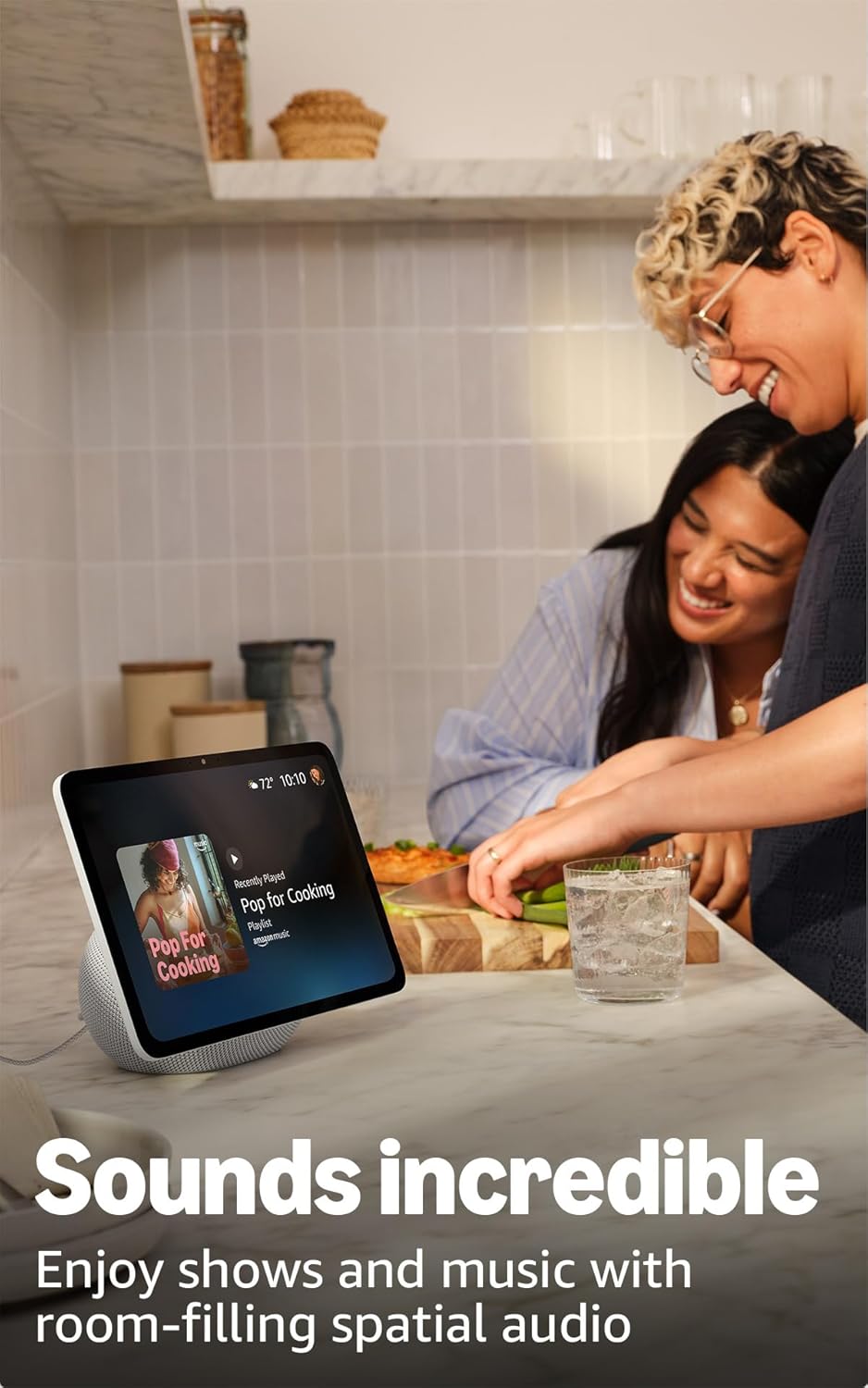
Kuva 2: The Echo Show 11 playing music, demonstrating its vibrant display and audio capabilities.
Alexa+ Early Access
Your device includes Alexa+ Early Access, offering a smarter and more proactive AI assistant. The new Alexa+ home screen provides glanceable information and personalized content, including helpful follow-ups, customized notifications, and information based on your interests.

Kuva 3: Visual representation of the new Alexa+ experience.
Everyday Assistant
Use your Echo Show 11 to manage daily tasks. The 11-inch display makes it easy to view recipes, calendars, shopping lists, and more. With Alexa+, you can find recipes, make reservations, and order groceries.
Älykäs kodin ohjaus
The Echo Show 11 features a built-in smart home hub (Zigbee + Matter + Thread Border Router), allowing you to pair and control thousands of compatible devices without an additional hub. View camera feeds, manage lights, and adjust thermostats using the display or your voice. Omnisense technology enables routines via temperature, presence, or visual ID detection.

Kuva 4: The Echo Show 11 showing its smart home control interface, managing various devices.
Crystal-Clear Video Calls
Engage in video calls on the vibrant 11-inch screen. The 13 MP camera features auto-framing, 3.3x zoom, and noise reduction technology for natural conversations. Use Live View to check on your home remotely.
Photo Memories Display
When not in use, the 11-inch home screen can function as a digital photo frame. Ask Alexa+ to find specific photos or curate a personal slideshow from your Amazon Photos.
Tietosuojaominaisuudet
Echo Show 11 on suunniteltu useilla yksityisyyden suojauskerroksilla:
- Mikrofonien ja kameran käyttöönotto-/poiskytkentäpainike: A physical button allows you to electronically disconnect the microphones and camera.
- Kameran erilliset säätimet: Additional camera controls are available on the device and within the Alexa app.
- Wake Word -teknologia: Alexa only begins recording and sending your requests to the cloud after detecting the wake word.
- Äänitallennus uudelleenview: Voit uudelleenview ja poista äänitallenteesi Alexa-sovelluksen tai Amazon-tilisi asetusten kautta.

Kuva 5: The physical button on the side of the Echo Show 11 to enable or disable the microphones and camera.
Esteettömyysominaisuudet
The Echo Show 11 offers various accessibility features to personalize Alexa to your abilities. Access these settings via Asetukset → Esteettömyys laitteellasi:
- Napauta Alexaa varten: Ole vuorovaikutuksessa Alexan kanssa koskettamalla näytön ruutuja tai näppäimistöllä.
- Adaptiivinen kuuntelu: Antaa enemmän aikaa puhua loppuun ennen kuin Alexa vastaa.
- Toivottu puhenopeus: Hallitse Alexan puhenopeutta.
- Tekstitys: Includes Alexa Captioning, Call Captioning, and Closed Captioning for supported content.
- Näytä ja kerro: Helps users who are blind or visually impaired identify products by saying "Alexa, what am I holding."
- ÄäniView Näytönlukija: Provides spoken feedback for users who are blind or visually impaired.
- Näytön suurennuslasi: Lähennä/loitonna ja panoroi näytöllä.
- Ilmoita, kun lähellä: Plays notification sounds when you are detected near your Echo device.
- Kindle Lue ääneen: Alexa voi lukea Kindle-kirjojasi ääneen.
- Reaaliaikainen teksti: Type live text during a video call.
- Additional features include Color Inversion, Color Correction, and Request Sound.
Huolto
Yleinen hoito
To ensure the longevity and optimal performance of your Echo Show 11:
- Keep the device clean by gently wiping the screen and body with a soft, dry, lint-free cloth.
- Avoid exposing the device to extreme temperatures, direct sunlight for extended periods, or excessive moisture.
- Älä käytä hankaavia puhdistusaineita tai liuottimia.
Ohjelmiston tietoturvapäivitykset
Amazon regularly provides software security updates to enhance the performance and security of your Echo Show 11. Ensure your device is connected to the internet to receive these updates automatically. For more information, visit the Amazon website or manage your content and devices.
Vianetsintä
If you encounter issues with your Echo Show 11, consider the following basic troubleshooting steps:
- Ei virtaa: Varmista, että virtalähde on kytketty kunnolla sekä laitteeseen että toimivaan pistorasiaan.
- Wi-Fi-yhteysongelmat: Check your Wi-Fi router and ensure it is powered on and functioning. Try restarting your Echo Show 11 and your router. Verify your Wi-Fi password is correct.
- Alexa ei vastaa: Ensure the microphone is not muted (check the privacy button). Speak clearly and ensure you are within range of the device.
- Näyttö ei reagoi: Kokeile käynnistää laite uudelleen irrottamalla se pistorasiasta muutamaksi sekunniksi ja kytkemällä se takaisin.
- Ääniongelmat: Check the volume settings on the device. Ensure no external Bluetooth speakers are connected if you intend to use the internal speakers.
For more detailed troubleshooting or persistent issues, refer to the Amazon support websivustolla tai ota yhteyttä asiakaspalveluun.
Tekniset tiedot

Kuva 6: Size comparison between the Echo Show 11 and Echo Show 8.
| Koko | 10” x 5” x 7.2“ (255mm x 127mm x 182mm) |
| Paino | 45.92 unssia (1302 grammaa) |
| Näyttö | 10.95 tuuman Full HD -kosketusnäyttö, jonka resoluutio on 1920 x 1200 |
| Kamera | 13 megapikseliä automaattisella rajauksella |
| Audio | 1 X 2.8” Woofer and 2 full-range drivers |
| Wi-Fi-yhteys | Wi-Fi 6E (802.1ax) supported. Tri-band, Wi-Fi (SISO). Supports 802.11a/b/g/n/ac Wi-Fi networks. Does not support connecting to ad-hoc Wi-Fi networks. |
| Smart Home Hub | Zigbee + Matter + langanreunusreititin |
| Bluetooth-yhteys | Advanced Audio Distribution Profile (A2DP) ja Audio/Video Remote Control Profile (AVRCP) support. Bluetooth speakers requiring PIN codes are not supported. |
| Prosessori | AZ3 Pro tekoälykiihdyttimellä |
| Anturit | Ympäristön lämpötila-anturi, Ympäristön valoanturi, Läsnäolon tunnistus, Kamera |
| Omnisisense-teknologia | Custom technology for ambient AI, enabling visual ID, proximity and presence detection, temperature sensing, and adaptive brightness and color. |
| Järjestelmävaatimukset | Echo Show 11 connects to Wi-Fi. Alexa app compatible with Fire OS, Android, iOS, and web selaimissa. |
| Kieli | Alexa puhuu englantia ja espanjaa |
Takuu ja tuki
Takuu
Your Amazon Echo Show 11 comes with a 1-year limited warranty and service. Optional 1-year, 2-year, and 3-year extended warranties are available for U.S. customers, sold separately. Use of the Echo Show 11 is subject to the terms found on the Amazon websivusto.
Asiakastuki
Jos tarvitset lisäapua, teknistä tukea tai takuuvaatimuksia, käy Amazonin virallisella tukisivustolla. website or contact Amazon customer service directly. You can also find more information and FAQs in the Alexa Privacy Hub and about Amazon Sidewalk on the Amazon websivusto.


