1. Johdanto
Thank you for choosing the Redragon K677 PRO RGB Mechanical Gaming Keyboard. This compact 60% keyboard is designed for versatility and performance, offering three connectivity modes: wired USB-C, 2.4GHz wireless, and Bluetooth. It features hot-swappable switches, customizable RGB lighting, and a durable design, making it suitable for both gaming and typing.
This manual will guide you through the setup, operation, maintenance, and troubleshooting of your new keyboard to ensure optimal performance and user experience.
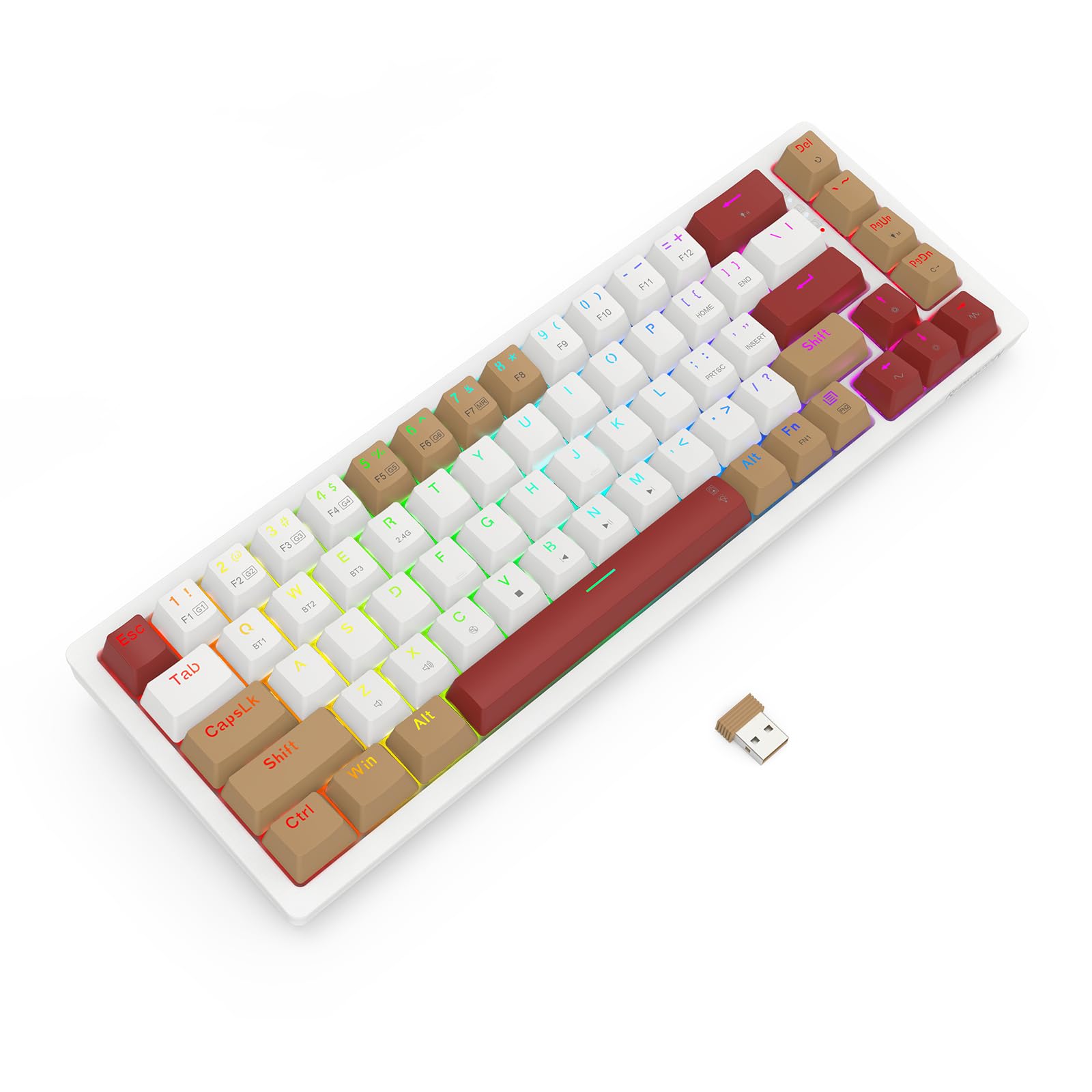
Image 1.1: The Redragon K677 PRO keyboard, showcasing its compact 60% layout and included 2.4GHz wireless dongle.
2. Asennus
2.1 Pakkauksen sisältö
- Redragon K677 PRO Mechanical Gaming Keyboard
- Irrotettava USB Type-C -kaapeli
- 2.4 GHz:n langaton dongle
- Näppäinhatun ulosvetäjä (saattaa sisältyä toimitukseen)
- Kytkimen ulosvetäjä (saattaa sisältyä toimitukseen)
- Käyttöopas
2.2 Ensimmäinen lataus
Before first use, it is recommended to fully charge the keyboard. Connect the provided USB Type-C cable to the keyboard's port and the other end to a USB power source (e.g., computer USB port, wall adapter). The charging indicator (usually an LED) will show charging status and turn off or change color when fully charged.
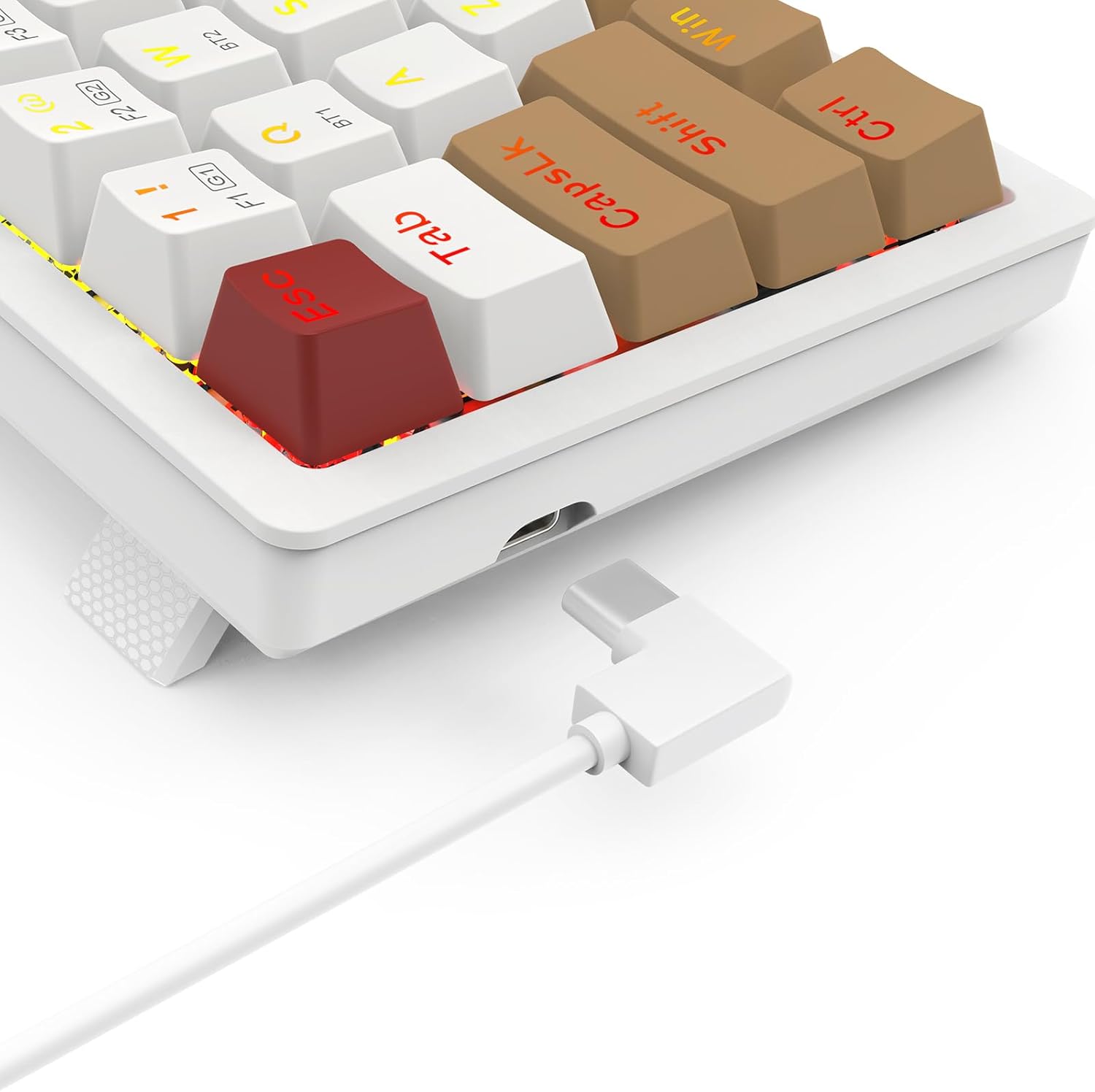
Image 2.1: The USB Type-C port located on the keyboard for wired connection and charging.
2.3 Yhteystilat
The K677 PRO supports three connection modes:
- Langallinen tila: Connect the keyboard directly to your computer using the USB Type-C cable.
- 2.4 GHz:n langaton tila: Use the included USB dongle for a stable wireless connection.
- Bluetooth-tila: Connect wirelessly to up to three Bluetooth-enabled devices.
2.3.1 vaihtotilaa
Locate the mode switch on the bottom or side of the keyboard. Switch it to the desired mode: 2.4G for wireless dongle, BT for Bluetooth, or ensure the cable is connected for Langallinen tila.

Image 2.2: The underside of the keyboard, showing the 2.4G/OFF/BT mode switch and the dedicated slot for storing the 2.4GHz wireless dongle.
2.3.2 2.4GHz Wireless Setup
- Set the keyboard mode switch to 2.4G.
- Aseta 2.4 GHz:n USB-sovitin tietokoneen vapaaseen USB-porttiin.
- The keyboard should automatically connect. An indicator light may flash and then become solid to confirm connection.
2.3.3 Bluetooth -pariliitos
- Set the keyboard mode switch to BT.
- Paina ja pidä painettuna Fn + BT1 (or BT2/BT3) for 3-5 seconds until the corresponding key's backlight flashes rapidly. This indicates pairing mode.
- Avaa laitteellasi (tietokone, tabletti, puhelin) Bluetooth-asetukset ja hae uusia laitteita.
- Select "Redragon K677 PRO" (or similar name) from the list of available devices.
- Once connected, the key's backlight will stop flashing and remain solid.
- Repeat for BT2 and BT3 to pair with additional devices. To switch between paired devices, press Fn + BT1/BT2/BT3.
3. Käyttöohjeet
3.1 Näppäimistön perustoiminnot
The K677 PRO features a 60% layout, meaning some standard keys are accessed via function (Fn) key combinations. Refer to the keycap legends for secondary functions.

Image 3.1: Full layout of the Redragon K677 PRO keyboard, highlighting the compact design and RGB backlighting.
3.2 RGB-taustavalon säätö
The keyboard offers various RGB lighting effects and customization options. Use the following Fn key combinations to control the backlighting:
- Fn + \|: Selaa eri taustavalon tiloja.
- Fn + [{: Vähennä taustavalon kirkkautta.
- Fn + ]}: Lisää taustavalon kirkkautta.
- Fn + ;:: Decrease backlight speed/animation.
- Fn + '"': Increase backlight speed/animation.
- Fn + <, : Change backlight color (in certain modes).
- Fn + >. : Change backlight color (in certain modes).

Image 3.2: The Redragon K677 PRO keyboard displaying its customizable RGB lighting effects.
3.3 Ohjelmoitavat ominaisuudet
The K677 PRO is highly programmable. Advanced customization, including key remapping and macro creation, can typically be done using dedicated software available from the Redragon website. Refer to the software's instructions for detailed guidance.
4. Huolto
4.1 Näppäimistön puhdistaminen
Näppäimistön suorituskyvyn ja ulkonäön ylläpitämiseksi:
- Irrota näppäimistö tietokoneesta ennen puhdistamista.
- Käytä pehmeää, nukkaamatonta liinaa hieman dampkastettu vedellä tai miedolla puhdistusliuoksella näppäinhattujen ja rungon pyyhkimiseksi.
- Käytä paineilmaa näppäinten välisten pölyn ja roskien poistamiseen.
- Vältä kovien kemikaalien tai hankaavien materiaalien käyttöä.
4.2 Käytön aikana vaihdettavat kytkimet
The K677 PRO features hot-swappable switches, allowing you to change switches without soldering. This enables customization of typing feel and easy replacement of faulty switches.
- Käytä mukana toimitettua kytkimen ulosvetäjää, tartu varovasti kytkimeen ja vedä sitä suoraan ylöspäin irrottaaksesi sen.
- Kohdista uuden kytkimen nastat piirilevyn reikiin.
- Gently press the new switch into place until it clicks. Ensure it is seated firmly and evenly.
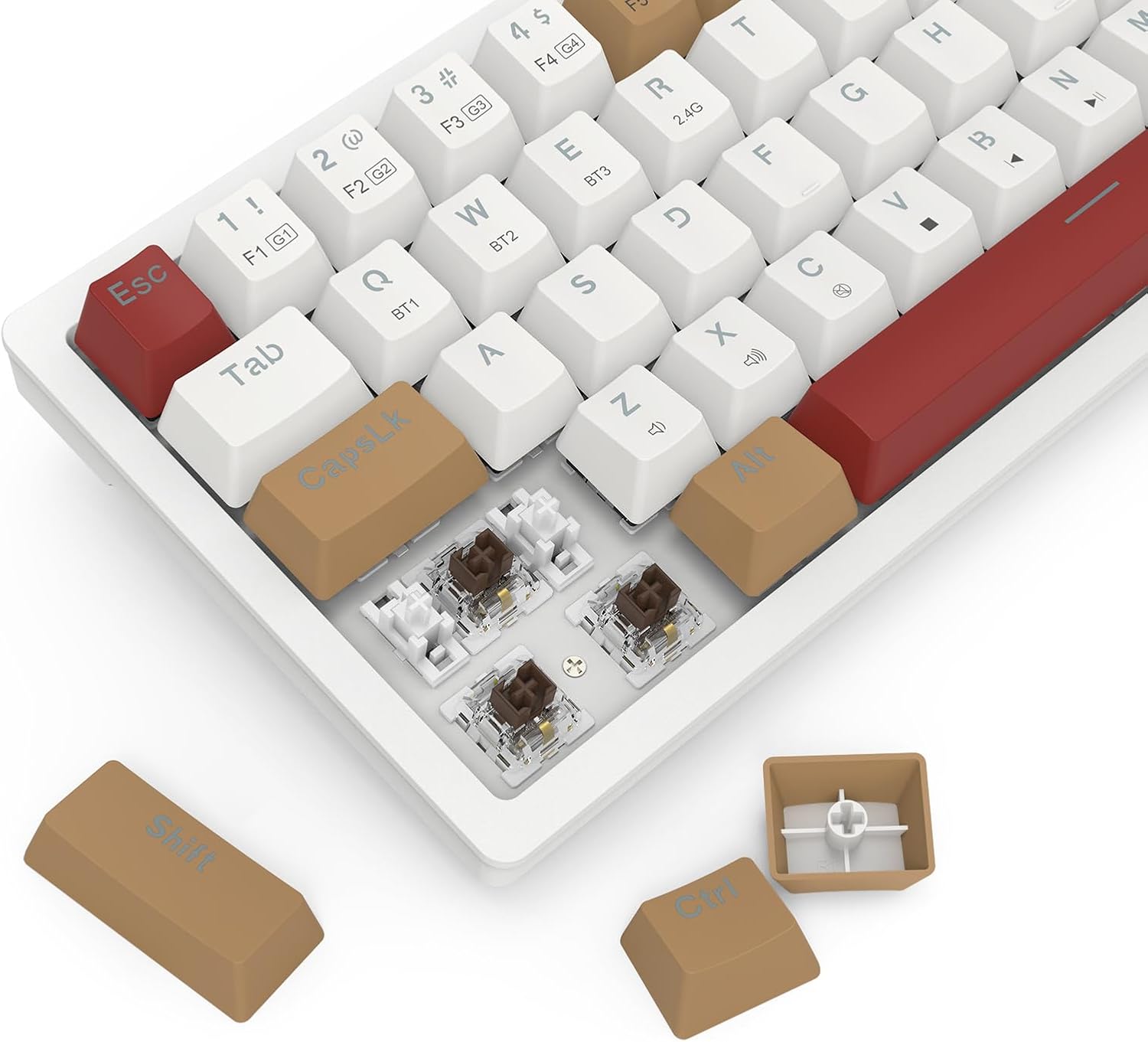
Image 4.1: Detail of the hot-swappable switch sockets, with a keycap and switch removed for illustration.
5. Vianmääritys
5.1 Näppäimistö ei vastaa
- Langallinen tila: Varmista, että USB-C-kaapeli on kytketty kunnolla sekä näppäimistöön että tietokoneeseen. Kokeile toista USB-porttia tai kaapelia.
- 2.4 GHz:n langaton: Ensure the 2.4G dongle is properly inserted into a USB port and the keyboard switch is set to 2.4G. Check battery level.
- Bluetooth-tila: Ensure the keyboard switch is set to BT and it is paired correctly (see Section 2.3.3). Check battery level. Try re-pairing.
- Kaikki tilat: Käynnistä tietokone uudelleen.
5.2 Näppäimet eivät toimi tai niitä kirjoitetaan kahteen kertaan
- Puhdista viallisen avaimen ympäristö roskista.
- If the keyboard has hot-swappable switches, try removing and re-inserting the switch for the problematic key. If the issue persists, consider replacing the switch.
5.3 RGB Backlight Not Working or Flickering
- Ensure the backlight is not turned off (check brightness settings using Fn key combinations).
- Check for firmware updates on the Redragon websivusto.
- If using wireless mode, ensure the battery is sufficiently charged.
5.4 Yhteysongelmat (viive, yhteyskatkokset)
- Langattomat tilat: Ensure there are no strong interference sources (e.g., other wireless devices, large metal objects) between the keyboard and your device.
- Move closer to your device if using Bluetooth.
- Varmista, että näppäimistön akku on ladattu.
6. Tekniset tiedot
| Ominaisuus | Yksityiskohta |
|---|---|
| Merkki | Redragon |
| Mallinumero | K677 PRO |
| Yhteystekniikka | USB (Wired), 2.4GHz Wireless, Bluetooth |
| Näppäimistön kuvaus | Mekaaninen |
| Suositellut käyttötavat | Pelaaminen |
| Erikoisominaisuudet | Mechanical Keyboard, Customizable Display Keys, Hot-Swappable Switches, RGB Backlight |
| Taustavalon värin tuki | RGB (Red, Green, Blue model) |
| Tyyli | Pelinäppäimistö |
| Materiaali | Muovi |
| Tuotteen mitat | 34.01 x 14 x 3.99 cm |
| Tuotteen paino | 689 grammaa |
| Yhteensopivat laitteet | Tietokone |
| Alkuperämaa | Kiina |
7. Takuu ja tuki
7.1 Takuutiedot
Tarkemmat takuutiedot löytyvät tuotteen mukana toimitetusta takuukortista tai Redragonin viralliselta verkkosivustolta. websivusto. Takuuehdot voivat vaihdella alueittain.
7.2 Asiakastuki
Jos kohtaat ongelmia, joita ei ole käsitelty tässä käyttöoppaassa, tai tarvitset lisäapua, ota yhteyttä Redragonin asiakaspalveluun heidän virallisen websivustolla tai tuotepakkauksessa olevissa yhteystiedoissa.


