1. Johdanto
The KONNWEI KW450 is a comprehensive OBD2 diagnostic scanner designed for both VAG group vehicles (Volkswagen, Audi, Seat, Skoda) and universal OBDII/EOBD compliant cars. This advanced, user-friendly tool enables technicians and car owners to accurately diagnose and perform maintenance functions on various vehicle systems. It supports a wide range of special functions for VAG vehicles and standard OBDII diagnostic capabilities for all compatible cars.
The device is certified with CE, FCC, and RoHS, ensuring compliance with safety and environmental standards.
2. Asennus ja käyttöönotto
2.1 Pakkauksen sisältö
- KONNWEI KW450 Diagnostic Scanner
- OBD2 kaapeli
- USB-kaapeli päivityksiä varten
- Käyttöopas
2.2 Yhdistäminen ajoneuvoosi
- Paikanna ajoneuvon 16-napainen datalinkkiliitin (DLC). Tämä sijaitsee yleensä kojelaudan alla kuljettajan puolella.
- Varmista, että ajoneuvon sytytysvirta on OFF-asennossa.
- Firmly plug the OBD2 cable into the vehicle's DLC port.
- Käännä ajoneuvon virta-avain ON-asentoon (moottori sammutettuna). Skanneri käynnistyy automaattisesti.
2.3 Kieliasetukset
Upon first use, or if you need to change the language, navigate to the 'Settings' menu on the device. Select 'Language' and choose your preferred language (English is the default).
3. Käyttöohjeet
3.1 VAG Special Functions
The KW450 provides 9 special maintenance functions specifically for Volkswagen, Audi, Seat, and Skoda vehicles. Access these functions from the main menu by selecting the appropriate VAG vehicle brand.
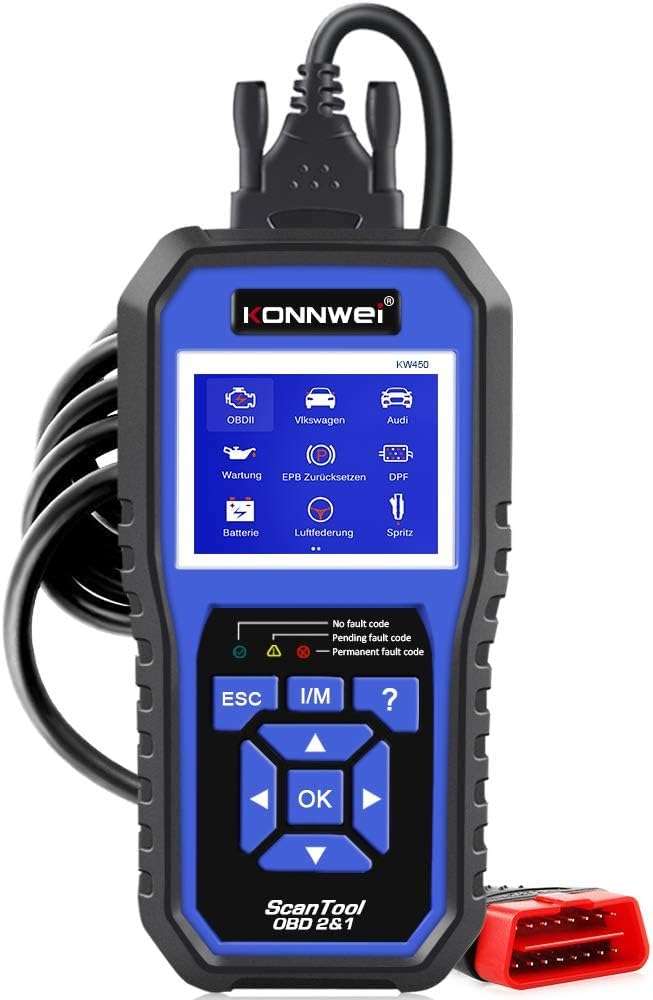
Figure 1: KONNWEI KW450 displaying its 9 special functions for VAG vehicles. These include Oil Service Reset, TPS Replacement Reset, Electronic Parking Brake (EPB) Reset, Battery Matching, Diesel Particulate Filter (DPF) Regeneration, Steering Angle Sensor (SAS) Calibration, Injector Coding, Suspension Adjustment, and Lamp Asetus.
- Öljynhuollon nollaus: Nollaa öljynvaihtovalon öljynvaihdon jälkeen.
- TPS-vaihdon nollaus: Calibrates the throttle position sensor.
- EPB-nollaus: Resets the electronic parking brake system for pad replacement.
- Akun yhteensovitus: Rekisteröi uuden akun ajoneuvon järjestelmään.
- DPF-puhdistusaineen regenerointi: Initiates the regeneration process for the Diesel Particulate Filter.
- SAS-kalibrointi: Kalibroi ohjauskulman anturin.
- Suuttimen koodaus: Codes new injector values into the ECU.
- Jousituksen säätö: Adjusts vehicle suspension settings.
- Lamp Asetus: Configures vehicle lighting parameters.
3.2 Universal OBDII/EOBD Functions
For all other OBDII/EOBD compliant vehicles, the KW450 offers standard diagnostic capabilities. Select 'OBDII' from the main menu to access these functions.
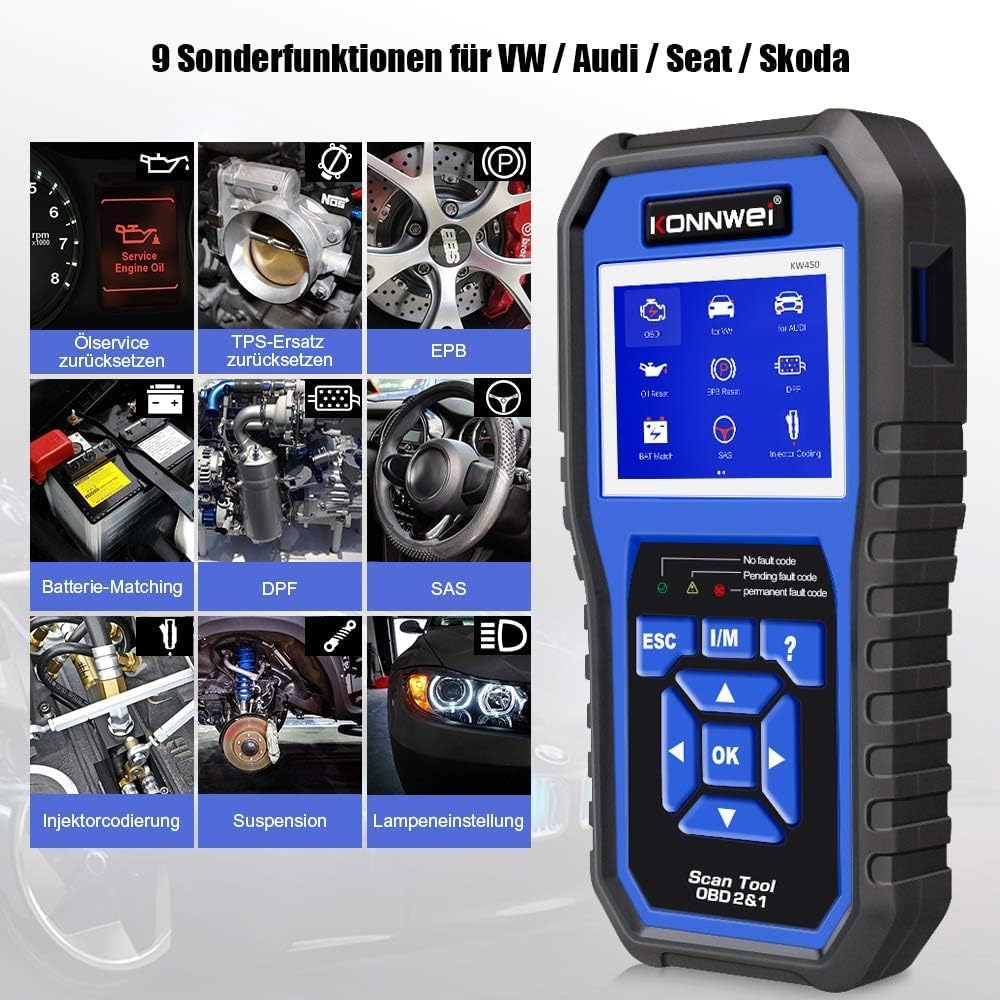
Figure 2: KONNWEI KW450 displaying universal OBD2 functions. These include Read Codes, Erase Codes, Live Data, Freeze Frame, O2 Sensor Test, I/M Readiness, On-Board Monitor Test, EVAP System Test, DTC Code Lookup, and VIN Information.
- Lue koodit: Hakee diagnostiikkakoodit (DTC:t) ajoneuvon tietokoneelta.
- Tyhjennä koodit: Poistaa vikakoodit ajoneuvon tietokoneesta ja sammuttaa toimintahäiriön merkkivalon Lamp (MIL).
- Live-tiedot: Näyttää reaaliaikaisen datavirran ajoneuvon antureista.
- Pysäytyskuva: Shows a snapshot of operating conditions at the time a fault occurred.
- O2-anturikoe: Hakee O2-anturin monitorin testitulokset.
- I/M -valmius: Tarkistaa päästöihin liittyvien valvontalaitteiden valmiuden.
- Sisäänrakennetun näytön testi: Hakee ajoneuvon sisäisten diagnostiikkatestien tulokset.
- Höyrystymisjärjestelmän testi: Käynnistää haihtumispäästöjen hallintajärjestelmän testin.
- Vikakoodin haku: Tarjoaa yksityiskohtaiset kuvaukset vikakoodeista.
- VIN-tiedot: Displays Vehicle Identification Number and other vehicle information.
4. Huolto
4.1 Ohjelmistopäivitykset
The KONNWEI KW450 supports lifetime free software updates to ensure compatibility with new vehicle models and diagnostic protocols. To update the device:
- Download the 'Uplink' software from the official KONNWEI website onto a computer running Windows XP, 7, 8, or 10.
- Install the 'Uplink' software.
- Liitä KW450-skanneri tietokoneeseen mukana toimitetulla USB-kaapelilla.
- On the scanner, press and hold the 'OK' button while plugging in the USB cable. The scanner screen should indicate 'Update Mode'.
- Open the 'Uplink' software on your computer and click 'Check Update'. Follow the on-screen instructions to complete the update process.

Figure 3: The KONNWEI KW450 connected to a computer for software updates. The 'Uplink' software facilitates the update process, ensuring the device has the latest diagnostic capabilities.
4.2 Puhdistus ja varastointi
- Puhdista laite pehmeällä, damp kangas. Älä käytä hankaavia puhdistusaineita tai liuottimia.
- Säilytä skanneria kuivassa, viileässä paikassa, poissa suorasta auringonvalosta ja äärimmäisistä lämpötiloista.
- Keep the cables free from kinks and damage.
5. Vianmääritys
| Ongelma | Mahdollinen syy | Ratkaisu |
|---|---|---|
| Laite ei käynnisty. | Loose connection to DLC; vehicle ignition not ON; faulty OBD2 cable. | Ensure cable is securely connected. Turn ignition to ON. Try a different OBD2 port if available or check cable for damage. |
| Viestintävirhe ajoneuvon kanssa. | Incorrect protocol selected; vehicle not OBDII compliant; faulty vehicle DLC. | Verify vehicle is OBDII compliant. Check vehicle manual for DLC issues. Try on another compatible vehicle. |
| Vikakoodeja ei voi tyhjentää. | Underlying issue not resolved; ignition not ON; specific codes cannot be cleared by generic OBD2. | Address the root cause of the fault. Ensure ignition is ON. Some manufacturer-specific codes require specialized tools. |
| Ohjelmistopäivitys epäonnistuu. | Incorrect 'Uplink' software version; unstable USB connection; firewall/antivirus blocking. | Download the latest 'Uplink' software. Ensure a stable USB connection. Temporarily disable firewall/antivirus. |
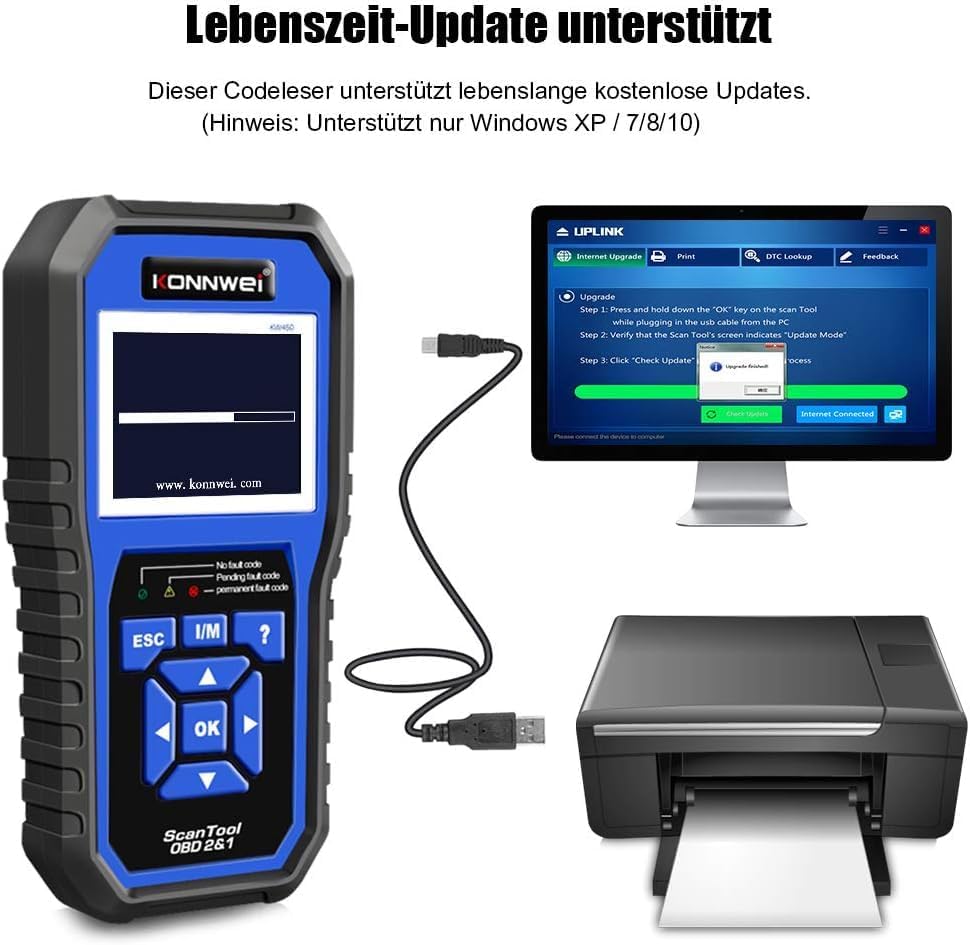
Figure 4: The KONNWEI KW450 main screen, showing indicators for 'No fault code', 'Pending fault code', and 'Permanent fault code' which are crucial for troubleshooting.
6. Tekniset tiedot
| Ominaisuus | Yksityiskohta |
|---|---|
| Merkki | KONNWEI |
| Malli | KW450 |
| Näytön koko | 5 tuumaa |
| Käyttöjärjestelmä (päivityksiä varten) | Windows XP, 7, 8, 10 |
| Virtalähde | Wired (via OBD2 port) |
| Tuotteen mitat (P x L x K) | 15.01 x 10 x 5 cm |
| Tuotteen paino | 20 grammaa |
| Sertifikaatit | CE, FCC, RoHS-yhteensopiva |
7. Takuutiedot
Please refer to the warranty card included with your product or contact the retailer/manufacturer for specific warranty terms and conditions. Extended warranty options may be available from third-party providers.
8. Asiakastuki
For technical assistance, troubleshooting, or general inquiries, please contact KONNWEI customer support through their official website or the contact information provided in your product packaging. Ensure you have your product model (KW450) and purchase details ready when contacting support.


