1. Tuote ohiview
The ULTRAK 495 Professional 100-Lap Digital Stopwatch is designed for precise timekeeping in various sports and training activities. It features a large, easy-to-read display and multiple functions to support athletes, coaches, and referees.
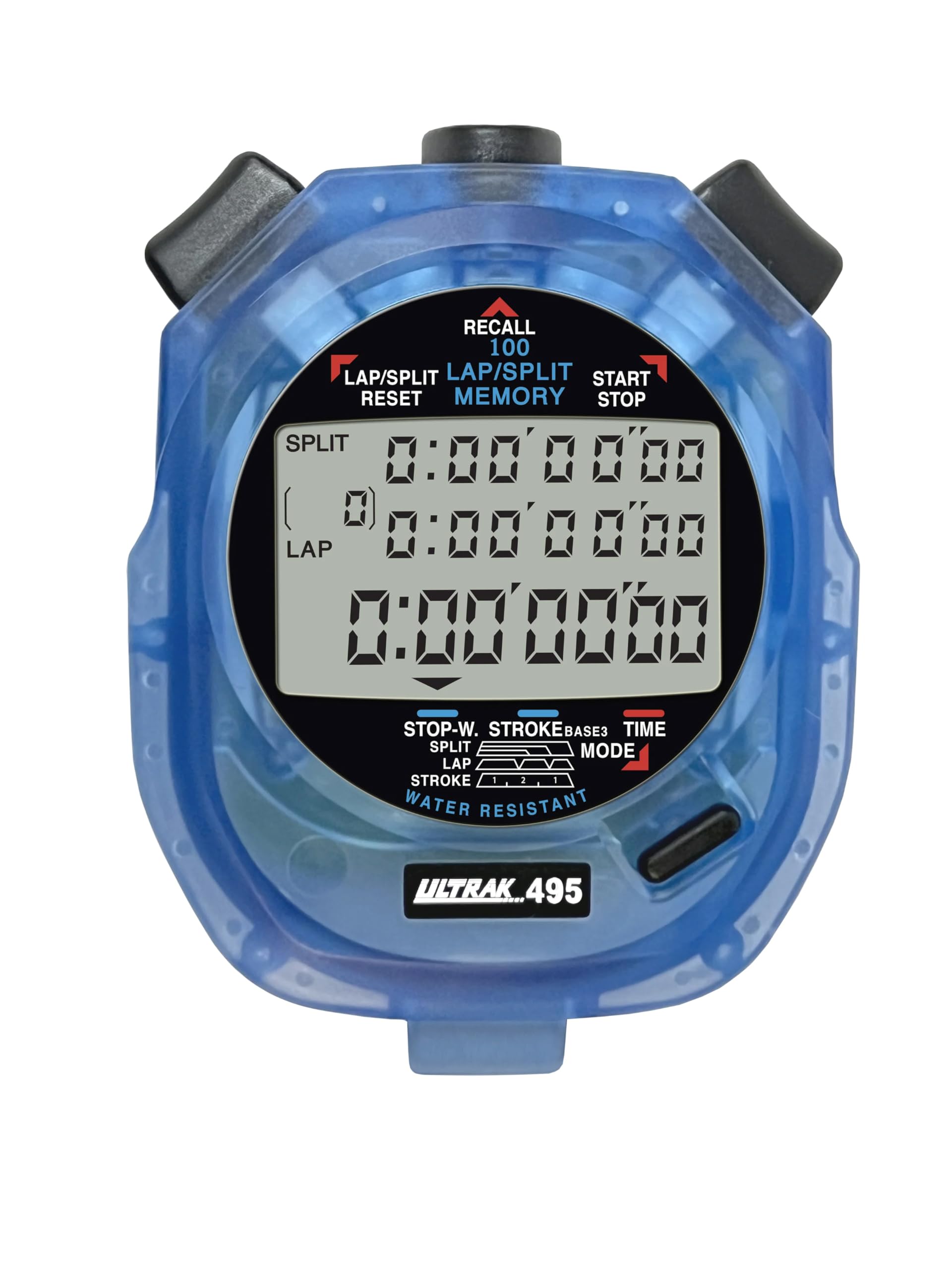
Figure 1: ULTRAK 495 Stopwatch in blue.
Tärkeimmät ominaisuudet:
- 100 Dual Split Recallable Memory: Enhances accuracy for track and field events, ideal for athletes and coaches requiring precise timekeeping.
- Monipuoliset toiminnot: Includes stroke/frequency, time, and calendar functions, suitable for diverse sports activities.
- Vedenkestävä muotoilu: Allows for outdoor use in various weather conditions.
- Large 3-Row Display: Helpottaa viewing of multiple lap times simultaneously.
- Durable Lithium Battery: Ensures reliability for extended use.
2. Asennus
2.1. Akun asennus
The ULTRAK 495 Stopwatch comes with one Lithium Metal battery pre-installed. If battery replacement is needed, refer to the Maintenance section.
2.2. Kellonajan ja päivämäärän alkuasetus
Kellonajan ja päivämäärän asettaminen:
- Paina MODE button repeatedly until the time/calendar display mode is active.
- Paina ja pidä painettuna SARJA button (usually located on the top right) until the digits begin to flash.
- Käytä LAP/SPLIT/RESET button (top left) to adjust the flashing digit.
- Paina SARJA button to move to the next digit or setting (e.g., hours, minutes, seconds, month, day, year).
- Kun kaikki asetukset ovat oikein, paina MODE -painiketta poistuaksesi asetustilasta.

Figure 2: Stopwatch displaying various modes, including Time/Calendar.
3. Käyttö
3.1. Stopwatch Mode (Standard Timing)
This mode is used for basic timing of events.
- Ensure the stopwatch is in the standard stopwatch mode (usually indicated by "STOPWATCH" on the display). If not, press MODE kunnes se ilmestyy.
- Paina START/STOP (top right button) to begin timing.
- Paina START/STOP uudelleen pysäyttääksesi ajastimen.
- Paina START/STOP jatkaaksesi ajanottoa.
- To reset the timer to zero, ensure it is stopped, then press LAP/SPLIT/RESET (top left button).
3.2. Lap/Split Timing with Memory Recall
The ULTRAK 495 can record up to 100 lap and split times.
- In stopwatch mode, press START/STOP aloittaaksesi ajoituksen.
- Paina LAP/SPLIT/RESET to record a split time. The display will momentarily show the split time while the main timer continues running in the background. The bottom row displays the running event or lap time.
- Repeat step 2 for each lap or split you wish to record.
- Paina START/STOP to end the timing session.
- To recall recorded times, press the MUISTA button (top center). Use the LAP/SPLIT/RESET ja START/STOP buttons to navigate through the stored lap and split times.
- To exit recall mode, press MODE. To clear memory, ensure the stopwatch is stopped and not in recall mode, then press and hold LAP/SPLIT/RESET.

Figure 3: Display showing simultaneous split, lap, and total times.
3.3. Ajastintila
The stopwatch includes a countdown timer function.
- Paina MODE kunnes lähtölaskenta-ajastimen näyttö tulee näkyviin.
- Paina ja pidä painettuna SARJA siirtyäksesi asetustilaan.
- Käyttää LAP/SPLIT/RESET to adjust the time and SARJA siirtyäksesi tuntien, minuuttien ja sekuntien välillä.
- Kun haluttu lähtölaskenta-aika on asetettu, paina MODE poistuaksesi asetustilasta.
- Paina START/STOP aloittaaksesi lähtölaskennan. Hälytys soi, kun ajastin saavuttaa nollan.
3.4. Stroke/Frequency Measuring Mode
This mode is useful for measuring stroke rates in swimming or other repetitive actions.
- Paina MODE until the stroke/frequency mode is displayed.
- Paina START/STOP to begin measuring.
- Paina LAP/SPLIT/RESET at the start of each stroke or cycle. The stopwatch will calculate and display the frequency.
- Paina START/STOP lopettaa mittaaminen.
4. Huolto
4.1. Puhdistus
Wipe the stopwatch with a soft, dry cloth. For stubborn dirt, use a slightly damp liinalla ja miedolla saippualla ja kuivaa sitten huolellisesti. Vältä voimakkaita kemikaaleja tai hankaavia puhdistusaineita.
4.2. Vedenkestävyys
The ULTRAK 495 is water-resistant, making it suitable for use in various weather conditions. However, it is not designed for submersion. Avoid pressing buttons while the stopwatch is wet to prevent water ingress.
4.3. Pariston vaihto
The stopwatch uses one Lithium Metal battery. When the display becomes dim or functions become erratic, it's time to replace the battery. Carefully open the battery compartment (usually on the back, secured by small screws) and replace with a new battery of the same type. Ensure proper polarity and securely close the compartment.
5. Vianmääritys
- Näyttö on tyhjä tai himmeä: Tarkista akku. Vaihda tarvittaessa.
- Stopwatch resets unexpectedly during timing: This can sometimes occur due to low battery or a temporary electrical glitch. Try replacing the battery. If the issue persists, ensure buttons are not being pressed inadvertently.
- Painikkeet eivät reagoi: Ensure the stopwatch is not in a locked mode (if applicable, check manual for specific lock features). If wet, ensure it is completely dry. If still unresponsive, try replacing the battery.
- Väärä aika tai päivämäärä: Refer to section 2.2 to re-set the time and date.
6. Tekniset tiedot
| Ominaisuus | Yksityiskohta |
|---|---|
| Mallinumero | 495 |
| Muisti | 100 Dual Split Recallable Laps |
| Näyttö | Large 3-Row Display |
| Toiminnot | Stopwatch, Lap/Split, Countdown Timer, Stroke/Frequency, Time, Calendar |
| Vedenkestävyys | Kyllä (vedenpitävä) |
| Akun tyyppi | 1 litiummetalliparisto (mukana) |
| Materiaali | Muovi |
| Tuotteen mitat | 0.2" S x 2.5" L x 3.5" K |
| Tuotteen paino | 3.2 unssia |
7. Takuu ja tuki
For specific warranty information and customer support, please refer to the documentation included with your product or visit the official Ultrak websivusto. Säilytä ostokuitti ostotodistuksena mahdollisten takuuvaatimusten varalta.


