Johdanto
The Perixx PERIMICE-513 is a wired ergonomic vertical mouse designed to provide a comfortable and efficient computing experience. Its unique vertical design promotes a natural handshake position, which can help reduce forearm strain and the risk of repetitive strain injuries (RSI) during extended use. This manual provides essential information for setting up, operating, maintaining, and troubleshooting your PERIMICE-513 mouse.
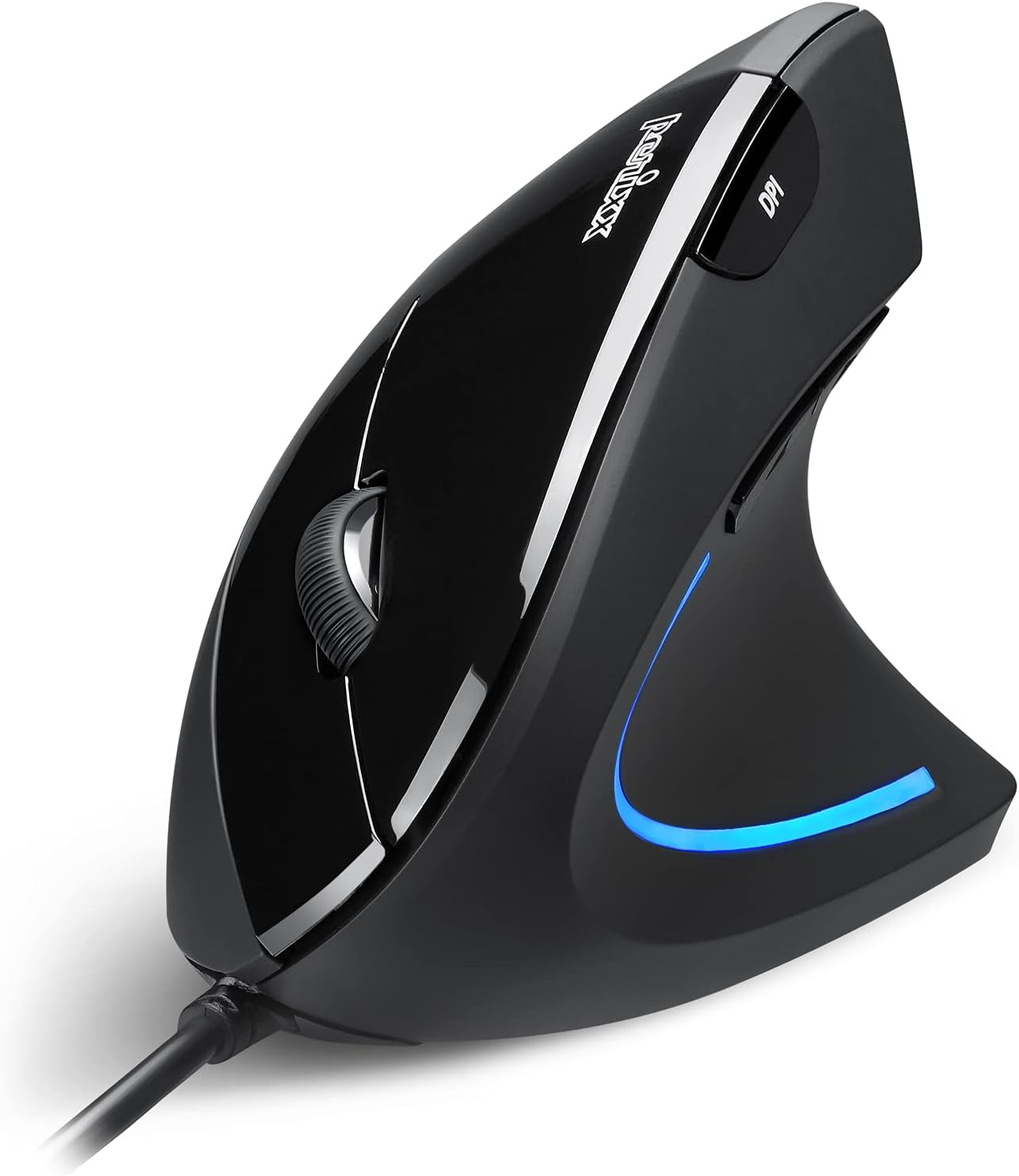
Image: The Perixx PERIMICE-513 Wired Ergonomic Vertical Mouse, showcasinmustan viimeistelynsä ja ergonomisen muotoilunsa ansiosta.
Tuote loppuview
The PERIMICE-513 features six buttons and an adjustable DPI sensor for precise control. Familiarize yourself with the components:

Image: A diagram illustrating the six buttons of the Perixx PERIMICE-513 mouse, including Left Click, Right Click, Scroll Wheel, DPI Switch, Page Back, and Page Forward buttons.
- Vasen napsautuspainike: Normaali ensisijainen napsautustoiminto.
- Hiiren oikeanpuoleinen painike: Normaali toissijainen napsautustoiminto.
- Vierityspyörä: Pystysuuntaista vieritystä ja keskipainikkeen napsautusta varten.
- DPI-vaihtopainike: Säätää kohdistimen herkkyyttä (DPI).
- Sivun takaisin -painike: Navigoi takaisin sisään web selaimet tai file tutkimusmatkailijoita.
- Sivun eteenpäin -painike: Navigoi eteenpäin kohdassa web selaimet tai file tutkimusmatkailijoita.
Asennus
The Perixx PERIMICE-513 is designed for simple plug-and-play setup.
- Liitä USB-kaapeli: Liitä hiiren USB-liitin tietokoneen vapaaseen USB-porttiin.
- Ohjaimen asennus: The mouse is plug-and-play and typically does not require additional drivers for basic functionality on compatible operating systems. Your computer should automatically detect and install the necessary drivers.
- Paikannus: Place the mouse on a flat, clean surface. The ergonomic design encourages a natural handshake grip.

Image: A hand connecting the USB cable of the Perixx PERIMICE-513 mouse to a computer, illustrating the plug-and-play setup.
Yhteensopivuus: The PERIMICE-513 is fully compatible with Windows 7, 8, 10, 11, and later versions.
Käyttöohjeet
This section details the functions of your Perixx PERIMICE-513 mouse.
DPI-säätö
The DPI (Dots Per Inch) switch button, located on the top of the mouse, allows you to adjust the cursor sensitivity. Press this button to cycle through the available DPI settings: 1000, 1600, 3200, and 6400 DPI. Choose a setting that best suits your task and preference for cursor speed and precision.

Image: A hand demonstrating the natural, comfortable grip on the Perixx PERIMICE-513 vertical mouse, highlighting its ergonomic design.
Ergonomic Use
The vertical design of the PERIMICE-513 encourages a neutral wrist and forearm posture, similar to a handshake. This natural position helps to alleviate pressure on the wrist and reduce muscle tension, contributing to long-term comfort and preventing strain.

Image: A visual comparison showing a twisted wrist position with a traditional mouse versus a natural, untwisted wrist position achieved with an ergonomic vertical mouse.
Painikkeiden toiminnot
- Vasen/oikea napsautus: Perform standard selection and context menu actions.
- Vierityspyörä: Vieritä asiakirjoja ja web pages vertically. Press down for middle-click functionality.
- DPI-kytkin: Cycle through 1000, 1600, 3200, and 6400 DPI settings.
- Page Back/Forward: Conveniently navigate web sivuja tai kansioita.
Huolto
Proper care ensures the longevity and optimal performance of your mouse.
- Puhdistus: Käytä pehmeää, hieman damp cloth to clean the surface of the mouse. Avoid using harsh chemicals, abrasive cleaners, or solvents, as these can damage the rubber coating and internal components.
- Optinen anturi: Pidä hiiren pohjassa oleva optinen anturi puhtaana pölystä ja roskista varmistaaksesi tarkan seurannan.
- Kaapelihuolto: Vältä teräviä taivutuksia tai USB-kaapelin liiallista vetämistä vaurioiden välttämiseksi.
Vianetsintä
If you encounter issues with your Perixx PERIMICE-513 mouse, refer to the following solutions:
- Hiiri ei vastaa:
- Varmista, että USB-kaapeli on kytketty tukevasti tietokoneen toimivaan USB-porttiin.
- Kokeile kytkeä hiiri toiseen USB-porttiin.
- Käynnistä tietokone uudelleen.
- Kohdistimen epäsäännöllinen liike:
- Puhdista hiiren pohjassa oleva optinen anturi pehmeällä, kuivalla liinalla.
- Varmista, että käytät hiirtä sopivalla alustalla. Vältä voimakkaasti heijastavia tai läpinäkyviä pintoja.
- DPI Setting Not Changing:
- Press the DPI switch button firmly. The change in DPI may be subtle depending on your current setting and screen resolution.
Tekniset tiedot
Detailed technical specifications for the Perixx PERIMICE-513 mouse:
| Ominaisuus | Erittely |
|---|---|
| Tuotteen mitat | 4.92 x 2.44 x 0.1 tuumaa |
| Tuotteen paino | 5.6 unssia |
| Mallinumero | 12364 |
| Yhteystekniikka | USB |
| Liiketunnistustekniikka | Optinen |
| DPI-asetukset | 1000/1600/3200/6400 |
| Kaapelin pituus | 5.9 jalkaa (1.8 m) |
| Yhteensopivuus | Windows 7, 8, 10, 11, and later |
| Erikoisominaisuus | Ergonominen muotoilu |
Tuote loppuview Video
Katso tämä virallinen tuoteview video for a visual guide to the Perixx PERIMICE-513 mouse.
Video: Virallinen tuote ohiview of the Perixx PERIMICE-513 Ergonomic Vertical Mouse, demonstrating its features and ergonomic benefits.
Takuu ja tuki
Perixx products are manufactured to high-quality standards. For specific warranty details, please refer to the warranty card included with your product or visit the official Perixx website. For further assistance or support, you may visit the Perixx-kauppa Amazonissa.


