1. Johdanto
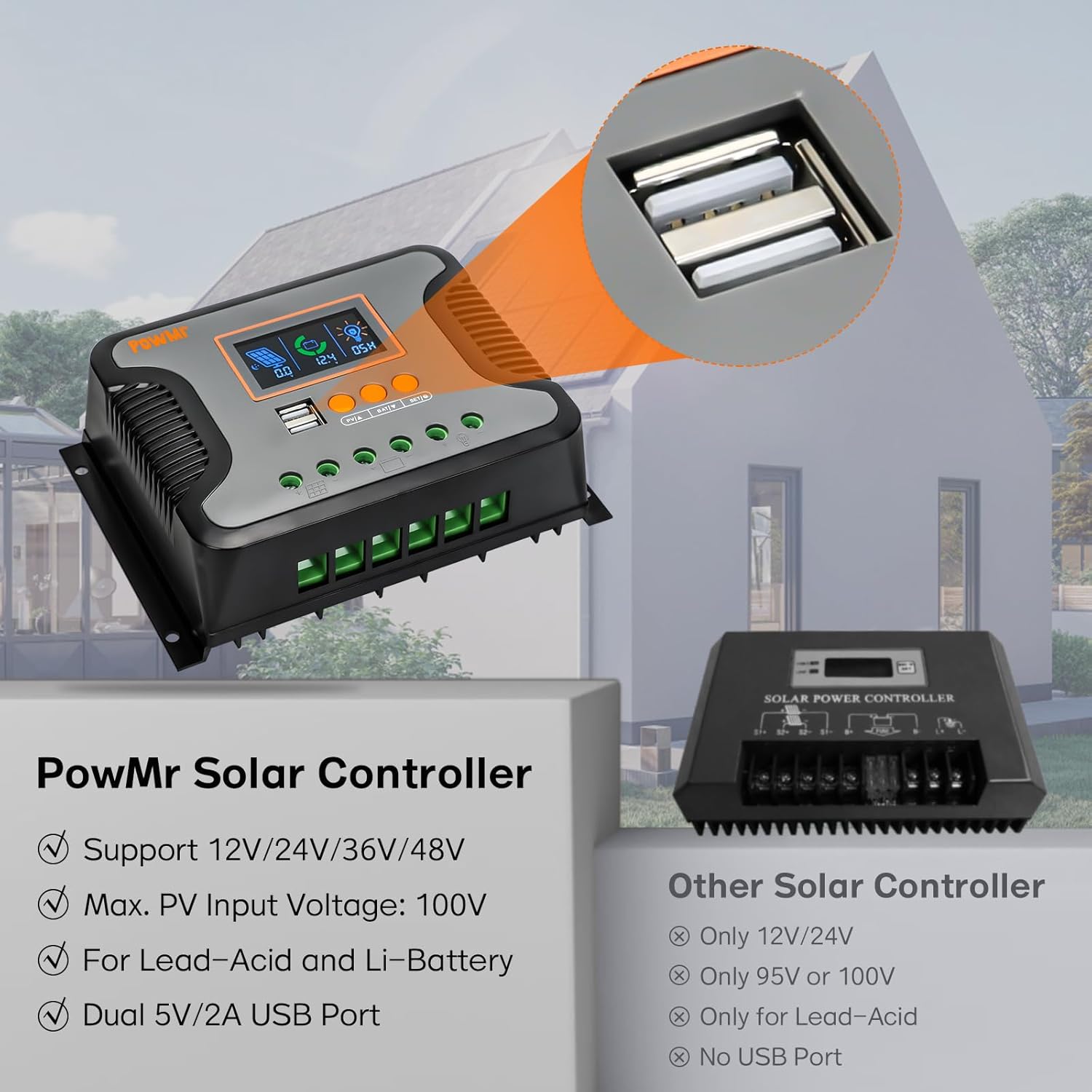
This manual provides essential instructions for the safe and efficient operation of your PowMr 80A PWM Solar Charge Controller. This controller is designed to manage the power flow from your solar panels to your battery bank, ensuring optimal charging and protecting your batteries from overcharge and over-discharge. It is compatible with 12V, 24V, 36V, and 48V systems and supports various battery types including AGM, Gel, Flooded, Lead-Acid, and Lithium batteries.
2. Turvallisuustiedot
Please read all instructions carefully before installation and operation. Failure to follow these instructions may result in serious injury, damage to the controller, or damage to other components in your solar system.
- Ensure all connections are tight and correct to avoid loose connections that can cause excessive heat.
- Kytke aina ensin akku, sitten aurinkopaneeli ja lopuksi kuorma. Irrota päinvastaisessa järjestyksessä.
- Do not attempt to repair or modify the controller yourself. Contact qualified personnel for service.
- Asenna ohjain hyvin ilmastoituun tilaan, kauas syttyvistä materiaaleista ja kosteudesta.
- Use appropriate circuit breakers and fuses for all connections to protect against overcurrent.
- Wear protective eyewear and clothing when working with batteries and solar panels.
3. Tuotteen ominaisuudet
- Automaattinen järjestelmän äänenvoimakkuustage Tunnistus: Automatically detects 12V, 24V, 36V, or 48V battery systems.
- Suuri latausvirta: Rated charging current of 80A.
- Laaja PV-tuloäänenvoimakkuustage: Suurin PV-tulotilavuustage 100V asti.
- Kaksi USB-lähtöä: Built-in 2 USB ports providing 5V and 2A output for charging devices.
- LCD Display & Keypad: User-friendly interface for real-time monitoring and parameter configuration.
- 3-StagPWM-lataus: Features Bulk charge, Boost charge, and Float charge modes for optimized battery performance and extended battery life.
- Laaja akkuyhteensopivuus: Adaptable to User, Flooded, AGM, GEL, LifePO4, Lithium, and other customized battery types.
- Useita suojaustoimintoja: Includes overcharge, over-discharge, overload, short circuit, reverse polarity, and over-temperature protection.
4. Tuote ohiview and Interface Description
The PowMr 80A PWM Solar Charge Controller features a clear LCD display and intuitive controls for easy monitoring and adjustment.

Figure 4.1: Controller Interface Description
This image shows the front panel of the PowMr solar charge controller, highlighting its USB ports, LCD display, function keys, mounting holes, PV input port, battery port, load port, and heat sink.
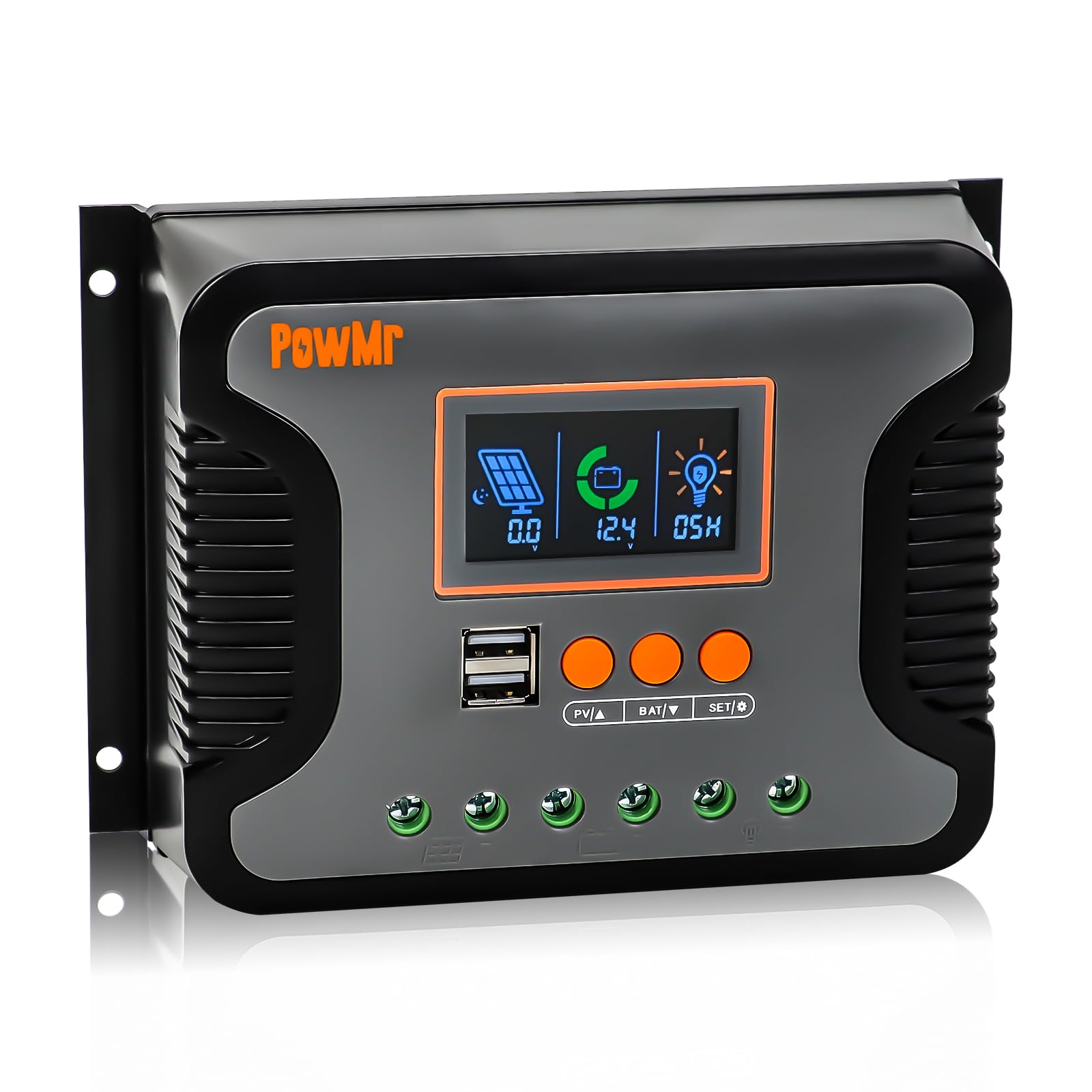
Figure 4.2: LCD Display Screen Details
This image details the backlit LCD screen, showing indicators for Day/Night State, PV Parameter, Battery Capacity, Battery Parameter, Normal/Fault State, and DC Parameter, each numbered for easy identification.
LCD-näytön ilmaisimet:
- Day/Night State: Indicates whether it's day or night, affecting load output.
- PV Parameter: Displays solar panel voltage ja nykyinen.
- Battery Capacity: Shows the current battery charge level.
- Battery Parameter: Displays battery voltage ja lataustila.
- Normal/Fault State: Indicates normal operation or displays fault codes.
- DC Parameter: Shows load voltage ja nykyinen.
Toimintonäppäimet:
- PV/A: View PV parameters.
- BAT/V: View battery parameters.
- SET/O: Enter settings menu or confirm selection.
5. Asennus ja asennus
Oikea asennus on ratkaisevan tärkeää aurinkolataussäätimen suorituskyvyn ja pitkäikäisyyden kannalta. Noudata näitä ohjeita huolellisesti:
5.1 Ohjaimen asennus
Mount the controller vertically on a wall or a sturdy surface in a dry, well-ventilated area, away from direct sunlight and heat sources. Ensure there is adequate space around the controller for air circulation.
Video 5.1: PWM Solar Charge Controller Quick Installation Wiring Guide
This video demonstrates the physical installation and wiring process for the PWM solar charge controller, including securing it to a wall and connecting the battery, solar panels, and DC load.
5.2 Johdotusliitännät
Follow the connection order strictly to prevent damage to the controller or other components. Always connect the battery first, then the solar panels, and finally the DC load.
- Liitä akku: Connect the battery cables to the battery terminals on the controller. Ensure correct polarity (+ to + and - to -).
- Liitä aurinkopaneelit: Connect the solar panel cables to the PV input terminals on the controller. Verify correct polarity.
- Kytke tasavirtakuorma: Connect your DC load to the load terminals on the controller. Ensure correct polarity.

Figure 5.1: Controller Connection Diagram
This diagram illustrates the correct wiring order for the solar charge controller: first the battery bank, then the PV array, and finally the DC load. It also shows an optional inverter for AC loads.
Tärkeää: Ensure all connections are secure and insulated. Incorrect wiring can cause damage and void warranty.
6. Käyttöohjeet
Once installed, the controller will automatically begin operating. Use the LCD display and function keys to monitor system status and configure parameters.
6.1 Järjestelmän tilan valvonta
Paina PV/A button to cycle through solar panel parameters (voltage, current). Press the BAT/V -painiketta view battery parameters (voltage, charge status). The SET/O button is used for entering and confirming settings.
6.2 Parametrien konfigurointi
To enter the parameter settings menu, press and hold the SET/O button for a few seconds. Use the PV/A ja BAT/V buttons to navigate through options and adjust values. Press SET/O again to confirm changes and exit the menu.
Key configurable parameters include:
- Akun tyyppi: Select the appropriate battery type (Flooded, AGM, GEL, LifePO4, Lithium, User-defined).
- Kuorman ohjaustila: Configure how the DC load output operates (e.g., always on, dusk to dawn, timed).
- Lataus-/purkaustilavuustage Rajat: Adjust these values according to your battery manufacturer's recommendations for optimal battery health.
6.3 Tuetut akkutyypit
The controller is highly versatile and supports a wide range of battery chemistries:
Kuva 6.1: Yhteensopivat akkutyypit
This image displays the various battery types compatible with the PowMr solar charge controller, including Sealed Lead-Acid (SEL), Gel Sealed Lead-Acid (GEL), Flooded Lead-Acid (FLD), LiFePO4 Battery (LI), Lithium-ion Battery (LN), and User-defined (USE).
6.4 3-Stage PWM Charging Technology
Ohjain käyttää 3 sekunnintage Pulse Width Modulation (PWM) charging algorithm to efficiently and safely charge your batteries:
- Irtolataus: Charges the battery at the maximum current until its voltage nousee absorptiotasolle.
- Tehostinlataus: Jatkaa latausta vakioäänellätage varmistaaksesi, että akku on täyteen ladattu.
- Kelluva veloitus: Maintains the battery at a fully charged state by providing a small, constant voltage.
7. Suojaustoiminnot
The PowMr 80A PWM Solar Charge Controller is equipped with multiple electronic protection features to ensure the safety and reliability of your solar system:

Kuva 7.1: Monisuojaustoiminnot
This image highlights the various protection features of the PowMr solar charge controller, including short-circuit protection, over-load protection, over-current protection, over-discharge protection, reversed polarity protection, and over-temperature protection.
- Oikosulkusuojaus: Protects against short circuits in the solar panel, battery, or load circuits.
- Ylikuormitussuoja: Prevents damage from excessive current draw by the load.
- Ylivirtasuoja: Safeguards against currents exceeding the controller's rated capacity.
- Ylipurkaussuojaus: Prevents batteries from being discharged below a safe voltage level, extending battery life.
- Reversed Polarity Protection: Protects the controller and system components from damage due to incorrect wiring of battery or solar panel polarity.
- Ylikuumenemissuoja: Shuts down the controller if internal temperatures exceed safe operating limits.
8. Tekniset tiedot
| Ominaisuus | Erittely |
|---|---|
| Nimellinen latausvirta | 80A |
| System Voltage | 12V/24V/36V/48V Automaattinen |
| Max. PV -tulo Voltage | 100V |
| Suurin tuloteho (12 V järjestelmä) | 960W |
| Suurin tuloteho (24 V järjestelmä) | 1920W |
| Suurin tuloteho (36 V järjestelmä) | 2880W |
| Suurin tuloteho (48 V järjestelmä) | 3840W |
| USB-lähtö | Kaksoisvirtalähde 5 V / 2 A |
| Näytön tyyppi | LCD |
| Käyttölämpötila | -20°C to 55°C (approximate, based on typical range) |
| Mitat | 8.19 x 5.67 x 2.95 tuumaa |
| Tuotteen paino | 1.57 kiloa |
9. Vianmääritys
This section addresses common issues you might encounter with your solar charge controller. For more complex problems, please contact customer support.
| Ongelma | Mahdollinen syy | Ratkaisu |
|---|---|---|
| Ohjain ei käynnisty | Akkua ei ole kytketty tai akku on tyhjätage; väärä akun napaisuus; löysät liitännät. | Ensure battery is connected first with correct polarity. Check battery voltage ja kaikki liitännät. |
| Akku ei lataudu | Solar panels not connected; insufficient sunlight; reversed PV polarity; faulty solar panel. | Check PV connections and polarity. Ensure adequate sunlight. Test solar panel output. |
| Kuorma ei toimi | Kuormaa ei kytketty; kuorman ylivirta; akun varaustaso on alhainentage; load control settings. | Check load connections and current draw. Verify battery voltage. Adjust load control settings. |
| LCD-näytön virhekoodi | Specific system fault (e.g., overvoltage, oikosulku). | Refer to the controller's specific error code definitions (if available in full manual) and address the indicated fault. |
10. Huolto
Säännöllinen huolto varmistaa aurinkolataussäätimen optimaalisen suorituskyvyn ja pidentää sen käyttöikää.
- Tarkista liitännät: Tarkista säännöllisesti kaikkien johtoliitäntöjen tiiviys ja korroosio.
- Puhdista ohjain: Pidä ohjain puhtaana pölystä ja roskista. Käytä puhdistukseen kuivaa liinaa.
- Ilmanvaihto: Varmista, että asennustila on hyvin tuuletettu ylikuumenemisen estämiseksi.
- Akun tarkastus: Regularly inspect your batteries for any signs of damage, corrosion, or swelling.
11. Takuu ja tuki
For warranty information and technical support, please refer to the documentation included with your purchase or contact PowMr customer service. Keep your purchase receipt as proof of purchase for warranty claims.
Yhteystiedot: Käy PowMr:n virallisella sivustolla website or refer to your product packaging for the most up-to-date contact details.