1. Johdanto
This manual provides detailed instructions for the setup, operation, maintenance, and troubleshooting of your 8BitDo Retro Mechanical Keyboard, C64 Edition. This keyboard is designed for compatibility with Windows 10 (1903) or above and Android 9.0 or above, offering versatile connectivity options and customizable features.
Key features include 87 keys, a top-mount design with Kailh Box White Switches, double-shot ABS keycaps with SA profile, and a hot-swappable PCB. It also features programmable keys, Dual Super Buttons, and a Super Stick with an independent control panel, all supported by 8BitDo Ultimate Software V2 for custom mapping.

Image 1.1: The 8BitDo Retro Mechanical Keyboard C64 Edition, including the main keyboard unit, Dual Super Buttons, and Super Stick.
2. Asennus
2.1 Pakkauksen sisältö
Varmista, että pakkauksessa on kaikki tarvittavat osat:
- 8BitDo Retro Mechanical Keyboard (C64 Edition)
- 2.4G langaton sovitin
- Dual Super Buttons
- Super Stick
- USB-kaapeli
- Käyttöohje

Image 2.1: The 8BitDo Retro Mechanical Keyboard C64 Edition shown in its product box, indicating included accessories.
2.2 Ensimmäinen lataus
Before first use, connect the keyboard to a power source using the provided USB-C cable. The keyboard contains a Lithium Polymer battery. A full charge ensures optimal wireless performance.
2.3 Yhteysvaihtoehdot
The keyboard supports three connection modes: Bluetooth, 2.4G Wireless, and USB-C Wired.
- Bluetooth-yhteys:
- Toggle the connection switch on the keyboard to 'BT'.
- On your device (Windows PC or Android), navigate to Bluetooth settings.
- Select '8BitDo Retro Mechanical Keyboard' from the list of available devices to pair.
- 2.4G langaton yhteys:
- Insert the 2.4G wireless adapter into an available USB port on your device.
- Toggle the connection switch on the keyboard to '2.4G'.
- The keyboard should automatically connect to the adapter.
- USB-C-langallinen yhteys:
- Connect the USB-C cable to the keyboard's USB-C port and the other end to your device.
- Näppäimistö toimii langallisena laitteena ja latautuu samanaikaisesti.

Image 2.2: The rear of the keyboard, highlighting the USB-C port for wired connection and charging, and the connection mode switch.
3. Käyttöohjeet
3.1 Näppäimistön perustoiminnot
The 87-key layout provides standard alphanumeric and function keys. The keyboard supports N-key rollover, ensuring all key presses are registered accurately, even during rapid input.
3.2 Itsenäinen ohjauspaneeli
The keyboard features an independent control panel with dedicated knobs and buttons for quick adjustments.
- Äänenvoimakkuuden säädin: Adjusts system volume.
- Yhteystilan kytkin: Toggles between Bluetooth, 2.4G, and Off.
- Ohjelmoitavat painikkeet: Dedicated buttons (e.g., star icon, Wi-Fi icon) can be customized via software.

Kuva 3.1: Yksityiskohtainen view of the keyboard's independent control panel, showing the volume knob and other function buttons.
3.3 Dual Super Buttons and Super Stick
The included Dual Super Buttons and Super Stick provide additional programmable input options, enhancing gaming and productivity. Connect these accessories to the dedicated ports on the rear of the keyboard.

Image 3.2: A user's hands interacting with the Dual Super Buttons and Super Stick, demonstrating their use alongside the keyboard.
3.4 8BitDo Ultimate -ohjelmisto V2
Customize your keyboard experience using the 8BitDo Ultimate Software V2 (available for PC). This software allows you to:
- Näppäinkartoitus: Reassign functions to any key, including the programmable buttons and Super Buttons.
- Makron luominen: Record and assign complex sequences of key presses to a single button.
- Profile Hallinto: Create and switch between multiple custom profiles eri sovelluksille tai peleille.
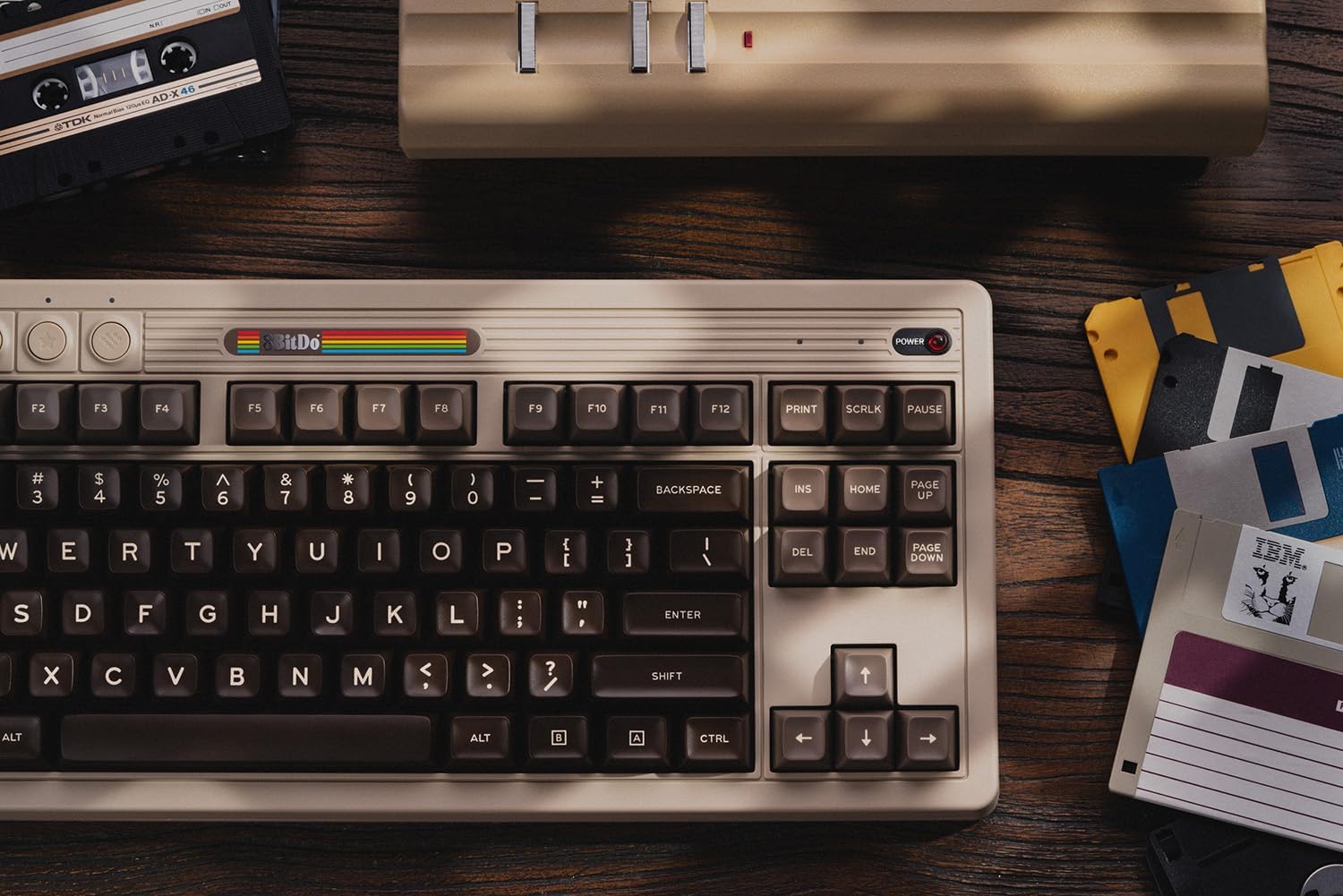
Image 3.3: A visual representation of the 8BitDo Ultimate Software V2, showing options for key mapping and macro recording.
4. Huolto
4.1 Puhdistus
Puhdista näppäimistö pehmeällä, kuivalla liinalla. Pinttyneeseen likaan käytä hieman kuivaa liinaa.amp Voit käyttää miedolla saippualla kostutettua liinaa varmistaen, ettei nestettä pääse näppäimistöön. Vältä hankaavia puhdistusaineita tai liuottimia.
4.2 Näppäinhatun ja kytkimen vaihto
The keyboard features a hot-swappable PCB, allowing for easy replacement of switches without soldering. Use a keycap puller to remove keycaps and a switch puller to remove switches. Ensure replacement switches are compatible with the PCB.

Kuva 4.1: Yksityiskohtainen view illustrating the hot-swappable PCB feature, the magnetic compartment for the 2.4G adapter, and the classic power status LED.
4.3 Akun hoito
To prolong battery life, avoid exposing the keyboard to extreme temperatures. If storing for an extended period, charge the battery to approximately 50% and store in a cool, dry place.
5. Vianmääritys
- Näppäimistö ei vastaa:
Ensure the keyboard is charged and the connection mode switch is set correctly (BT, 2.4G, or wired). For wireless connections, verify the adapter is properly inserted or Bluetooth is paired.
- Avaimet eivät rekisteröidy:
Check for debris under the keycaps. If a specific key is not working, the switch may need to be replaced due to the hot-swappable design.
- Connectivity issues (lag/disconnections):
Ensure the keyboard is within range of the receiver/device. Minimize interference from other wireless devices. For 2.4G, try a different USB port. For Bluetooth, try re-pairing the device.
- Ohjelmisto ei tunnista näppäimistöä:
Ensure the keyboard is connected via USB-C or 2.4G wireless. Bluetooth connection may not be fully supported by the software for all features. Update the software to the latest version.
For further assistance, please refer to the official 8BitDo support websivustolla tai ota yhteyttä asiakaspalveluun.
6. Tekniset tiedot
| Ominaisuus | Yksityiskohta |
|---|---|
| Merkki | 8bitTee |
| Mallinumero | 6922621505266 |
| Yhteystekniikka | Bluetooth, 2.4G langaton, USB-C-johdollinen |
| Näppäimistön kuvaus | Mekaaninen |
| Avainten määrä | 87 |
| Kytkimet | Kailh Box White Switches (Hot-swappable) |
| näppäinten yläpuolelle | Double-Shot ABS with SA profile |
| Yhteensopivuus | Windows 10 (1903) or above, Android 9.0 or above |
| Erikoisominaisuudet | Hot-Swappable, Programmable Keys, Rechargeable, Dual Super Buttons, Super Stick |
| Virtalähde | Paristokäyttöinen (1 litiumpolymeeriparisto mukana) |
| Tuotteen paino | 4.56 kiloa |
| Materiaali | Akryylinitriilibutadieenistyreeni |
| Mukana olevat komponentit | Keyboard, 2.4G Adapter, Dual Super Buttons, Super Stick, USB Cable |
7. Takuu ja tuki
8BitDo products are covered by a manufacturer's warranty. For specific warranty terms and conditions, please refer to the warranty card included with your product or visit the official 8BitDo websivusto.
For technical support, frequently asked questions, and software downloads, please visit the official 8BitDo support page: www.8bitdo.com/support/. You may also contact customer service directly through the websivusto lisäapua varten.


