1. Johdanto
Welcome to the user manual for your VGN N75 Gaming Keyboard. This manual provides essential information on setting up, operating, maintaining, and troubleshooting your new keyboard. The VGN N75 is a compact, numeric keyless mechanical keyboard designed for an optimal gaming and typing experience.

Figure 1.1: VGN N75 Gaming Keyboard with RGB lighting enabled.

Kuva 1.2: Kulmassa view of the VGN N75 keyboard, highlighting its compact form factor.
2. Turvallisuustiedot
Please read the following safety guidelines carefully before using your VGN N75 keyboard:
- Pidä näppäimistö poissa nesteistä ja liiallisesta kosteudesta vaurioiden välttämiseksi.
- Vältä näppäimistön altistamista äärimmäisille lämpötiloille (kuumalle tai kylmälle).
- Älä yritä purkaa tai muokata näppäimistöä. Tämä voi mitätöidä takuun ja aiheuttaa vahinkoa.
- Use only the provided USB-C cable for connection.
- Käsittele varovasti välttääksesi putoamisesta tai iskuista aiheutuvat fyysiset vauriot.
3. Tuotteen ominaisuudet
The VGN N75 keyboard is engineered with several features to enhance your typing and gaming experience:
- Kompakti 75 %:n asettelu: The US82 key numeric keyless design offers a space-saving solution compared to full-size keyboards, providing more desk space for mouse movement.
- Advanced Internal Construction: Features multiple buffer layers and specially tuned stabilizers for a smooth, quiet, and consistent typing experience.
- VGN "Dynamic Silver" Mechanical Switches: Equipped with VGN's original linear mechanical switches, offering a responsive feel and vibrant RGB illumination.
- Erottuva muotoilu: The "Caribbean Blue" model features striking keycap colors, adding a unique aesthetic to your setup.
- Integrated Metal Volume Knob: A conveniently located metal rotary knob allows for quick and precise volume adjustments, useful for both work and gaming.
- Mukautettava RGB-valaistus: Enjoy dynamic and customizable RGB backlight options to personalize your keyboard's appearance.

Figure 3.1: The compact 75% layout of the VGN N75, demonstrating its space-saving advantage over a traditional full-size keyboard.

Figure 3.2: Detail of the VGN N75's unique "Dynamic Silver" mechanical switches, known for their linear feel and RGB compatibility.

Figure 3.3: An exploded diagram illustrating the multiple buffer layers and components within the VGN N75 keyboard, contributing to its smooth and quiet operation.

Figure 3.4: Close-up of the metal volume knob, providing convenient audio control.
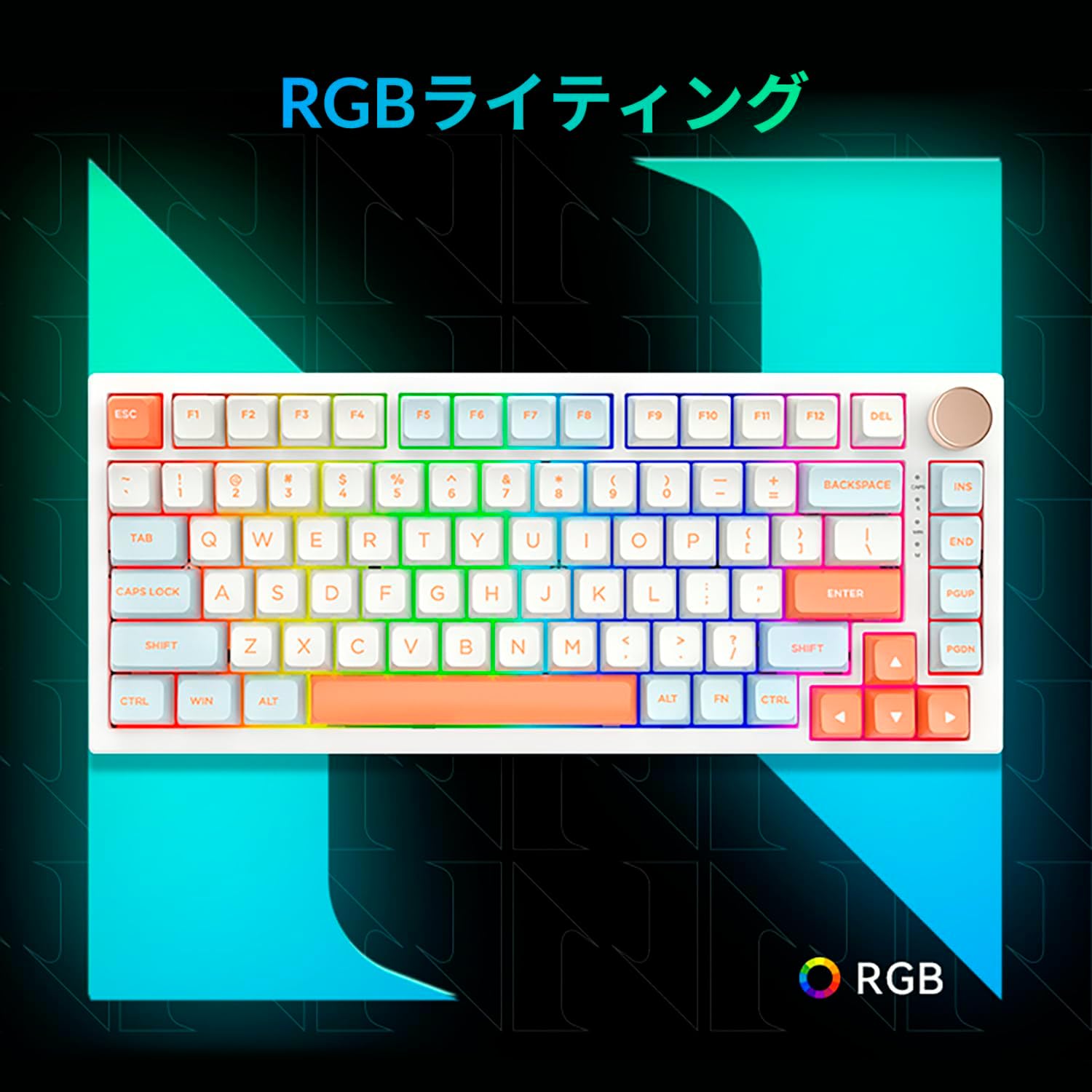
Figure 3.5: The VGN N75 keyboard displaying its customizable RGB lighting, enhancing the visual appeal.
4. Asennusopas
Follow these steps to set up your VGN N75 keyboard:
- Avaa näppäimistö: Carefully remove the keyboard and all included accessories (USB cable, keycap puller, replacement key) from the packaging.
- Liitä USB-C-kaapeli: Insert one end of the provided USB-C cable into the USB-C port on the keyboard.
- Yhdistä laitteeseen: Plug the other end of the USB-C cable into an available USB port on your computer or laptop.
- Ohjaimen asennus (automaattinen): Näppäimistö on plug-and-play-tyyppinen. Käyttöjärjestelmäsi pitäisi tunnistaa ja asentaa tarvittavat ajurit automaattisesti. Manuaalista ajurien asentamista ei yleensä tarvita.
- Alkuperäinen testi: Open a text editor or any application to test the keys and ensure all functions are working correctly.
5. Käyttöohjeet
This section details the basic operation of your VGN N75 keyboard:
5.1. Perusnäppäintoiminnot
The VGN N75 features a standard US82 key layout. All keys function as labeled. For specific key combinations or software-defined macros, refer to any accompanying software documentation (if applicable, not included in this manual).
5.2. Using the Rotary Knob
- Äänenvoimakkuuden säätö: Kierrä nuppia myötäpäivään lisätäksesi äänenvoimakkuutta ja vastapäivään vähentääksesi sitä.
- Mykistä/Poista mykistys: Mykistä ääni tai poista mykistys painamalla nuppia.
5.3. RGB-valaistuksen ohjaus
The VGN N75 supports RGB lighting. While specific key combinations for lighting modes are not provided in the product description, most RGB keyboards allow cycling through effects using function key combinations (e.g., Fn + F-keys or dedicated lighting keys). Experiment with the 'Fn' key in combination with other keys (like arrow keys or Ins/Del/Home/End/PgUp/PgDn) to discover lighting controls.
6. Huolto
Proper maintenance will extend the lifespan of your keyboard:
- Puhdistus:
- Irrota näppäimistö tietokoneesta ennen puhdistamista.
- Käytä pehmeää, nukkaamatonta liinaa hieman dampkastettu vedellä tai miedolla puhdistusliuoksella näppäinhattujen ja kehyksen pyyhkimiseksi.
- Käytä paineilmaa näppäinten välisten pölyn ja roskien poistamiseen.
- Do not spray liquid directly onto the keyboard.
- Näppäinhatun ja kytkimen vaihto:
- The keyboard comes with a keycap puller and a replacement key.
- To remove a keycap, gently use the keycap puller to grip the keycap and pull upwards.
- Vaihda näppäinhattu kohdistamalla se kytkimen varteen ja painamalla sitä lujasti alaspäin, kunnes se napsahtaa paikalleen.
- Huomautus: The VGN N75 features hot-swappable switches, allowing for easy replacement without soldering. To remove a switch, use a switch puller (not explicitly listed as included, but implied by "hot-swappable") to gently pry it out. Align the new switch's pins with the sockets and press firmly until it seats correctly.
7. Vianmääritys
If you encounter issues with your VGN N75 keyboard, try the following solutions:
- Näppäimistö ei vastaa:
- Varmista, että USB-C-kaapeli on kytketty kunnolla sekä näppäimistöön että tietokoneeseen.
- Kokeile kytkeä näppäimistö tietokoneen toiseen USB-porttiin.
- Käynnistä tietokone uudelleen.
- Testaa näppäimistöä toisella tietokoneella sulkeaksesi pois järjestelmäkohtaisen ongelman.
- Avaimet eivät rekisteröidy:
- Tarkista, onko näppäinhatun alla fyysisiä esteitä.
- If a specific key is not working, consider replacing its switch if you have a switch puller and replacement switches.
- RGB-valaistusongelmat:
- Varmista, että näppäimistö saa virtaa oikein.
- Try cycling through lighting modes using the keyboard's function key combinations.
- Rotary Knob Not Working:
- Tarkista, onko nupin ympärillä fyysisiä esteitä.
- Varmista, että näppäimistö on kytketty oikein.
8. Tekniset tiedot
| Attribuutti | Yksityiskohta |
|---|---|
| Merkki | VGN |
| Mallinumero | N75BLUE |
| Sarja | N75 |
| Väri | Sininen |
| Näppäimistön kuvaus | Mekaaninen |
| Avainten määrä | 82 |
| Yhteystekniikka | USB-C |
| Virtalähteen tyyppi | USB-virtalähde |
| Yhteensopivat laitteet | Kannettava tietokone |
| Suositellut tuotteen käyttötarkoitukset | Pelaaminen |
| Keyboard Backlight Colour Support | RGB |
| Materiaali | Muovi |
| Mukana olevat komponentit | Keycap Puller, Replacement Key, USB Cable |
| Pakkauksen mitat | 42.1 x 18.8 x 6.5 cm; 1.1 kg |
| Päivämäärä ensimmäinen saatavilla | 22. maaliskuuta 2024 |
9. Takuu ja tuki
The VGN N75 Gaming Keyboard comes with a 1-year warranty from the date of purchase, as indicated in the product listing. This warranty covers manufacturing defects under normal use.
For warranty claims, technical support, or further inquiries, please contact your point of purchase or the official VGN support channels. Keep your proof of purchase for warranty validation.
Huomautus: Unauthorized disassembly or modification of the product may void the warranty.


