1. Johdanto
This manual provides detailed instructions for the setup, operation, and maintenance of your CZEview ZY-D1 Babyphone. Please read this manual thoroughly before using the device to ensure proper functionality and safety. The CZEview ZY-D1 is designed to help you monitor your baby with advanced features such as 2K Ultra HD video, AI-powered detection, two-way audio, and environmental monitoring.
2. Pakkauksen sisältö
- CZEview ZY-D1 Babyphone Camera
- Virtalähde ja kaapeli
- Mounting Accessories (for wall mounting)
- Käyttöopas (tämä asiakirja)
3. Tuote ohiview ja Ominaisuudet
CZEview ZY-D1 Babyphone offers a comprehensive monitoring solution with the following key features:
- 2K Ultra HD -video: Tarjoaa selkeän ja yksityiskohtaisen videovalvonnan.
- 360° AI Tracking: Intelligent AI technology tracks movements, ensuring no blind spots with 355° horizontal and 90° vertical rotation.
- Pikailmoitukset: Receive immediate alerts for detected motion, noise, or crying.
- Kaksisuuntainen ääni: Communicate with your baby remotely using the built-in microphone and speaker.
- Stable Dual-Band Wi-Fi: Compatible with both 2.4 GHz and 5 GHz Wi-Fi networks for reliable connectivity.
- Infrapunayönäkö: Selkeä seuranta myös hämärässä tai pimeässä.
- Comfort Night Light & Lullabies: Features a looping night light and 14 pre-installed lullabies to soothe your baby.
- Lämpötilan ja kosteuden valvonta: Keep track of the nursery environment.
- Unianalyysi: Monitor and analyze your baby's sleep patterns.
- Alexa-integraatio: Seamlessly integrates with Amazon Alexa for voice control and viewing.

Kuva 1: CZEview ZY-D1 Babyphone camera, featuring a white body and colorful ears, designed for monitoring infants.
4. Asennus
4.1 Virran kytkeminen päälle
- Connect the provided power cable to the camera's power port.
- Liitä verkkolaite tavalliseen pistorasiaan.
- Kamera käynnistyy ja merkkivalo näyttää sen tilan.
4.2 Sovelluksen asennus
- Scan the QR code provided on the product packaging or in the quick start guide to download the official CZEview sovellus.
- Asenna sovellus älypuhelimeesi tai tablettiisi.
- Rekisteröidy uudelle tilille tai kirjaudu sisään, jos sinulla on jo tili.
4.3 Wi-Fi-yhteys
- Avaa CZEview app and follow the on-screen instructions to add a new device.
- Select your Wi-Fi network (supports both 2.4 GHz and 5 GHz).
- Anna Wi-Fi-salasanasi.
- The app will guide you through pairing the camera with your network. This usually involves scanning a QR code displayed on your phone with the camera lens.
- Once connected, the camera's indicator light will change, and you will see the live feed in the app.

Kuva 2: Illustration of the CZEview Babyphone's compatibility with both 5GHz and 2.4GHz dual-band Wi-Fi for a stable connection.
4.4 Kameran asennus
CZEview ZY-D1 Babyphone can be placed on a flat surface or mounted to a wall. If wall mounting, use the provided accessories and ensure the camera is securely fastened at a safe distance from the crib, out of reach of children.
5. Käyttöohjeet
5.1 Livenä View ja panoroinnin/kallistuksen hallinta
- Avaa CZEview sovellus ja valitse kamerasi view live-syöte.
- Use the on-screen controls to pan (355° horizontal) and tilt (90° vertical) the camera lens to adjust the viewkulma.
- The automatic tracking feature will detect and follow moving objects within its field of view.
5.2 Kaksisuuntainen ääni

Kuva 3: A parent using the CZEview app on a smartphone to engage in two-way communication with a baby in a crib.
- Liven aikana view, napauta mikrofonikuvaketta sovelluksessa.
- Puhu puhelimesi mikrofoniin, niin äänesi kuuluu kameran kaiuttimen kautta.
- Release the microphone icon to listen to your baby.
5.3 AI Detection and Notifications

Kuva 4: CZEview Babyphone camera positioned near a baby in a crib, highlighting its intelligent AI detection capabilities for motion, noise, and crying.
- Käytä tunnistusasetuksia sovelluksessa.
- Enable Motion Detection, Noise Detection, and Cry Detection as needed.
- Säädä herkkyystasoja väärien hälytysten minimoimiseksi.
- You will receive instant push notifications on your smartphone when an event is detected.
5.4 Night Vision and Lullabies

Kuva 5: CZEview Babyphone emitting a soft glow as a night light, with musical notes floating around a sleeping baby, illustrating its infrared night vision and lullaby features.
- Yönäkö aktivoituu automaattisesti hämärässä.
- To play lullabies or activate the night light, navigate to the respective controls in the app.
- Select from the 14 available lullabies to soothe your baby.
5.5 Lämpötilan ja kosteuden seuranta
The app displays real-time temperature and humidity readings from the camera's environment. You can set alerts for specific temperature or humidity ranges.
5.6 Unianalyysi

Kuva 6: A visual representation of a sleep analysis timeline on a smartphone screen, showing snapshots of a baby at different times during sleep.
CZEview app provides a timeline view of your baby's activity, which can be used to analyze sleep patterns. Review recorded events and snapshots to understand sleep duration and disturbances.
5.7 Amazon Alexan integrointi
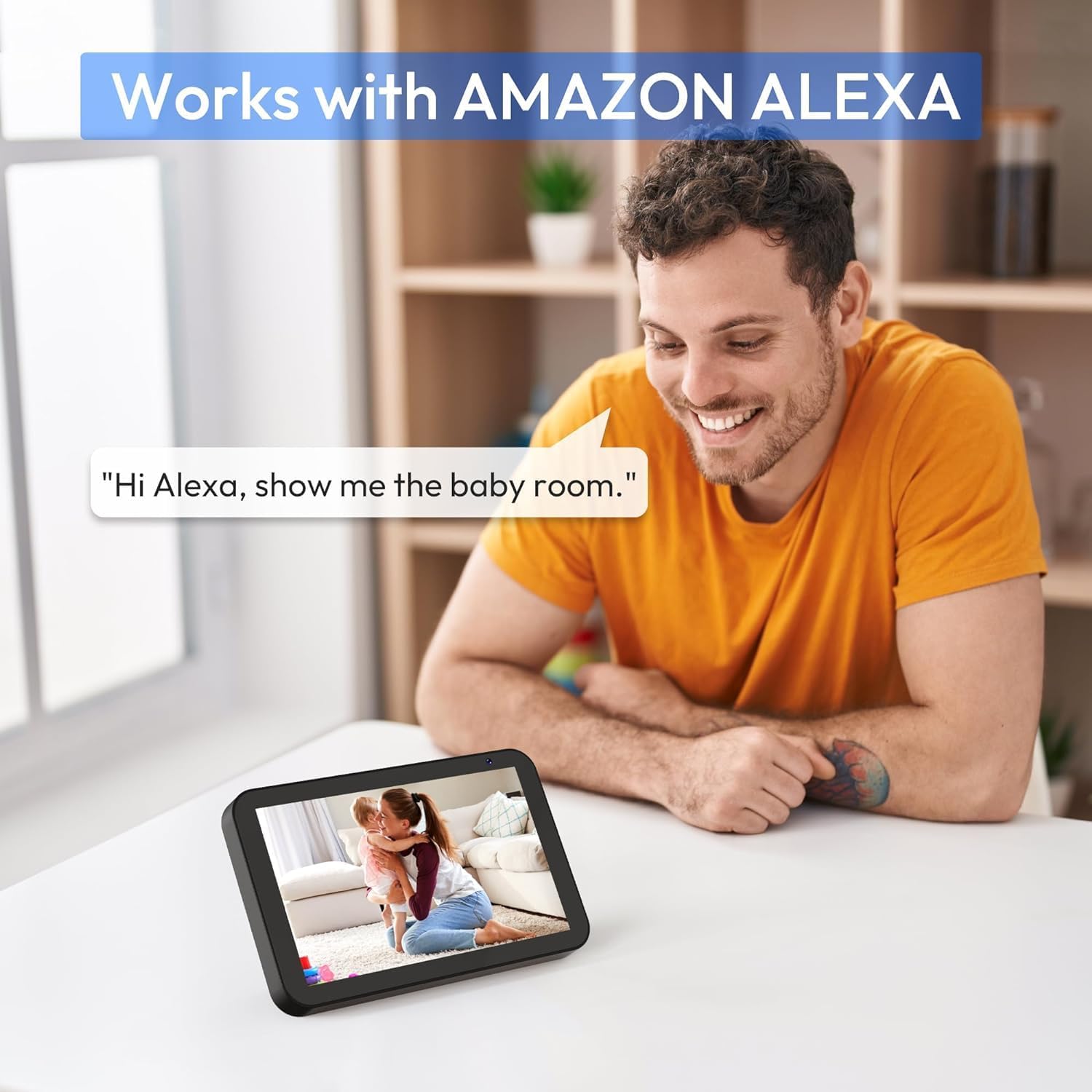
Kuva 7: A person interacting with an Amazon Echo Show device, displaying the live feed from the CZEview Babyphone, demonstrating Alexa integration.
- Ota käyttöön CZEview skill in your Amazon Alexa app.
- Linkitä CZE-tiedostosiview account with Alexa.
- Use voice commands such as "Alexa, show me the baby room" to view the camera feed on compatible Alexa devices.
5.8 Multi-User Access and SD Card Recording
- Perheen jakaminen: You can invite family members to view the camera feed through the app. Invited users may have limited control functions compared to the primary account holder.
- Paikallinen tallennustila: Insert an SD card (not included) into the camera's designated slot for local video recording and to enable certain features like playing lullabies directly from the camera.
6. Huolto
- Puhdistus: Puhdista kameran linssi ja runko pehmeällä, kuivalla liinalla. Älä käytä nestemäisiä puhdistusaineita tai aerosoleja.
- Laiteohjelmistopäivitykset: Tarkista sovelluksesta säännöllisesti saatavilla olevat laiteohjelmistopäivitykset varmistaaksesi optimaalisen suorituskyvyn ja turvallisuuden.
- Sijoitus: Ensure the camera is placed in a well-ventilated area and not exposed to extreme temperatures or direct sunlight.
7. Vianmääritys
- Ei virtaa: Ensure the power cable is securely connected to both the camera and the power outlet. Try a different outlet.
- Wi-Fi-yhteysongelmat: Verify your Wi-Fi password. Ensure the camera is within range of your router. Restart your router and the camera. Confirm your network is 2.4 GHz or 5 GHz compatible.
- Huono kuvanlaatu: Check your internet connection speed. Ensure the camera lens is clean and free from obstructions. Adjust the video quality settings in the app if available.
- Huono äänenlaatu: Ensure there are no obstructions near the camera's microphone or speaker. Check the volume settings in the app.
- Ilmoituksia ei vastaanotettu: Check app notification settings on your phone and within the CZEview app. Ensure the camera is connected to Wi-Fi.
- Kamera ei vastaa: Unplug the camera, wait 10 seconds, and plug it back in to restart.
8. Tekniset tiedot
| Ominaisuus | Erittely |
|---|---|
| Mallinumero | ZY-D1 |
| Langaton viestintätekniikka | Wi-Fi (2.4 GHz ja 5 GHz) |
| Viewkulma | 360 Degrees (355° horizontal, 90° vertical) |
| Materiaali | Muovi |
| Tuotteen mitat (P x L x K) | 12.7 x 7.62 x 7.62 cm |
| Yhteysprotokolla | Wi-Fi |
| Ohjaimen tyyppi | Amazon Alexa |
| Asennustyyppi | Seinäteline |
| Väri | Valkoinen |
| Mukana olevat komponentit | Kaapeli |
| Suositellut käyttötavat | Babyphone, Baby Monitoring, Night Vision |
9. Turvallisuustiedot
- Keep the camera and all accessories out of reach of children.
- Do not place the camera or its power cord within 1 meter (3 feet) of the crib or playpen to prevent strangulation hazards.
- Käytä ainoastaan laitteen mukana toimitettua virtalähdettä. Muiden kuin hyväksyttyjen virtalähteiden käyttö voi vahingoittaa laitetta ja mitätöidä takuun.
- Älä altista laitetta vedelle, kosteudelle tai äärimmäisille lämpötiloille.
- Älä yritä avata tai korjata laitetta itse. Ota yhteyttä asiakastukeen saadaksesi apua.
10. Takuu ja tuki
For warranty information and customer support, please refer to the warranty card included in your product packaging or visit the official CZEview website. If you encounter any issues not covered in this manual, please contact CZEview asiakaspalvelu apua varten.


