Johdanto
The Sharp GX-BT290 Crystal Clear Series Portable Bluetooth Speaker is designed to deliver high-quality audio with enhanced bass, offering a robust and portable listening experience. Featuring IP67 waterproof and dustproof capabilities, a long-lasting 14-hour battery, and versatile connectivity options including True Wireless Stereo (TWS) pairing, this speaker is suitable for various environments. It also includes a built-in microphone for hands-free calling and two distinct LED light modes to enhance your audio experience.
Pakkauksen sisältö
- Sharp GX-BT290 Bluetooth Speaker
- USB Charging Cable (not explicitly listed but implied for battery charging)
- Käyttöopas (tämä asiakirja)
Asennus
1. Kaiuttimen lataaminen
Before first use, fully charge the speaker. Connect the provided USB charging cable to the speaker's charging port and the other end to a compatible USB power adapter (not included) or a computer's USB port. The charging indicator light will illuminate during charging and turn off once fully charged. A full charge provides approximately 14 hours of playtime.
2. Virta päälle / pois
Paina ja pidä painettuna Virtapainike located on the control panel until you hear an audible prompt or see the indicator lights activate. To power off, press and hold the Virtapainike uudelleen.

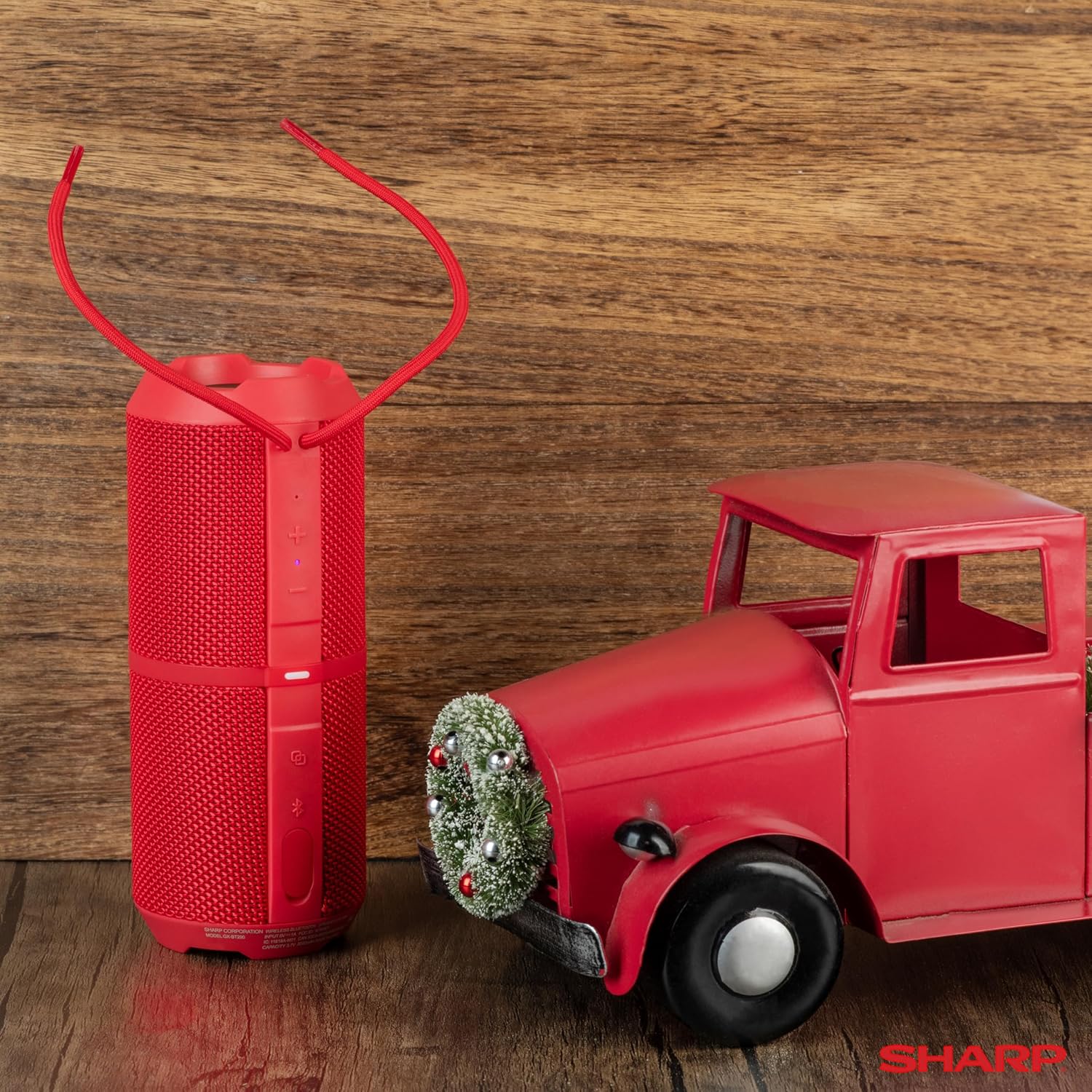
Image: The Sharp GX-BT290 speaker in red, displaying its vertical control panel with power, volume, light mode, and Bluetooth buttons. This view highlights the speaker's cylindrical design and integrated strap.
Käyttöohjeet
1. Bluetooth-pariliitos
- Ensure the speaker is powered on and in Bluetooth pairing mode (indicated by a flashing blue LED). If not, briefly press the Bluetooth-painike.
- Ota Bluetooth käyttöön laitteellasi (älypuhelin, tabletti, kannettava tietokone) ja hae käytettävissä olevia laitteita.
- Select "GX-BT290" from the list of found devices.
- Once connected, the speaker will provide an audible confirmation, and the Bluetooth LED will become solid blue.
2. Aidosti langattoman stereon (TWS) pariliitos
To achieve a stereo sound experience, you can pair two GX-BT290 speakers together:
- Ensure both GX-BT290 speakers are powered on and not connected to any other Bluetooth device.
- Pidä yhden kaiuttimen (tämä on ensisijainen kaiutin) -painiketta painettuna. TWS-painike (often integrated with the Bluetooth button or a dedicated button).
- The primary speaker will search for the secondary speaker. Once connected, both speakers will provide an audible confirmation.
- Yhdistä nyt laitteesi ensisijaiseen kaiuttimeen Bluetoothin kautta "Bluetooth-pariliitos" -osiossa kuvatulla tavalla. Ääni toistetaan stereona molemmista kaiuttimista.
3. Äänentoisto ja äänenvoimakkuuden säätö
- Käytä Äänenvoimakkuuden lisääminen (+) ja Äänenvoimakkuutta pienemmälle (-) buttons on the speaker to adjust the playback volume.
- Paina Toista/Tauko-painike (often integrated with the Power button or a dedicated button) to play or pause audio.
- For track navigation, refer to your connected device's controls.
4. Handsfree-puhelut
When connected to a smartphone, the speaker's built-in microphone allows for hands-free calls:
- To answer an incoming call, briefly press the Soita-painike (often integrated with the Play/Pause button).
- To end a call, briefly press the Soita-painike uudelleen.
- Voit hylätä saapuvan puhelun pitämällä -näppäintä alhaalla Soita-painike.
5. LED-valotilat
The speaker features two LED light modes. Briefly press the Light Mode -painike (often indicated by a lightbulb icon) to cycle through the available light effects or to turn them off.
Kuva: Räjähtänyt view of the Sharp GX-BT290 speaker, illustrating its unique cylinder design, DSP technology, and the precision dual drivers responsible for exceptional depth and clarity in sound.
Huolto
Puhdistus
Wipe the speaker with a soft, dry, or slightly damp liinalla. Älä käytä hankaavia puhdistusaineita, alkoholia tai kemiallisia liuottimia, sillä ne voivat vahingoittaa pintaa.
Veden- ja pölytiivis (IP67)
The GX-BT290 is rated IP67, meaning it is protected from dust ingress and can withstand immersion in water up to 1 meter for 30 minutes. Ensure the charging port cover is securely closed before exposing the speaker to water or dust. After exposure to water, dry the speaker thoroughly before charging.

Image: The Sharp GX-BT290 speaker being splashed with water, visually demonstrating its IP67 water and dustproof capabilities. This image emphasizes the speaker's durability for outdoor use.
Varastointi
Store the speaker in a cool, dry place away from direct sunlight and extreme temperatures when not in use for extended periods. Avoid storing in environments with high humidity.
Vianetsintä
| Ongelma | Mahdollinen syy | Ratkaisu |
|---|---|---|
| Kaiutin ei käynnisty | Akun varaus vähissä; Virtapainiketta ei painettu oikein | Lataa kaiutin; Pidä virtapainiketta painettuna muutaman sekunnin ajan |
| Ei ääntä | Volume too low; Not paired; Device volume low | Increase speaker volume; Ensure successful Bluetooth pairing; Increase volume on connected device |
| Laitteen pariliitos ei onnistu. | Kaiutin ei ole pariliitostilassa; Laitteen Bluetooth pois päältä; Liian kaukana kaiuttimesta | Ensure speaker is flashing blue LED; Turn on device Bluetooth; Move device closer to speaker (within 33 feet) |
| TWS -pariliitos epäonnistuu | Kaiuttimet on jo yhdistetty muihin laitteisiin; Liian kaukana toisistaan | Disconnect speakers from other devices; Ensure speakers are close to each other during TWS pairing |
| Huono äänenlaatu | Häiriö; Laite liian kaukana; Akku vähissä | Move away from other wireless devices; Move device closer; Charge the speaker |
Tekniset tiedot
| Ominaisuus | Erittely |
|---|---|
| Mallin nimi | GX-BT290(R) |
| Kaiuttimen tyyppi | Ulkona |
| Erikoisominaisuudet | Bass Boost, Built-in Microphone, Dustproof, LED Light, Lightweight |
| Yhteystekniikka | Bluetooth |
| Wireless Range | Jopa 10 metriä (33 jalkaa) |
| Teholähtö | 32W Max Power (16W RMS) |
| Vedenkestävyystaso | IP67 (veden- ja pölytiivis) |
| Akun kesto | Jopa 14 tuntia |
| Virtalähde | Paristokäyttöinen (1 litiumioniakku mukana) |
| Tuotteen mitat | 3"S x 7.5"L x 3"K (noin 7.6 cm S x 19 cm L x 7.6 cm K) |
| Tuotteen paino | 16 unssia (noin 0.45 kg) |
| Mukana olevat komponentit | Bluetooth kaiutin |
| Väri | Punainen |

Image: A hand holding the Sharp GX-BT290 speaker, demonstrating its compact size and portability. This image provides a sense of scale for the device.
Takuu ja tuki
For warranty information, technical support, or customer service inquiries, please refer to the documentation included with your purchase or visit the official Sharp websivusto. Säilytä ostokuitti takuuvaatimuksia varten.
Lisätietoja saat ottamalla yhteyttä myös jälleenmyyjään, jolta ostit tuotteen.


