1. Johdanto
This manual provides essential information for the safe and effective operation and maintenance of your Genmitsu MD13 Smoke Purifier. The MD13 is designed to combat engraving fumes, providing a cleaner and safer working environment, especially when paired with enclosed machines like the Genmitsu L8. Please read this manual thoroughly before use and retain it for future reference.
Turvallisuustiedot
- Käytä laitetta aina hyvin ilmastoidussa tilassa.
- Varmista, että virtalähde vastaa laitteen vaatimuksia.
- Älä tuki ilmanotto- tai poistoaukkoja.
- Keep the unit away from water and flammable materials.
- Disconnect power before performing any maintenance or filter replacement.
- Do not attempt to modify the unit. Refer all servicing to qualified personnel.
2. Tuote ohiview
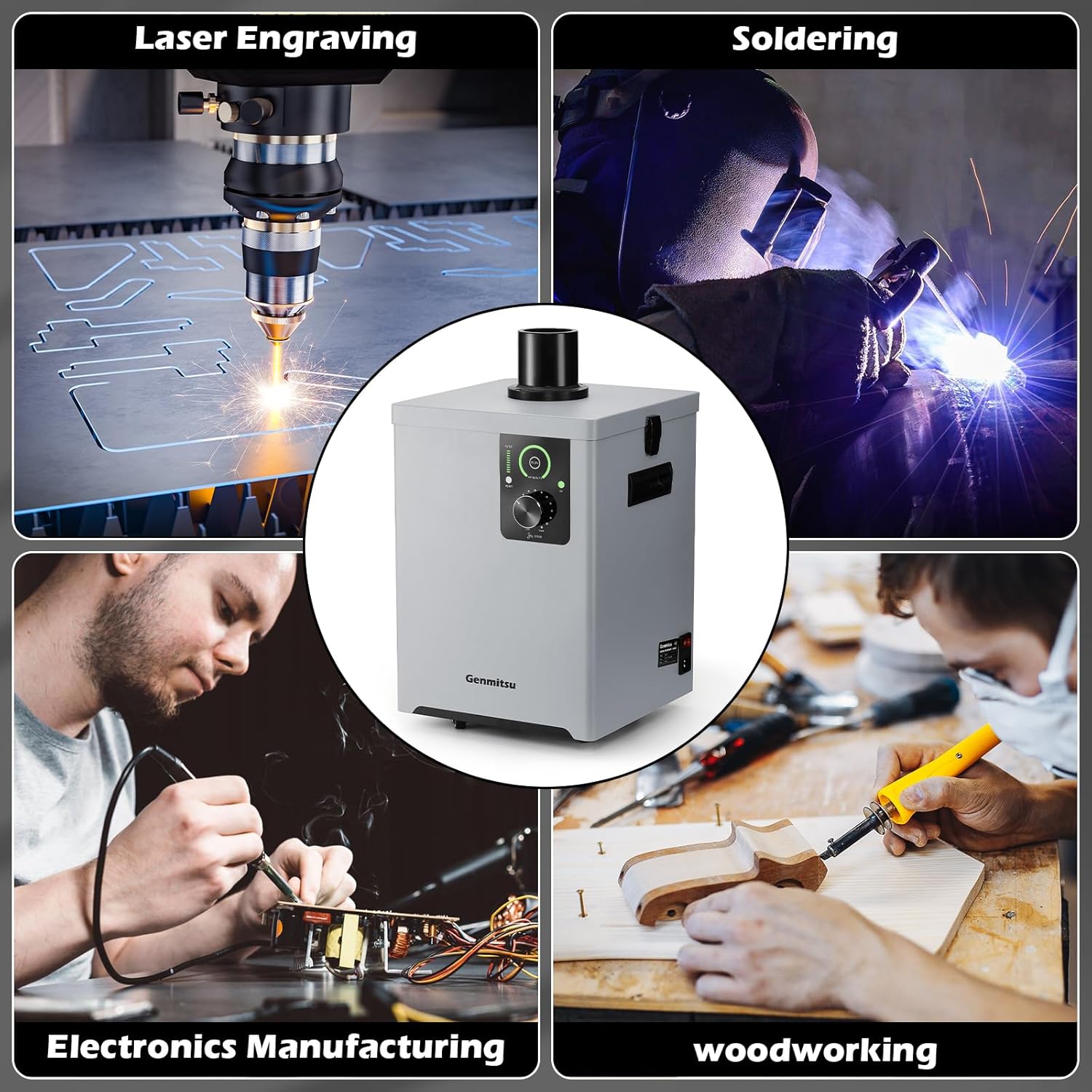
The Genmitsu MD13 Smoke Purifier is an advanced fume extraction system featuring a multi-layer filtration process and user-friendly design elements for enhanced air quality in various workshop applications.
Tärkeimmät ominaisuudet
- Four-Layer Filtration System: Includes a coarse cotton pre-filter, intermediate cartridge, high-efficiency coconut shell activated carbon, and a high-efficiency HEPA filter for 99.97% smoke elimination.
- Integrated UV Function: Absorbs and neutralizes smoke emissions, contributing to a healthier workspace.
- LED-liitäntä: Provides easy monitoring of filter status, air quality, and UV function.
- Stepless Airflow Adjustment: A rotary knob allows for precise control over the air suction speed.
- Parannettu liikkuvuus: Equipped with universal wheels for easy repositioning and dual handles for convenient lifting.


3. Asennus
3.1 Pakkauksen purkaminen ja osien tarkistaminen
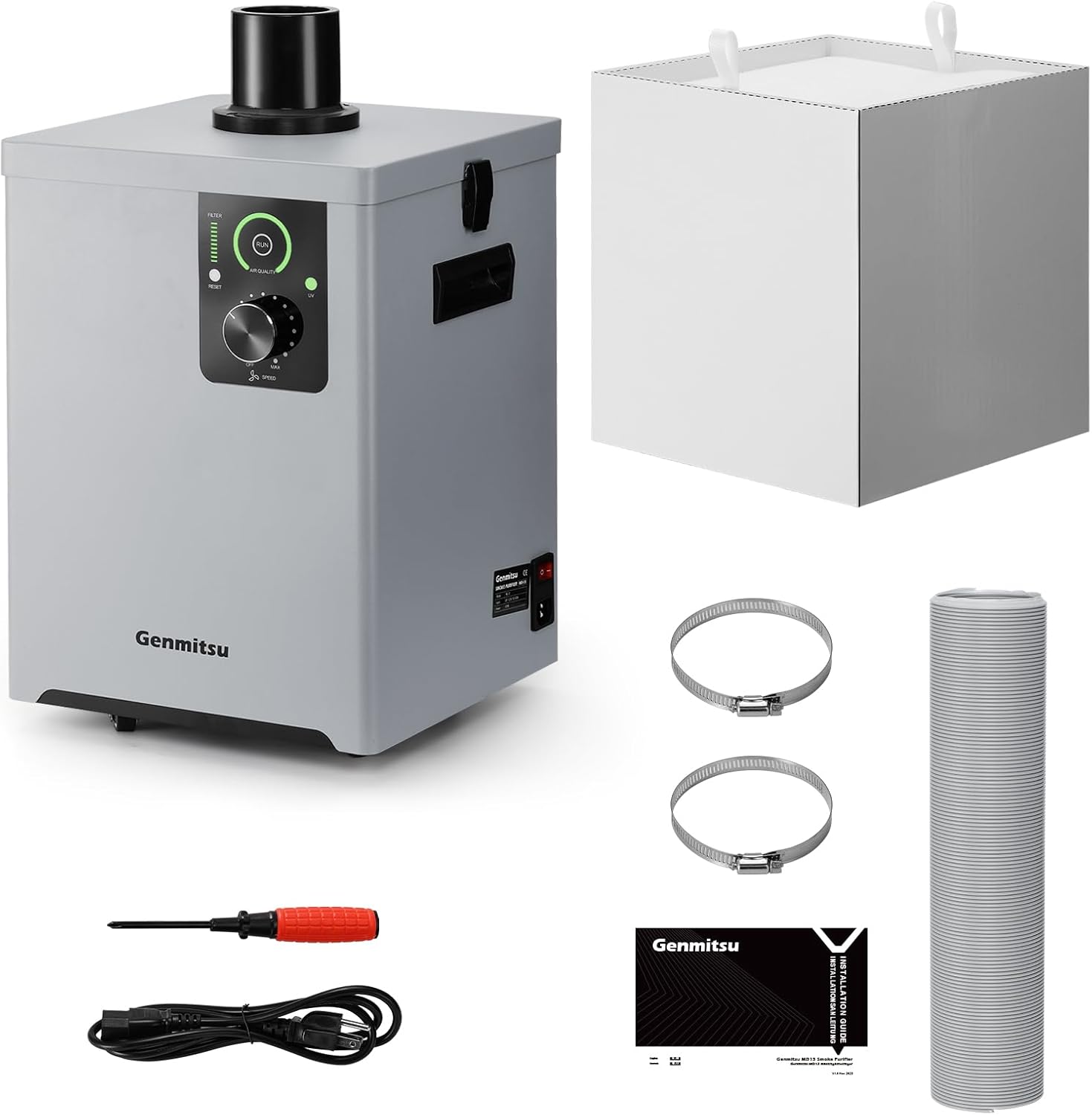
Poista kaikki osat varovasti pakkauksesta. Varmista, että kaikki alla luetellut osat ovat mukana ja vahingoittumattomia.
3.2 Suodattimen asennus
The filters are typically pre-installed. If not, or if you are replacing them, ensure they are inserted in the correct order as shown in Figure 2.2, with the coarse filter at the top and the HEPA filter at the bottom.
3.3 Pakoputken liitäntä
- Attach one end of the exhaust hose to the outlet port on top of the MD13 unit. Secure it with a hose clamp.
- Connect the other end of the exhaust hose to your fume-generating equipment (e.g., laser engraver, soldering station). Ensure a tight seal to prevent fume leakage.

3.4 Sijoitus
Position the MD13 on a stable, level surface. Utilize the universal wheels for easy movement. Ensure adequate space around the unit for proper airflow and maintenance access.
4. Käyttöohjeet
4.1 Virran kytkeminen päälle/pois
Connect the power cable to the unit and a suitable power outlet. Use the main power switch located on the unit to turn it on or off.
4.2 Ohjauspaneeli ohiview

- LED-näyttö: Displays real-time air quality and filter status.
- UV Function Button: Press to activate or deactivate the integrated UV light for enhanced fume neutralization. An indicator light will confirm its status.
- Ilmavirran säätönuppi: Rotate clockwise to increase airflow speed (MAX) and counter-clockwise to decrease it (OFF).
- Suodattimen nollauspainike: Used to reset the filter life indicator after replacing a filter.
4.3 Ilmavirran säätö
Turn the airflow adjustment knob to set the desired suction power. Start with a lower setting and increase as needed based on the amount of smoke or fumes generated by your application.
4.4 Using the UV Function
Press the UV button to activate the ultraviolet light. This function helps to further break down and neutralize harmful particles and odors. It is recommended to use the UV function during operations that produce significant fumes.
5. Huolto
Regular maintenance ensures optimal performance and extends the lifespan of your MD13 Smoke Purifier.
5.1 Suodattimen vaihto
The MD13 features an indicator light for cartridge usage and an average cartridge life of up to 300 hours. However, actual filter life will vary significantly depending on the type and volume of smoke being filtered.


- Virta pois: Varmista, että laite on sammutettu ja irrotettu virtalähteestä.
- Open Latches: Release the metal latches on the sides of the unit to open the top cover.
- Poista vanhat suodattimet: Carefully lift out the used filter layers. Dispose of them according to local regulations.
- Asenna uudet suodattimet: Place the new filters into the unit in the correct order (refer to Figure 2.2).
- Sulje kansi: Securely close the top cover and fasten the metal latches.
- Nollaa suodattimen ilmaisin: Plug in the unit and press the 'RESET' button on the control panel to reset the filter life indicator.
5.2 Ulkopuolen puhdistus
Pyyhi laitteen ulkopuoli pehmeällä, damp kangas. Älä käytä hankaavia puhdistusaineita tai liuottimia.
6. Vianmääritys
If you encounter issues with your Genmitsu MD13, refer to the following common problems and solutions:
| Ongelma | Mahdollinen syy | Ratkaisu |
|---|---|---|
| Yksikkö ei käynnisty | Ei virtaa; Virtakytkin pois päältä; Viallinen virtajohto | Check power connection; Ensure power switch is on; Try a different power outlet or cable |
| Low airflow or poor fume extraction | Clogged filters; Airflow knob set too low; Blocked hose; Loose hose connection | Check and replace filters if necessary; Increase airflow speed; Inspect hose for blockages; Secure hose connections |
| Epätavallinen ääni käytön aikana | Loose components; Obstruction in fan; Unit not on a level surface | Check for loose parts; Inspect fan for foreign objects (with power off); Ensure unit is on a stable surface |
| UV function not working | UV function not activated; UV lamp epäonnistuminen | Press the UV button; Contact support if the lamp ei syty |
If the problem persists after attempting these solutions, please contact Genmitsu customer support for further assistance.
7. Tekniset tiedot
| Ominaisuus | Yksityiskohta |
|---|---|
| Mallinumero | MD13 |
| Valmistaja | Genmitsu |
| Tuotteen mitat (P x L x K) | 30.1 x 30.5 x 43 cm (11.85 x 12.01 x 16.93 tuumaa) |
| Paino | 14.29 kg (31.5 lbs) |
| Virtalähde | AC/DC |
| Kohteiden määrä | 1 |
| Mukana olevat komponentit | Smoke Gas Purifier |
| Paristot vaaditaan | Ei |
| Suodatusjärjestelmä | 4-layer (Coarse Cotton, Intermediate Cartridge, Activated Carbon, HEPA) |
| Fume Elimination Rate | 99.97 % |
| UV-toiminto | Integroitu |
| Ilmavirran säätö | Stepless knob control |
8. Takuu ja tuki
For warranty information, technical support, or to purchase replacement parts and filters, please contact Genmitsu customer service. Refer to the official Genmitsu webyhteystiedot löytyvät verkkosivustolta tai ostodokumentaatiostasi.
Valmistaja: Genmitsu


