1. Johdanto
Thank you for choosing the Telefunken 40DTAF724 Android TV. This manual provides essential information for the safe and efficient use of your new television. Please read these instructions thoroughly before operating the device and retain them for future reference.
2. Tuote ohiview
The Telefunken 40DTAF724 is a 40-inch Full HD (1920 x 1080) Android Smart TV designed to deliver an immersive viewing experience. It features a bezel-less design, HDR10 support for enhanced color and contrast, and integrated Chromecast. With built-in Bluetooth and Wi-Fi connectivity, it is compatible with Google Assistant and Alexa for smart home integration.
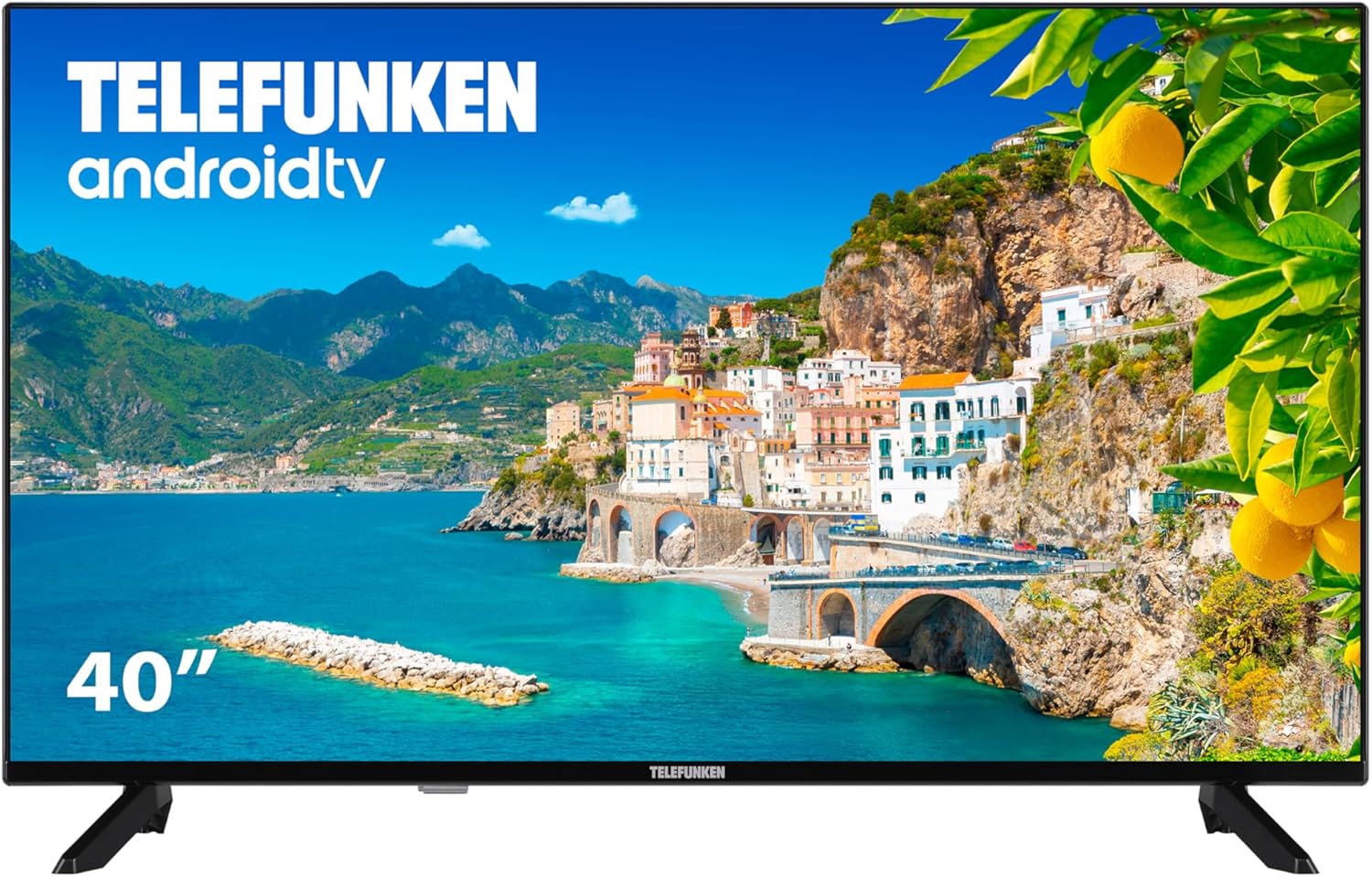
Kuva 2.1: Edessä view of the Telefunken 40DTAF724 Android TV, showcasing its bezel-less design and display.
3. Mitä laatikossa on
Upon unpacking your Telefunken 40DTAF724 TV, please ensure all the following components are present:
- Telefunken 40DTAF724 Android TV Unit
- Kaukosäädin
- Kaukosäätimen paristot
- Käyttöopas (tämä asiakirja)
- Virtakaapeli
- TV Stands (2 units) and Screws for assembly
4. Asennus
4.1. Jalustan asennus
TV-tasojen asentaminen:
- Aseta televisio varovasti kuvaruutu alaspäin pehmeälle ja tasaiselle alustalle, jotta näyttö ei vaurioidu.
- Kohdista jokainen jalusta television pohjassa oleviin vastaaviin ruuvinreikiin.
- Kiinnitä jokainen jalusta mukana toimitetuilla ruuveilla. Varmista, että ne on kiristetty tiukasti.
4.2. Seinäkiinnitys (valinnainen)
The Telefunken 40DTAF724 is compatible with VESA 100 x 100 M4 wall mounts. Please refer to your wall mount's instructions for proper installation. Ensure the wall can support the TV's weight (8.46 kg) and the mount.

Kuva 4.1: Sivu view of the TV with dimensions (90.2 cm width, 56.7 cm height, 16.7 cm depth) and VESA mount details.
4.3. Laitteiden liittäminen
Connect your external devices (e.g., cable box, gaming console, Blu-ray player) to the TV's ports. The TV supports HDMI, USB, Ethernet, and Bluetooth connectivity.

Kuva 4.2: Takaosa view of the TV, illustrating the location of HDMI, USB, Ethernet, and other input/output ports.
For optimal performance, use high-quality HDMI cables for video and audio connections.
5. Käyttöohjeet
5.1. Ensimmäinen asennuskerta
After connecting the power cable and turning on the TV for the first time, you will be guided through the initial setup process. This includes:
- Kielen valinta
- Verkkoyhteys (Wi-Fi tai Ethernet)
- Google Account sign-in (recommended for full Android TV features)
- Kanavien skannaus
- Hyväksyn käyttöehdot
5.2. Android TV Features
Your Telefunken TV runs on Android TV, providing access to a wide range of apps and services:
- Google Play Kauppa: Download your favorite streaming apps, games, and more.
- Sisäänrakennettu Chromecast: Suoratoista sisältöä älypuhelimesta, tabletista tai tietokoneesta suoraan televisioruutuun.
- Google Assistant: Käytä kaukosäätimen äänikomentoja sisällön hakemiseen, älykotilaitteiden ohjaamiseen ja tietojen hankkimiseen.
- Alexa-yhteensopivuus: Yhdistä televisiosi Alexa-yhteensopiviin laitteisiin ääniohjausta varten.
- HDR10: Experience enhanced contrast and a wider range of colors with HDR10 content.
5.3. Kaukosäädin
The included remote control allows you to navigate the TV's interface, adjust settings, and access smart features. Insert the provided batteries into the remote control, ensuring correct polarity.
6. Huolto
Varmistaaksesi televisiosi pitkän käyttöiän ja optimaalisen suorituskyvyn:
- Puhdistus: Unplug the TV before cleaning. Use a soft, dry cloth to wipe the screen and exterior. Do not use liquid cleaners or sprays directly on the screen.
- Ilmanvaihto: Varmista riittävä ilmanvaihto television ympärillä. Älä tuki tuuletusaukkoja.
- Teho: Irrota televisio pistorasiasta ukkosmyrskyjen aikana tai jos sitä ei käytetä pitkään aikaan.
7. Vianmääritys
Jos televisiossasi on ongelmia, katso seuraavia yleisiä ratkaisuja:
- Ei virtaa: Tarkista, että virtajohto on kytketty kunnolla sekä televisioon että pistorasiaan. Varmista, että pistorasia toimii.
- Ei kuvaa/ääntä: Varmista, että oikea tulolähde on valittu. Tarkista kaikki kaapeliliitännät (HDMI, antenni jne.).
- Kaukosäädin ei toimi: Vaihda paristot. Varmista, ettei kaukosäätimen ja television infrapunatunnistimen välissä ole esteitä.
- Verkkoyhteysongelmat: Restart your router and modem. Reconnect the TV to the Wi-Fi network or check the Ethernet cable.
- Hidas suorituskyky: Close unused applications. Clear the cache of frequently used apps. Consider a factory reset if issues persist (note: this will erase all personal data and settings).
For further assistance, please contact Telefunken customer support.
8. Tekniset tiedot
| Ominaisuus | Erittely |
|---|---|
| Merkki | Telefunken |
| Mallinumero | 40DTAF724 |
| Näytön koko | 40 tuumaa |
| Näyttötekniikka | LED |
| Resoluutio | 1080p (Full HD 1920 x 1080) |
| Päivitystaajuus | 60 Hz |
| Erikoisominaisuudet | Chromecast, Bezel-less Design, VESA Wall Mount, HDR10 |
| Yhteydet | Bluetooth, Ethernet, HDMI, USB, Wi-Fi |
| Kuvasuhde | 1.77:1 |
| Tuotteen mitat (leveys x syvyys x korkeus) | 90.2 x 16.7 x 56.7 cm |
| Paino | 8.46 kg |
| Energiatehokkuusluokitus | E |
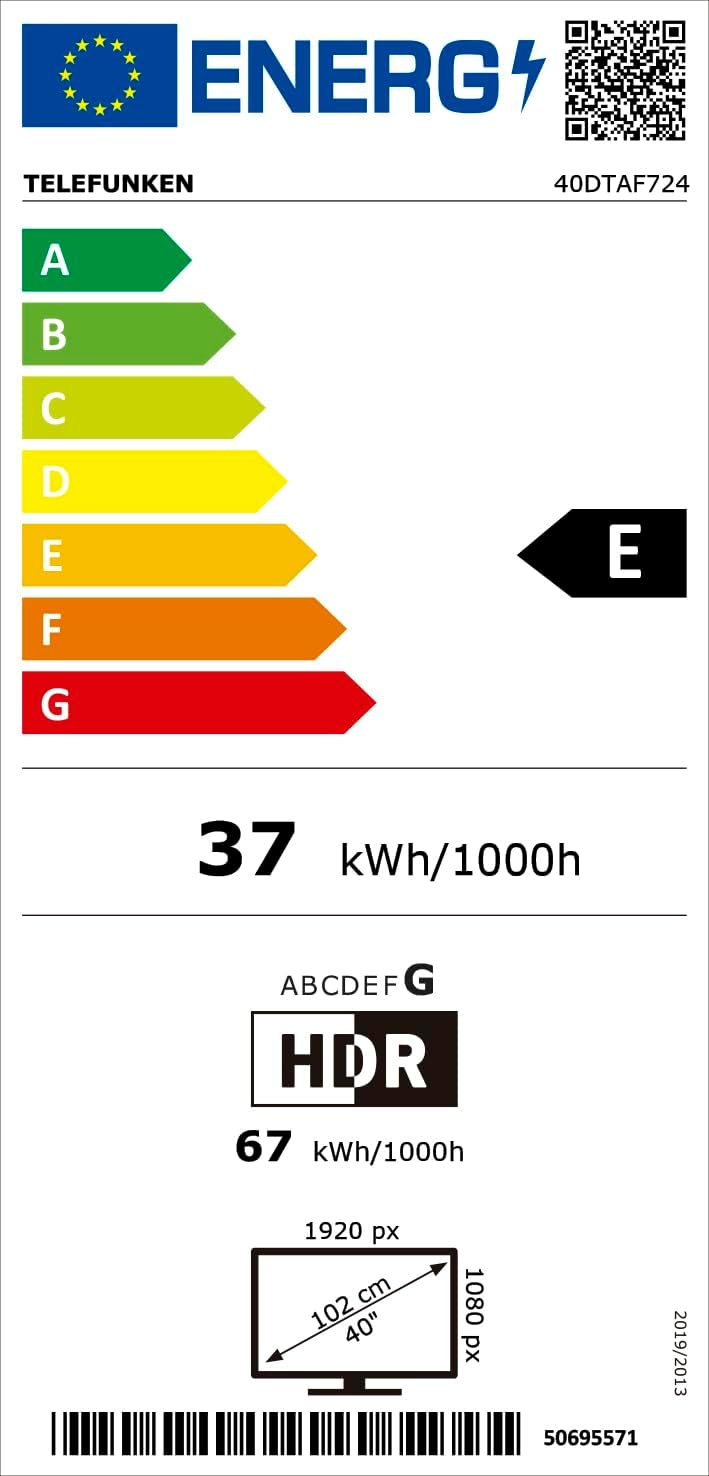
Kuva 8.1: Energy efficiency label for the Telefunken 40DTAF724 TV, showing its 'E' rating and power consumption.
For more details, scan the QR code or visit eprel.ec.europa.eu/qr/1860952.
9. Takuu ja tuki
Your Telefunken 40DTAF724 TV comes with a standard manufacturer's warranty. Please refer to the warranty card included in the packaging for specific terms and conditions. For technical support, service, or warranty claims, please contact your local Telefunken customer service center. Contact information can typically be found on the Telefunken official websivustolla tai takuuasiakirjoissa.


