Johdanto
This manual provides detailed instructions for the setup, operation, and maintenance of your Rapoo M300G Silent Wireless Mouse. Please read this manual thoroughly to ensure proper use and to maximize the performance of your device.
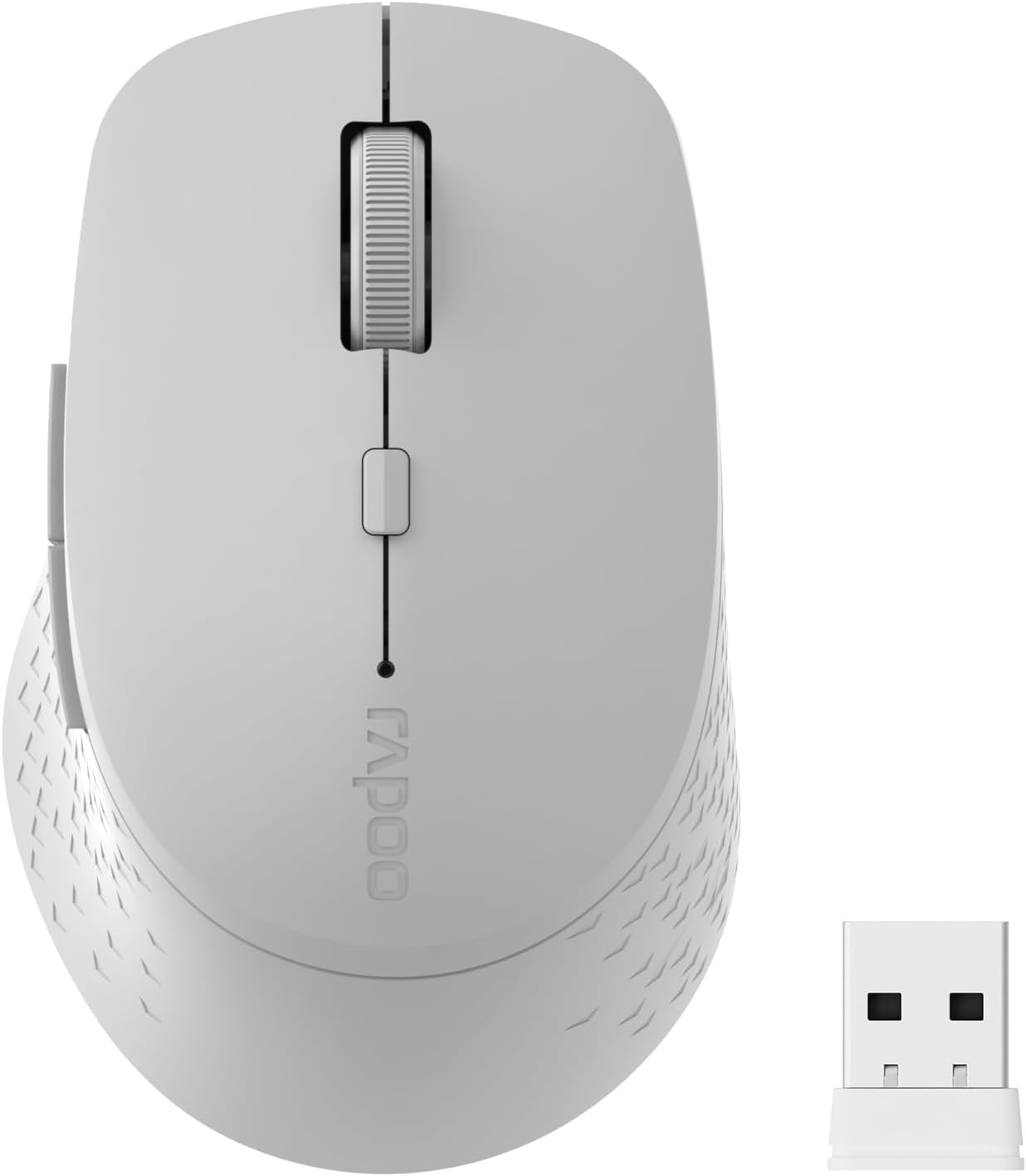
Image: The Rapoo M300G Silent Wireless Mouse in light grey, shown with its accompanying USB receiver.
Pakkauksen sisältö
Varmista, että pakkauksessa on kaikki tarvittavat osat:
- Rapoo M300G Wireless Mouse (x1)
- USB-vastaanotin (x1)
- AA-paristo (x1)
- Product Manual (x1)
Tuote loppuview
Familiarize yourself with the components of your Rapoo M300G mouse.
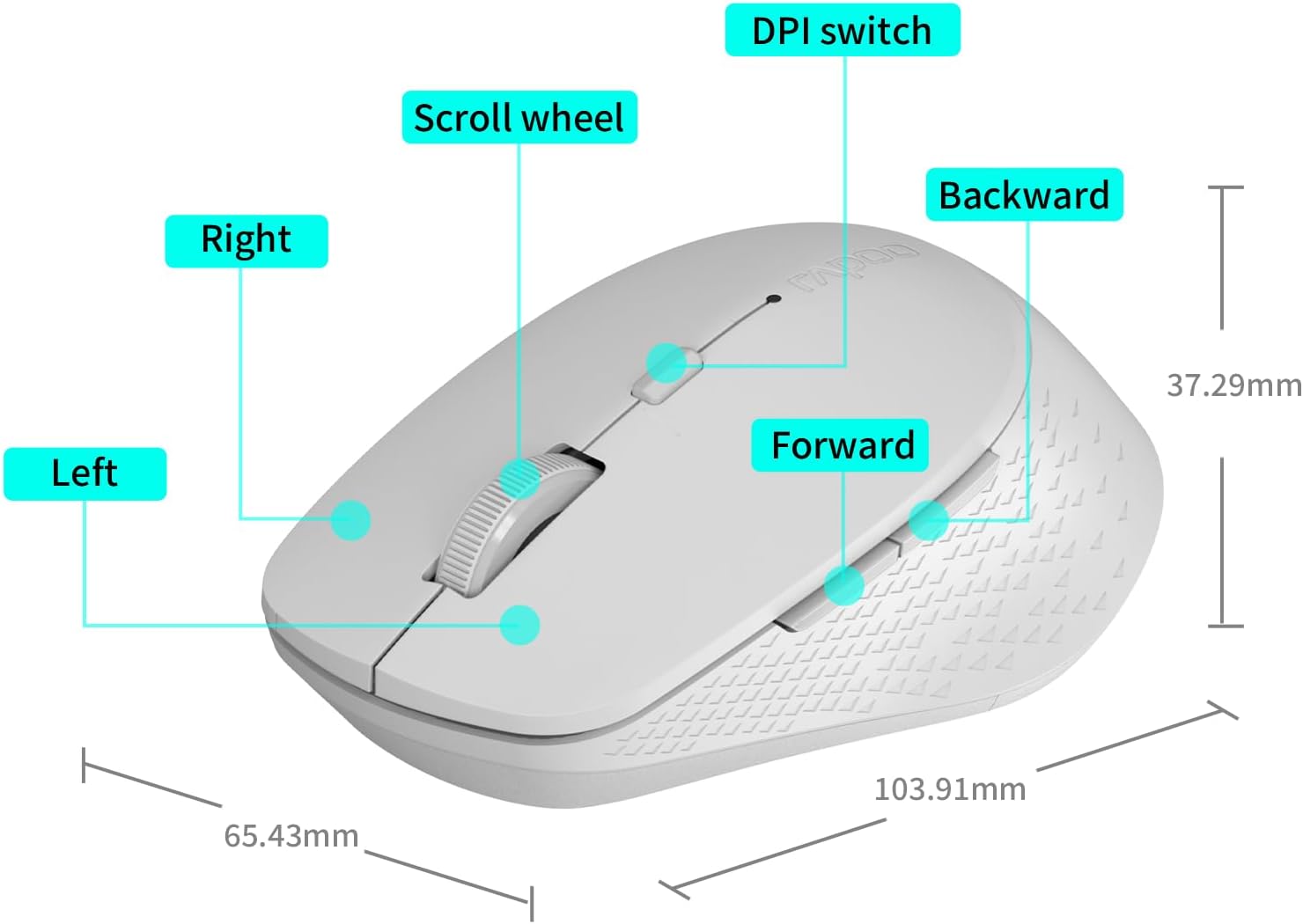
Image: A diagram illustrating the various parts of the Rapoo M300G mouse, including the left and right click buttons, scroll wheel, DPI switch, and forward/backward side buttons.
- Vasen painike: Vakioklikkaustoiminto.
- Oikea painike: Kontekstivalikon toiminto.
- Vierityspyörä: Pystysuuntaiseen vieritykseen ja keskipainikkeen napsautukseen.
- DPI-kytkin: Säätää kohdistimen herkkyyttä.
- Eteenpäin-painike: Navigoi eteenpäin kohdassa web selaimet tai file tutkimusmatkailijoita.
- Taaksepäin-painike: Navigoi taaksepäin web selaimet tai file tutkimusmatkailijoita.
Asennusohjeet
The Rapoo M300G mouse supports both 2.4GHz wireless and Bluetooth connectivity. Choose the method that best suits your device.
1. Akun asennus
Open the battery compartment on the underside of the mouse. Insert the provided AA battery, ensuring correct polarity. Close the compartment.

Image: Illustration of the mouse's underside, highlighting the battery compartment and the integrated USB receiver storage slot.
2. Yhdistäminen 2.4 GHz:n langattoman tilan kautta
- Etsi USB-vastaanotin hiiren paristolokerosta.
- Irrota USB-vastaanotin ja kytke se tietokoneen vapaaseen USB-porttiin.
- Käynnistä hiiri pohjassa olevalla virtakytkimellä.
- Hiiren pitäisi muodostaa yhteys tietokoneeseen automaattisesti. Lisäohjaimia ei yleensä tarvita.
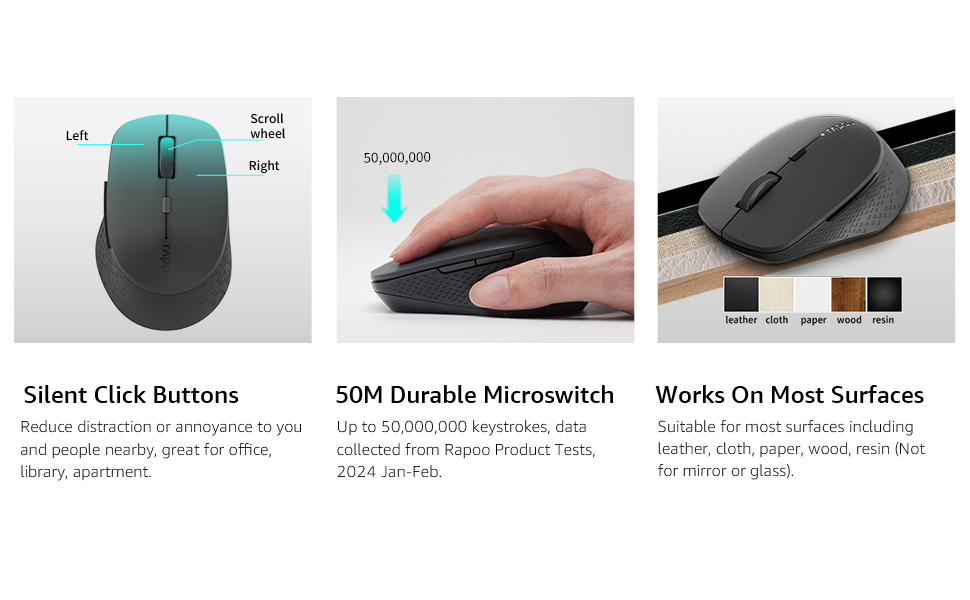
Image: Visual guide for connecting the mouse. The 2.4GHz mode shows the USB receiver being inserted into a computer.
3. Yhdistäminen Bluetooth-tilan kautta
The mouse supports Bluetooth 5.0 and 4.0.
- Käynnistä hiiri pohjassa olevalla virtakytkimellä.
- Press and hold the multifunction button on the underside of the mouse for 3-5 seconds until the indicator light flashes slowly. This indicates pairing mode.
- Avaa tietokoneellasi tai laitteellasi Bluetooth-asetukset.
- Etsi new devices and select "Rapoo M300G" (or similar) from the list.
- Suorita pariliitosprosessi loppuun noudattamalla näytön ohjeita. Merkkivalo lakkaa vilkkumasta, kun yhteys on muodostettu.

Image: Diagram detailing the multifunction button on the mouse's underside, explaining its use for DPI adjustment (short press) and Bluetooth pairing (long press).
Image: Visual guide for connecting the mouse. The Bluetooth mode shows the mouse pairing with a laptop.
Käyttöohjeet
1. Switching Between Devices (Multi-Mode)
The Rapoo M300G can connect to two devices simultaneously (one via 2.4GHz, one via Bluetooth). To switch between connected devices, briefly press the multifunction button on the underside of the mouse. The indicator light will change to confirm the active connection mode.

Image: The Rapoo M300G mouse demonstrating its ability to connect to two devices simultaneously, one via 2.4GHz and another via Bluetooth.
2. DPI:n (herkkyyden) säätäminen
The mouse offers 5 adjustable DPI levels: 800, 1000, 1200, 1600, and 2400. To change the DPI, press the DPI switch button located on the top of the mouse, below the scroll wheel. Each press cycles through the available DPI settings.

Image: A visual representation of the mouse's adjustable DPI settings, ranging from 800 to 2400, with an arrow pointing to the DPI switch button.
3. Hiljainen napsautustoiminto
The Rapoo M300G features silent click buttons, reducing operational noise by 90%. This design is intended for quiet environments, minimizing disturbance to others.

Image: The Rapoo M300G mouse, emphasizing its silent click functionality, suitable for quiet environments.

Kuva: Yksityiskohtainen view of the mouse's silent click buttons, durable microswitches, and its ability to function on various surfaces.
4. Pinnan yhteensopivuus
The advanced optical tracking engine allows the mouse to operate effectively on various surfaces, including leather, cloth, paper, wood, and resin, without requiring a mouse pad. Performance may vary on glass or mirrored surfaces.

Image: The Rapoo M300G mouse positioned on different materials, highlighting its capability to track on diverse surfaces.
Huolto
1. Pariston vaihto
When the mouse performance degrades or the indicator light signals low battery, replace the AA battery. The mouse is designed for low power consumption, offering up to 12 months of battery life under normal conditions.

Image: An illustration emphasizing the Rapoo M300G mouse's extended battery life of up to 12 months.
2. Puhdistus
Puhdista hiiri pehmeällä, kuivalla liinalla. Pinttyneeseen likaan käytä hieman kuivaa liinaa.amp liinaa voidaan käyttää varmistaen, ettei kosteutta pääse sisäisiin osiin. Vältä voimakkaiden kemikaalien tai hankaavien materiaalien käyttöä.
Vianetsintä
Hiiri ei vastaa
- Tarkista akku: Varmista, että AA-paristo on asennettu oikein ja että siinä on riittävästi virtaa. Vaihda paristo tarvittaessa.
- Virtakytkin: Verify the mouse is turned on.
- USB Receiver (2.4GHz Mode): Varmista, että USB-vastaanotin on kytketty tukevasti toimivaan USB-porttiin. Kokeile toista USB-porttia.
- Bluetooth Connection (Bluetooth Mode):
- Varmista, että Bluetooth on käytössä laitteessasi.
- Re-enter pairing mode on the mouse (long press multifunction button) and re-pair with your device.
- Remove the mouse from your device's Bluetooth list and attempt to pair again.
- Häiriöt: Move the mouse closer to the receiver/device. Avoid using the mouse near other wireless devices that might cause interference.
Kohdistimen liike on epäsäännöllistä
- Puhdista anturi: Varmista, että hiiren pohjassa oleva optinen anturi on puhdas ja ettei siinä ole pölyä tai roskia.
- Pinta: Try using the mouse on a different surface. While the mouse works on many surfaces, some highly reflective or uneven surfaces may affect tracking.
- DPI -asetus: Säädä DPI-asetusta DPI-kytkinpainikkeella nähdäksesi, parantaako eri herkkyys suorituskykyä.
Tekniset tiedot
| Malli | M300G |
| Yhteystekniikka | Bluetooth 5.0, Bluetooth 4.0, 2.4GHz Wireless |
| Liiketunnistustekniikka | Optinen |
| Säädettävä DPI | 800 / 1000 / 1200 / 1600 / 2400 |
| Erikoisominaisuudet | Silent Clicks, Multi-Device Switching, Portable, Ergonomic Design |
| Akun tyyppi | 1 x AA-paristo (mukana) |
| Akun kesto | Jopa 12 kuukautta |
| Tuotteen mitat | 4.09 x 2.57 x 0.04 tuumaa (103.91 x 65.43 x 37.29 mm) |
| Tuotteen paino | 3.52 unssia (100 g) |
| Yhteensopivuus | Windows, Mac OS, Linux, iOS, Android, Chrome OS |
Takuu ja tuki
Your Rapoo M300G Silent Wireless Mouse comes with a yhden vuoden takuu ostopäivästä lukien. Lisäksi 30-day return and refund or replacement policy is offered. For warranty claims, technical support, or product inquiries, please contact your retailer or visit the official Rapoo webavun sivusto.
Lisätietoja saat osoitteesta Rapoo Brand Store on Amazon.